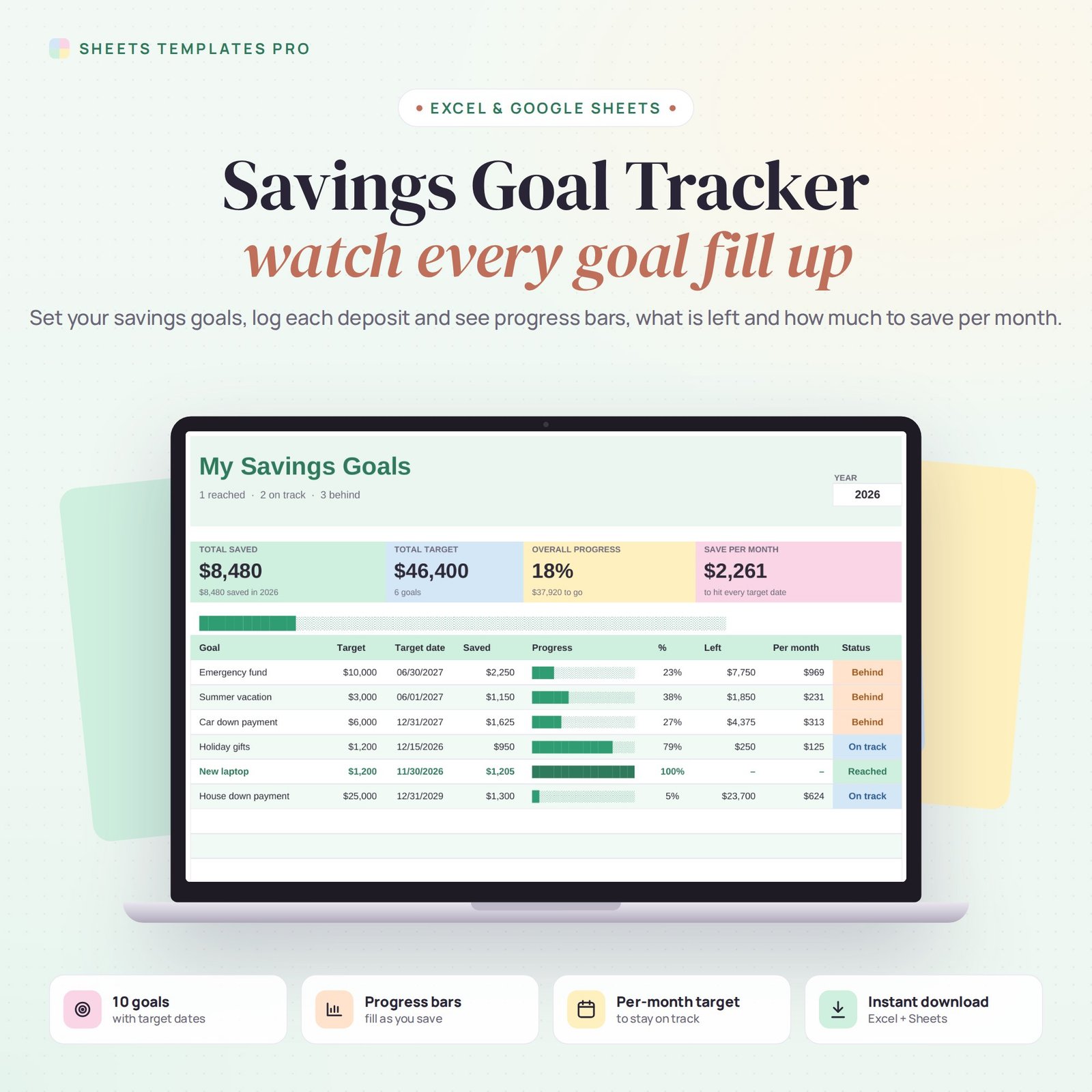
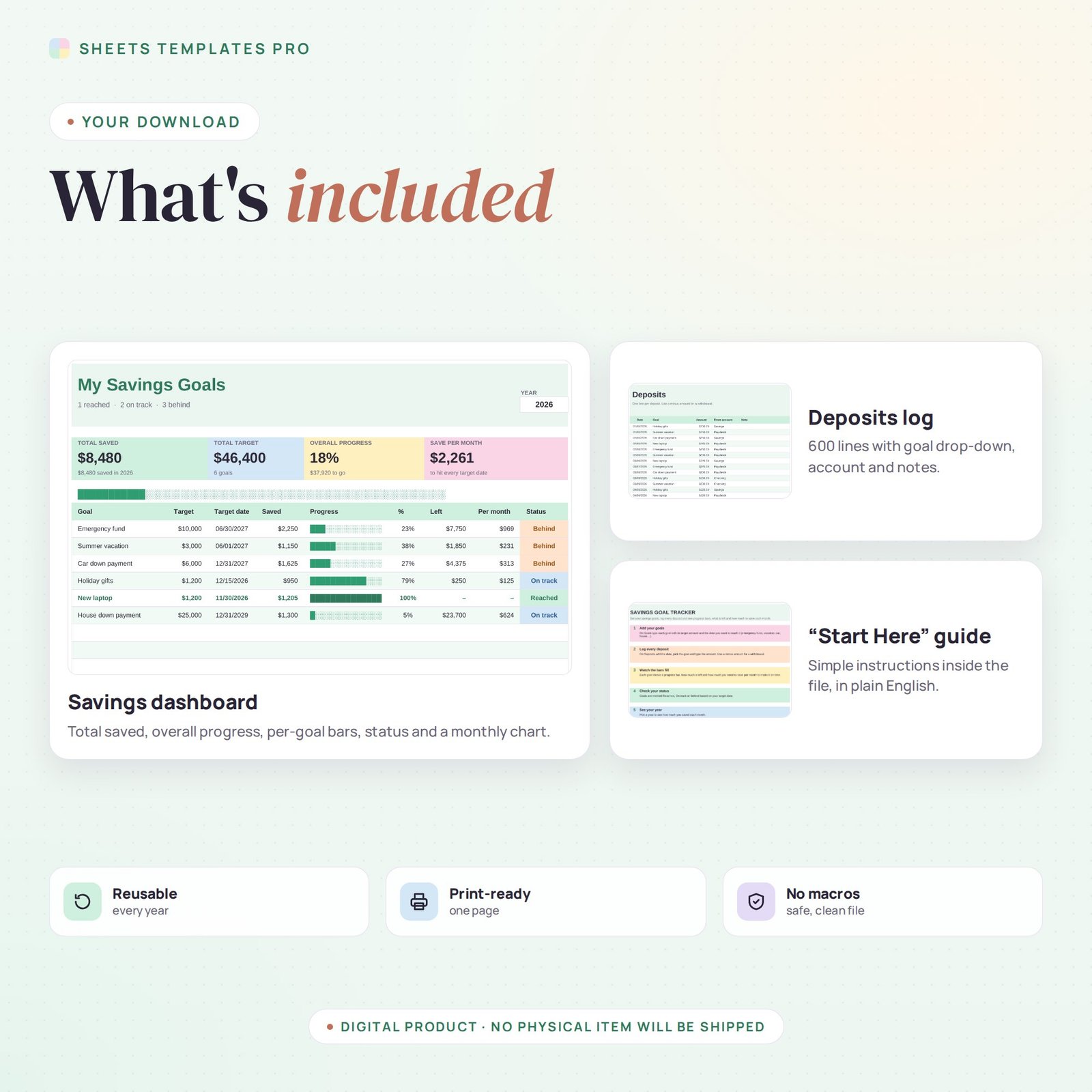
Save for the things that matter and see exactly where you stand. This savings goal tracker lets you set up to 10 goals with a target amount and date, log every deposit, and watch progress bars fill up. It tells you what is left, how much to save each month to make it on time, and whether each goal is on track. It works in Excel and Google Sheets. Use it as a ready-made savings tracker in Excel or Google Sheets.
Who this template is for
- Anyone saving for a vacation, car or emergency fund
- Families with multiple savings goals
- People doing a savings challenge
Features
- Up to 10 savings goals – emergency fund, vacation, car, house down payment, holiday gifts and more.
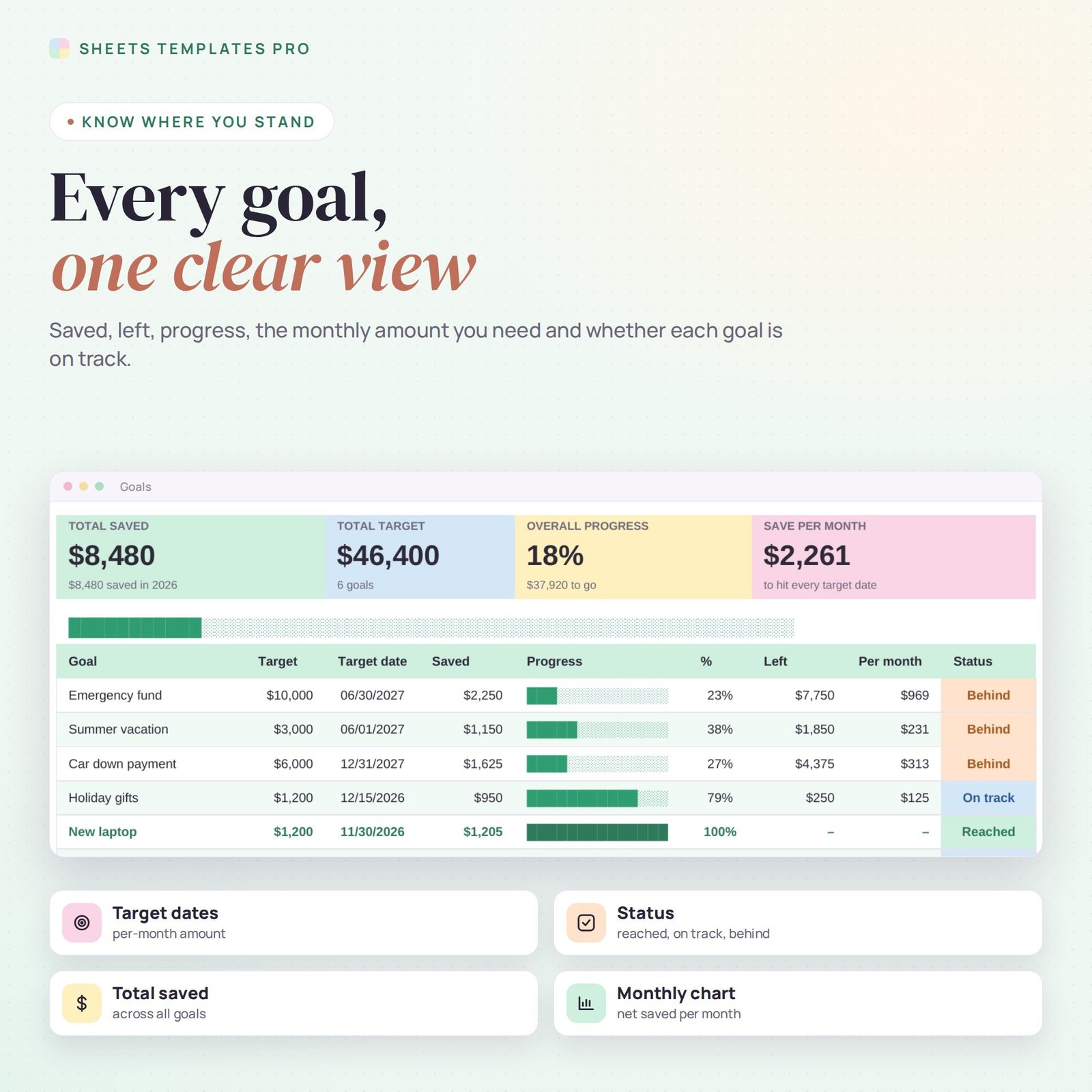
- Progress bars and percentages – every goal fills up as you save.
- Monthly amount needed – how much to put aside each month to reach each target date.
- Status for every goal – Reached, On track or Behind, colour-coded.
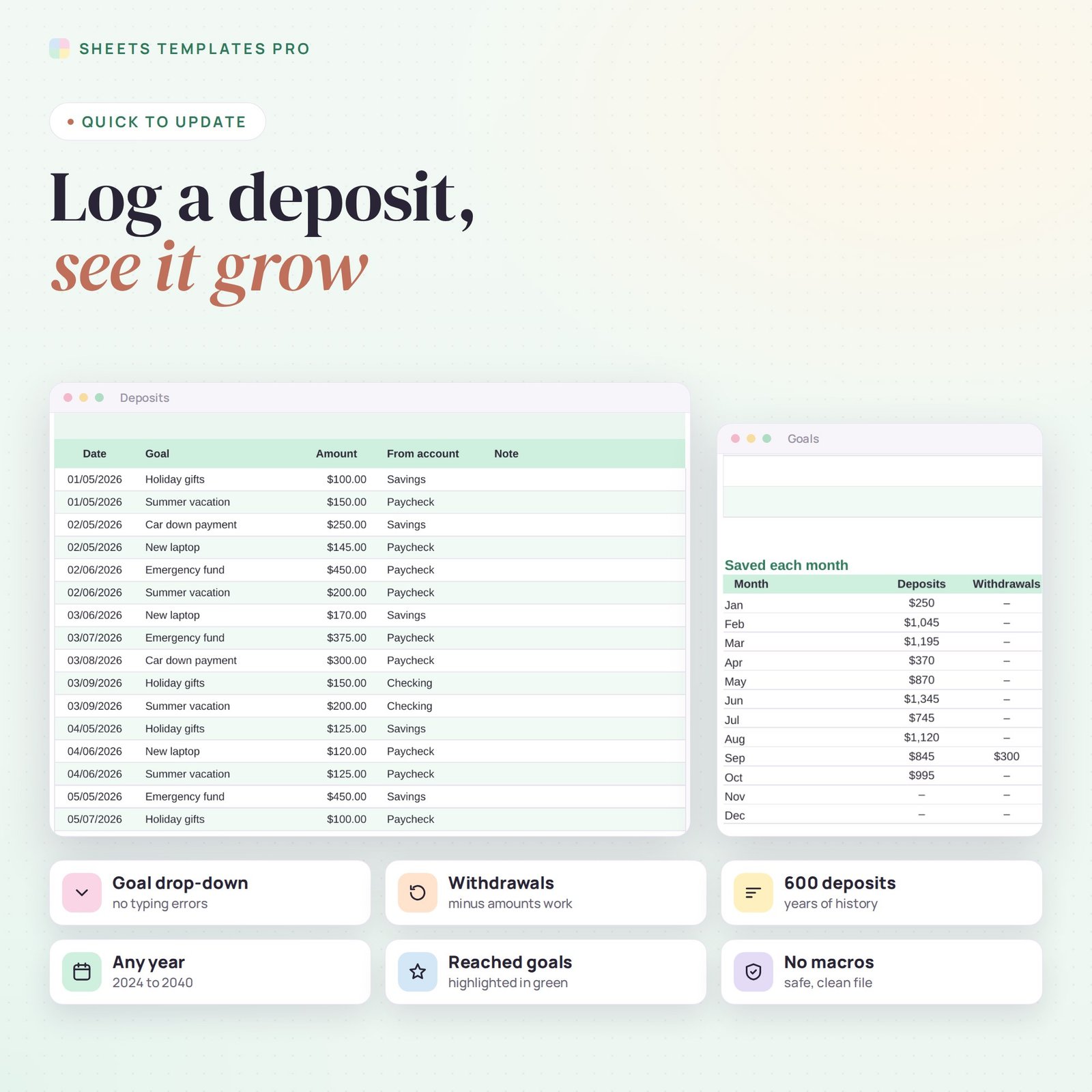
- Deposit log for 600 entries – date, goal drop-down, amount, account and note. Withdrawals work with a minus amount.
- Dashboard – total saved, total target, overall progress and a chart of what you saved each month.
How to use it
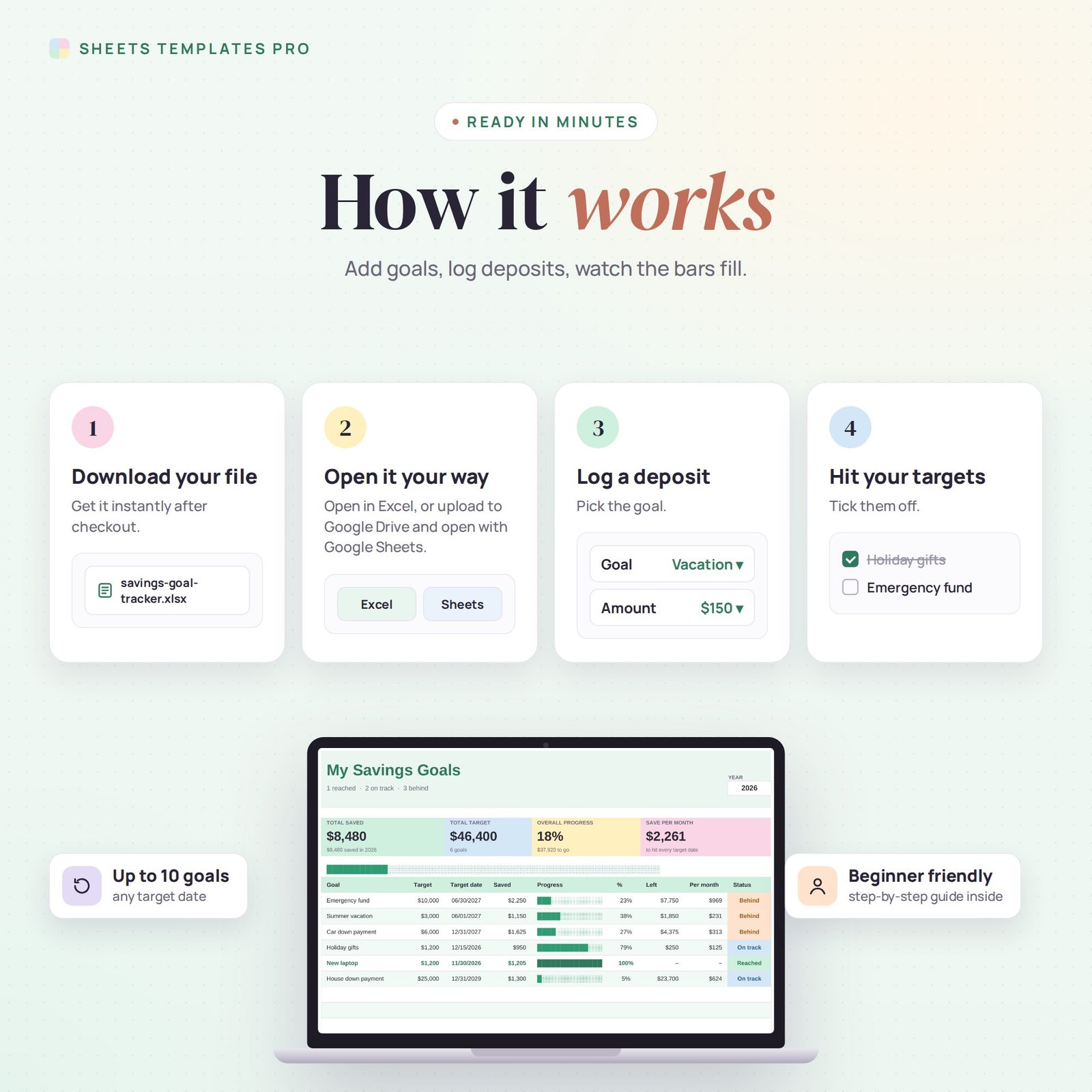
- On the Goals tab, type each goal with its target and target date.
- On the Deposits tab, log each amount you put aside and pick the goal.
- Check the Goals tab to see progress, what is left and your monthly target.
- Pick a year to see how much you saved each month.
What’s included
- Savings goal tracker spreadsheet (.xlsx) with Start Here guide, Goals dashboard and Deposits log
- Sample goals and deposits you can clear in seconds
Compatibility
Microsoft Excel 2016 or later (Windows and Mac), Excel for the web and Google Sheets. No macros, no add-ons.
FAQ
Can I track money in different accounts? Yes. Pick the account for each deposit, and the goal totals add up no matter where the money sits.
What if I take money out? Enter a minus amount. It is shown in red and taken off that goal.
Can I use it for a sinking fund? Yes, but we also have a dedicated sinking funds tracker for regular yearly expenses.
Does it work in the free version of Google Sheets?
Yes. Upload the .xlsx file to Google Drive and open it with Google Sheets. A free Google account is all you need.
Can I use it on a Mac, iPad or phone?
Yes. It works in Excel for Mac and Windows, Excel online and the Google Sheets app. For editing, a computer or tablet is the most comfortable.
How do I get the file?
Right after checkout you get a download link on the confirmation page and by email.
More templates like this: Budget Planners.
This is a digital product. You will receive a download link after purchase. No physical item will be shipped.



Reviews
There are no reviews yet.