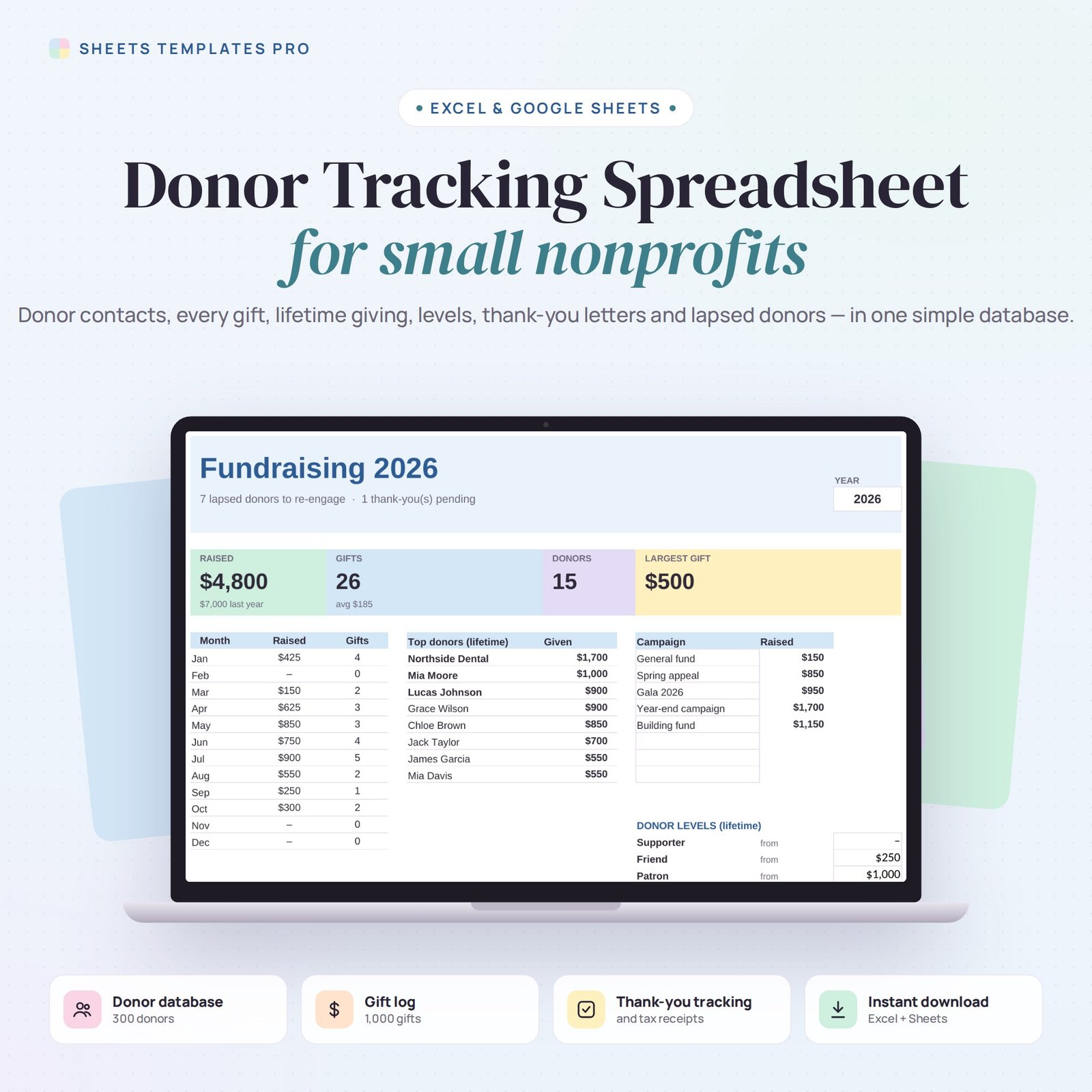


Keep your supporters close without expensive donor software. This donor tracking spreadsheet is a simple donor database for small nonprofits, schools, churches and community groups: contacts, every gift, lifetime giving, donor levels and thank-you tracking in one file.
Who this template is for
- Small nonprofits without a donor CRM
- Churches tracking contributions
- School and club fundraisers
Features
- Donor database (300 donors): ID, name, type (individual, business, foundation, church or group), email, phone and city.
- Calculated for every donor: lifetime giving, last gift date, donor level and Active or Lapsed status (no gift in 12 months).
- Gift log (1,000 gifts): date, donor ID from a drop-down (name fills in), amount, method, campaign, Thanked and Receipt checkboxes.
- Missing thank-yous and receipts highlighted.
- Dashboard for any year: total raised vs last year, gifts, average gift, number of donors, largest gift, raised by month, by campaign and top donors.
- Editable donor levels (Supporter, Friend, Patron, Major) and campaigns. No macros.
How to use it
- Download the file and open it in Excel or upload it to Google Sheets.
- Add your donors with an ID for each.
- Log every gift and tick Thanked and Receipt when done.
- Review the Dashboard and reach out to lapsed donors.
What’s included
- 1 .xlsx file with 4 tabs: Start Here, Dashboard, Donors and Gifts.
- Example donors and gifts (clear them to start fresh).
Compatibility
Works in Microsoft Excel (desktop, Mac and Excel online) and Google Sheets. No add-ons or macros required.
FAQ
Can I change the donor levels?
Yes. Edit the amounts on the Dashboard and every donor’s level updates.
Does it track in-kind gifts?
Yes. Choose In-kind as the method and enter the estimated value.
Is it a CRM?
It’s a lightweight donor database for organizations that don’t need (or can’t afford) a full CRM yet.
Does it work in the free version of Google Sheets?
Yes. Upload the .xlsx file to Google Drive and open it with Google Sheets. A free Google account is all you need.
Can I use it on a Mac, iPad or phone?
Yes. It works in Excel for Mac and Windows, Excel online and the Google Sheets app. For editing, a computer or tablet is the most comfortable.
How do I get the file?
Right after checkout you get a download link on the confirmation page and by email.
More templates like this: Nonprofit.
This is a digital product. No physical item will be shipped.

Reviews
There are no reviews yet.