

Run your next fundraiser from one simple spreadsheet. This fundraising tracker template lets you set a goal, log every donation and pledge, and watch a goal thermometer fill up as the money comes in. It works for school fundraisers, sports teams, clubs, churches, PTAs and small nonprofits, in Excel and Google Sheets.
Who this template is for
- Schools, PTAs and clubs running campaigns
- Nonprofits tracking appeals
- Teams raising money for an event
Features
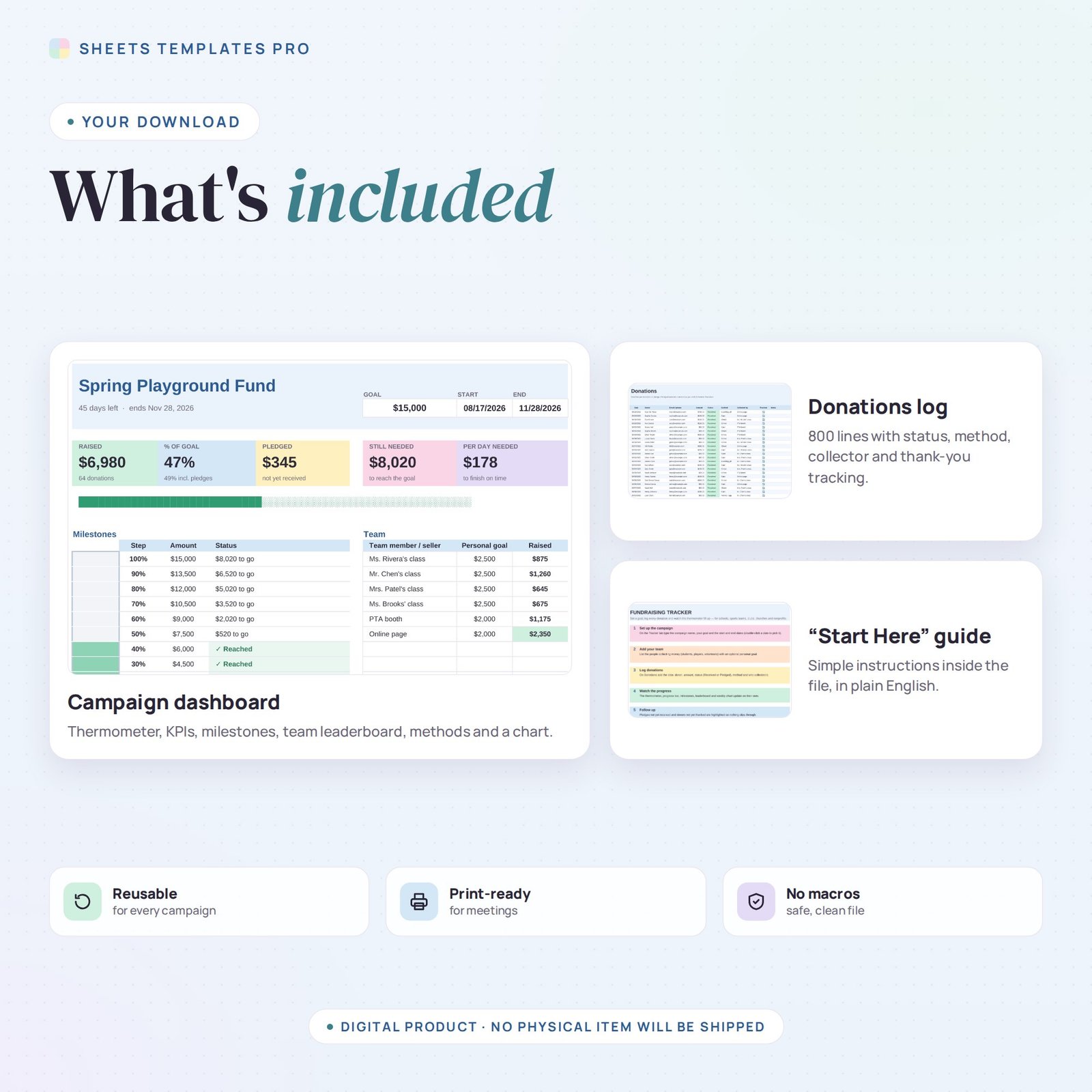
- Goal thermometer with 10 milestones – each 10% step lights up when reached and shows how much is left for the next one.
- Live progress bar and KPIs – raised, % of goal, pledged, still needed and how much you need per day to finish on time.
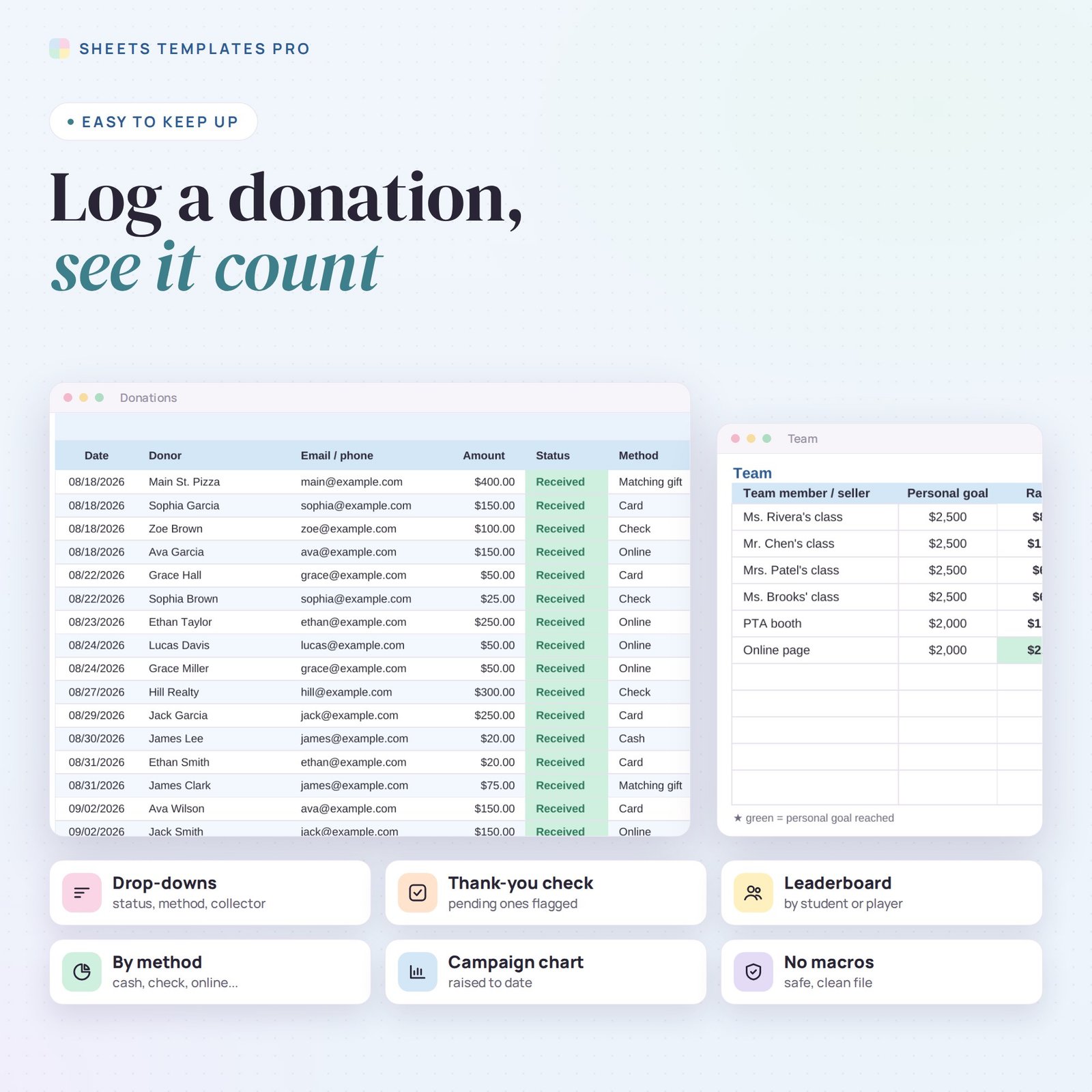
- Donations log for 800 entries – date, donor, contact, amount, status (Received or Pledged), method, who collected it and a thank-you check.
- Team leaderboard – list students, players or volunteers with a personal goal; reached goals turn green and the top collector is highlighted.
- Breakdown by method – online, cash, check, card, payment apps and matching gifts.
- Campaign chart – money raised to date across the whole campaign, from start date to end date.
- Follow-ups highlighted – donations that still need a thank-you are flagged automatically.
How to use it
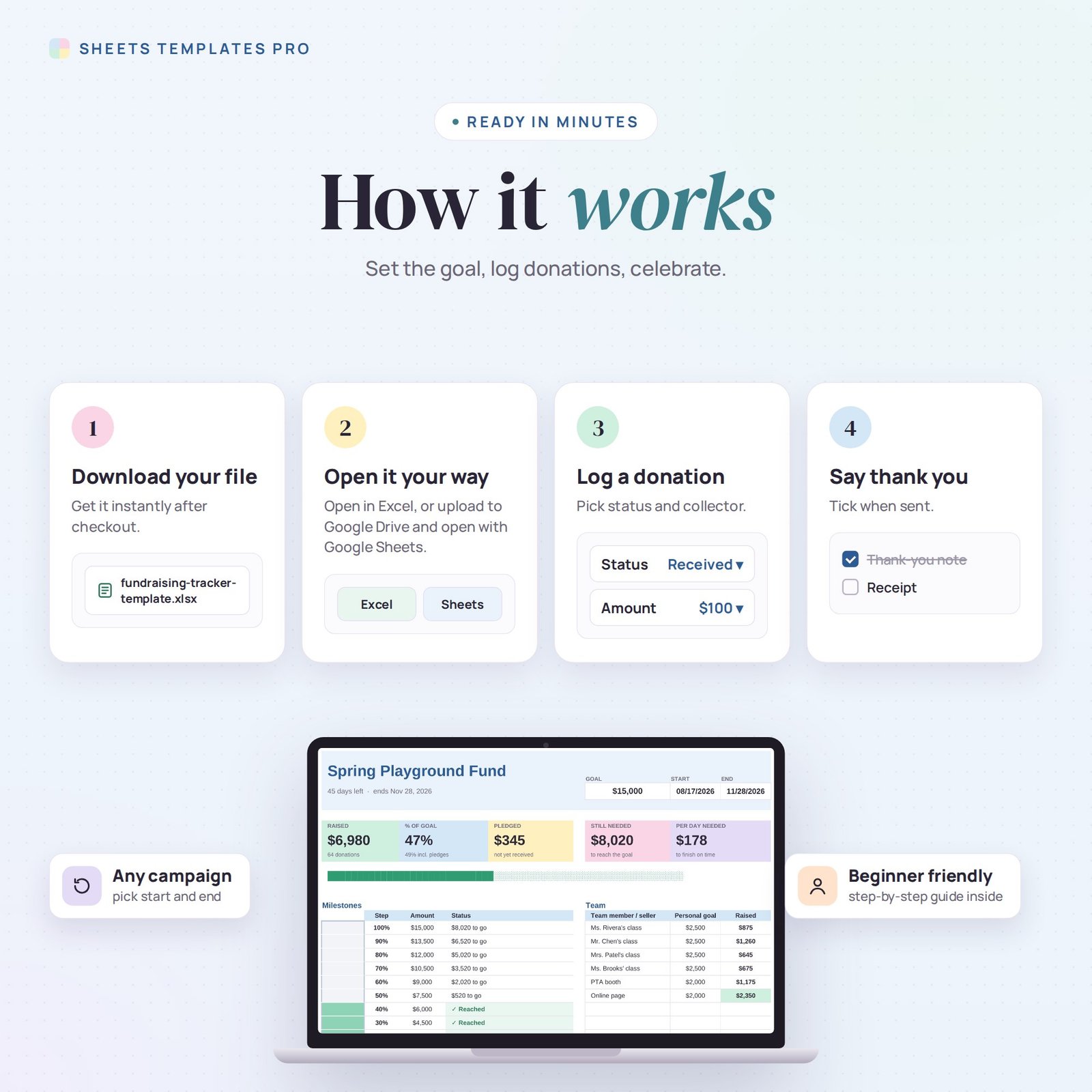
- On the Tracker tab, type the campaign name, your goal and the start and end dates.
- Add your team members or sellers and, if you like, a personal goal for each one.
- Log each donation on the Donations tab using the drop-down menus.
- Switch a pledge to Received when the money arrives – the totals update on their own.
What’s included
- Fundraising tracker spreadsheet (.xlsx) with Start Here guide, Tracker dashboard and Donations log
- Sample data you can clear in seconds
Compatibility
Microsoft Excel 2016 or later (Windows and Mac), Excel for the web and Google Sheets. No macros, no add-ons.
FAQ
Can I reuse it for another campaign? Yes. Clear the Donations tab, change the goal and dates, and start again.
Do pledges count toward the goal? Raised only counts Received donations; pledges are shown separately, and the % of goal also shows the figure including pledges.
Can several people update it? Upload it to Google Sheets and share it with your team.
Does it work in the free version of Google Sheets?
Yes. Upload the .xlsx file to Google Drive and open it with Google Sheets. A free Google account is all you need.
Can I use it on a Mac, iPad or phone?
Yes. It works in Excel for Mac and Windows, Excel online and the Google Sheets app. For editing, a computer or tablet is the most comfortable.
How do I get the file?
Right after checkout you get a download link on the confirmation page and by email.
More templates like this: Nonprofit.
This is a digital product. You will receive a download link after purchase. No physical item will be shipped.
Reviews
There are no reviews yet.