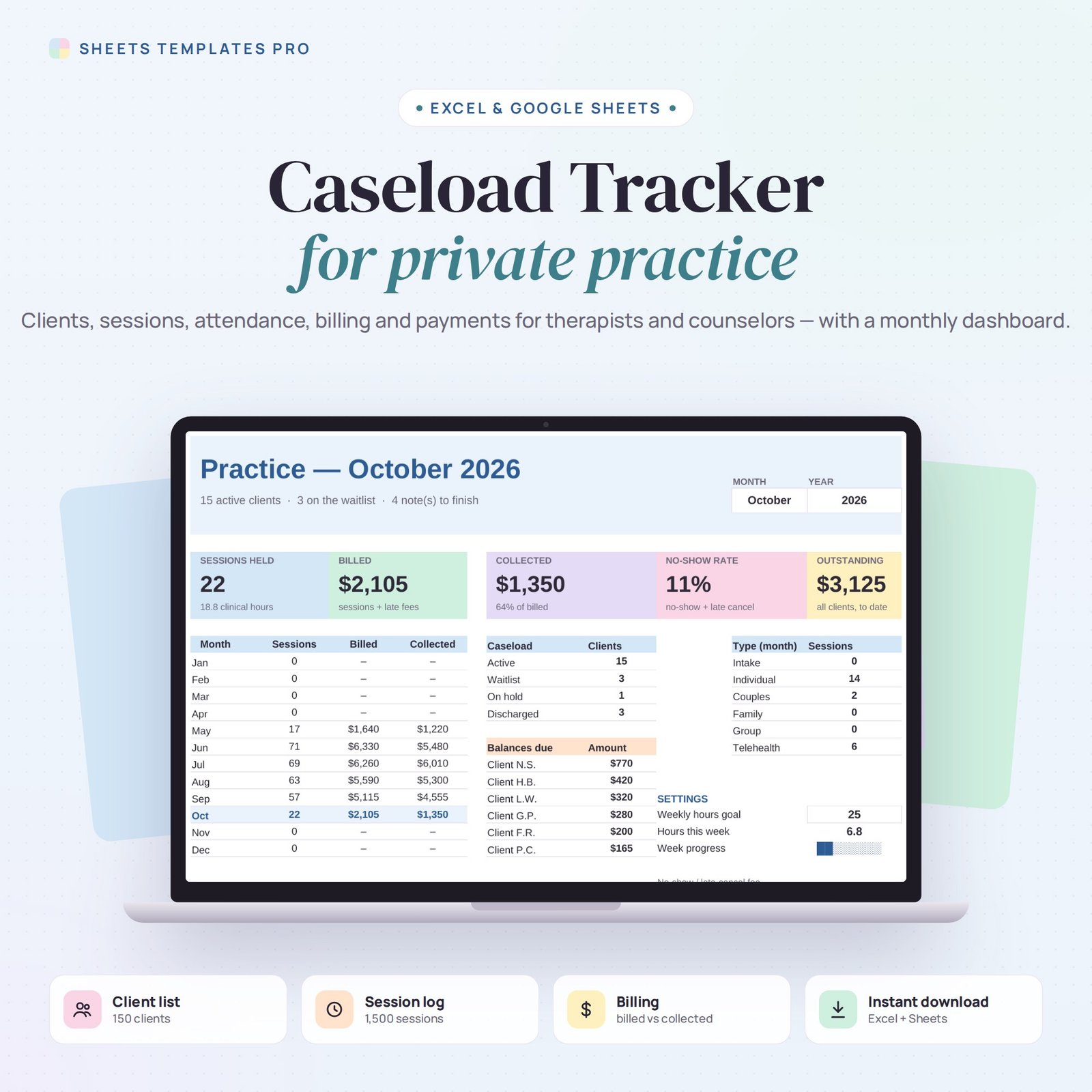
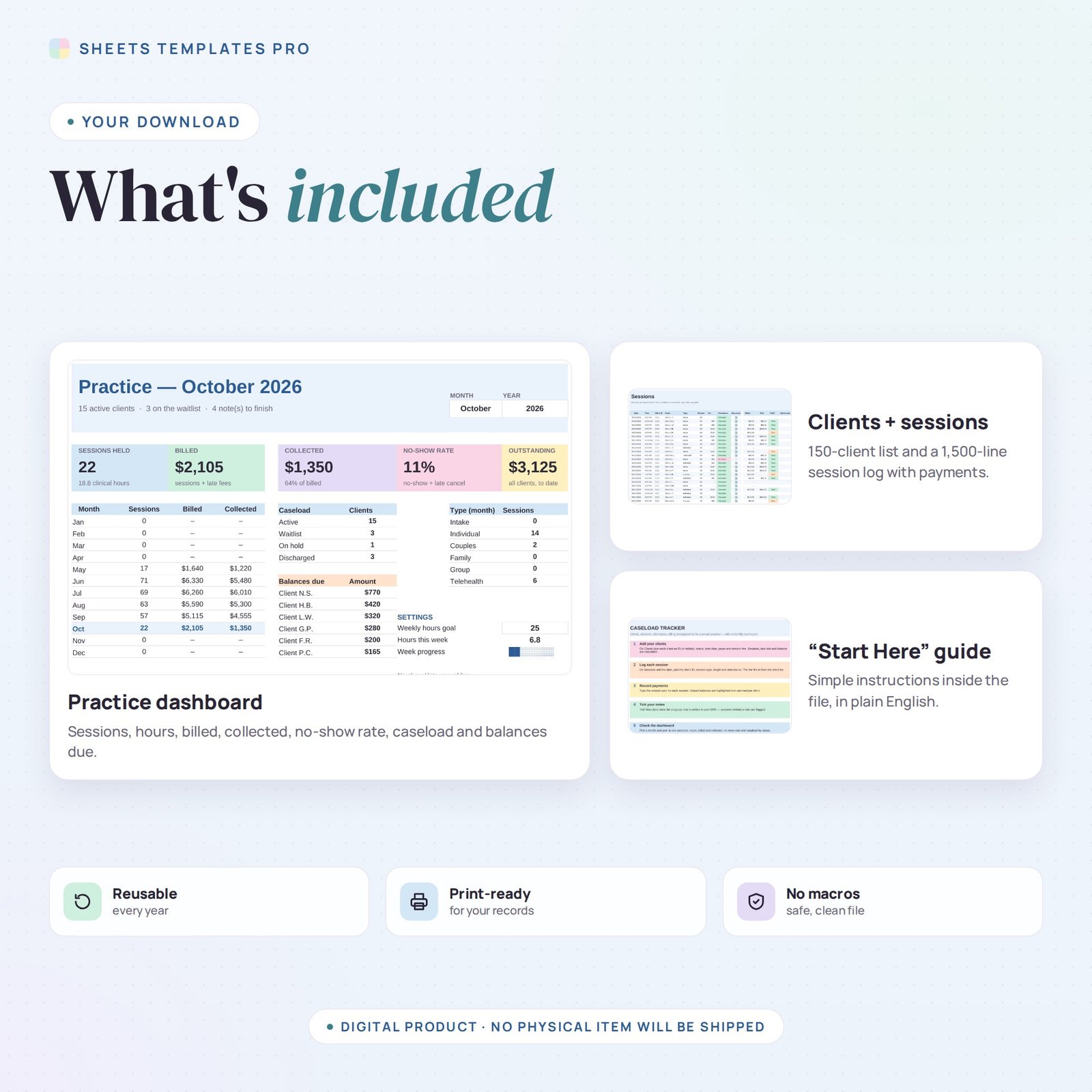
Keep the business side of your private practice in one tidy file. This caseload tracker is built for therapists, counselors, psychologists and coaches who want to see their clients, sessions, attendance and payments at a glance, without paying for another subscription. It works in Excel and Google Sheets. Use it as a ready-made therapist caseload tracker in Excel or Google Sheets.
Who this template is for
- Therapists and counselors in private practice
- Social workers managing caseloads
- Coaches tracking client sessions
Features
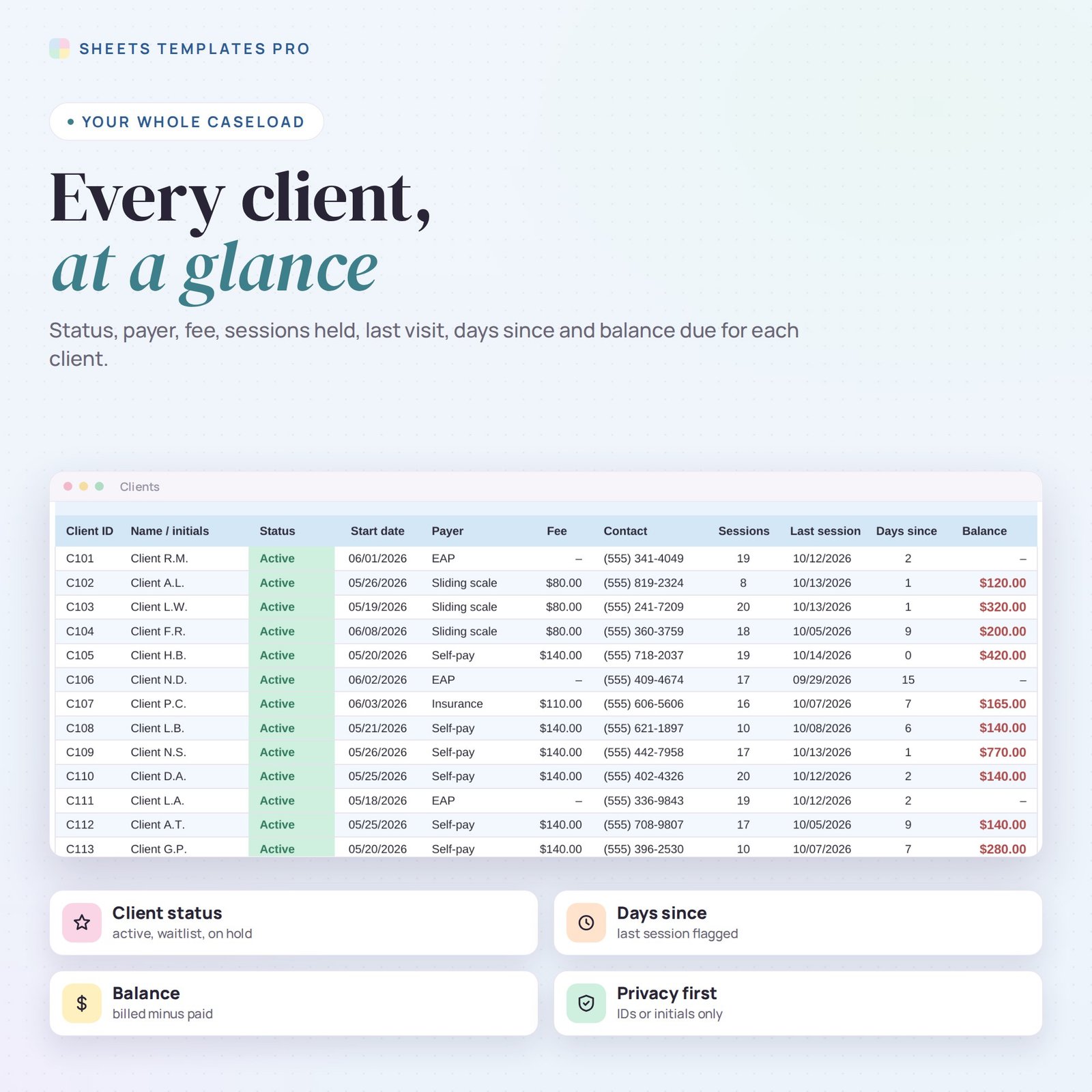
- Client list for 150 clients – ID or initials, status (Active, Waitlist, On hold, Discharged), start date, payer, session fee and contact. Sessions held, last session, days since and balance are calculated.
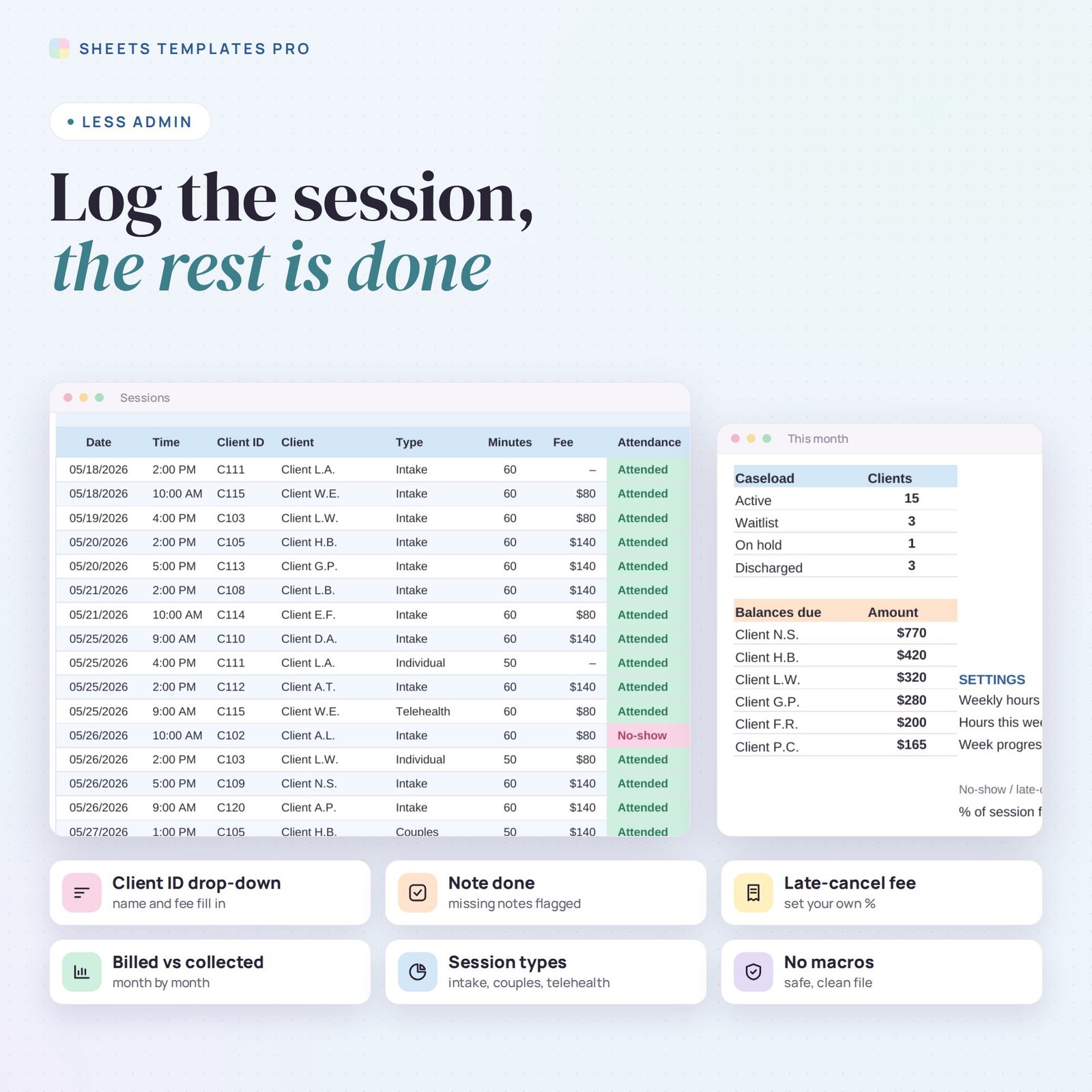
- Session log for 1,500 appointments – date, time, client ID drop-down, session type, length and attendance. The client name and fee fill in on their own.
- Billing and payments – billed amount per session, amount paid and a Paid / Partial / Due status. Balances due are highlighted per client.
- No-show and late-cancel fee – set your own percentage of the session fee and it is applied automatically.
- Note done check – attended sessions without a finished progress note are flagged, so nothing slips.
- Monthly dashboard – pick a month and year to see sessions held, clinical hours, billed, collected, no-show rate, caseload by status, session types and the clients with the largest balances.
- Weekly hours goal – a small progress bar shows hours seen this week against your target.
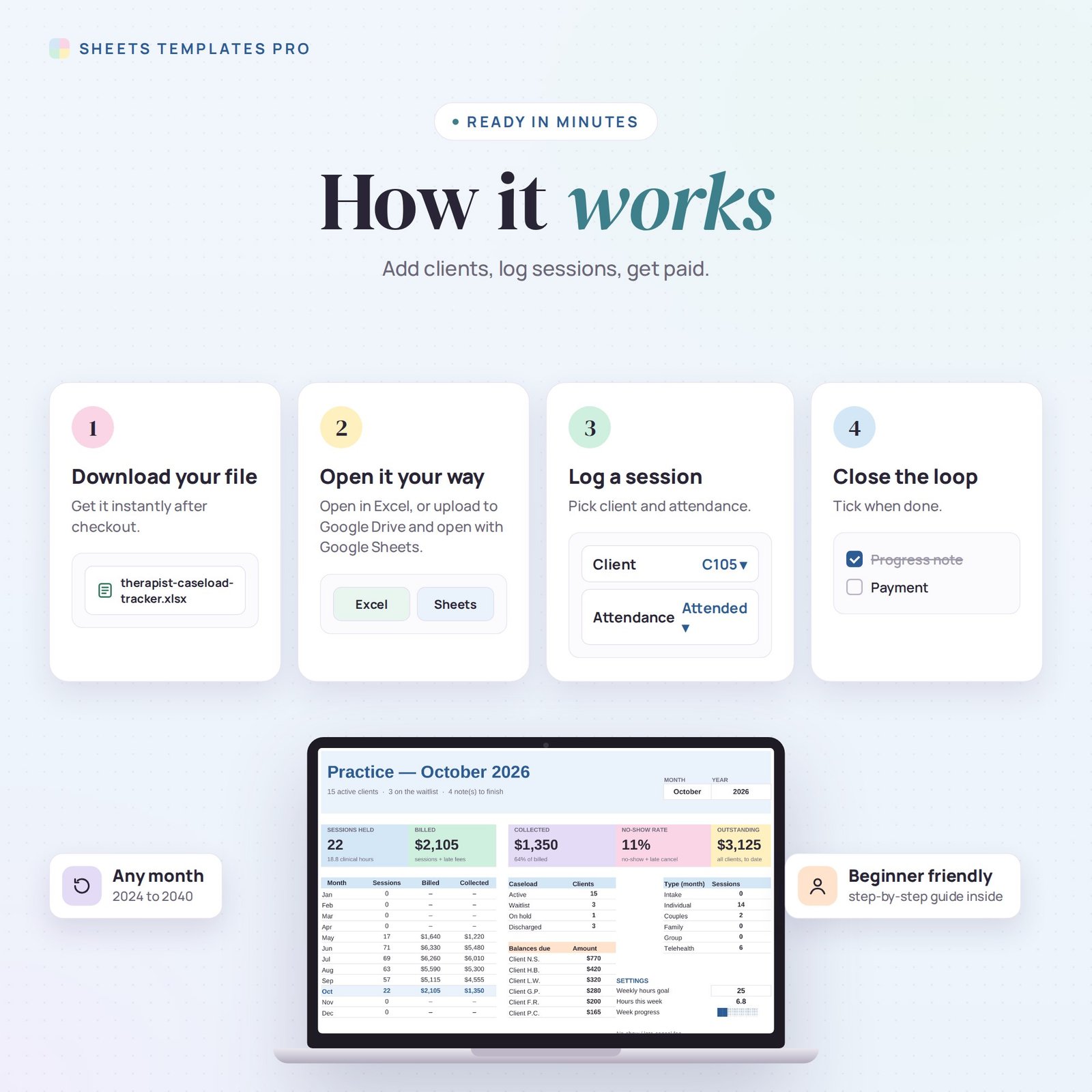
How to use it
- Add your clients on the Clients tab with an ID or initials, payer and fee.
- Log each appointment on the Sessions tab and pick the attendance.
- Type the amount paid and tick Note done once your note is written in your EHR.
- Choose the month on the Dashboard to review your practice.
What’s included
- Caseload tracker spreadsheet (.xlsx) with Start Here guide, Dashboard, Clients and Sessions tabs
- Fictional sample data you can clear in seconds
Compatibility
Microsoft Excel 2016 or later (Windows and Mac), Excel for the web and Google Sheets. No macros, no add-ons.
Privacy note
This is an administrative tool, not an electronic health record. It is designed to work with client IDs or initials and contains no fields for diagnoses or clinical notes. Keep clinical information in your HIPAA-compliant EHR, and store this file on a secure, password-protected device or account.
FAQ
Can I use it for coaching or tutoring? Yes. Rename the session types to match your work.
Does it handle insurance? You can mark the payer as Insurance and record what was paid; it does not submit claims.
Can I reuse it next year? Yes. The dashboard works for any year from 2024 to 2040.
Does it work in the free version of Google Sheets?
Yes. Upload the .xlsx file to Google Drive and open it with Google Sheets. A free Google account is all you need.
Can I use it on a Mac, iPad or phone?
Yes. It works in Excel for Mac and Windows, Excel online and the Google Sheets app. For editing, a computer or tablet is the most comfortable.
How do I get the file?
Right after checkout you get a download link on the confirmation page and by email.
More templates like this: Work & Business Templates.
This is a digital product. You will receive a download link after purchase. No physical item will be shipped.

Reviews
There are no reviews yet.