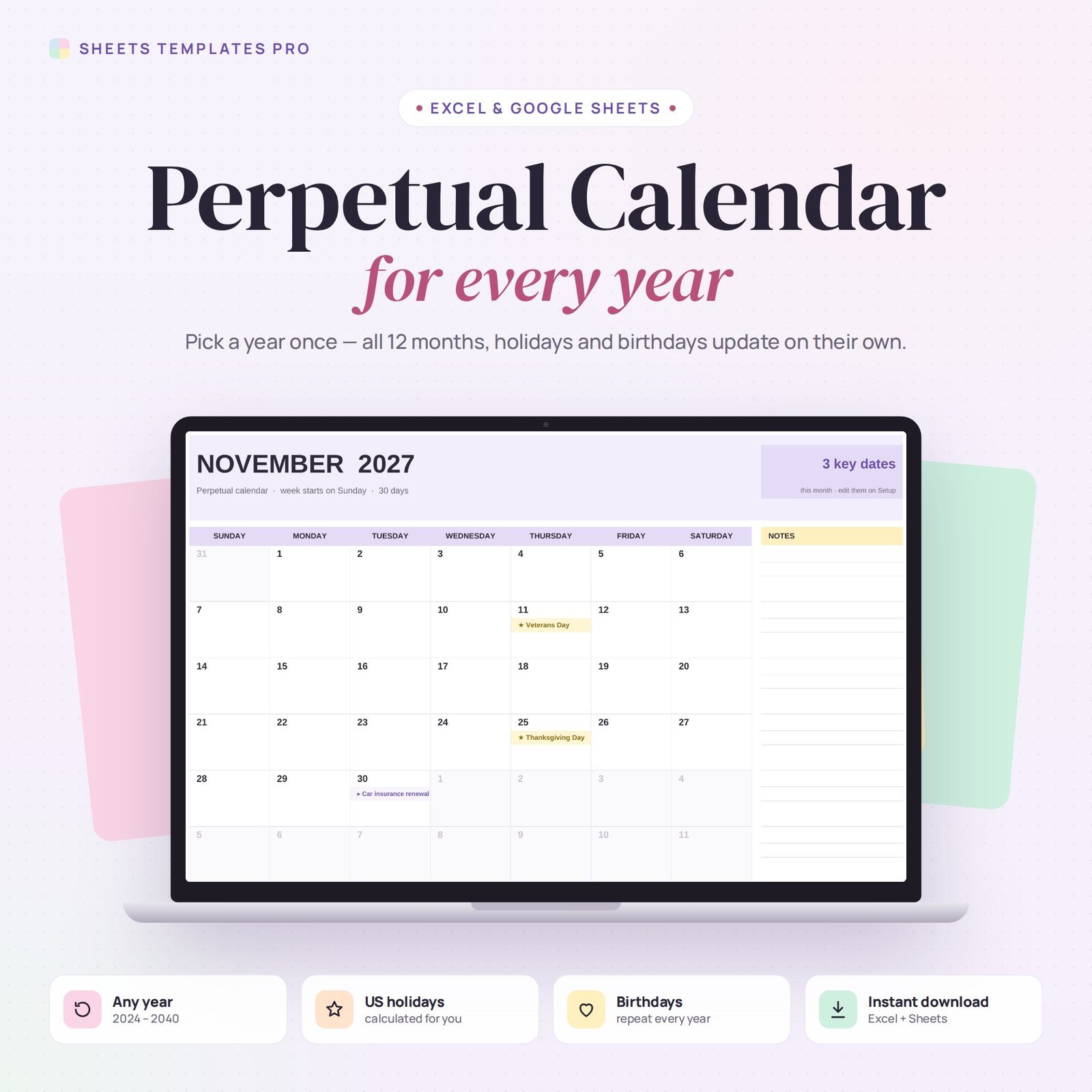
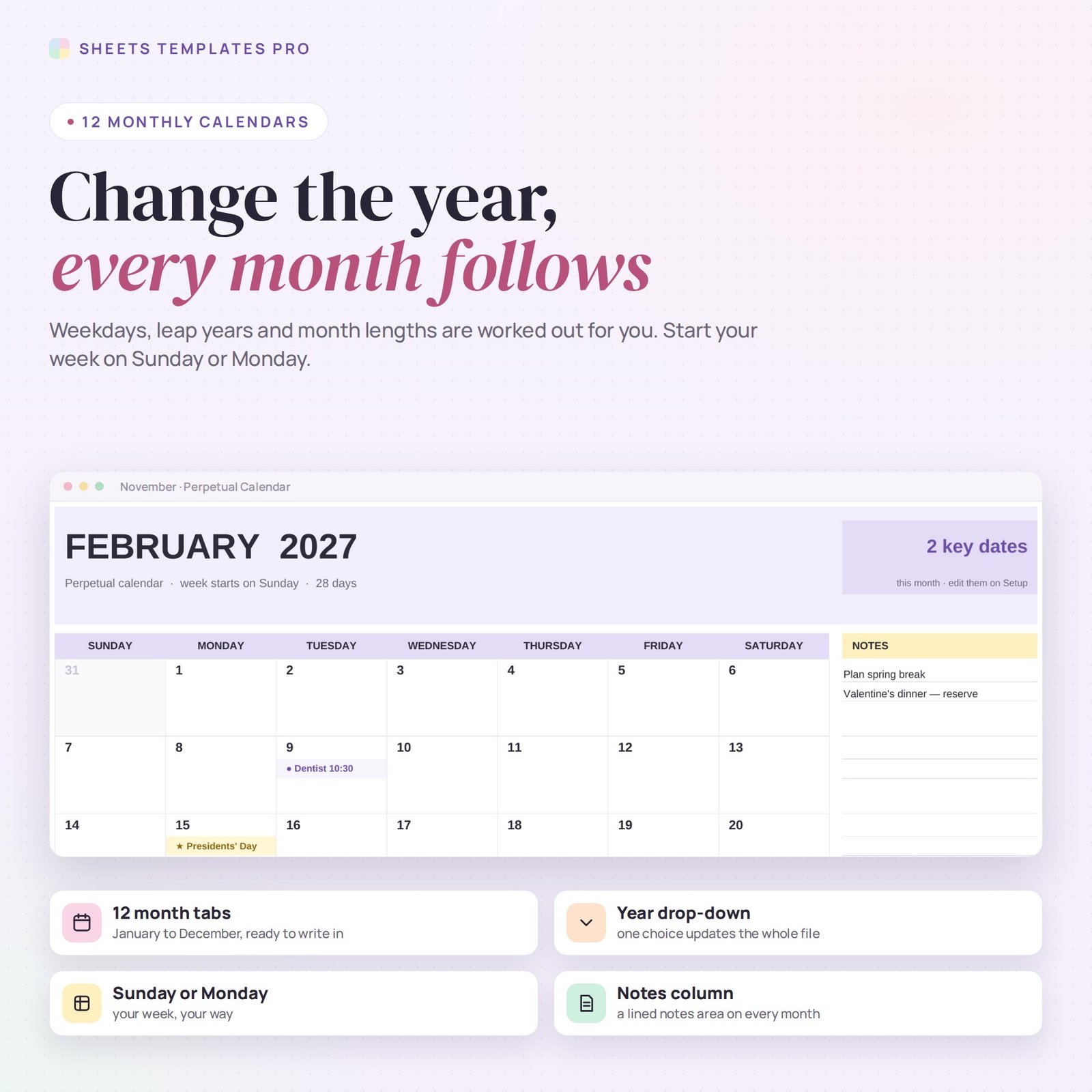
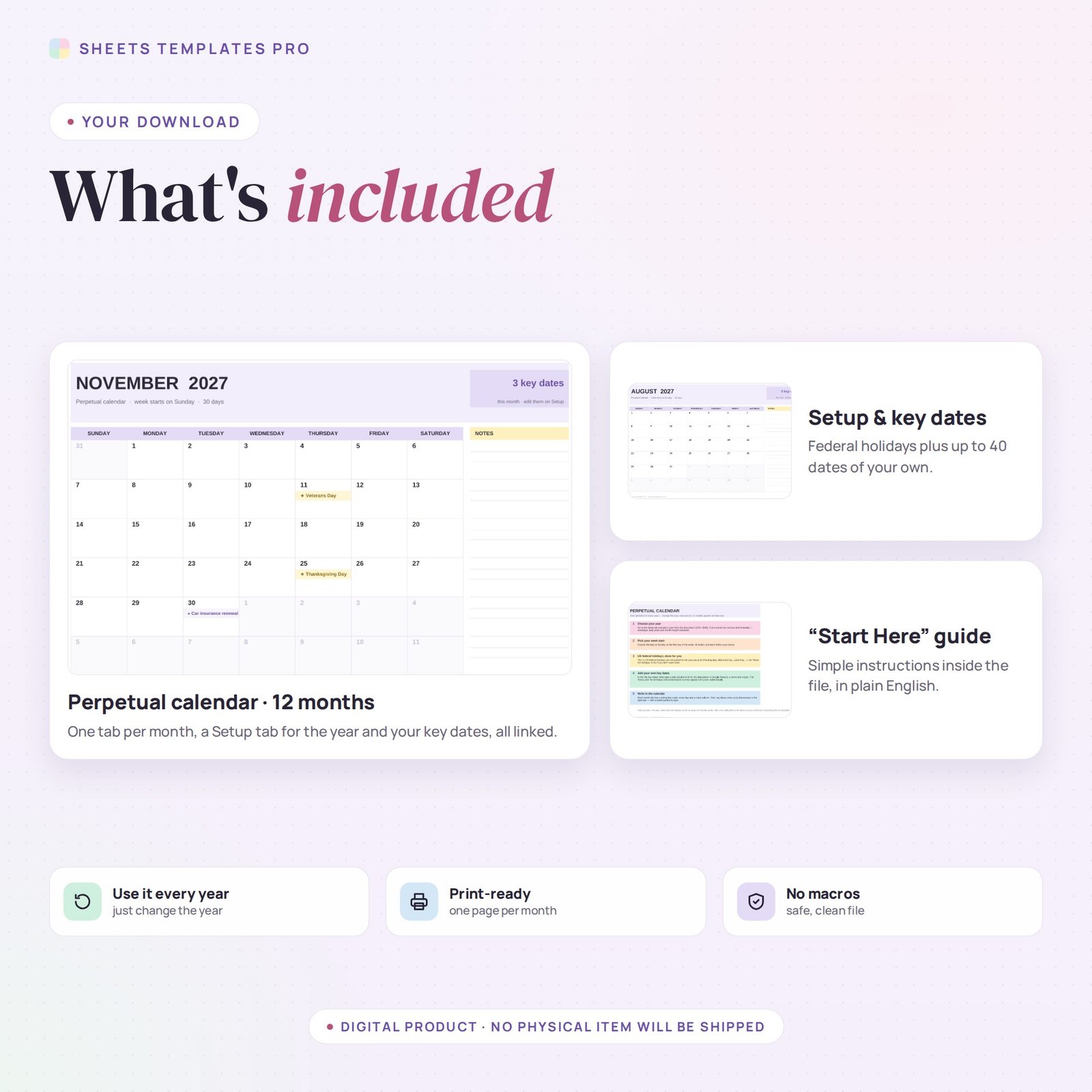
This perpetual calendar template gives you twelve monthly calendars that work for any year. Pick a year from the drop-down on the Setup tab and every month redraws itself: weekdays, month lengths and leap years are all worked out for you. Use it as a ready-made perpetual calendar excel in Excel or Google Sheets.
Who this template is for
- People who want one calendar file they can reuse every year
- Offices that need a dynamic calendar without macros
- Planners who print a fresh year in seconds
Features
- One year drop-down for the whole file, from 2024 to 2040.
- 12 month tabs, January to December, with a writing line under every day and a lined notes column.
- Sunday or Monday start: all twelve months follow your choice.
- US federal holidays calculated automatically for the year you pick, including Thanksgiving, Memorial Day and Labor Day. You can switch them off.
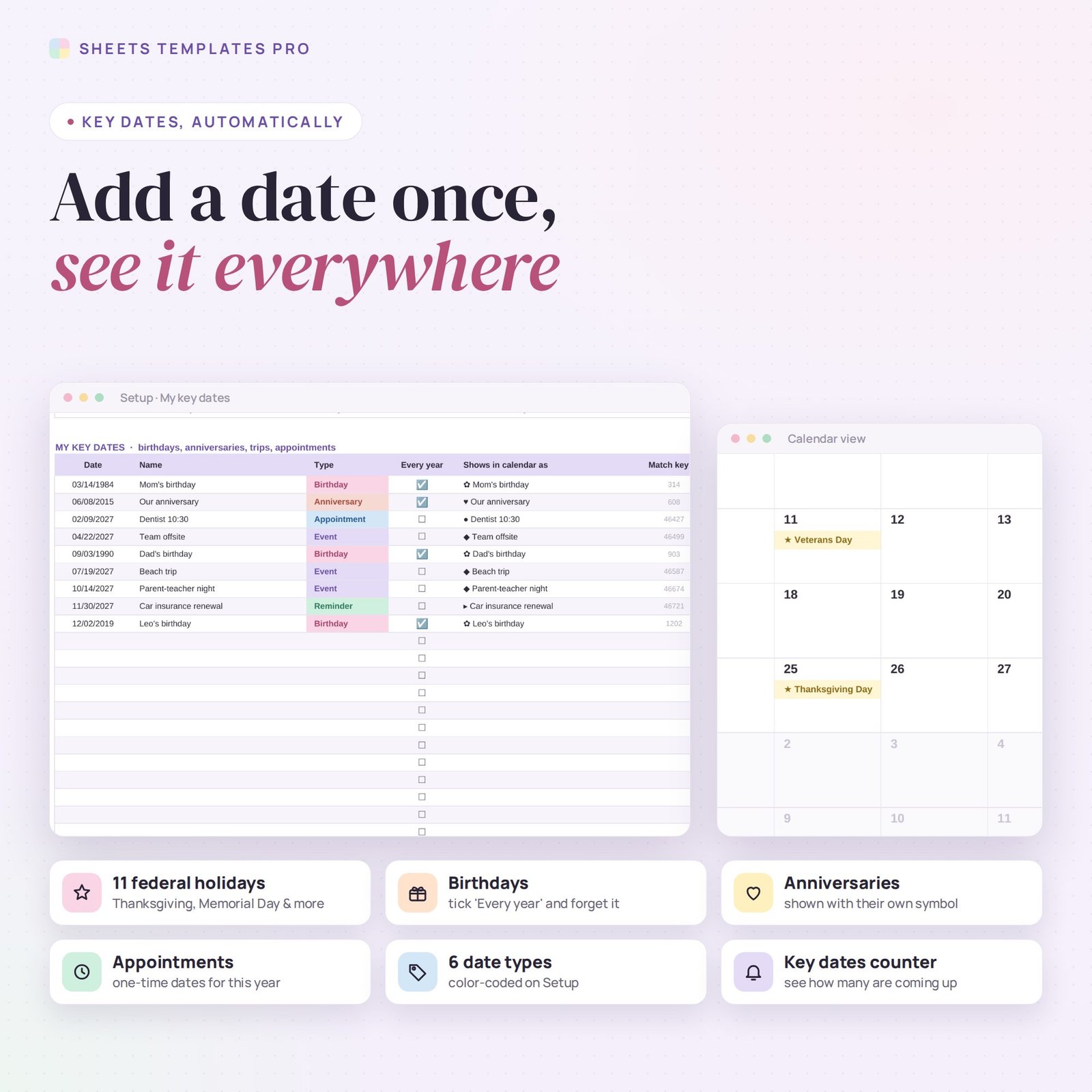
- Your own key dates: add up to 40 birthdays, anniversaries, trips or appointments and they appear in the right day.
- Repeat every year: tick one box and a birthday shows up every year, whatever year you choose.
- 6 color-coded date types, each with its own symbol in the calendar.
- Key dates counter on every month and today highlighted.
How to use your perpetual calendar
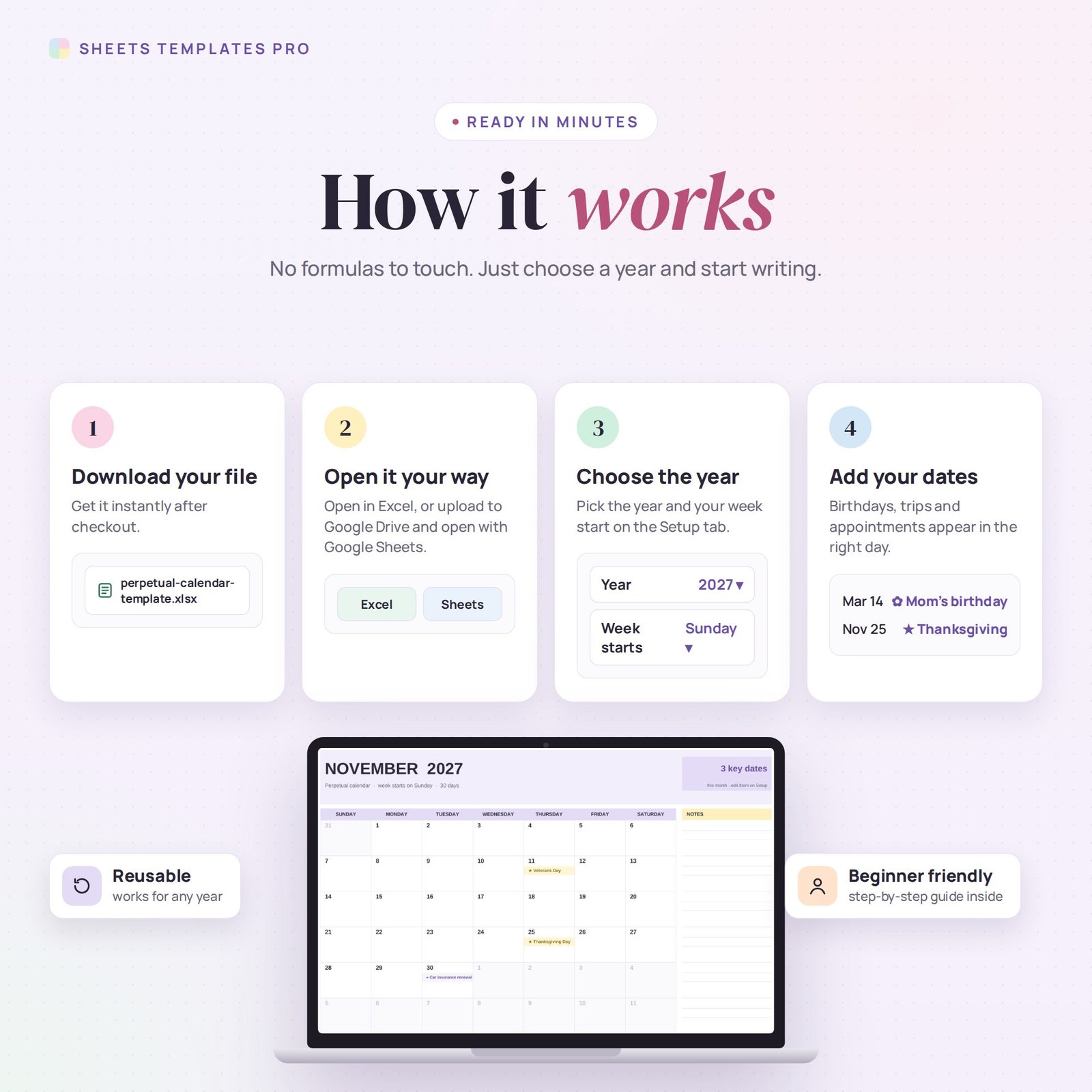
- Download the file right after checkout.
- Open it in Excel, or upload it to Google Drive and open it with Google Sheets.
- On the Setup tab, choose the year and your week start.
- Add your key dates, then write your plans in each month.
What's included
- 1 Excel file (.xlsx) with 14 tabs: a Start Here guide, a Setup tab and 12 monthly calendars.
- Automatic formulas: no setup and no macros.
- Print-ready: each month fits on one landscape page (US Letter or A4).
Compatibility
Works in Microsoft Excel for Microsoft 365 (Windows and Mac) and in Google Sheets.
FAQ
What is a perpetual calendar?
It is a calendar you can reuse year after year. Change the year and the dates move to the right weekdays automatically.
Do birthdays carry over to next year?
Yes. Tick "Every year" next to a date and it appears in every year you select.
Is this a subscription?
No. It is a one-time purchase and the file is yours to keep.
Does it work in the free version of Google Sheets?
Yes. Upload the .xlsx file to Google Drive and open it with Google Sheets. A free Google account is all you need.
Can I use it on a Mac, iPad or phone?
Yes. It works in Excel for Mac and Windows, Excel online and the Google Sheets app. For editing, a computer or tablet is the most comfortable.
How do I get the file?
Right after checkout you get a download link on the confirmation page and by email.
More templates like this: Monthly Calendars.
This is a digital product. No physical item will be shipped.


Reviews
There are no reviews yet.