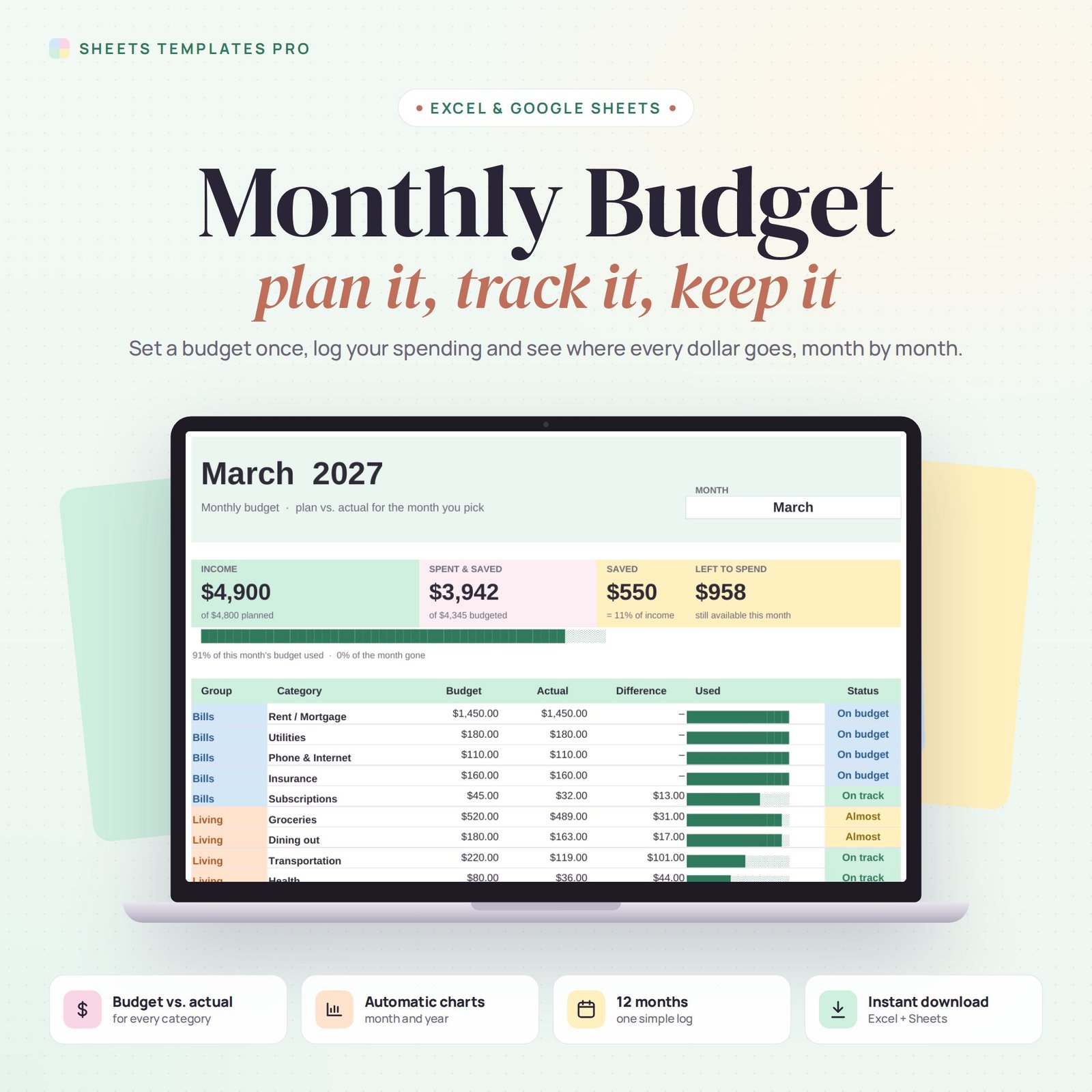


This monthly budget template gives you a clear plan for your money and shows how each month really went. Set a budget for every category once, log your income and expenses as they happen, and the dashboard tells you what you have spent, saved and still have left to spend.
Who this template is for
- Households who want a clear monthly budget in minutes
- Couples sharing one budget in Google Sheets
- Beginners who need a simple budget vs. actual view
Features
- Monthly dashboard: pick any month to see income, spending, savings and what's left to spend.
- Budget vs. actual for every category, with progress bars and status flags (On track, Almost, Over).
- 22 categories in 4 groups: Bills, Living, Savings and Debt. Rename or add your own.
- Up to 6 income sources with planned amounts and a planned balance.
- Simple transaction log with 600 rows, category drop-downs and automatic month and type.
- Charts: where the money went, budget vs. actual by group, and income vs. outgoings for the year.
- Annual overview with every category month by month, totals and averages.
- USD and GBP versions included.
How to use your monthly budget
- Download the files right after checkout.
- Open one in Excel, or upload it to Google Drive and open it with Google Sheets.
- Fill in the Setup tab with your income and category budgets.
- Log your transactions and check the Monthly Budget tab.
What's included
- 2 Excel files (.xlsx), in US dollars and British pounds, each with 5 tabs: Start Here, Monthly Budget, Setup, Transactions and Annual Overview. Example data included.
- Automatic formulas and charts, no macros.
Compatibility
Works in Microsoft Excel for Microsoft 365 (Windows and Mac) and in Google Sheets.
FAQ
Can I use this monthly budget for a whole year?
Yes. Log transactions all year and switch the month on the dashboard; the Annual Overview fills in by itself.
Can I change the categories?
Yes. Edit them on the Setup tab and the drop-downs, dashboard and overview update automatically.
Is this a subscription?
No. It is a one-time purchase and the files are yours to keep.
Does it work in the free version of Google Sheets?
Yes. Upload the .xlsx file to Google Drive and open it with Google Sheets. A free Google account is all you need.
Can I use it on a Mac, iPad or phone?
Yes. It works in Excel for Mac and Windows, Excel online and the Google Sheets app. For editing, a computer or tablet is the most comfortable.
How do I get the file?
Right after checkout you get a download link on the confirmation page and by email.
More templates like this: Budget Planners.
This is a digital product. No physical item will be shipped.


Reviews
There are no reviews yet.