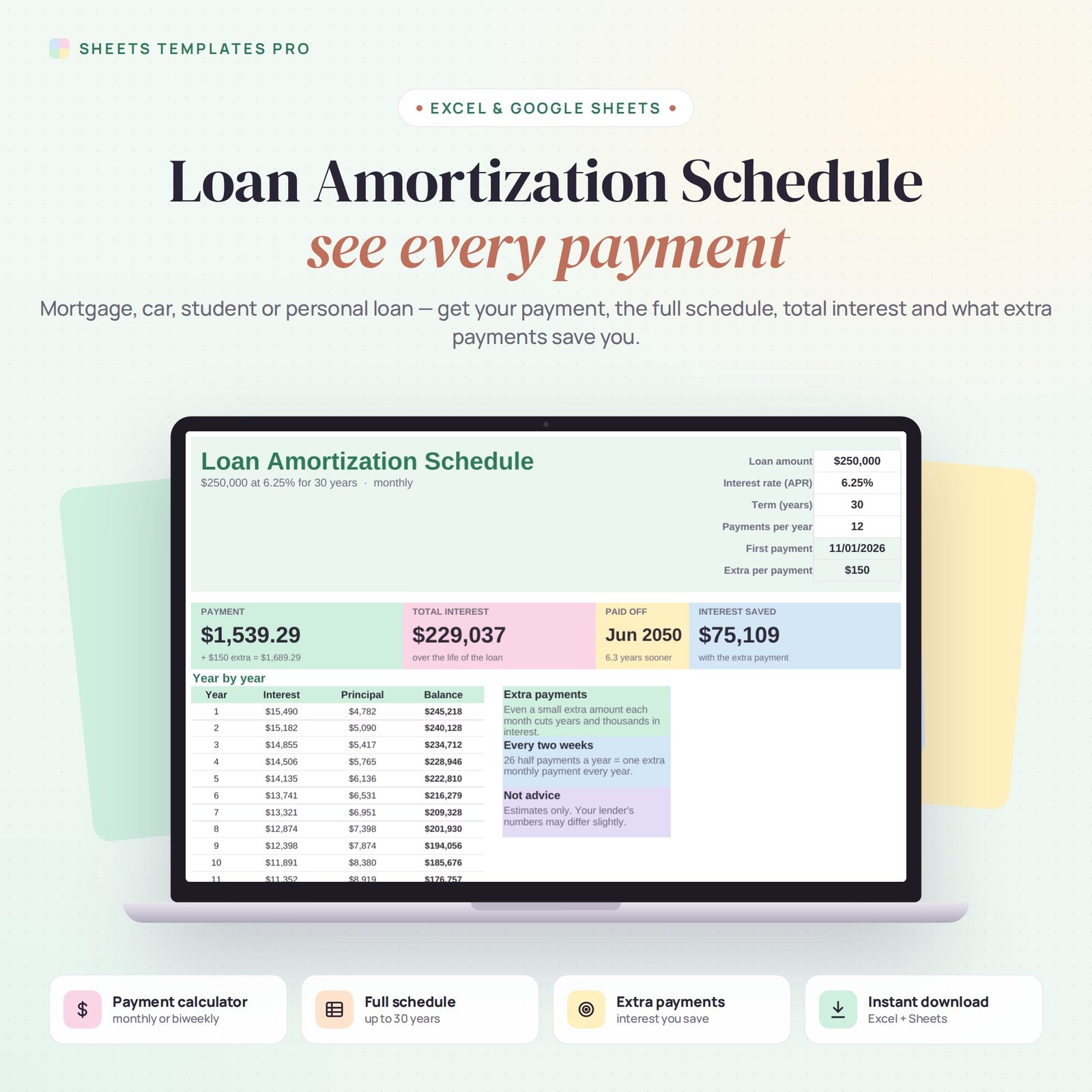
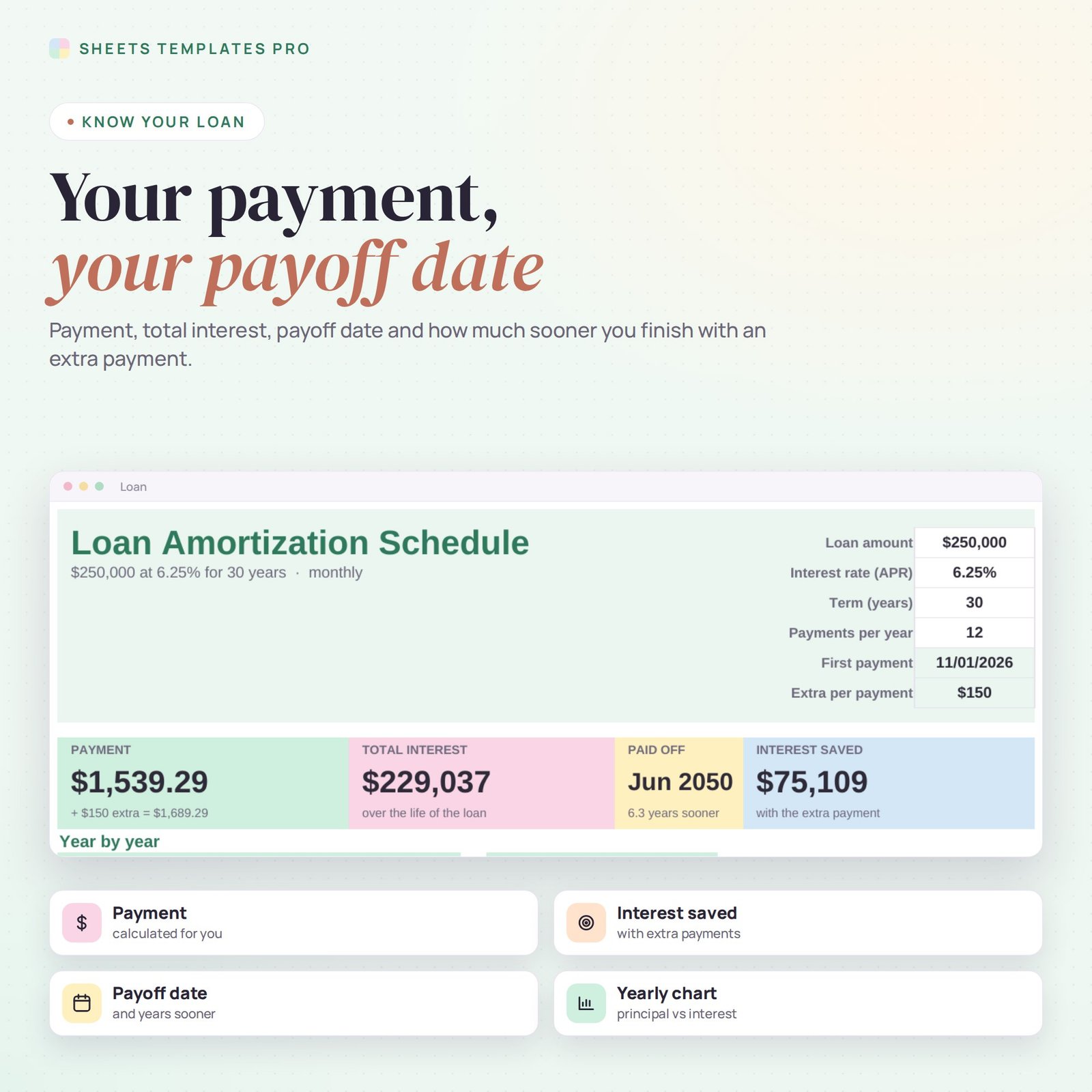
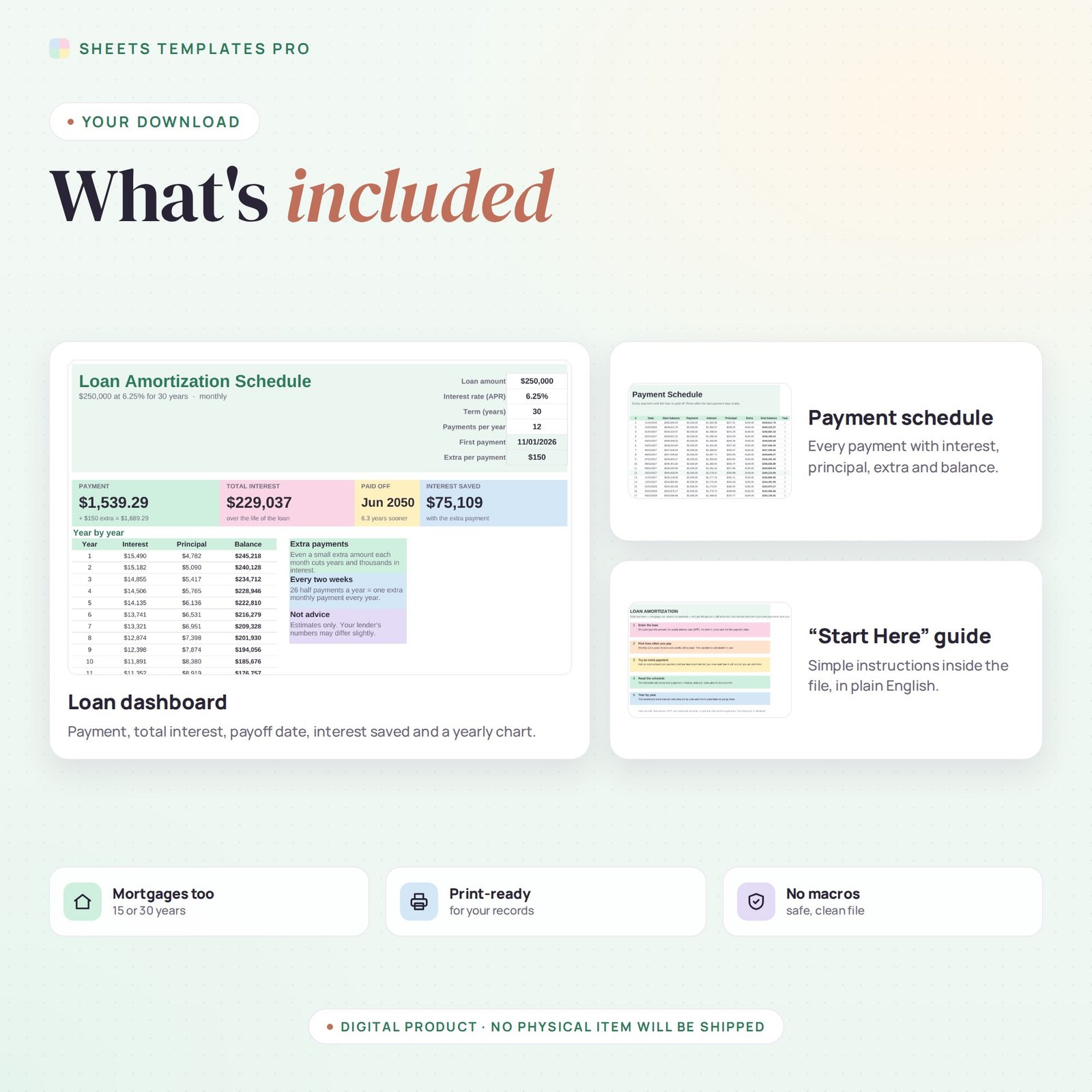
Understand any loan in seconds. This loan amortization schedule works for mortgages, car loans, student loans and personal loans: enter the amount, interest rate and term, and get your payment, every payment’s interest and principal, the balance left, your payoff date and how much an extra payment saves you. It works in Excel and Google Sheets. Use it as a ready-made loan amortization schedule excel in Excel or Google Sheets.
Who this template is for
- Homeowners planning extra mortgage payments
- Car and student loan borrowers
- Anyone comparing loan offers
Features
- Payment calculator – monthly (12 a year) or every two weeks (26 a year).
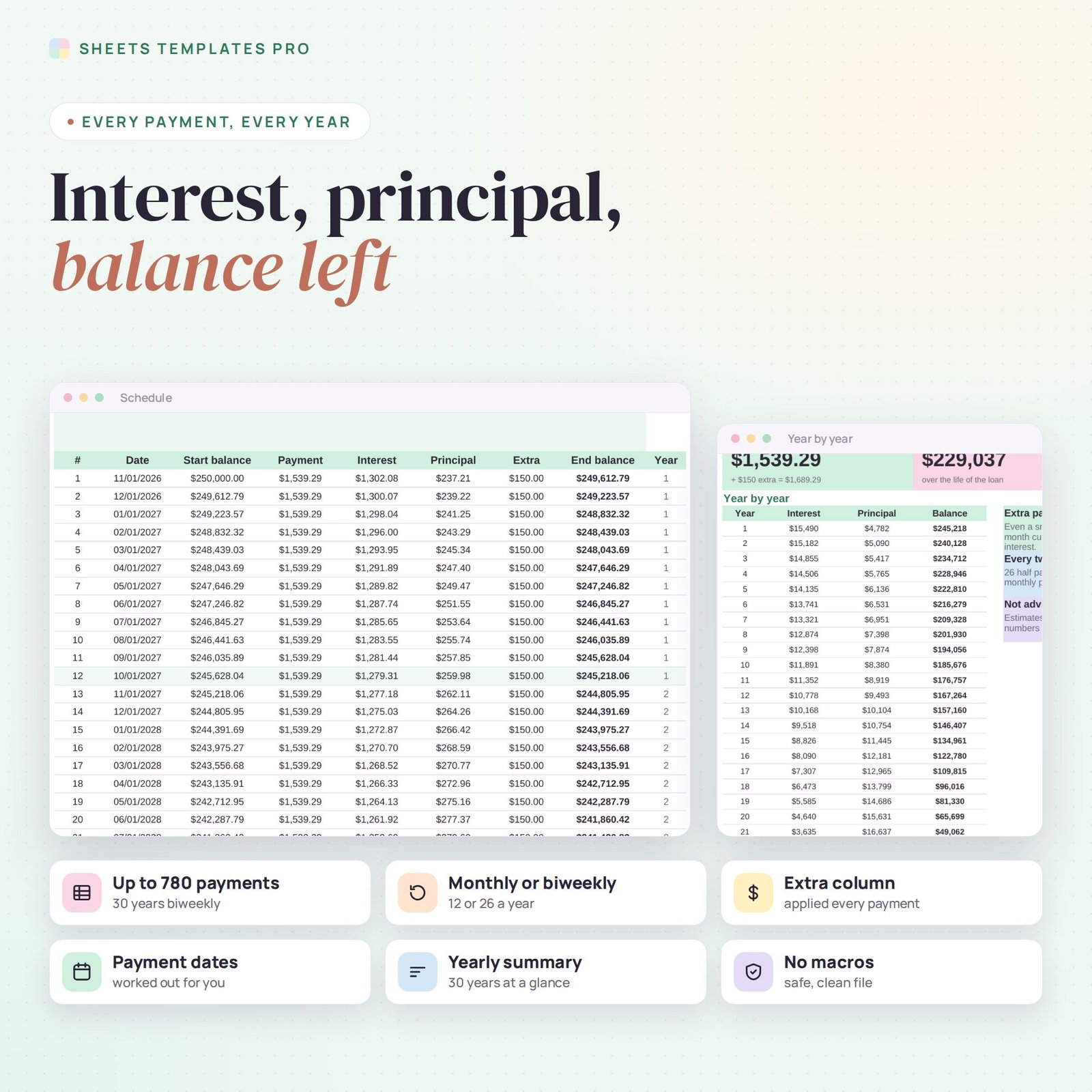
- Full amortization schedule – up to 30 years and 780 payments, with dates, interest, principal, extra and end balance.
- Extra payments – add any amount per payment and see the interest saved and how many years sooner you finish.
- Total interest and payoff date – calculated for you.
- Year-by-year summary – interest, principal and balance for each year of the loan.
- Chart – principal and interest paid each year.
How to use it
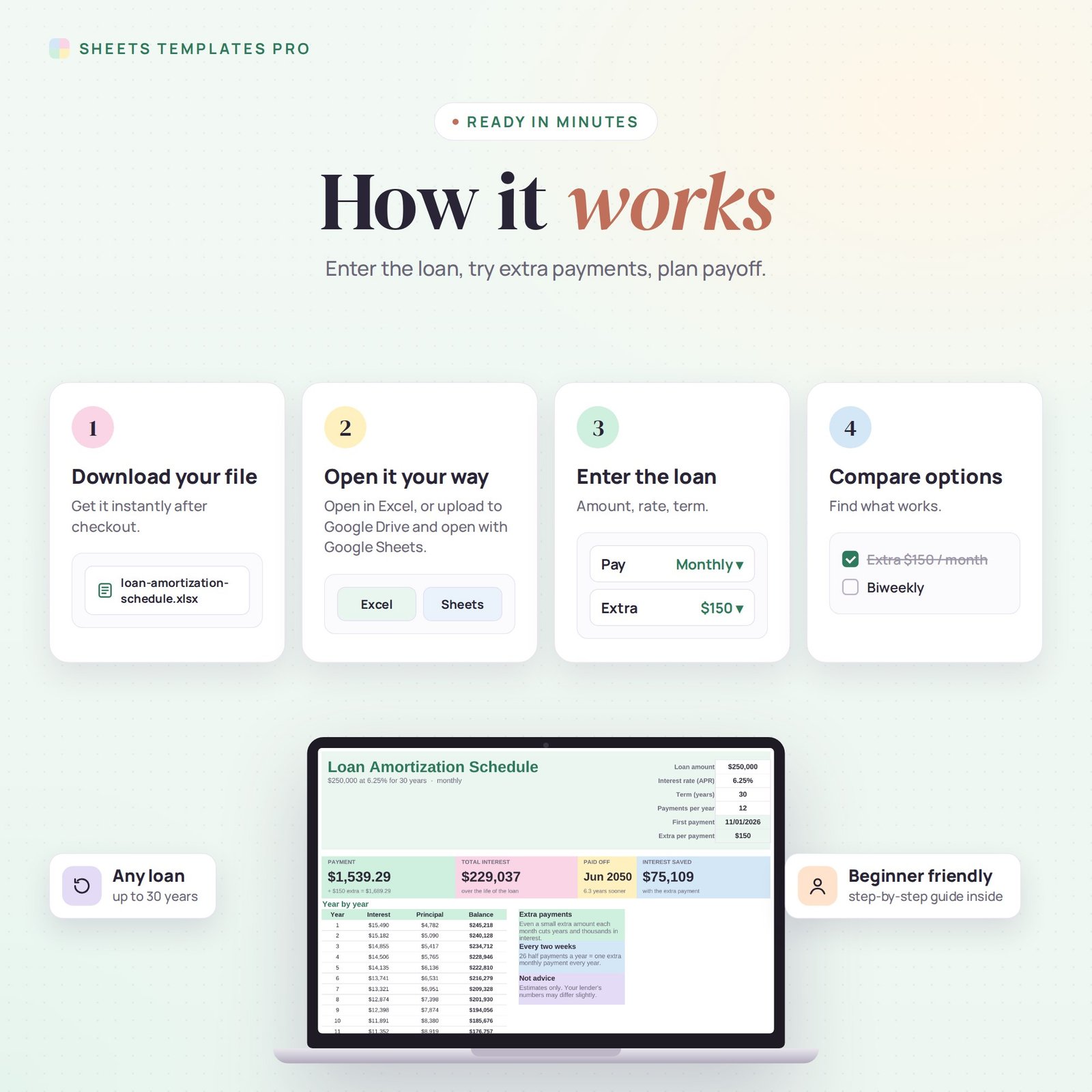
- On the Loan tab, type the loan amount, interest rate (APR), term in years and first payment date.
- Choose 12 (monthly) or 26 (every two weeks) payments per year.
- Optionally add an extra amount per payment.
- Read the results on the Loan tab and every payment on the Schedule tab.
What’s included
- Loan amortization spreadsheet (.xlsx) with Start Here guide, Loan dashboard and Payment Schedule
Compatibility
Microsoft Excel 2016 or later (Windows and Mac), Excel for the web and Google Sheets. No macros, no add-ons.
FAQ
Does it include taxes and insurance for a mortgage? No. It calculates principal and interest only; add escrow costs separately.
Why is my lender’s number slightly different? Lenders may round differently or use exact day counts. Treat the results as close estimates.
Is this financial advice? No. It is a calculator to help you compare options.
Does it work in the free version of Google Sheets?
Yes. Upload the .xlsx file to Google Drive and open it with Google Sheets. A free Google account is all you need.
Can I use it on a Mac, iPad or phone?
Yes. It works in Excel for Mac and Windows, Excel online and the Google Sheets app. For editing, a computer or tablet is the most comfortable.
How do I get the file?
Right after checkout you get a download link on the confirmation page and by email.
More templates like this: Budget Planners.
This is a digital product. You will receive a download link after purchase. No physical item will be shipped.



Reviews
There are no reviews yet.