
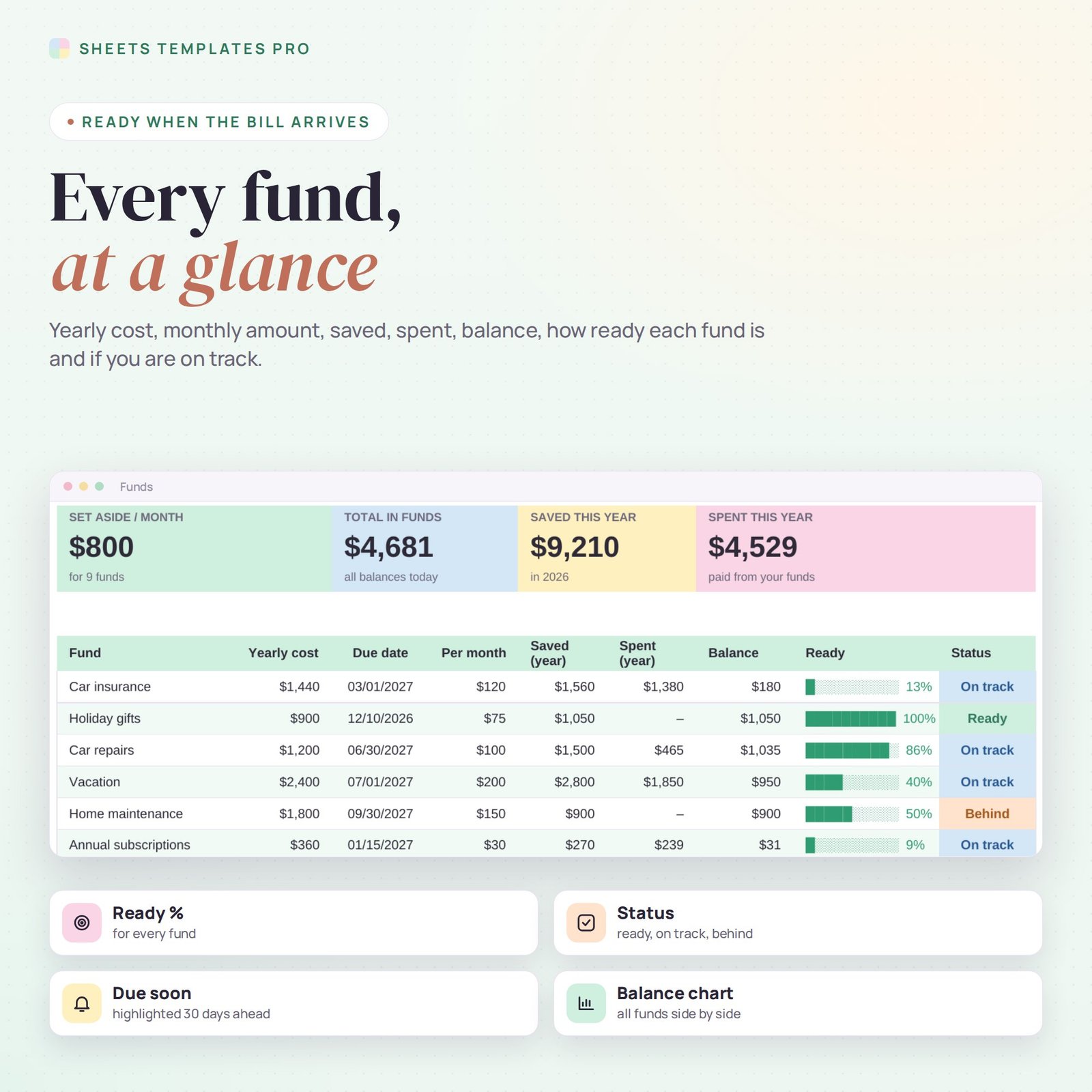


Stop being surprised by the bills that only come once or twice a year. This sinking funds tracker splits each yearly or irregular cost – car insurance, holiday gifts, car repairs, vacations, subscriptions – into a small monthly amount, tracks every deposit and every time you spend from a fund, and shows how ready each fund is before the due date. It works in Excel and Google Sheets.
Who this template is for
- Budgeters planning for annual and irregular costs
- Families saving for holidays, car repairs and gifts
- Zero-based budget fans
Features
- Up to 12 sinking funds – each with its yearly cost and due date. The monthly amount to set aside is calculated for you.
- Balance and ready % – see how much is in each fund and how close it is to the full amount.
- Status – Ready, On track or Behind, based on what you have saved this year.
- Due soon alert – due dates within the next 30 days are highlighted.
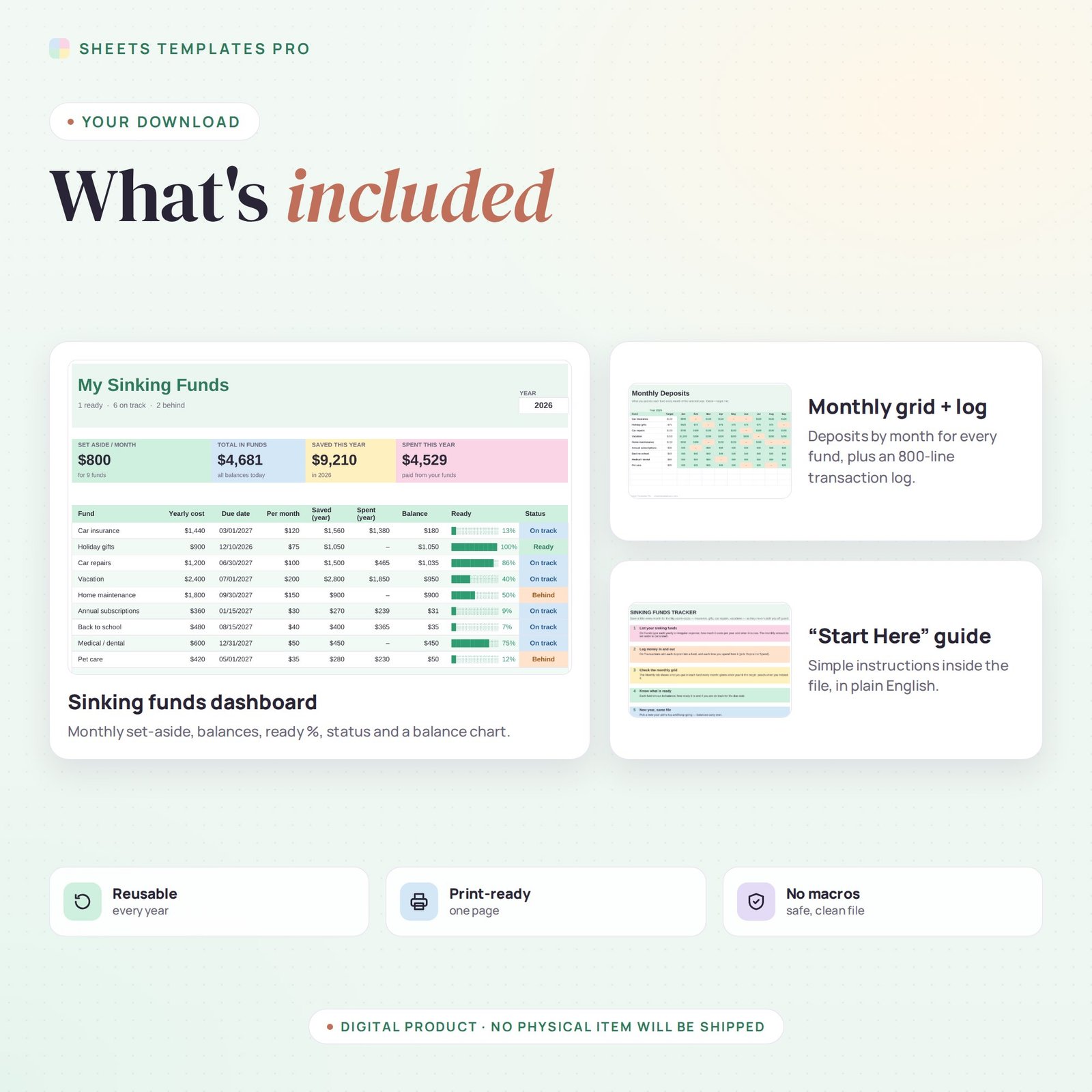
- Monthly grid – 12 months by 12 funds, green when you hit the monthly target and peach when you missed it.
- Transaction log for 800 entries – date, fund, Deposit or Spend, amount and note.
- Dashboard – monthly set-aside, total in funds, saved and spent this year, plus a balance chart.
How to use it
- On the Funds tab, list each yearly expense with its cost and due date.
- Each month, log the deposits you make into every fund on the Transactions tab.
- When the bill comes, log it as Spend from that fund.
- Check the Monthly tab to make sure every fund turned green.
What’s included
- Sinking funds tracker spreadsheet (.xlsx) with Start Here guide, Funds dashboard, Monthly grid and Transactions log
- Sample funds and transactions you can clear in seconds
Compatibility
Microsoft Excel 2016 or later (Windows and Mac), Excel for the web and Google Sheets. No macros, no add-ons.
FAQ
What is a sinking fund? Money you set aside a little at a time for a known future cost, so it does not hit your monthly budget all at once.
Do I need a separate bank account for each fund? No. The tracker keeps each fund separate even if the money sits in one savings account.
Does it work for next year? Yes. Change the year at the top and balances carry over.
Does it work in the free version of Google Sheets?
Yes. Upload the .xlsx file to Google Drive and open it with Google Sheets. A free Google account is all you need.
Can I use it on a Mac, iPad or phone?
Yes. It works in Excel for Mac and Windows, Excel online and the Google Sheets app. For editing, a computer or tablet is the most comfortable.
How do I get the file?
Right after checkout you get a download link on the confirmation page and by email.
More templates like this: Budget Planners.
This is a digital product. You will receive a download link after purchase. No physical item will be shipped.


Reviews
There are no reviews yet.