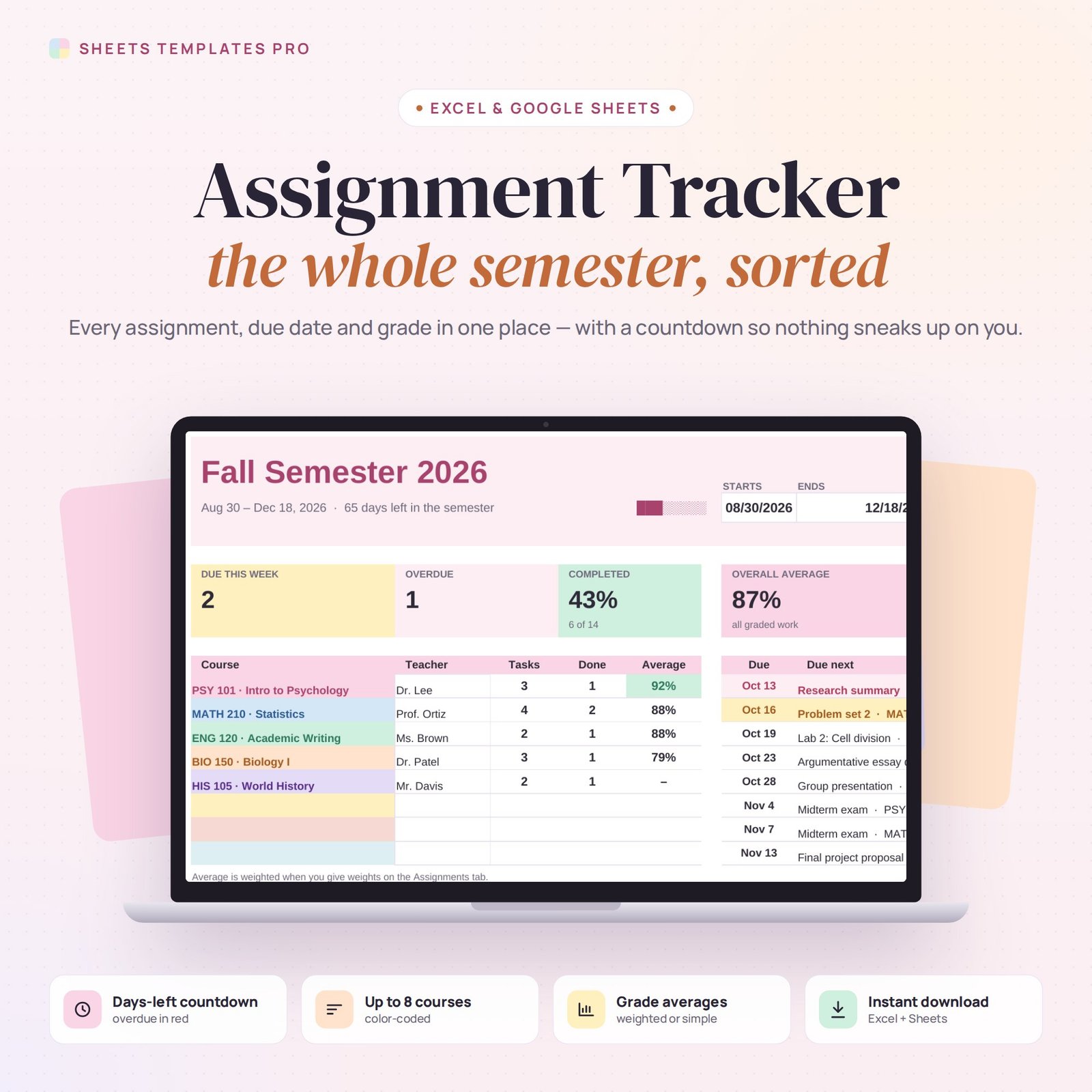
Stay on top of every class. This assignment tracker template keeps all your homework, essays, labs, projects and exams for the semester in one list, counts down the days to each deadline and calculates your average grade for every course.
Who this template is for
- College and high school students
- Online learners with many deadlines
- Homeschool parents
Features
- Up to 8 courses with teacher names, each in its own color.
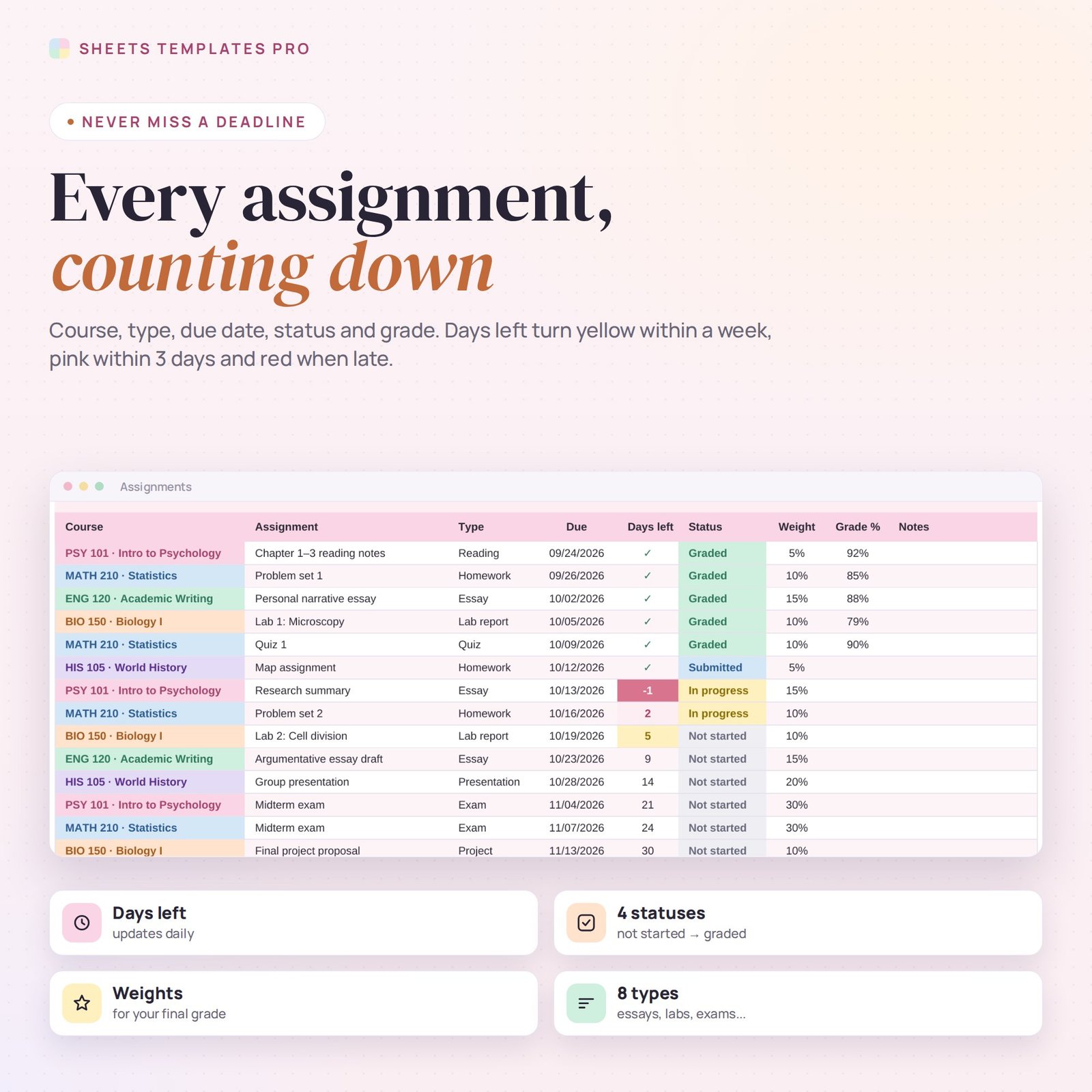
- Assignments list (300 lines): course, assignment, type, due date, status, weight and grade.
- Days-left countdown: yellow within a week, pink within 3 days, red when overdue, ✓ when submitted.
- 4 statuses: Not started, In progress, Submitted and Graded.
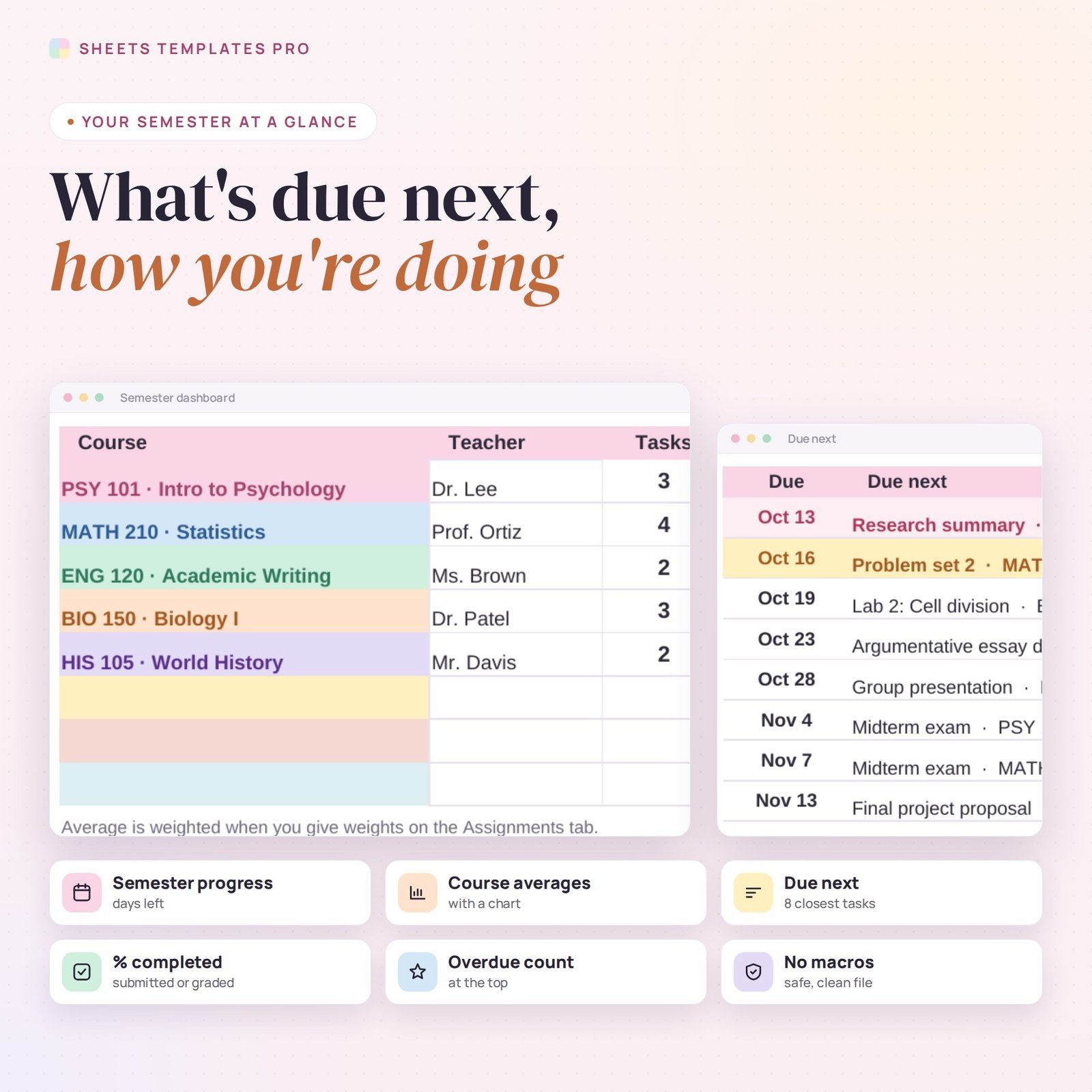
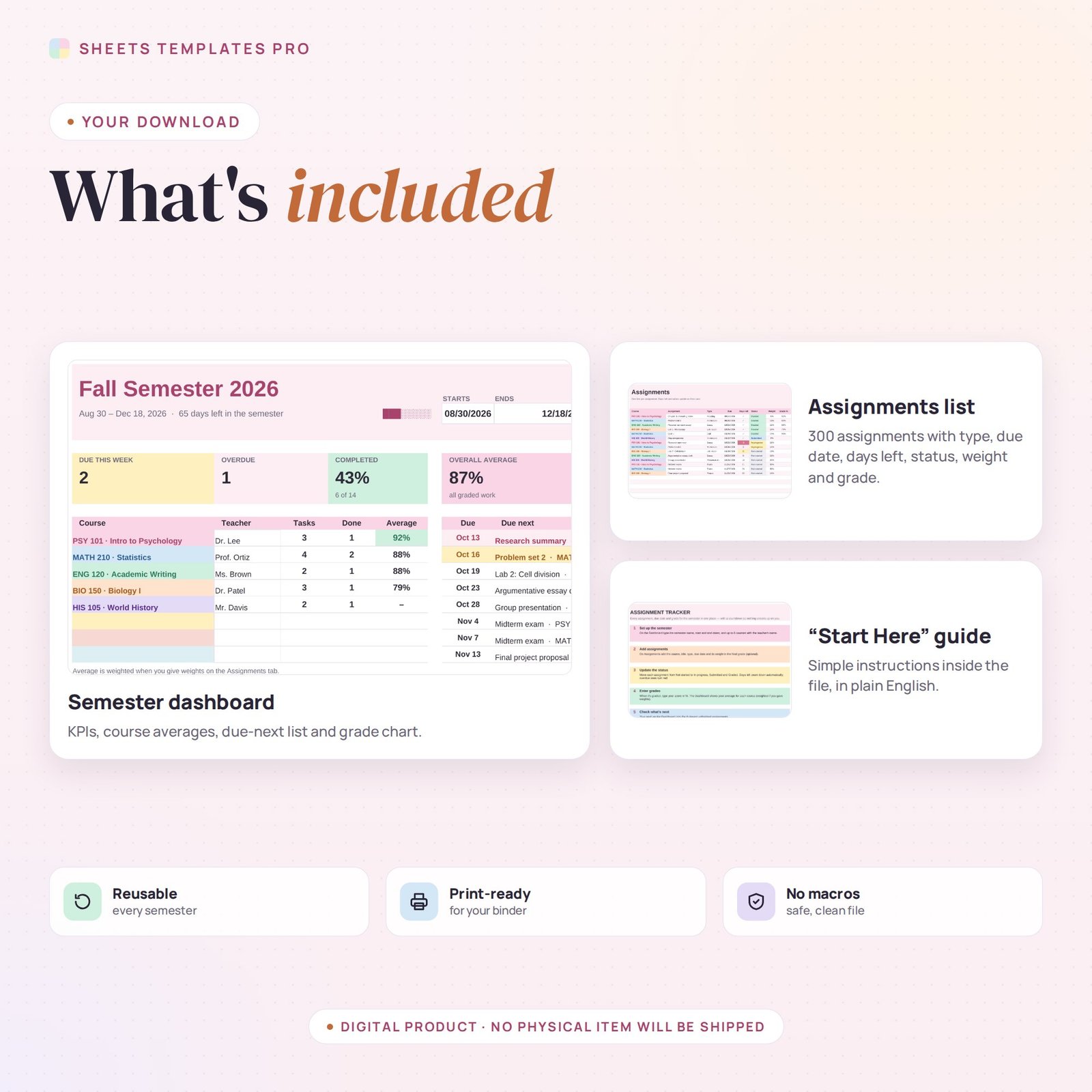
- Semester dashboard: due this week, overdue, % completed, overall average, semester progress and days left.
- Course averages — weighted when you add weights — with a chart, plus a “Due next” list of the 8 closest assignments.
- Date pickers, drop-downs, print-ready, no macros.
How to use it
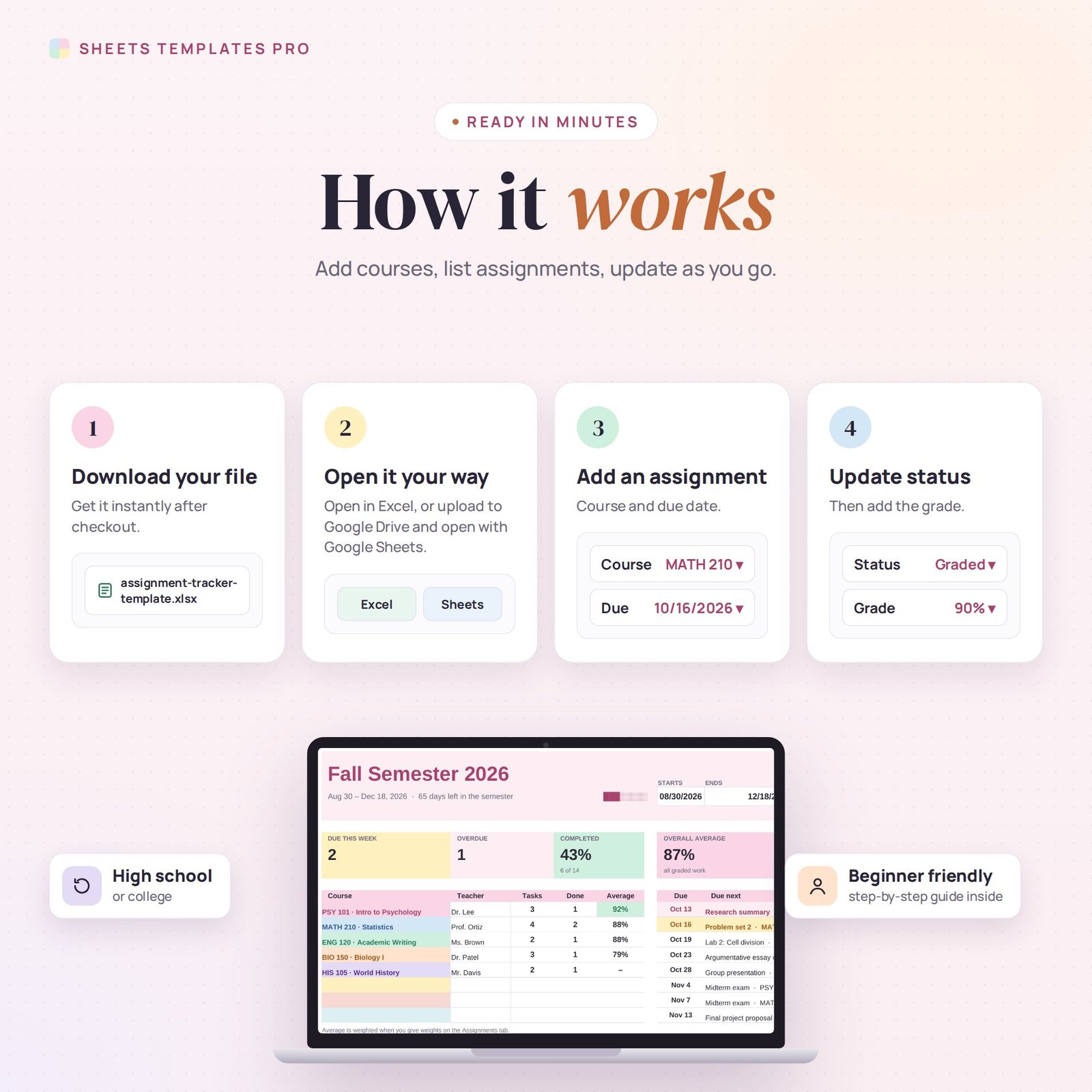
- Download the file and open it in Excel or upload it to Google Sheets.
- Enter the semester dates and your courses on the Dashboard.
- Add every assignment from your syllabus with its due date.
- Update the status as you work and add grades when you get them back.
What’s included
- 1 .xlsx file with 3 tabs: Start Here, Dashboard and Assignments.
- Example courses and assignments (replace them with your own).
Compatibility
Works in Microsoft Excel (desktop, Mac and Excel online) and Google Sheets. No add-ons or macros required.
FAQ
Is it for high school or college?
Both. Use it for any courses, semesters or terms.
How are course averages calculated?
If you enter weights, the average is weighted by them; otherwise it’s a simple average of your graded work.
Can I reuse it next semester?
Yes. Change the dates and courses and clear the assignments.
Does it work in the free version of Google Sheets?
Yes. Upload the .xlsx file to Google Drive and open it with Google Sheets. A free Google account is all you need.
Can I use it on a Mac, iPad or phone?
Yes. It works in Excel for Mac and Windows, Excel online and the Google Sheets app. For editing, a computer or tablet is the most comfortable.
How do I get the file?
Right after checkout you get a download link on the confirmation page and by email.
More templates like this: Student Planners.
This is a digital product. No physical item will be shipped.
Reviews
There are no reviews yet.