
A digital check register: every check, debit and deposit with a running balance, a cleared balance and a two-minute monthly reconciliation. This checkbook register template works in Microsoft Excel and Google Sheets.
What’s inside the Checkbook Register Template
Take a look inside before you buy. Every screenshot comes from the real file, with the example data that is included.


Who this checkbook register is for
- Personal checking accounts
- Small business accounts
- Anyone balancing a checkbook
Features
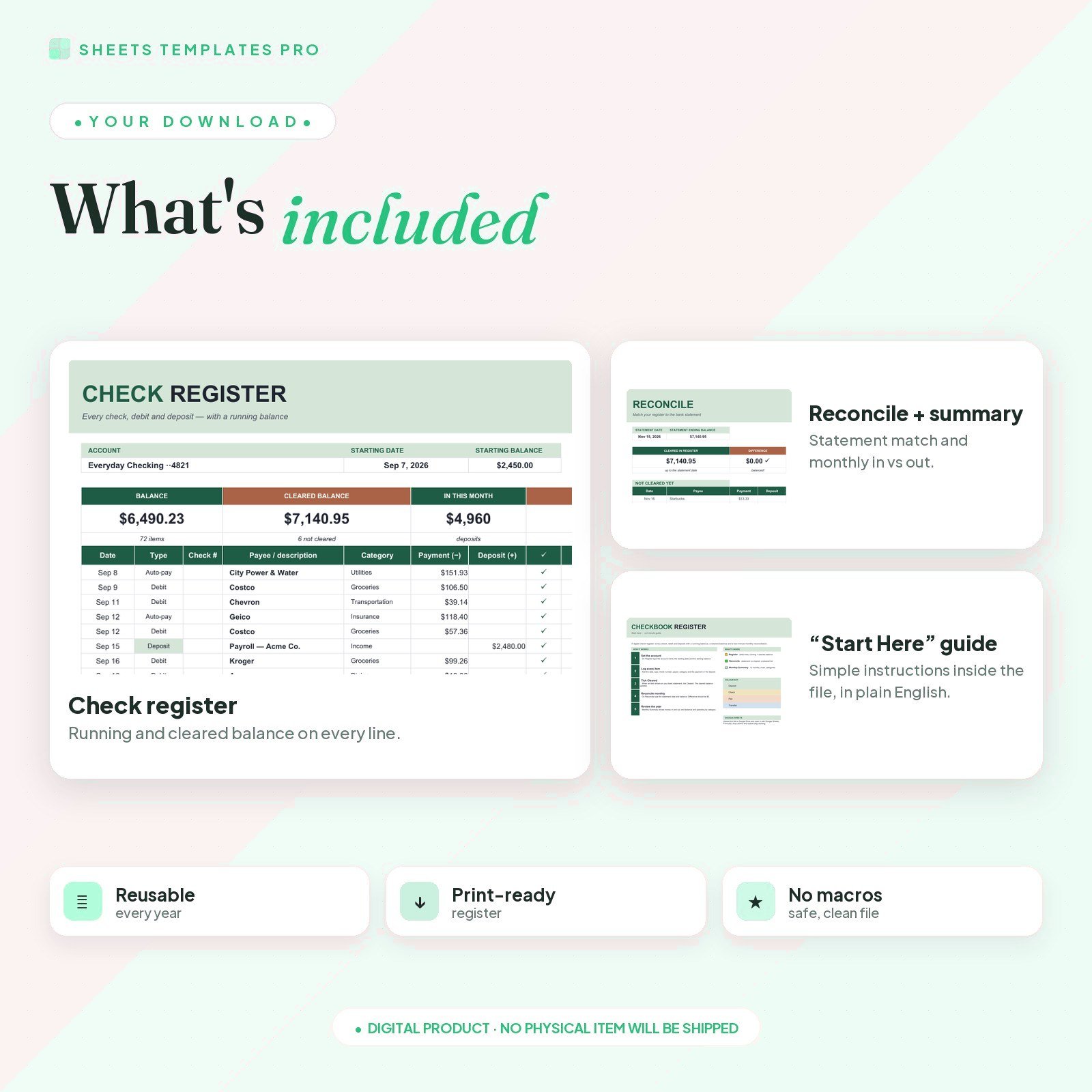
- Register — 2000 lines, running + cleared balance.
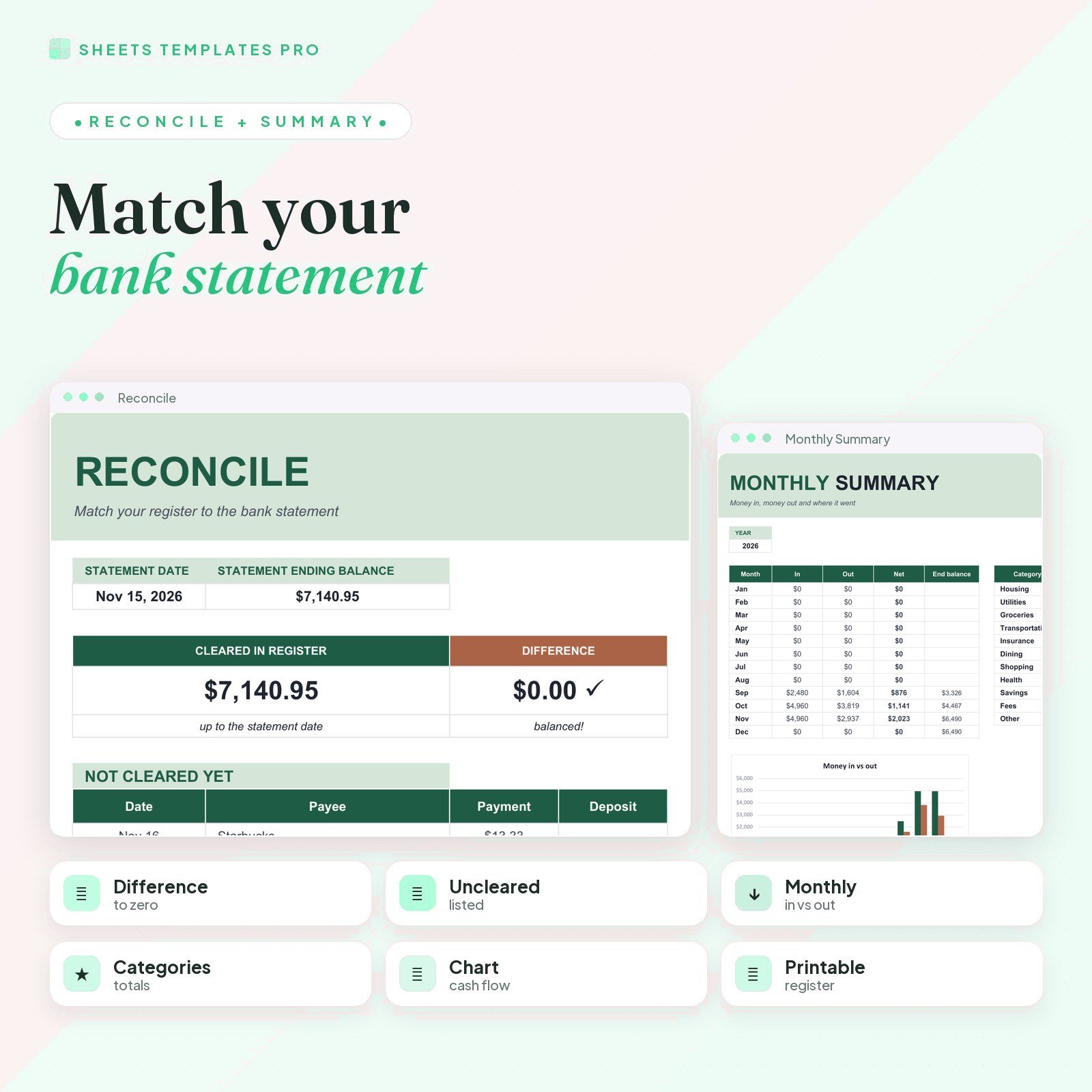
- Reconcile — Statement vs cleared, uncleared list.
- Monthly Summary — 12 months, chart, categories.
- Live dashboards — cards, rings and charts update the moment you type.
- Easy to use — a Start Here guide inside the file, drop-downs, checkboxes and color coding. No macros.
How to use the checkbook register template
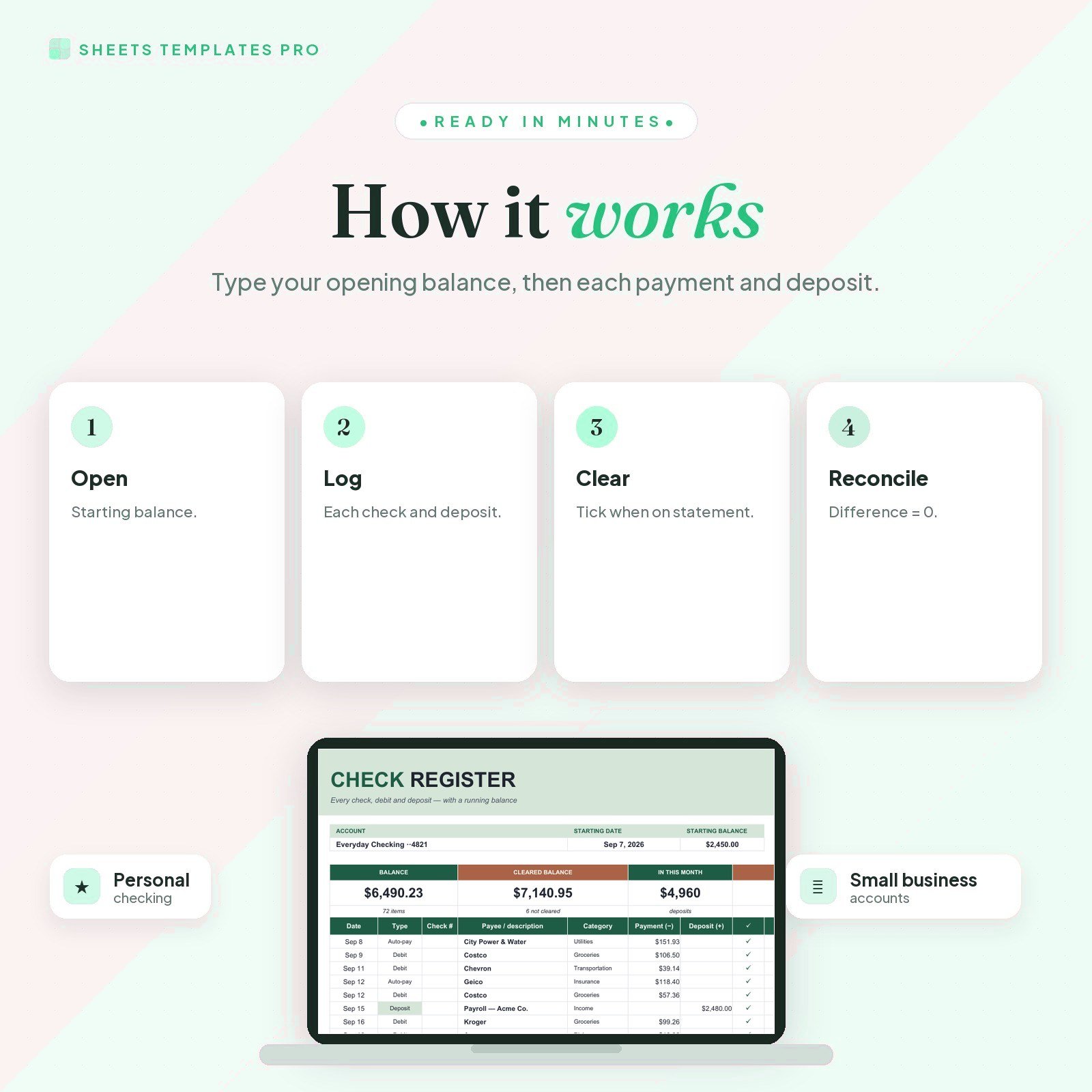
- Set the account. On Register type the account name, the starting date and the starting balance.
- Log every item. Add the date, type, check number, payee, category and the payment or the deposit.
- Tick Cleared. When an item shows on your bank statement, tick Cleared. The cleared balance updates.
- Reconcile monthly. On Reconcile type the statement date and balance. Difference should be $0.
- Review the year. Monthly Summary shows money in and out, end balance and spending by category.
What’s included
- 1 Excel file (.xlsx) with these tabs: Start Here, Register, Reconcile, Monthly Summary.
- Example data so you can see how it works — clear it and add your own.
- Works in Microsoft Excel (Windows, Mac and web) and Google Sheets.
Compatibility
Works in Microsoft Excel (desktop, Mac and Excel online) and Google Sheets. No macros required.
FAQ
Does it reconcile with my bank?
Yes. Type the statement balance and the difference should be $0.
Can I track checks and debit?
Yes. Each line has a type, check number, payee and category.
How many lines?
2,000 lines per file.
Does it work in the free version of Google Sheets?
Yes. Upload the .xlsx file to Google Drive and open it with Google Sheets. A free Google account is all you need.
How do I get the file?
Right after checkout you get a download link on the confirmation page and by email.
More templates like this: Bookkeeping & Ledgers.
This is a digital product. No physical item will be shipped.
Related templates
Browse all Bookkeeping & Ledgers.
Save with the bundle: get this template plus more in the Small Business Bookkeeping Bundle for $14.99.
Want everything? The All-Access Bundle includes every template in the shop for $49.99.


Reviews
There are no reviews yet.