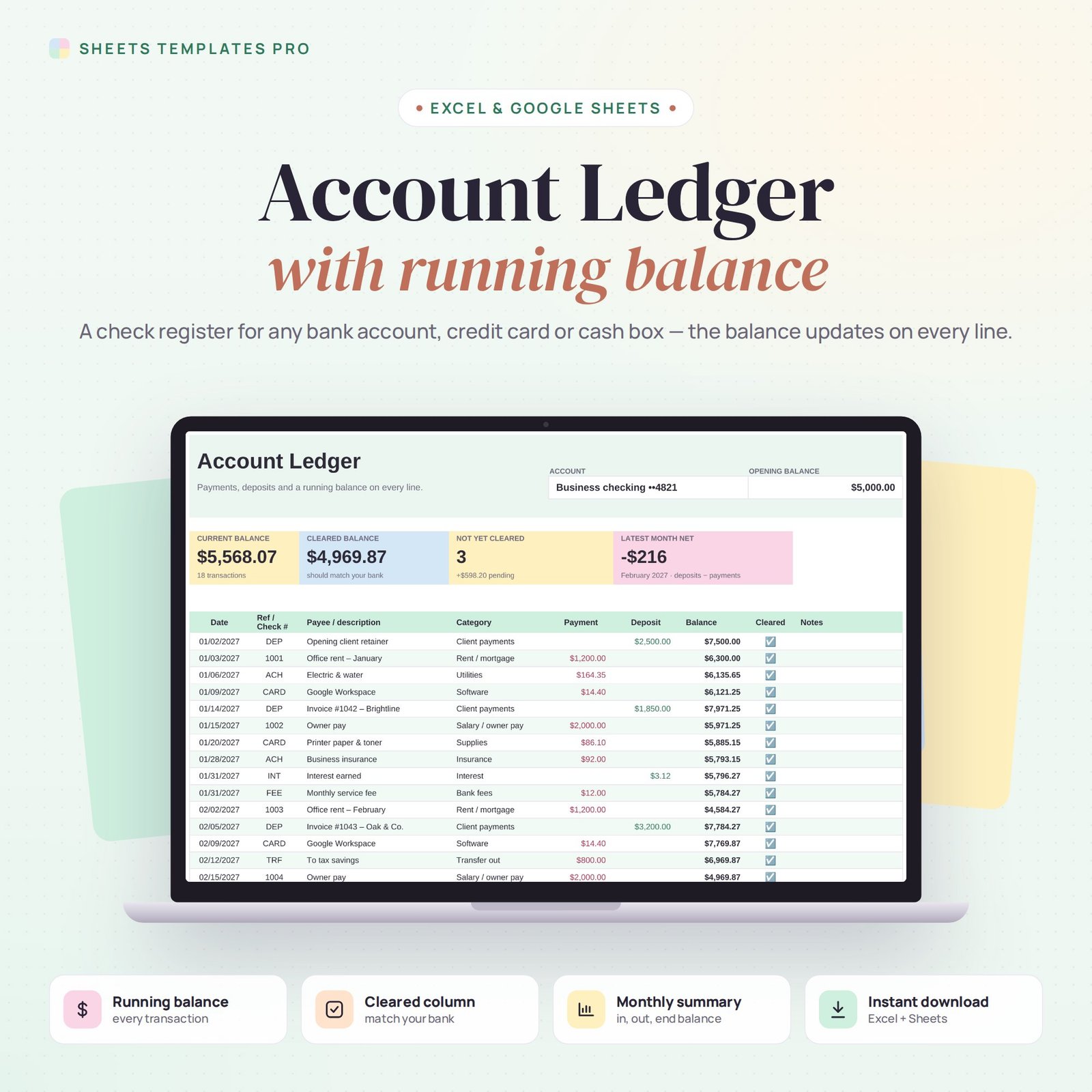
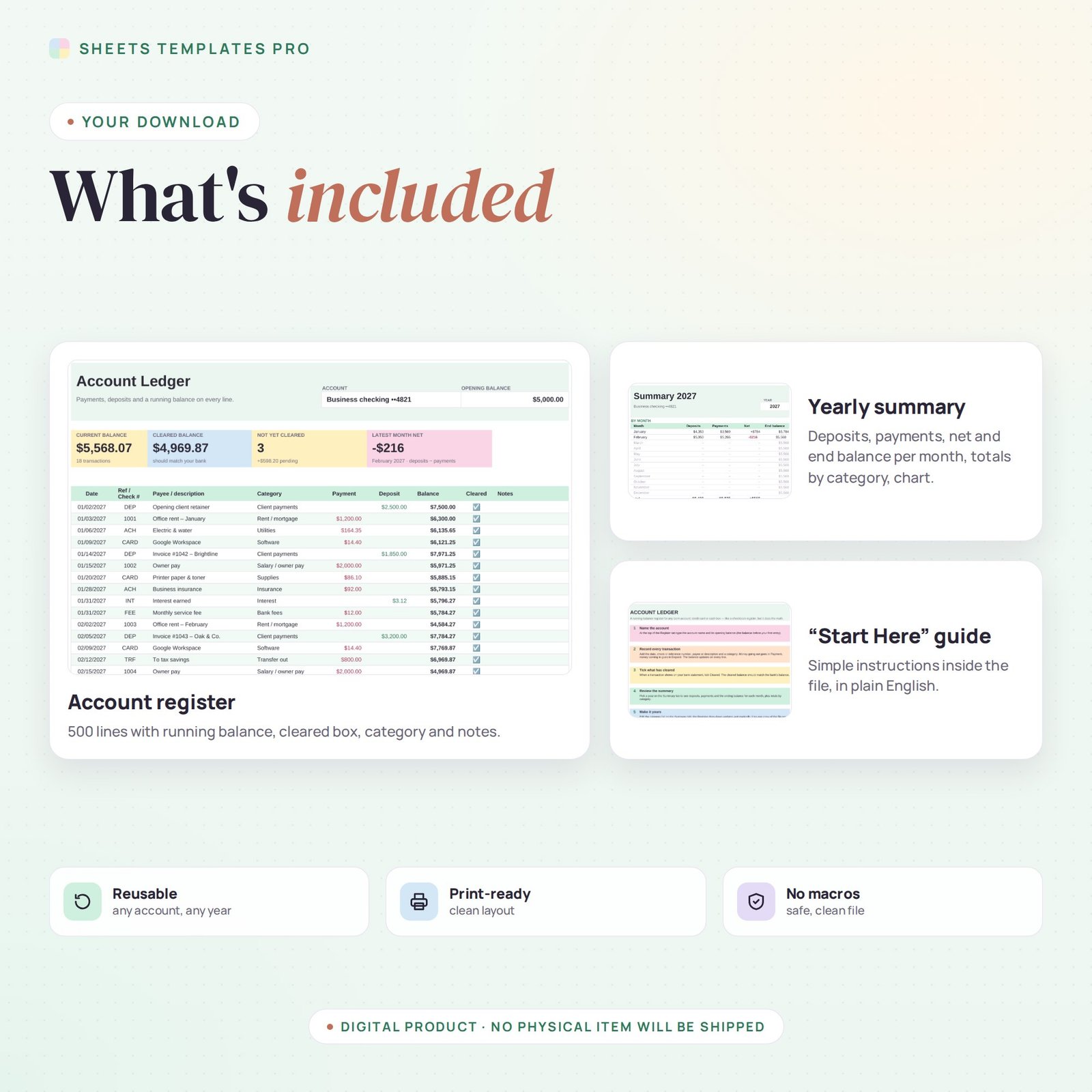
Know exactly how much is in any account. This account ledger template works like a checkbook register that does the math for you: record payments and deposits and the running balance updates on every line.
Who this template is for
- Anyone keeping a checkbook register
- Clubs and small groups tracking one account
- Freelancers separating business money
Features
- Running balance on every line, starting from the opening balance you enter.
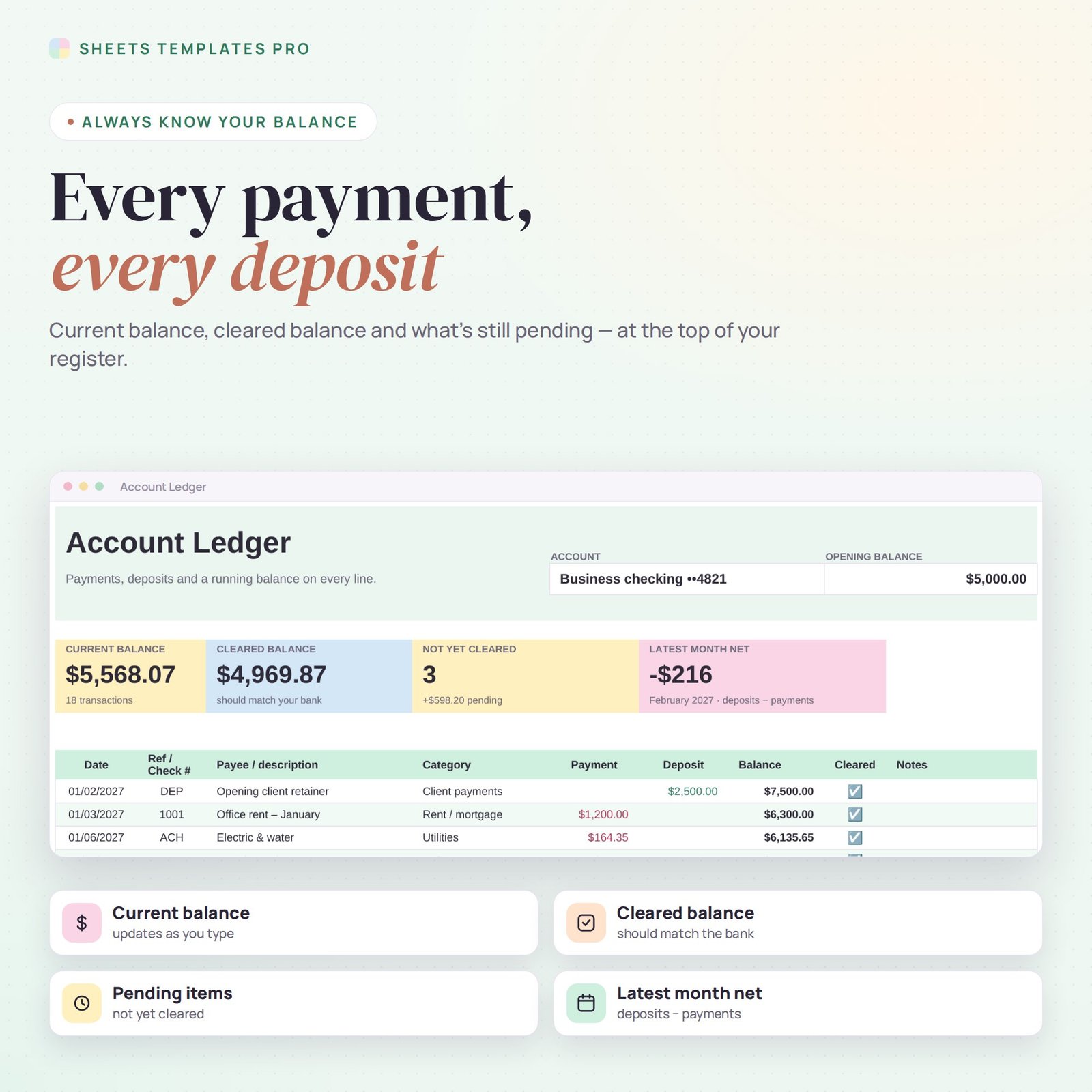
- Cleared column with checkboxes and a cleared balance that should match your bank statement.
- Dashboard tiles: current balance, cleared balance, items not yet cleared and the latest month’s net.
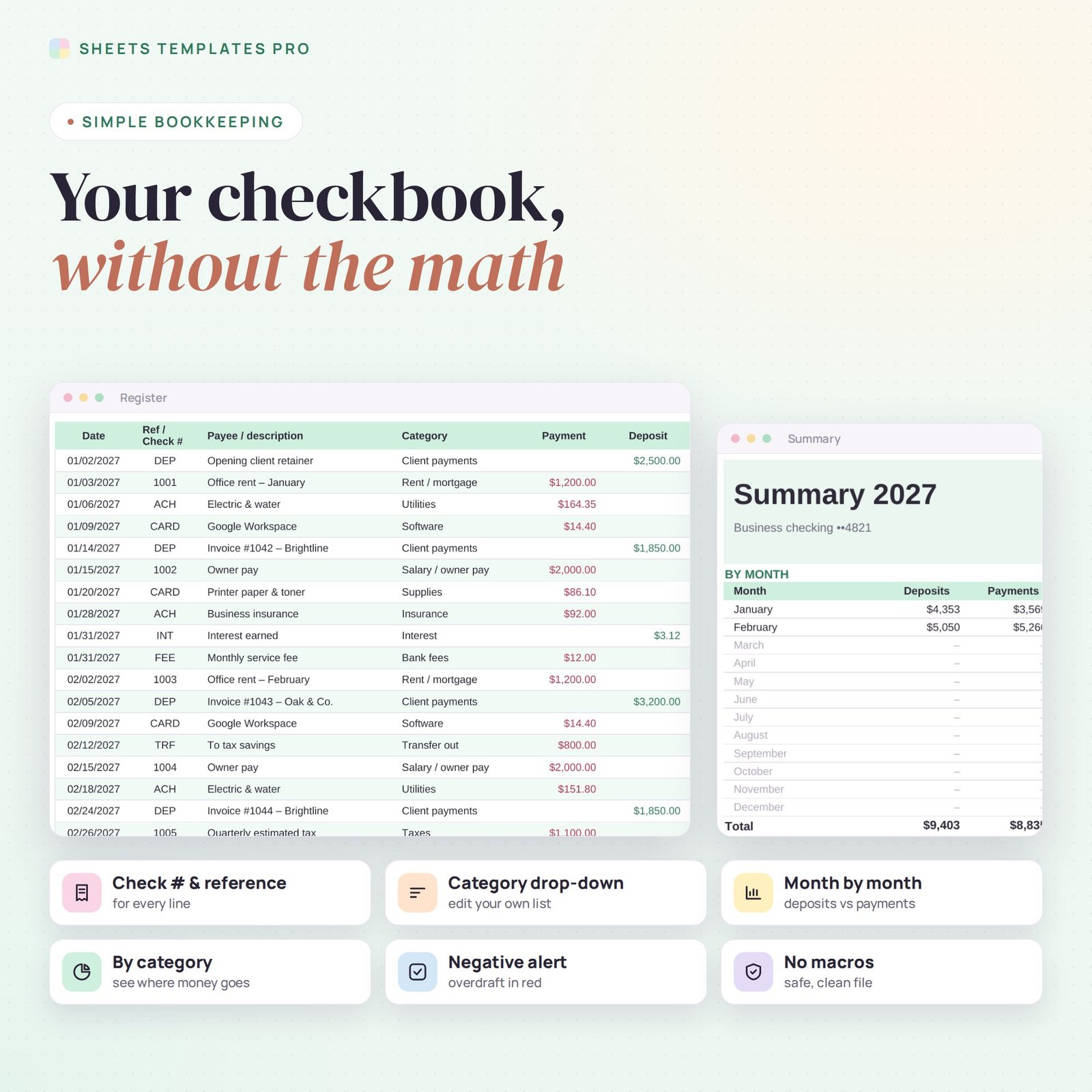
- Check number / reference, payee, category drop-down and notes for every transaction.
- Negative balances highlighted in red so you spot an overdraft before it happens.
- Yearly summary: deposits, payments, net and ending balance for each month, totals by category and a chart.
- Editable category list, 500 register lines, print-ready, no macros.
How to use it
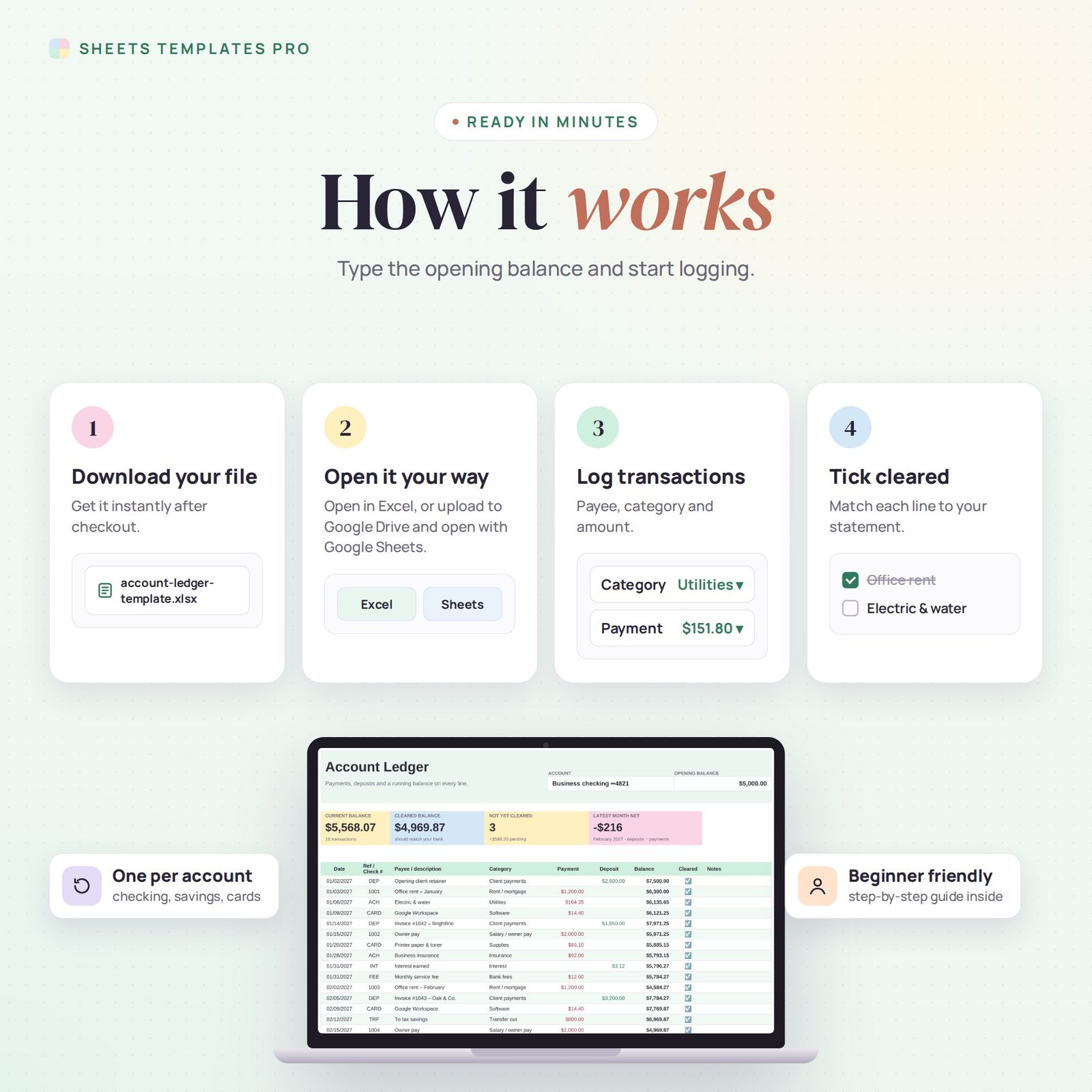
- Download the file and open it in Excel or upload it to Google Sheets.
- Type the account name and opening balance at the top of the Register tab.
- Log each transaction as a payment or a deposit, and tick Cleared when it appears on your statement.
- Pick a year on the Summary tab to review your months and categories.
What’s included
- 1 .xlsx file with 3 tabs: Start Here, Register and Summary.
- Sample transactions to show how it works (delete them to start fresh).
Compatibility
Works in Microsoft Excel (desktop, Mac and Excel online) and Google Sheets. No add-ons or macros required.
FAQ
Can I use it as a checkbook register?
Yes. Enter the check number in the Ref column and use Payment and Deposit like a paper register.
Can I track a credit card or cash?
Yes. Use one copy of the file per account: checking, savings, credit card or petty cash.
Can I change the categories?
Yes. Edit the list on the Summary tab and the Register drop-down updates automatically.
Does it work in the free version of Google Sheets?
Yes. Upload the .xlsx file to Google Drive and open it with Google Sheets. A free Google account is all you need.
Can I use it on a Mac, iPad or phone?
Yes. It works in Excel for Mac and Windows, Excel online and the Google Sheets app. For editing, a computer or tablet is the most comfortable.
How do I get the file?
Right after checkout you get a download link on the confirmation page and by email.
More templates like this: Bookkeeping & Ledgers.
This is a digital product. No physical item will be shipped.

Reviews
There are no reviews yet.