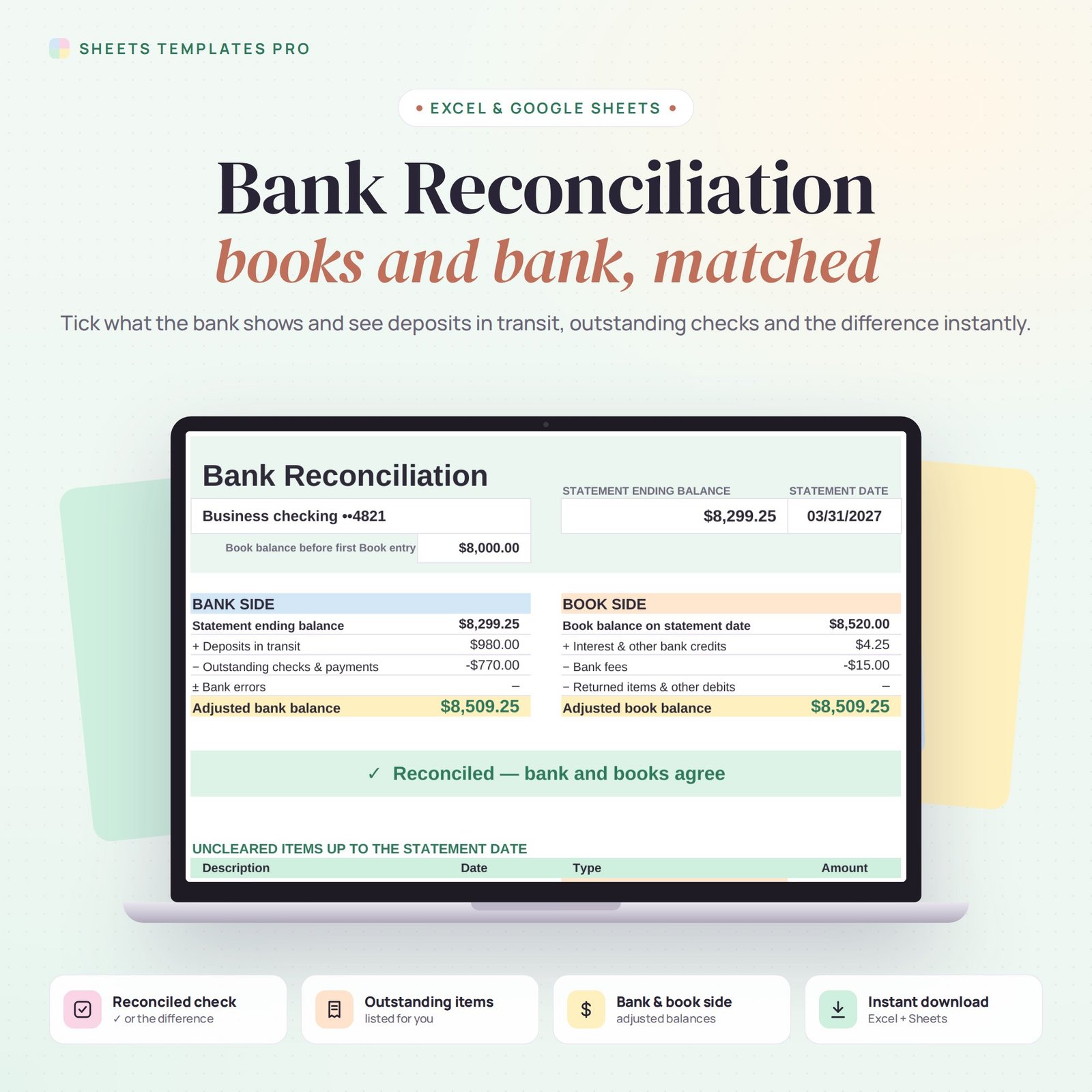
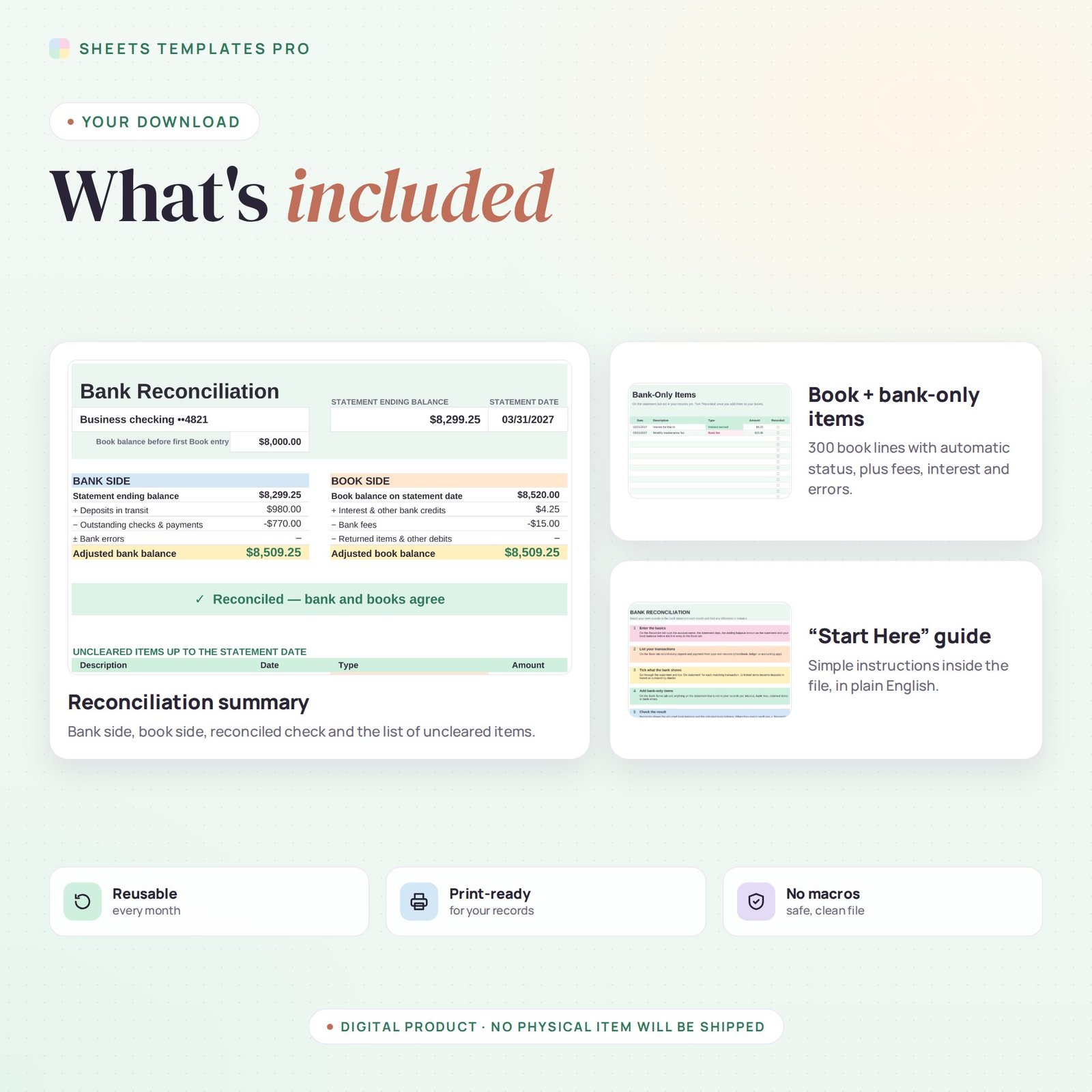
Close every month knowing your records match the bank. This bank reconciliation template compares your own transactions with the bank statement, lists deposits in transit and outstanding checks for you, and shows a clear ✓ Reconciled message when both balances agree.
Who this template is for
- Small business owners closing the month
- Bookkeepers and accounting students
- Nonprofit treasurers
Features
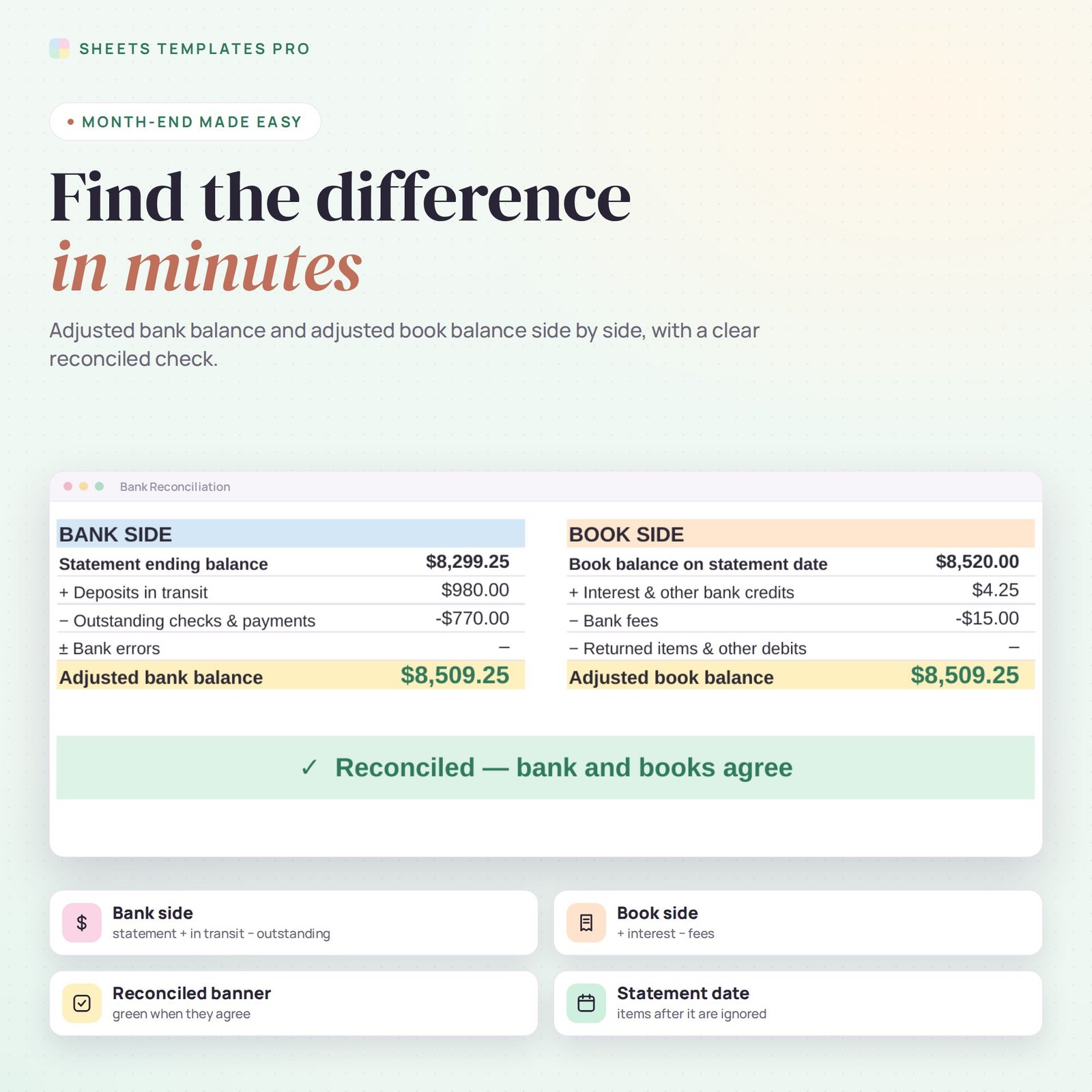
- Bank side and book side side by side: statement balance plus deposits in transit minus outstanding payments, and book balance plus interest minus bank fees.
- Reconciled banner that turns green when the adjusted balances match, or shows the exact difference to look for.
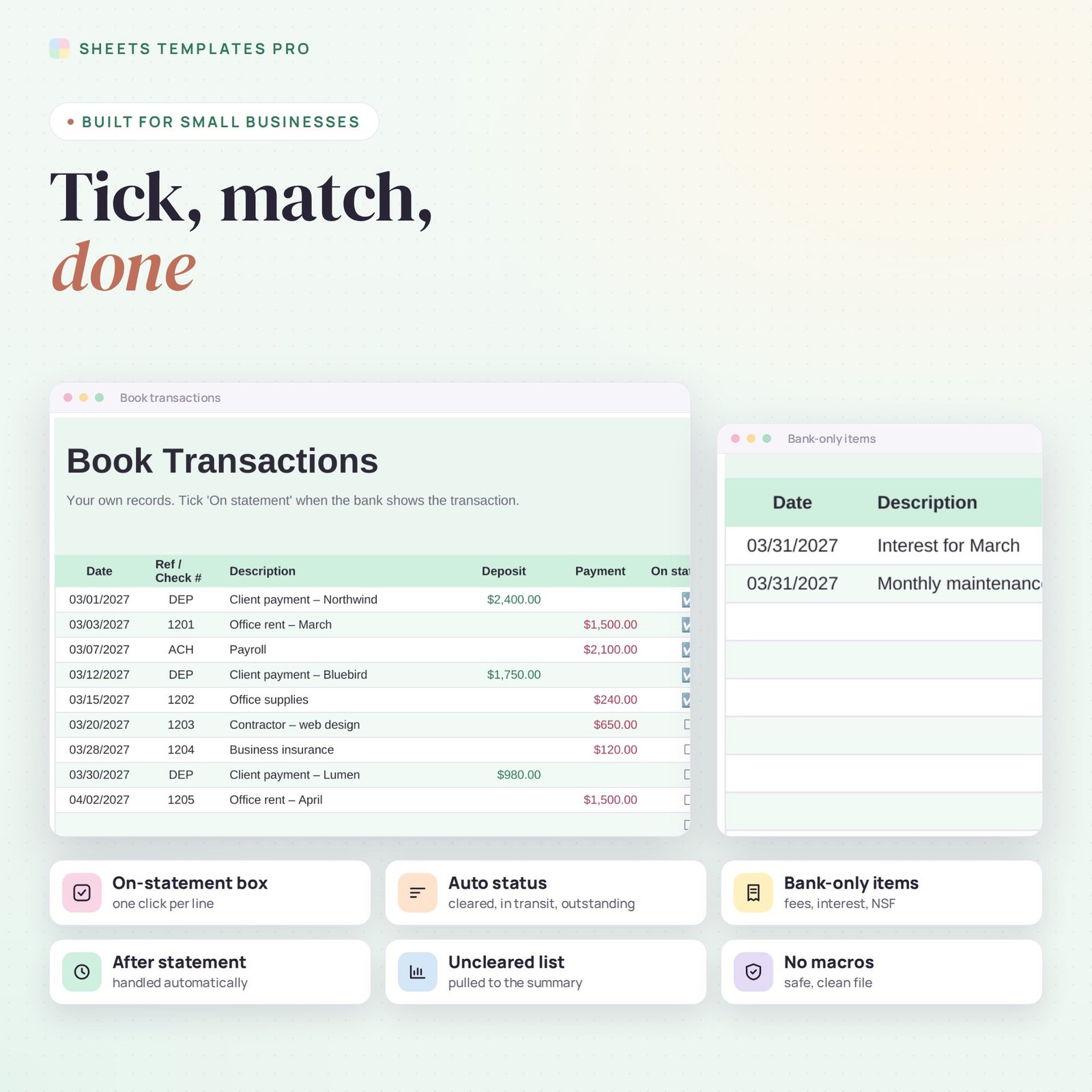
- Book transactions list (300 lines) with an On-statement checkbox and automatic status: Cleared, In transit, Outstanding or After statement.
- Bank-only items for interest, bank fees, returned items (NSF) and bank errors.
- Automatic list of uncleared items up to the statement date on the summary.
- Date picker for the statement date, print-ready layout, no macros.
How to use it
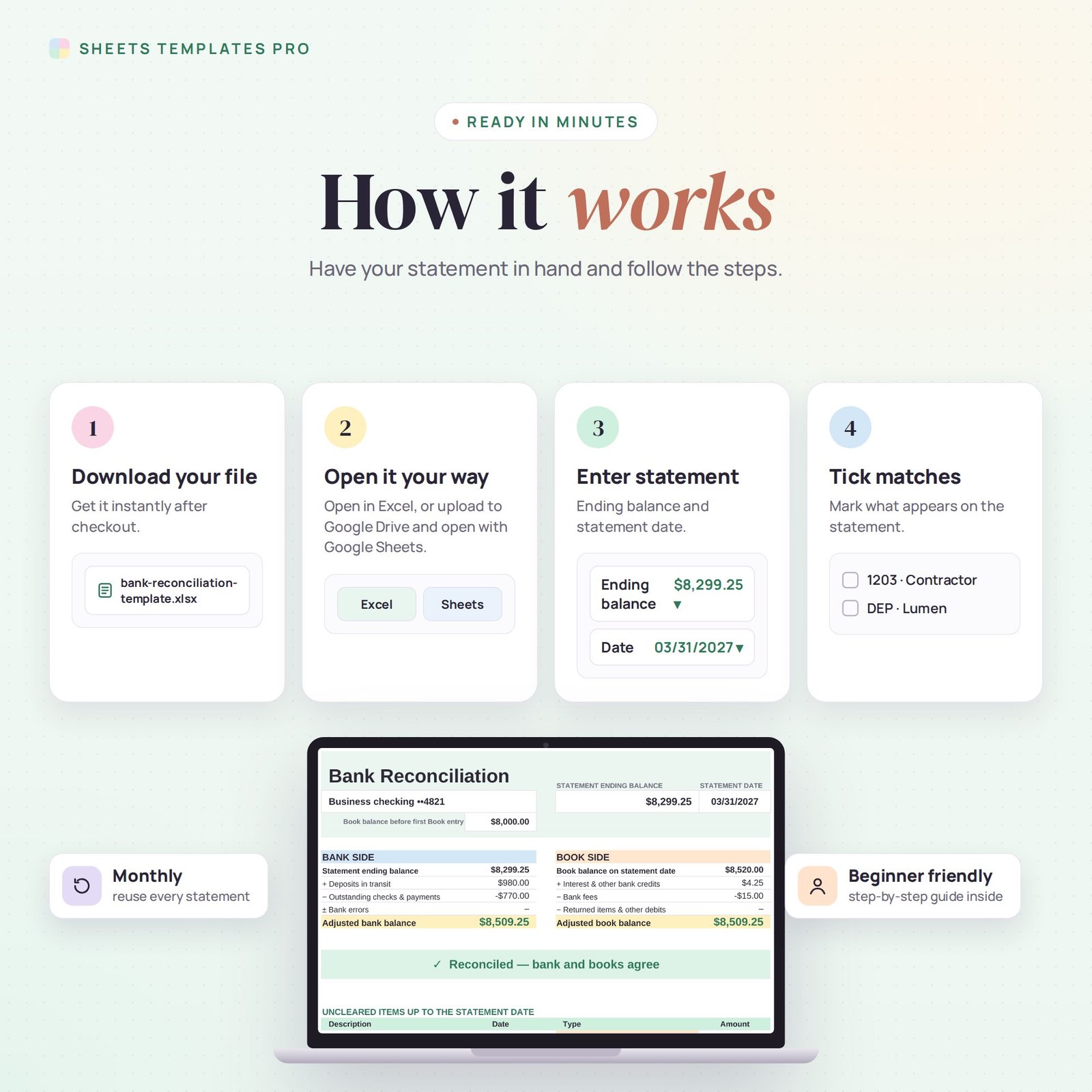
- Download the file and open it in Excel or upload it to Google Sheets.
- Enter the statement date, the statement ending balance and your starting book balance.
- List your transactions on the Book tab and tick each one that appears on the statement.
- Add any bank-only items, then check the Reconcile tab for the result.
What’s included
- 1 .xlsx file with 4 tabs: Start Here, Reconcile, Book and Bank Items.
- A worked example that reconciles, so you can see how it works before entering your own data.
Compatibility
Works in Microsoft Excel (desktop, Mac and Excel online) and Google Sheets. No add-ons or macros required.
FAQ
What is a bank reconciliation?
It is the monthly check that your own records and your bank statement agree, after allowing for items that haven’t cleared yet and bank charges you haven’t recorded.
Can I use it for credit cards?
Yes. Treat charges as payments and card payments as deposits, and reconcile against the card statement.
Do I need a new file each month?
No. Change the statement date and balance; uncleared items carry forward automatically.
Does it work in the free version of Google Sheets?
Yes. Upload the .xlsx file to Google Drive and open it with Google Sheets. A free Google account is all you need.
Can I use it on a Mac, iPad or phone?
Yes. It works in Excel for Mac and Windows, Excel online and the Google Sheets app. For editing, a computer or tablet is the most comfortable.
How do I get the file?
Right after checkout you get a download link on the confirmation page and by email.
More templates like this: Bookkeeping & Ledgers.
This is a digital product. No physical item will be shipped.

Reviews
There are no reviews yet.