
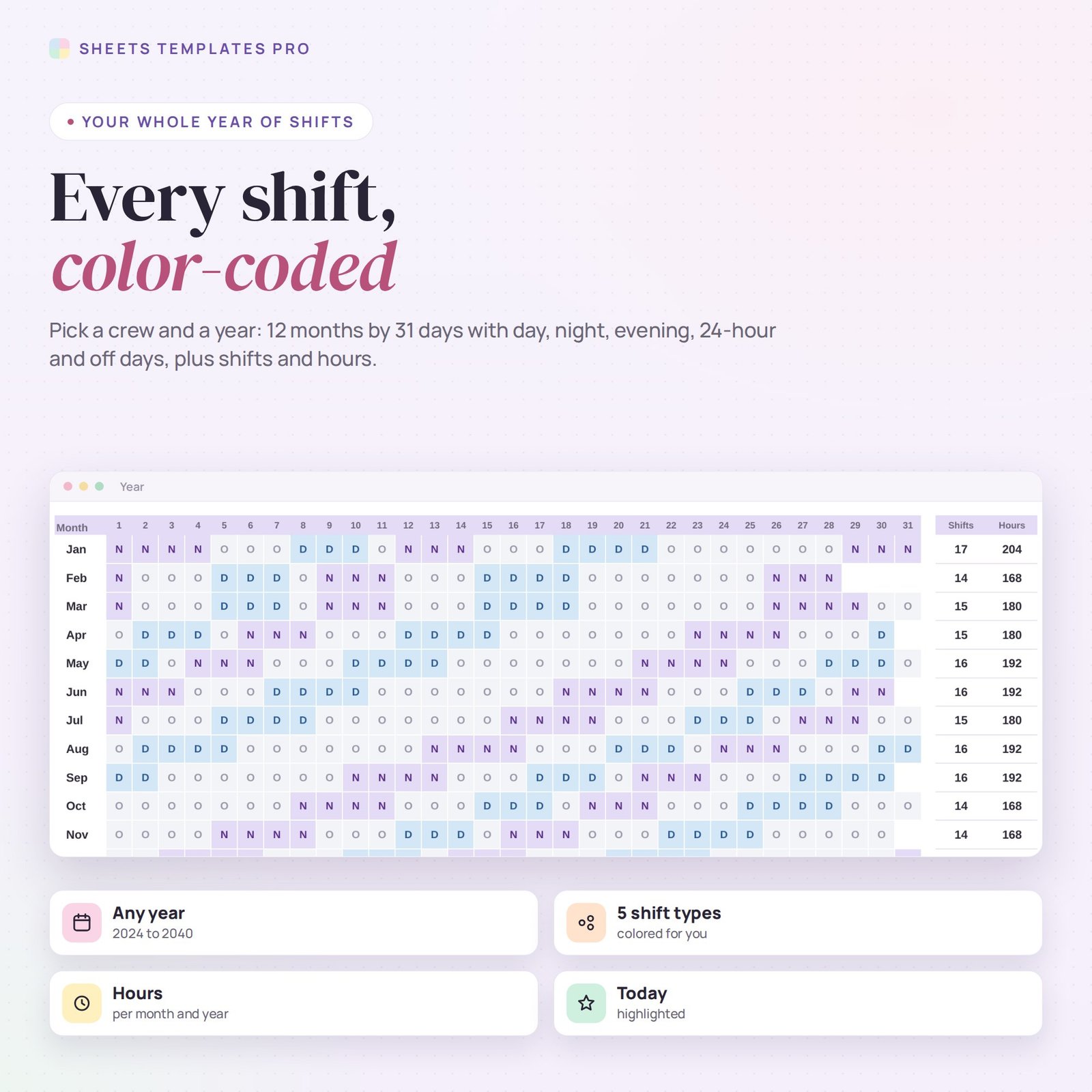
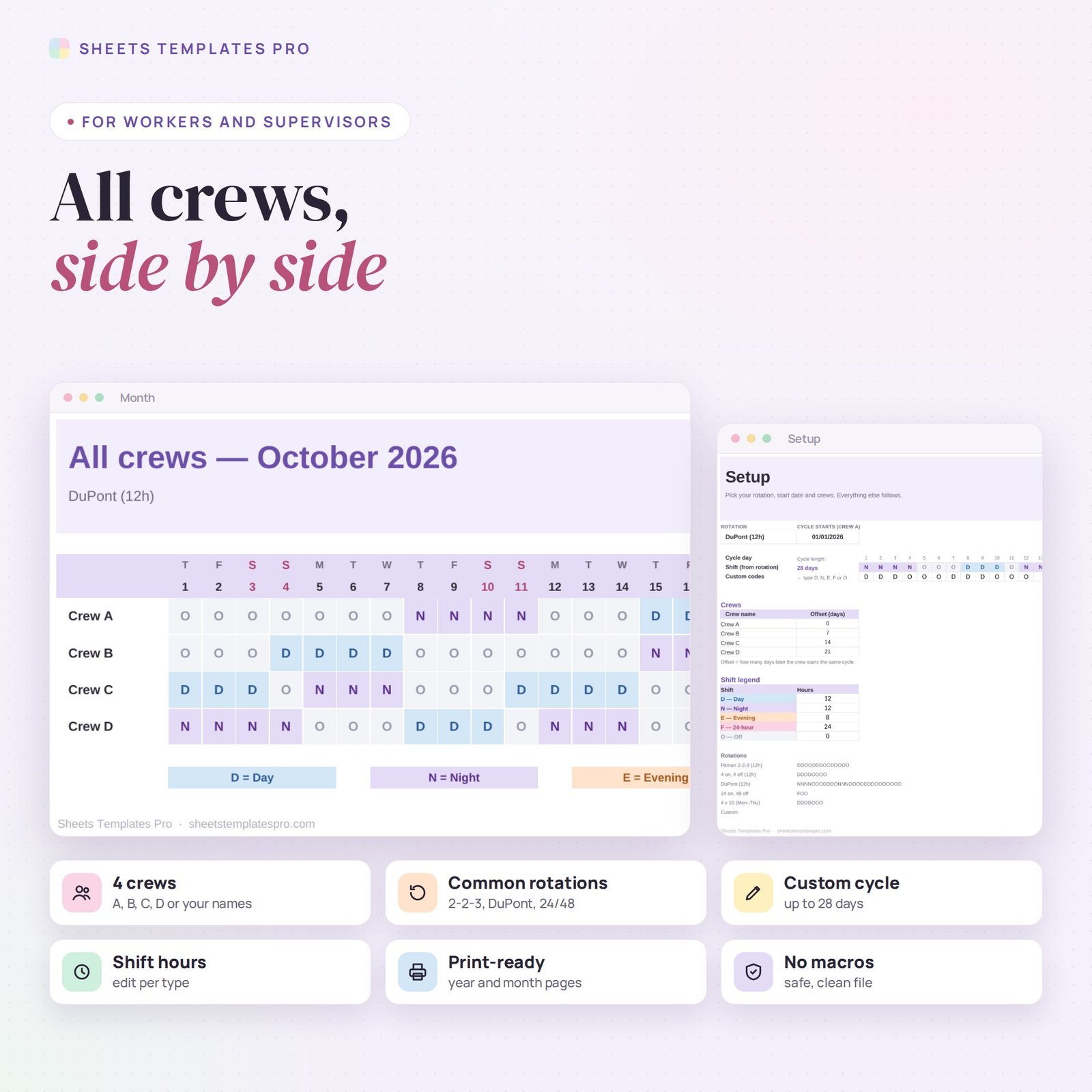


Know every shift of the year in seconds. This rotating shift calendar takes a shift rotation – Pitman 2-2-3, 4 on 4 off, DuPont, 24 on 48 off, 4×10 or your own custom cycle – and shows every day of the year for each crew, color-coded, with shifts and hours counted. Built for nurses, police, firefighters, plant workers and any 24/7 team. It works in Excel and Google Sheets.
Who this template is for
- Nurses, police officers and firefighters
- Factory and plant shift workers
- Families planning around a rotating schedule
Features
- 5 common rotations + custom – or type your own cycle of up to 28 days with D, N, E, F or O codes.
- 4 crews with offsets – rename them and set how many days later each crew starts the cycle.
- Year view – pick a crew and year: 12 months by 31 days, color-coded, with shifts and hours per month and per year.
- Month view – all four crews side by side, weekends marked and today highlighted.
- Shift hours – set the hours for day, night, evening and 24-hour shifts.
- Any year – 2024 to 2040.
How to use it
- On Setup, pick a rotation (or Custom and type your codes).
- Type the date day 1 of the cycle starts for Crew A, and the offset for the other crews.
- On Year, pick a crew and a year to see every shift.
- On Month, pick a month to compare all crews.
What’s included
- Rotating shift calendar spreadsheet (.xlsx) with Start Here guide, Year view, Month view and Setup
Compatibility
Microsoft Excel 2016 or later (Windows and Mac), Excel for the web and Google Sheets. No macros, no add-ons.
FAQ
My rotation is not listed. Can I still use it? Yes. Choose Custom and type each day of your cycle, up to 28 days.
Can I mark vacation or overtime? This file shows the planned rotation. Keep vacation and swaps in the notes or in our work schedule template.
Does it handle 24-hour shifts? Yes. Use the 24 on, 48 off rotation or the F code in a custom cycle.
Does it work in the free version of Google Sheets?
Yes. Upload the .xlsx file to Google Drive and open it with Google Sheets. A free Google account is all you need.
Can I use it on a Mac, iPad or phone?
Yes. It works in Excel for Mac and Windows, Excel online and the Google Sheets app. For editing, a computer or tablet is the most comfortable.
How do I get the file?
Right after checkout you get a download link on the confirmation page and by email.
More templates like this: Calendar Templates.
This is a digital product. You will receive a download link after purchase. No physical item will be shipped.

Reviews
There are no reviews yet.