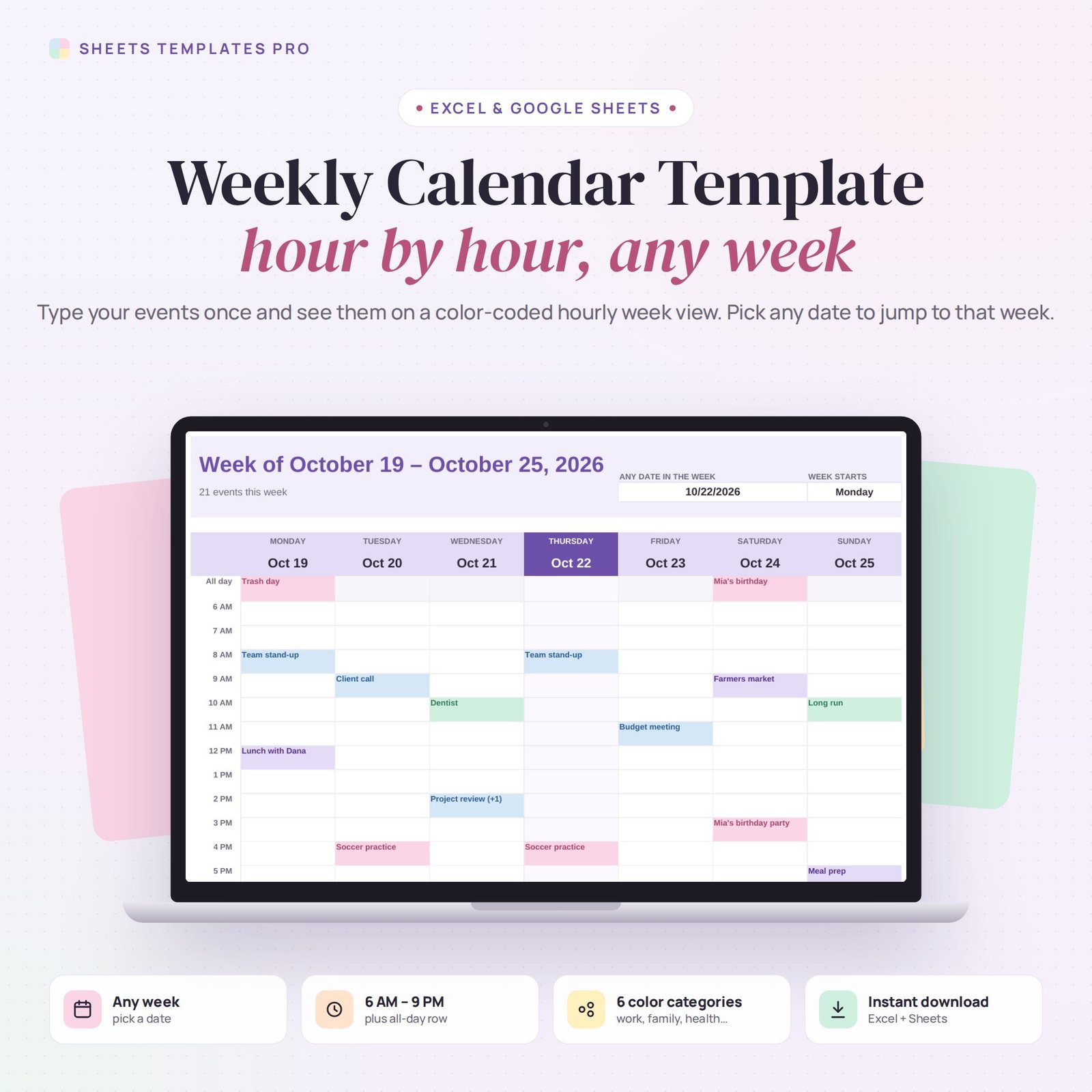
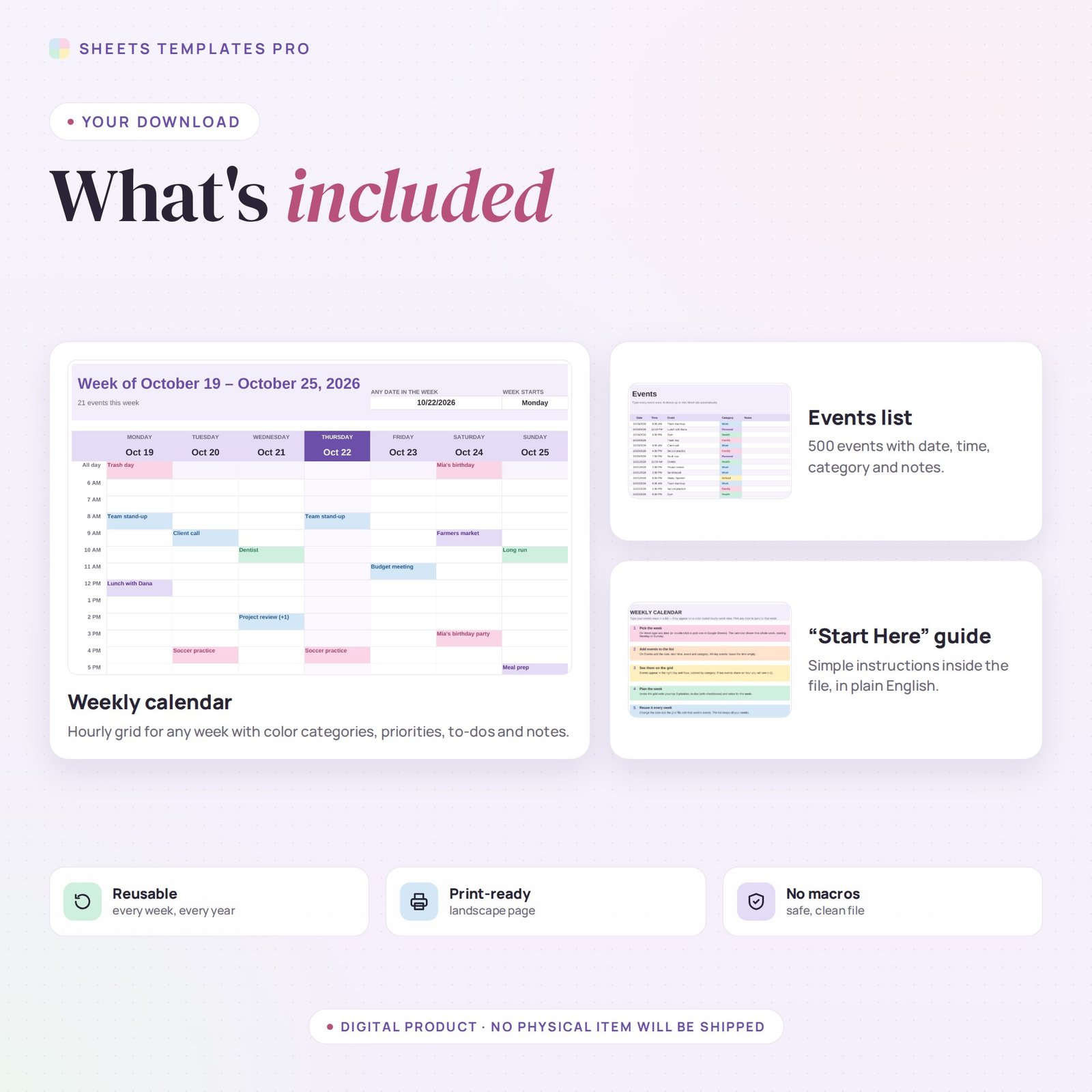
See your whole week hour by hour. This weekly calendar template lets you type each event once in a simple list and places it automatically on a color-coded weekly grid from 6 AM to 9 PM, plus an all-day row. Pick any date to jump to that week. It works in Excel and Google Sheets and prints on one landscape page.
Who this template is for
- People who plan week by week
- Teachers and students scheduling classes
- Professionals blocking meeting time
Features
- Any week, any year – type or pick a date and the whole week appears, starting Monday or Sunday.
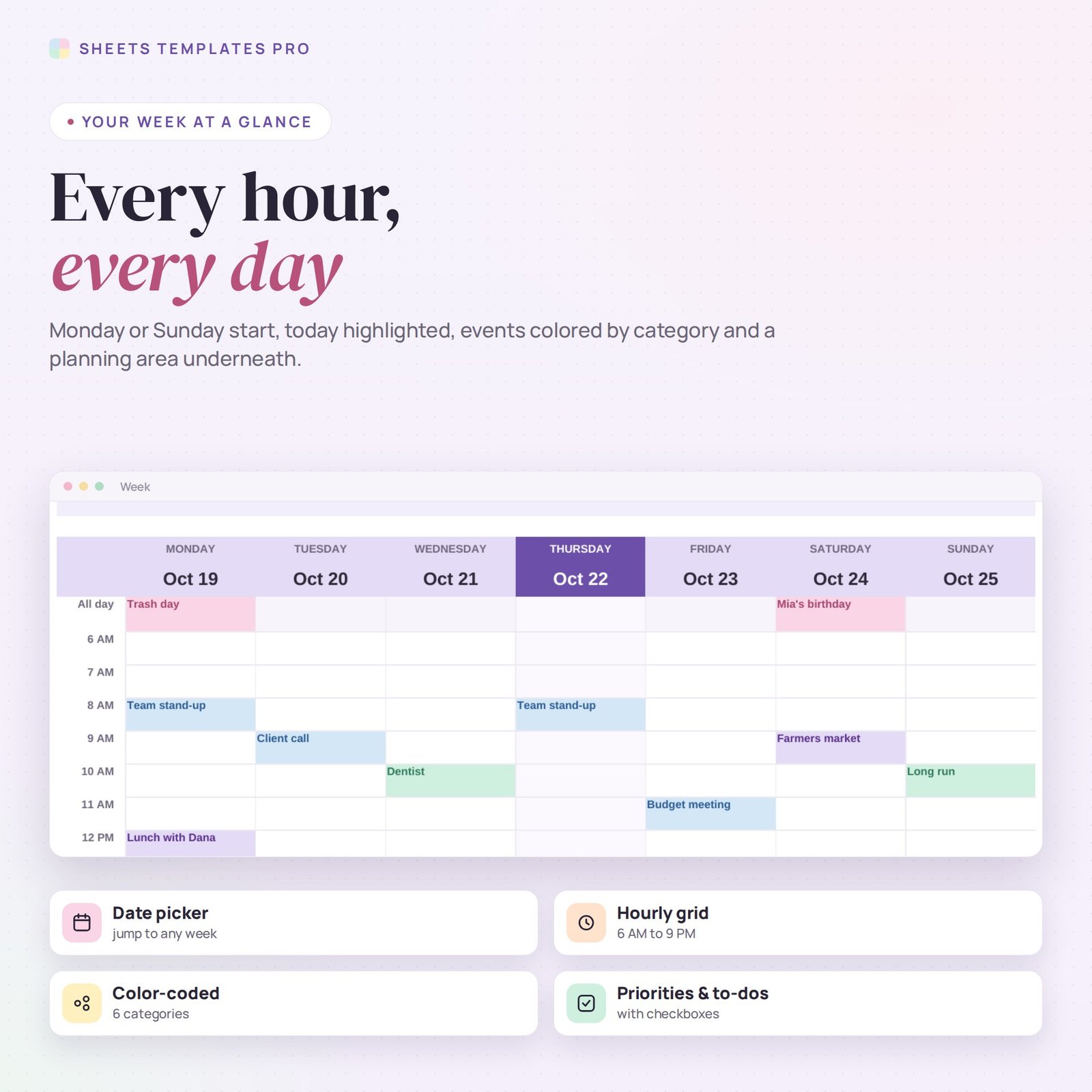
- Hourly grid – 6 AM to 9 PM plus an all-day row; today is highlighted.
- 6 color categories – Work, Personal, Family, Health, School and Other.
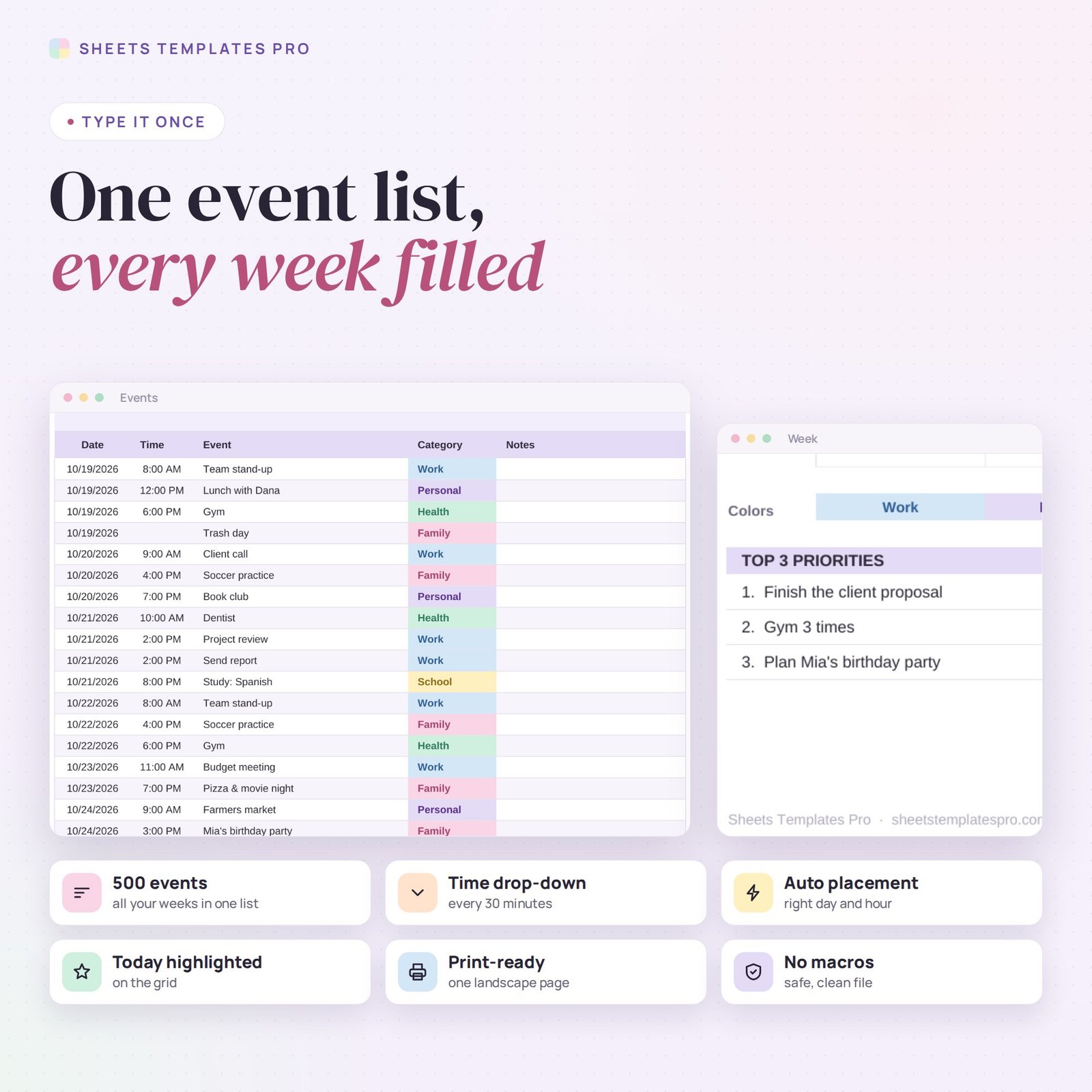
- One events list for 500 events – date, time (drop-down every 30 minutes), event, category and notes.
- Automatic placement – events land in the right day and hour; two events in the same hour show (+1).
- Weekly planning area – top 3 priorities, a to-do list with checkboxes and notes.
How to use it
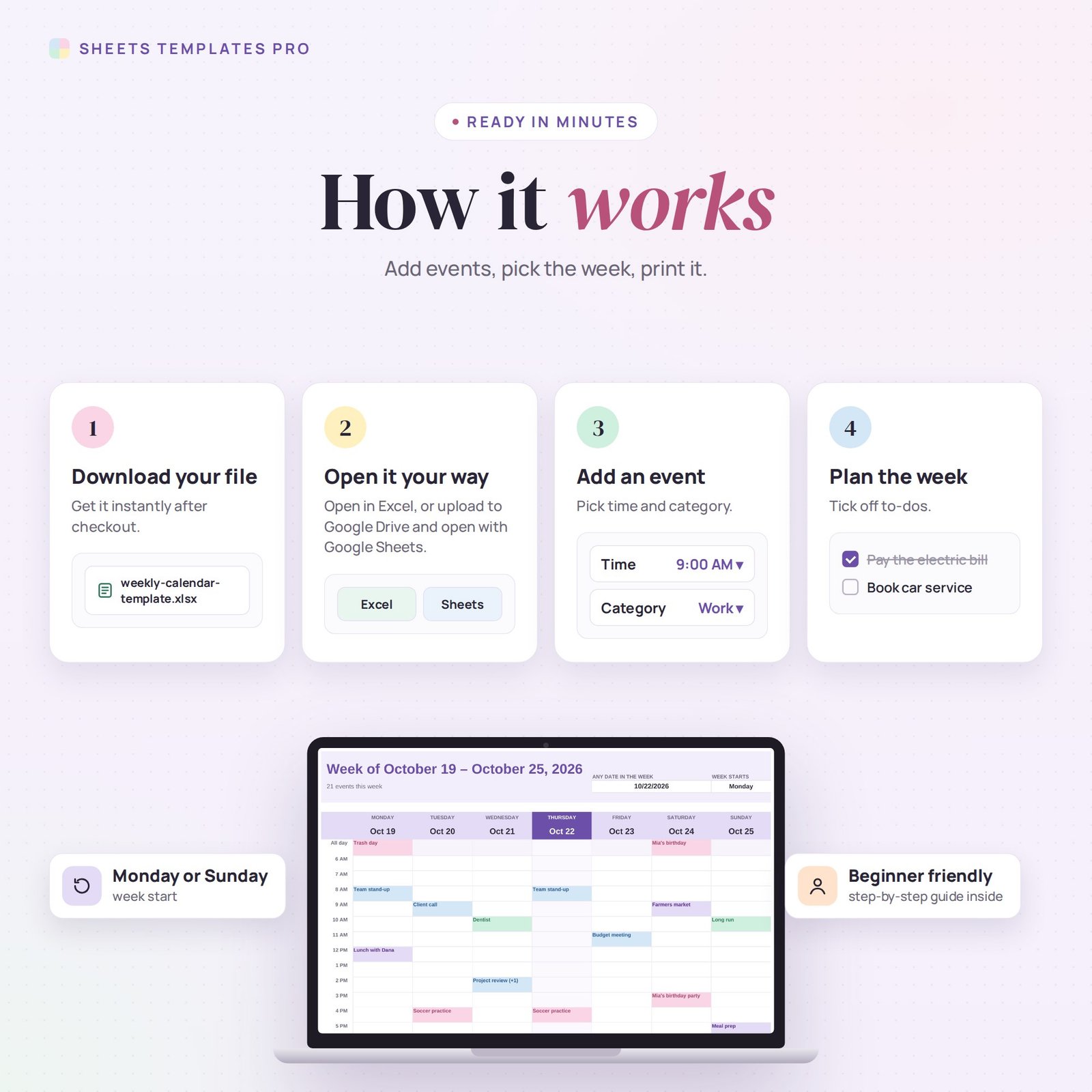
- On the Events tab, add each event with its date, start time and category. Leave the time empty for all-day events.
- On the Week tab, type any date of the week you want to see.
- Write your priorities, to-dos and notes under the grid.
- Print the week or keep it open on your screen.
What’s included
- Weekly calendar spreadsheet (.xlsx) with Start Here guide, Week view and Events list
- Sample week you can clear in seconds
Compatibility
Microsoft Excel 2016 or later (Windows and Mac), Excel for the web and Google Sheets. No macros, no add-ons.
FAQ
Can I share it with my family? Yes. Upload it to Google Sheets and share the link.
Can I rename the categories? Yes, but keep the six color rules in mind: they follow the category names.
Does it sync with Google Calendar? No. It is a stand-alone spreadsheet calendar.
Does it work in the free version of Google Sheets?
Yes. Upload the .xlsx file to Google Drive and open it with Google Sheets. A free Google account is all you need.
Can I use it on a Mac, iPad or phone?
Yes. It works in Excel for Mac and Windows, Excel online and the Google Sheets app. For editing, a computer or tablet is the most comfortable.
How do I get the file?
Right after checkout you get a download link on the confirmation page and by email.
More templates like this: Calendar Templates.
This is a digital product. You will receive a download link after purchase. No physical item will be shipped.

Reviews
There are no reviews yet.