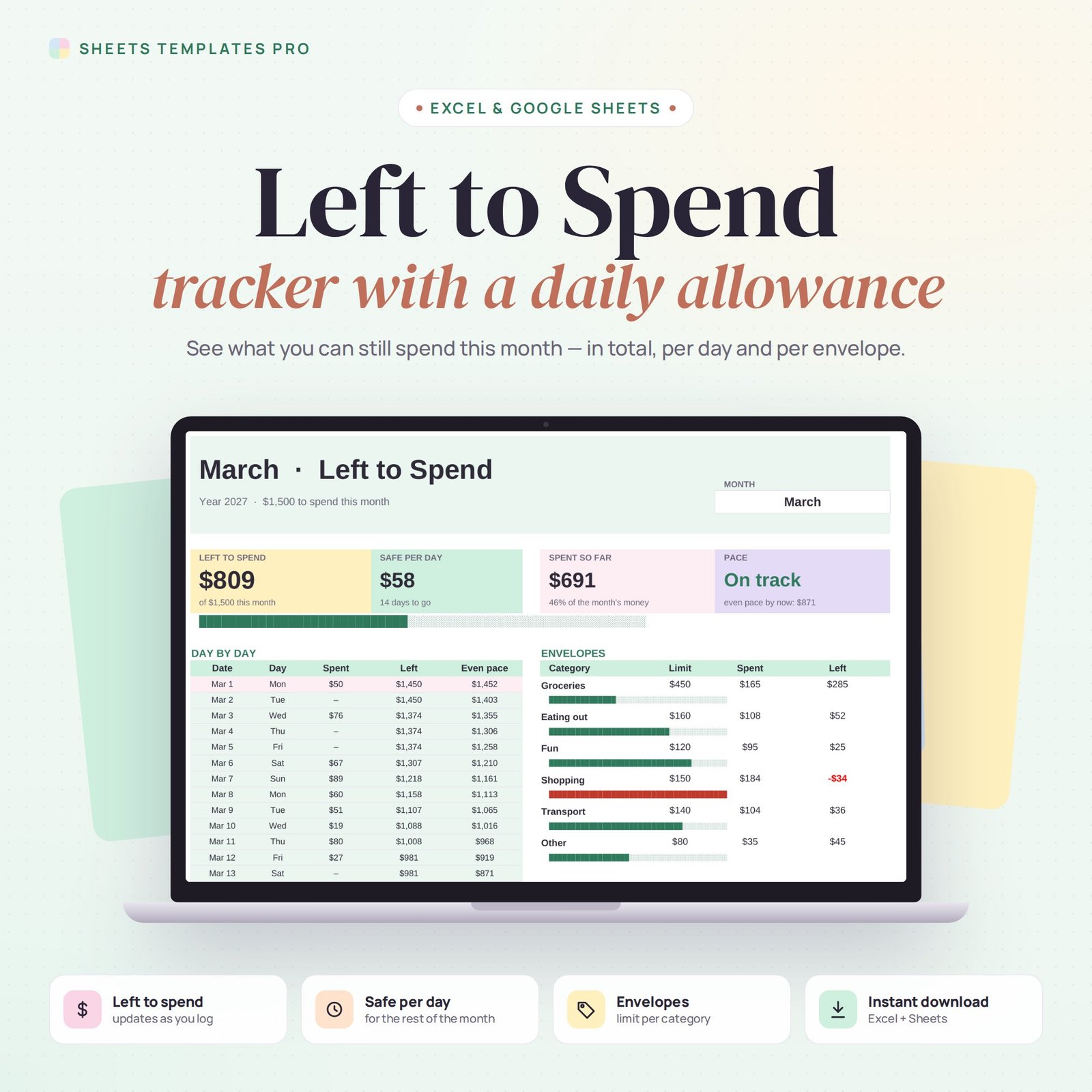
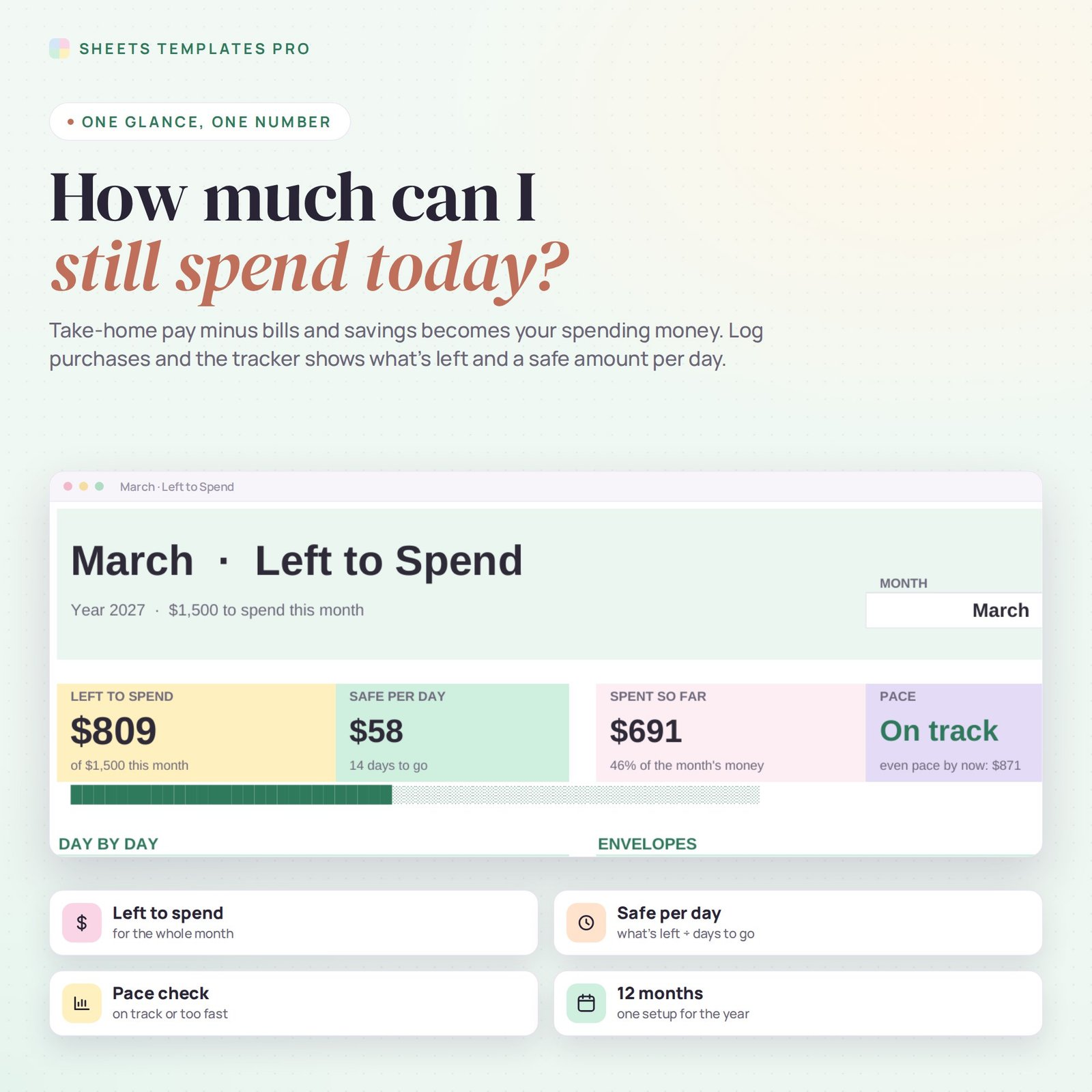
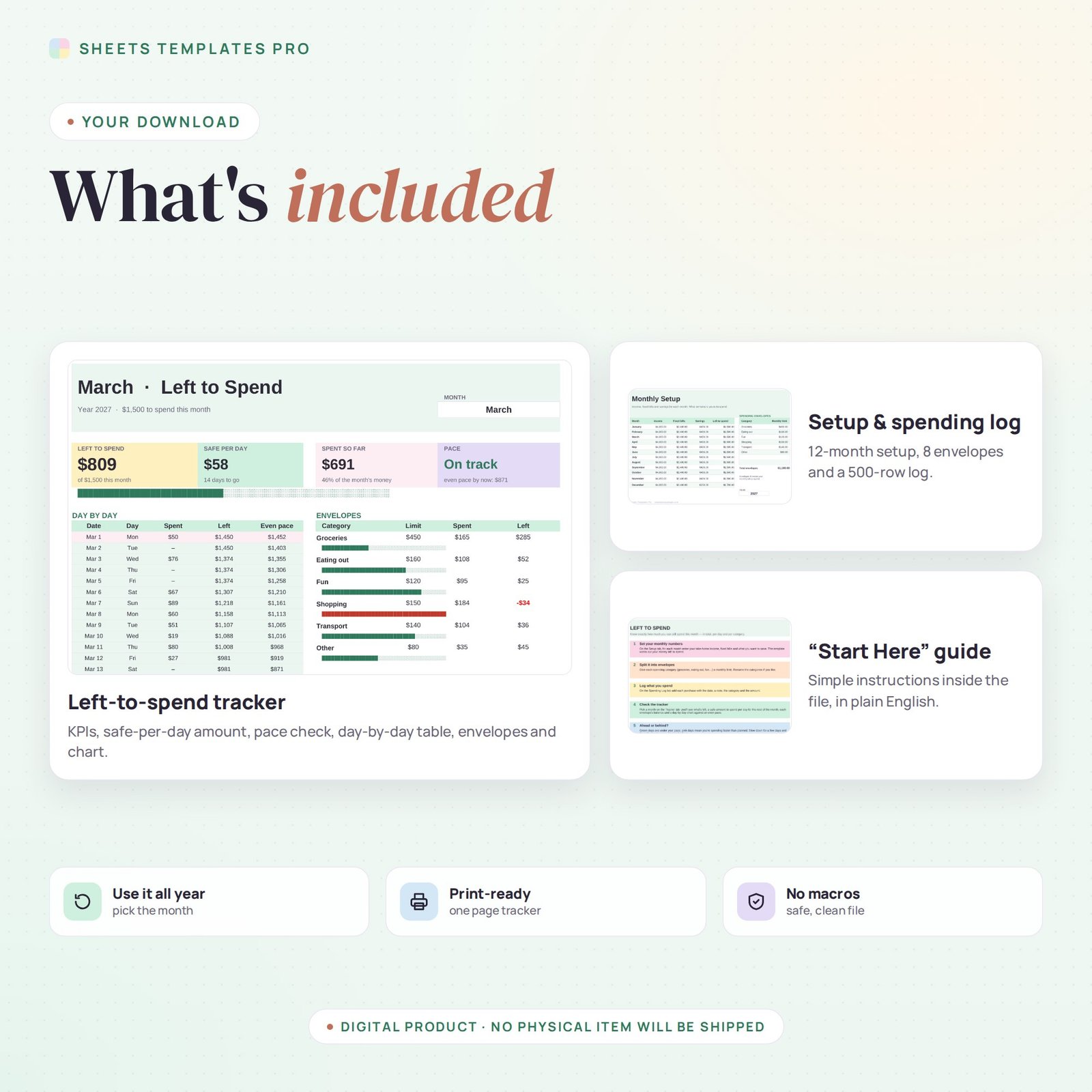
This left to spend tracker answers one question every day: how much can I still spend? Enter your income, bills and savings for the month, log your purchases, and the tracker shows the money you have left, a safe amount to spend per day and whether you're on pace.
Who this template is for
- People who overspend on day-to-day purchases
- Cash envelope budgeters going digital
- Anyone who wants a daily spending allowance
Features
- Left to spend for the month, updated with every purchase you log.
- Safe per day: what's left divided by the days to go.
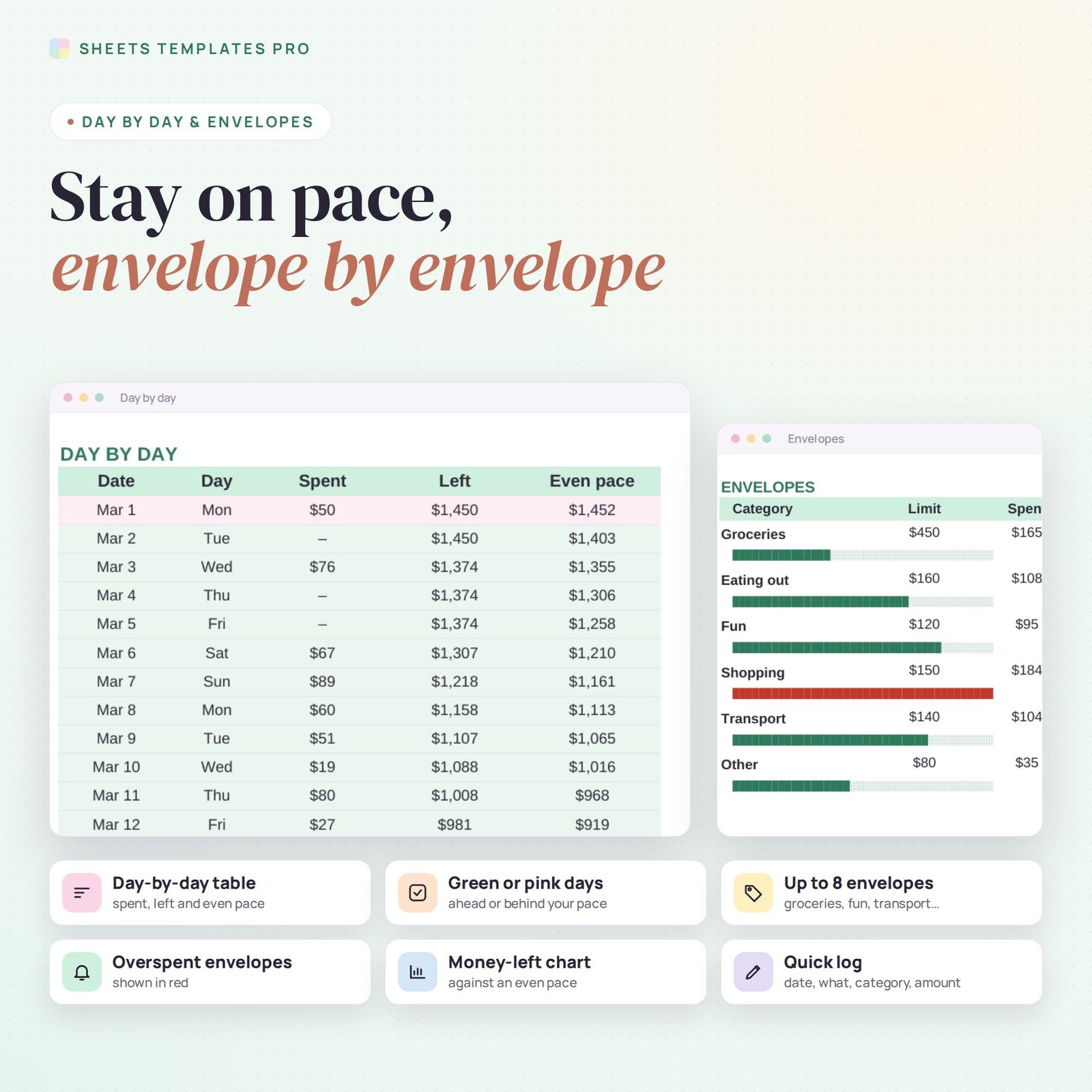
- Pace check against an even spending pace, with green and pink days.
- Up to 8 envelopes (groceries, eating out, fun, transport…) with limits and balances.
- Day-by-day table and chart of money left vs. even pace.
- 12-month setup: income, fixed bills and savings for each month of the year.
- Quick 500-row spending log.
How to use your left to spend tracker
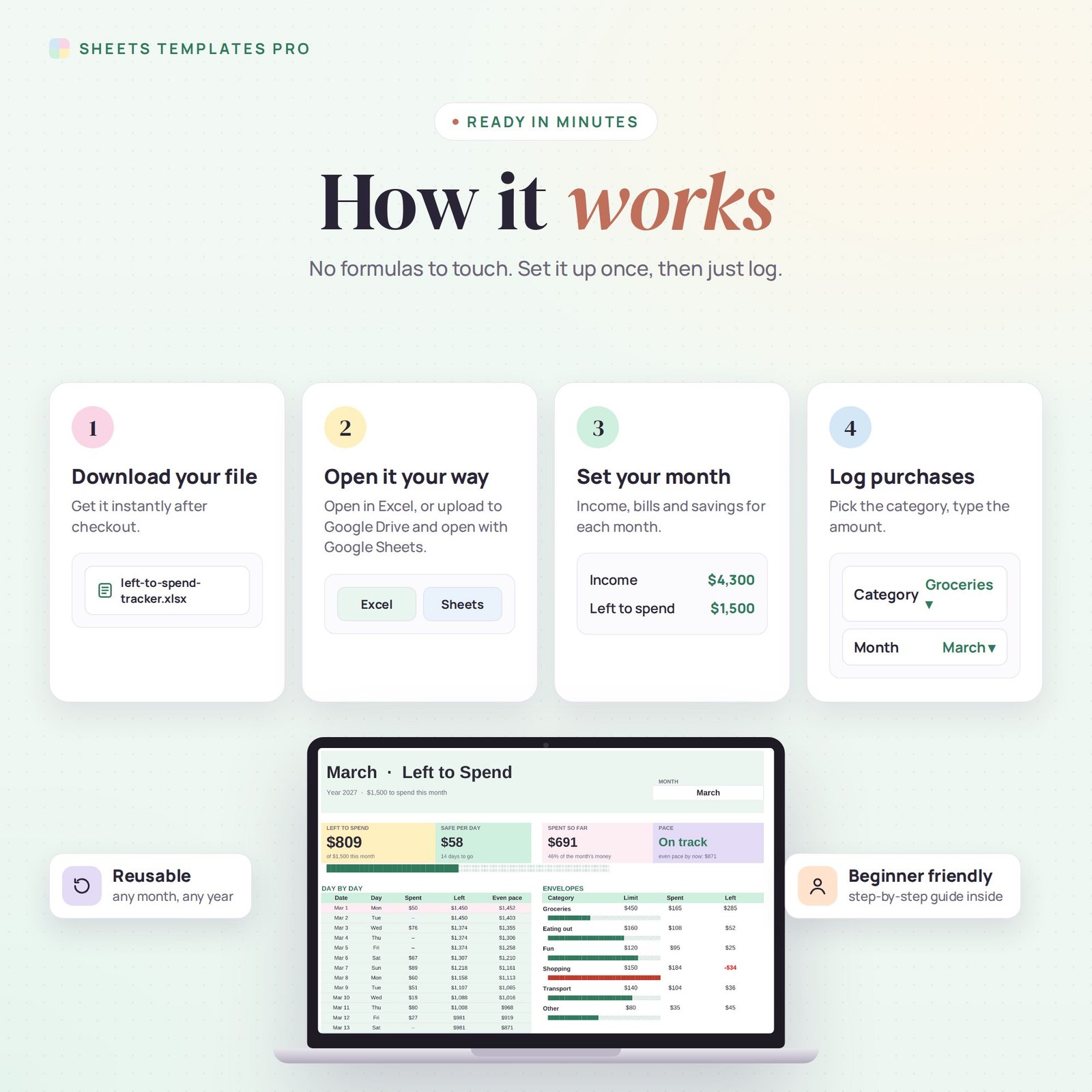
- Download the file right after checkout.
- Open it in Excel, or upload it to Google Drive and open it with Google Sheets.
- Fill in the Setup tab and your envelope limits.
- Log purchases and check the Tracker tab.
What's included
- 1 Excel file (.xlsx) with a Start Here guide, Tracker, Setup and Spending Log tabs, with example data.
- Automatic formulas and chart, no macros.
Compatibility
Works in Microsoft Excel for Microsoft 365 (Windows and Mac) and in Google Sheets.
FAQ
What does left to spend mean?
It is the money that remains after your fixed bills and savings, the part you can spend freely on groceries, fun and everyday costs.
Can I use it every month?
Yes. Set up all 12 months once and pick the month on the Tracker tab.
Is this a subscription?
No. It is a one-time purchase and the file is yours to keep.
Does it work in the free version of Google Sheets?
Yes. Upload the .xlsx file to Google Drive and open it with Google Sheets. A free Google account is all you need.
Can I use it on a Mac, iPad or phone?
Yes. It works in Excel for Mac and Windows, Excel online and the Google Sheets app. For editing, a computer or tablet is the most comfortable.
How do I get the file?
Right after checkout you get a download link on the confirmation page and by email.
More templates like this: Budget Planners.
This is a digital product. No physical item will be shipped.


Reviews
There are no reviews yet.