


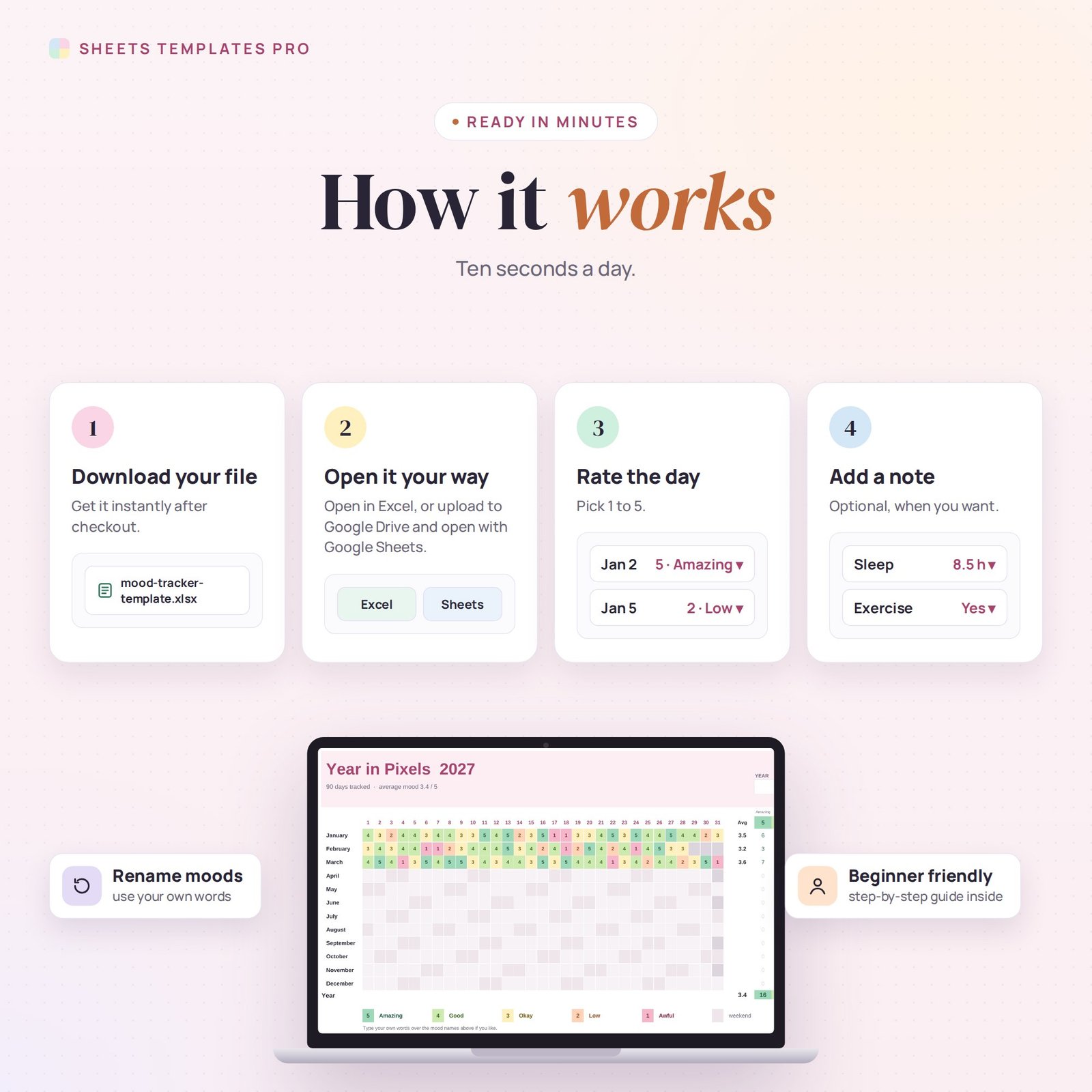

Understand your moods by watching them over a whole year. This mood tracker template turns one number a day into a colorful “year in pixels”, with monthly averages, mood counts, charts and an optional notes log that shows how sleep and exercise affect how you feel.
Who this template is for
- People who journal and want a visual mood log
- Anyone noticing patterns in sleep, energy or mood
- Bullet journal fans going digital
Features
- Year in pixels: 12 months × 31 days on one page. Pick a mood from 1 to 5 and the square fills with its color.
- 5 pastel mood colors — amazing, good, okay, low, awful — with labels you can rename.
- Weekends marked and impossible dates (like February 30) blocked out for any year from 2024 to 2040.
- Monthly average mood and the number of days of each mood, with a line chart and a pie chart.
- Mood notes (400 lines): mood, hours of sleep, exercise, energy and what happened.
- Insights: your average mood with and without exercise, and after 7+ hours of sleep vs. less.
How to use it
- Download the file and open it in Excel or upload it to Google Sheets.
- Pick the year on the Year in Pixels tab.
- Every evening, choose a number for the day.
- Add a note on the Mood Notes tab whenever you want to remember what happened.
What’s included
- 1 .xlsx file with 3 tabs: Start Here, Year in Pixels and Mood Notes.
- Three months of sample moods and notes (clear them to start fresh).
Compatibility
Works in Microsoft Excel (desktop, Mac and Excel online) and Google Sheets. No add-ons or macros required, and your data stays in your own file.
FAQ
Can I use my own mood words?
Yes. Type over the mood names in the legend — the colors and counts keep working.
Do I have to write notes?
No. The grid works on its own; notes are optional and add the sleep and exercise insights.
Is this a medical tool?
No. It’s a personal journal. If you’re worried about your mood, talk to a health professional.
Does it work in the free version of Google Sheets?
Yes. Upload the .xlsx file to Google Drive and open it with Google Sheets. A free Google account is all you need.
Can I use it on a Mac, iPad or phone?
Yes. It works in Excel for Mac and Windows, Excel online and the Google Sheets app. For editing, a computer or tablet is the most comfortable.
How do I get the file?
Right after checkout you get a download link on the confirmation page and by email.
More templates like this: Habit & Goal Trackers.
This is a digital product. No physical item will be shipped.


Reviews
There are no reviews yet.