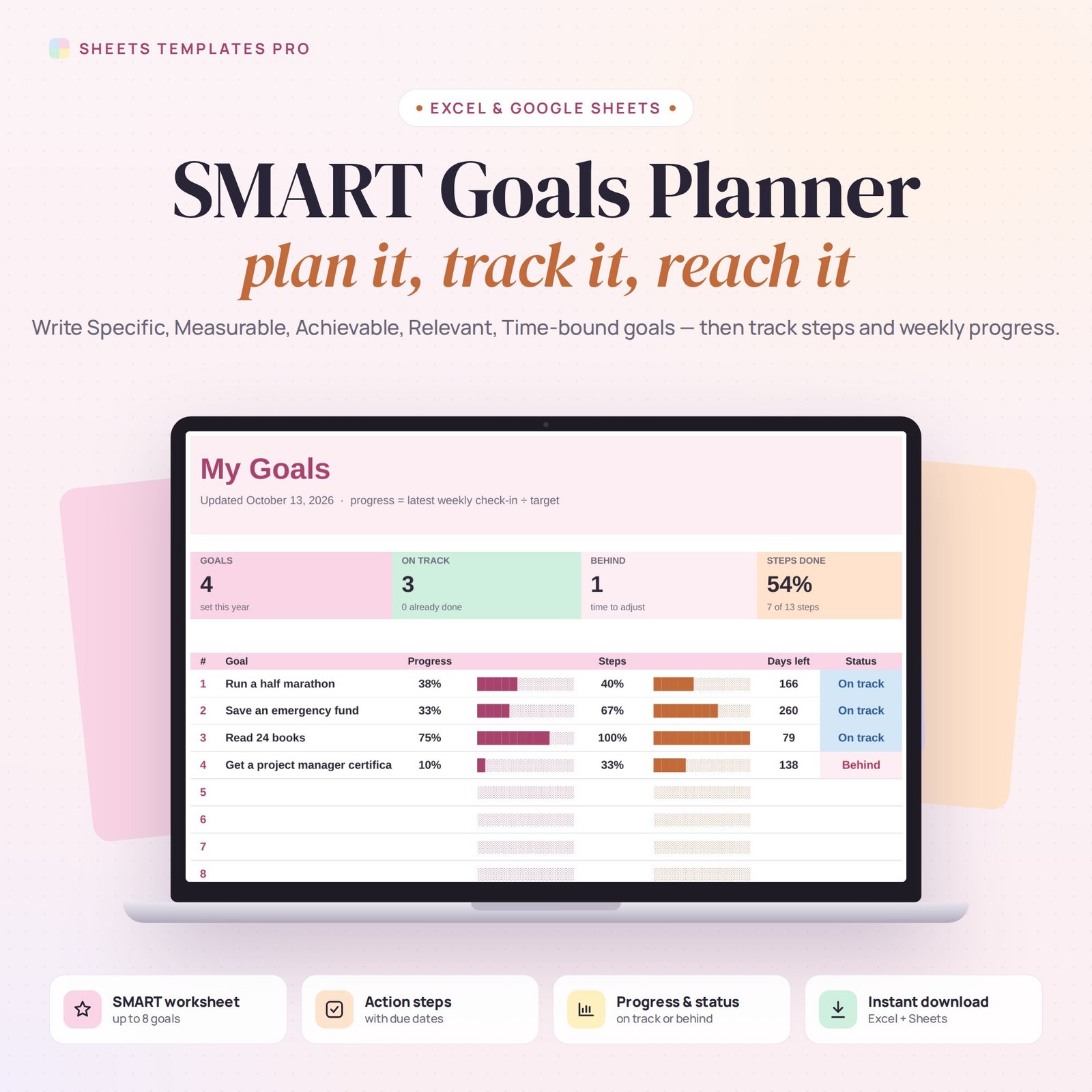
Big goals become achievable when they’re clear, measurable and broken into steps. This SMART goals template walks you through Specific, Measurable, Achievable, Relevant and Time-bound goals, then tracks your action steps and weekly progress on a simple dashboard.
Who this template is for
- Professionals writing goals for reviews
- Students and teachers using SMART goals
- Teams tracking quarterly objectives
Features
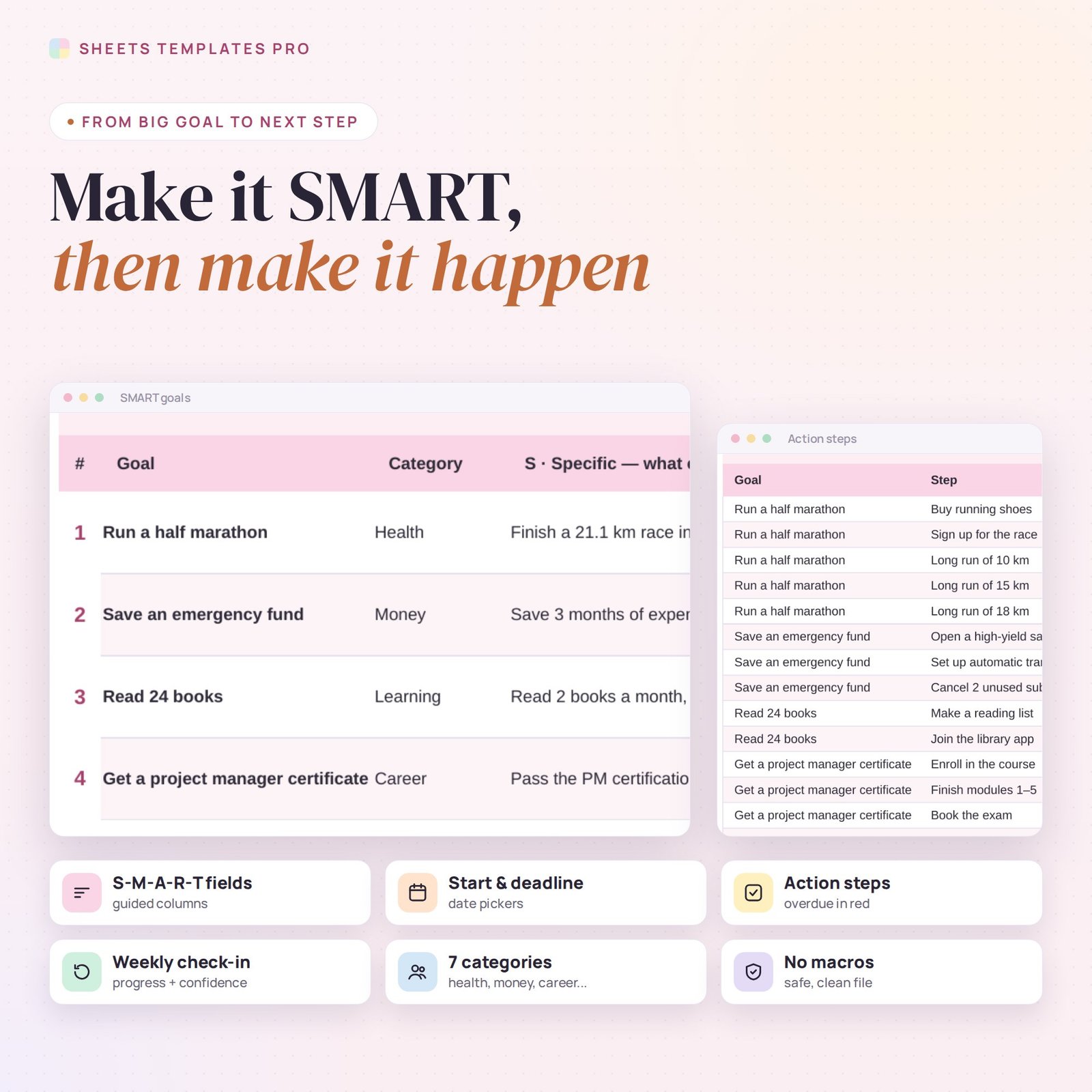
- SMART worksheet for up to 8 goals: category, what exactly, how you’ll measure it, the target, how it’s achievable, why it matters, start date and deadline.
- Action steps (120 lines): pick the goal, write the step, set a due date and tick it off. Overdue and this-week steps are highlighted.
- Weekly check-in: progress to date, confidence (1–5), a win and your next step for each goal.
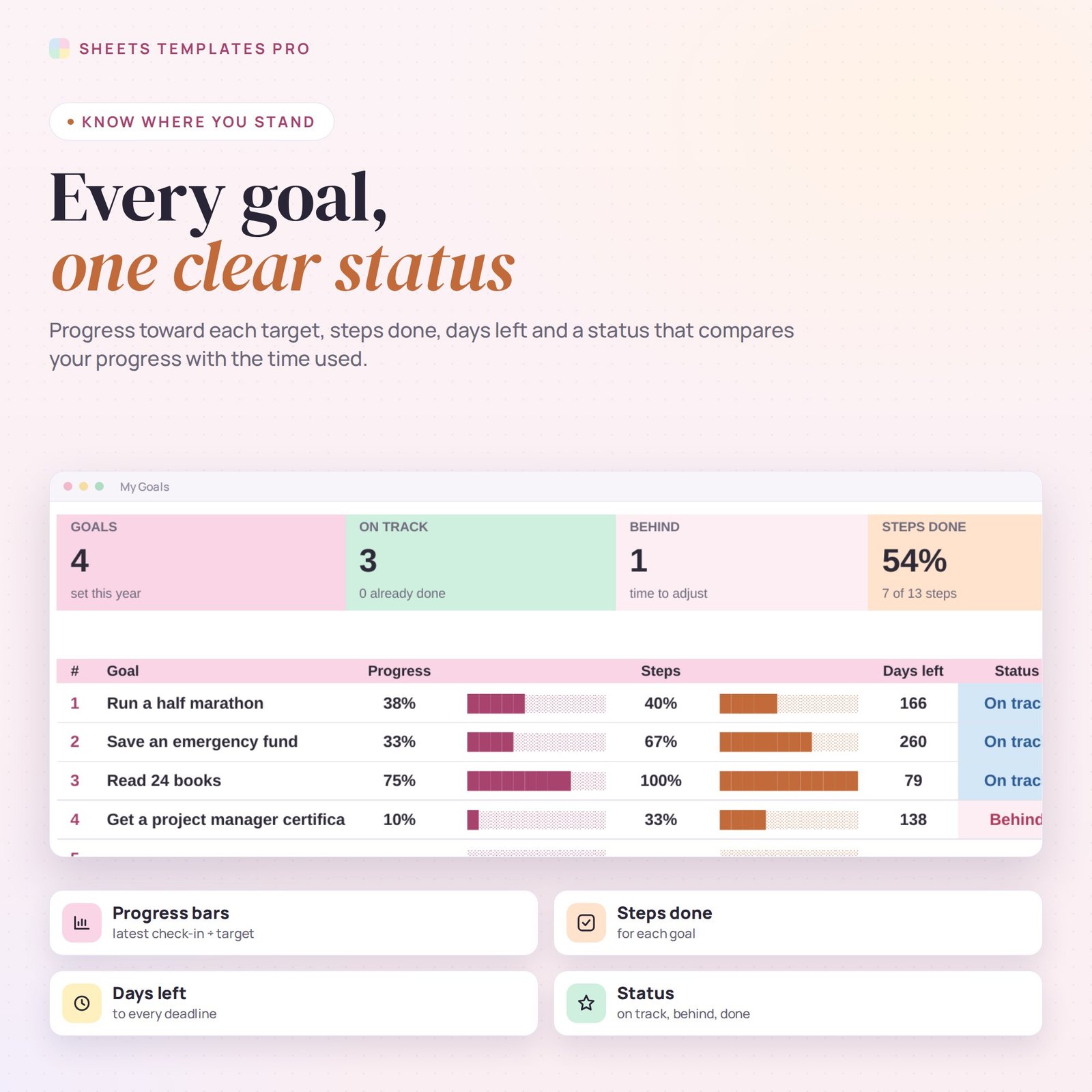
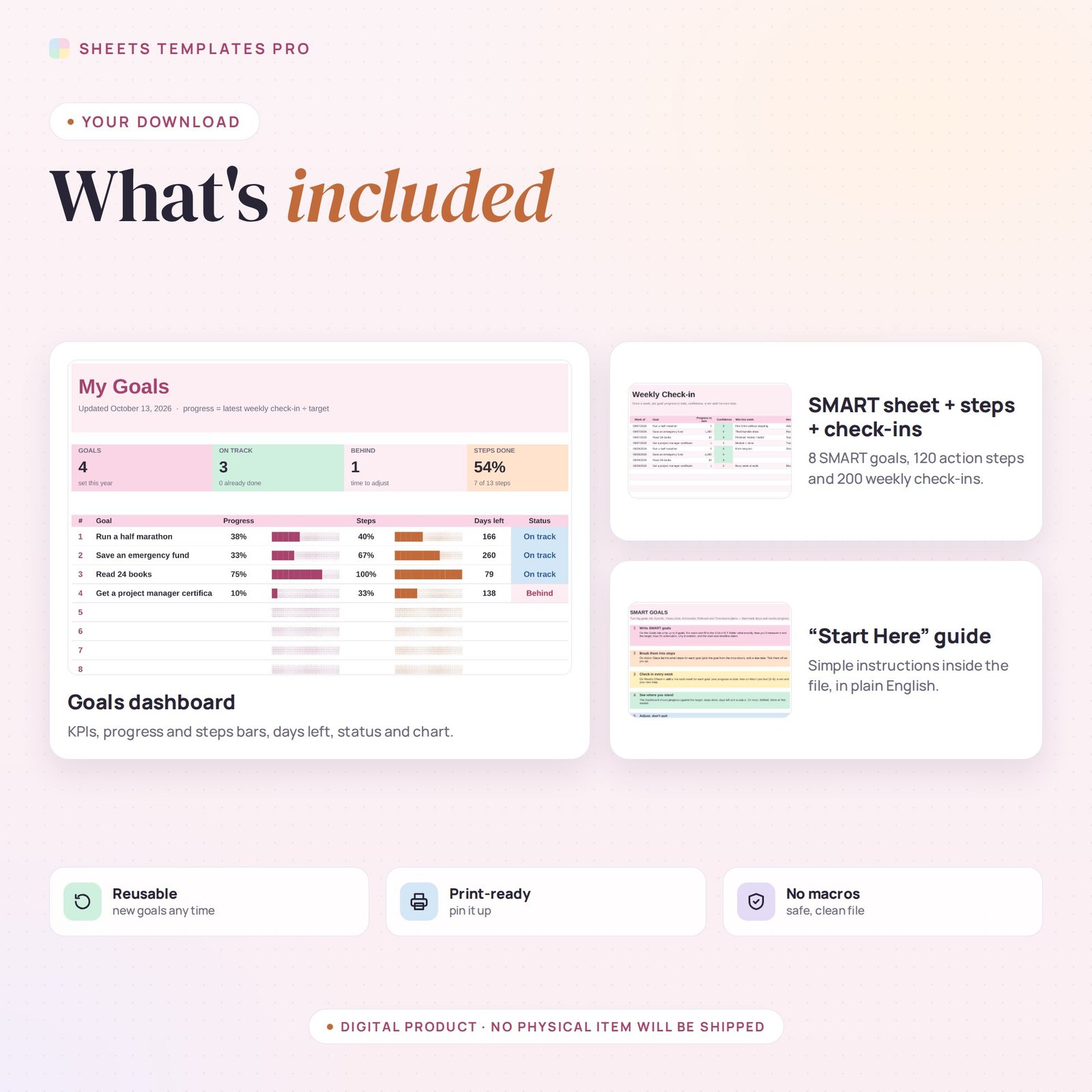
- Dashboard: progress toward each target, steps done, days left and an automatic status — On track, Behind, Done, Missed or Not started.
- Progress chart, color-coded statuses, date pickers and drop-downs. No macros.
How to use it
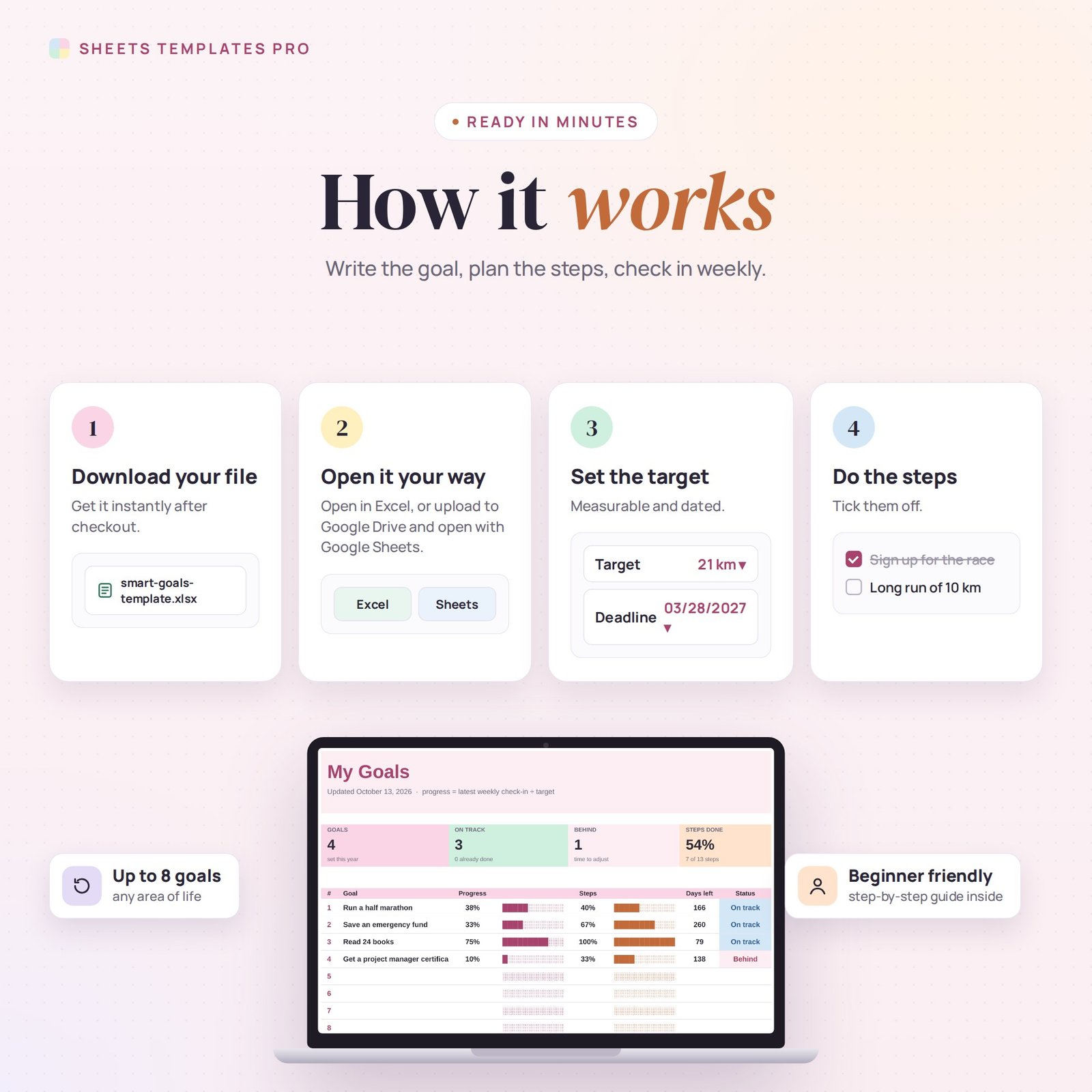
- Download the file and open it in Excel or upload it to Google Sheets.
- Write your goals on the Goals tab, filling in each SMART column.
- List the action steps for each goal with a due date.
- Check in once a week and review the Dashboard.
What’s included
- 1 .xlsx file with 5 tabs: Start Here, Dashboard, Goals, Action Steps and Weekly Check-in.
- Four example goals with steps and check-ins (replace them with your own).
Compatibility
Works in Microsoft Excel (desktop, Mac and Excel online) and Google Sheets. No add-ons or macros required.
FAQ
What does SMART stand for?
Specific, Measurable, Achievable, Relevant and Time-bound — five checks that turn a wish into a plan.
How is “Behind” calculated?
A goal is Behind when your progress is more than 10 points below the share of time already used between the start date and the deadline.
Can I use it for work goals?
Yes. It works for personal, career, team and business goals.
Does it work in the free version of Google Sheets?
Yes. Upload the .xlsx file to Google Drive and open it with Google Sheets. A free Google account is all you need.
Can I use it on a Mac, iPad or phone?
Yes. It works in Excel for Mac and Windows, Excel online and the Google Sheets app. For editing, a computer or tablet is the most comfortable.
How do I get the file?
Right after checkout you get a download link on the confirmation page and by email.
More templates like this: Habit & Goal Trackers.
This is a digital product. No physical item will be shipped.


Reviews
There are no reviews yet.