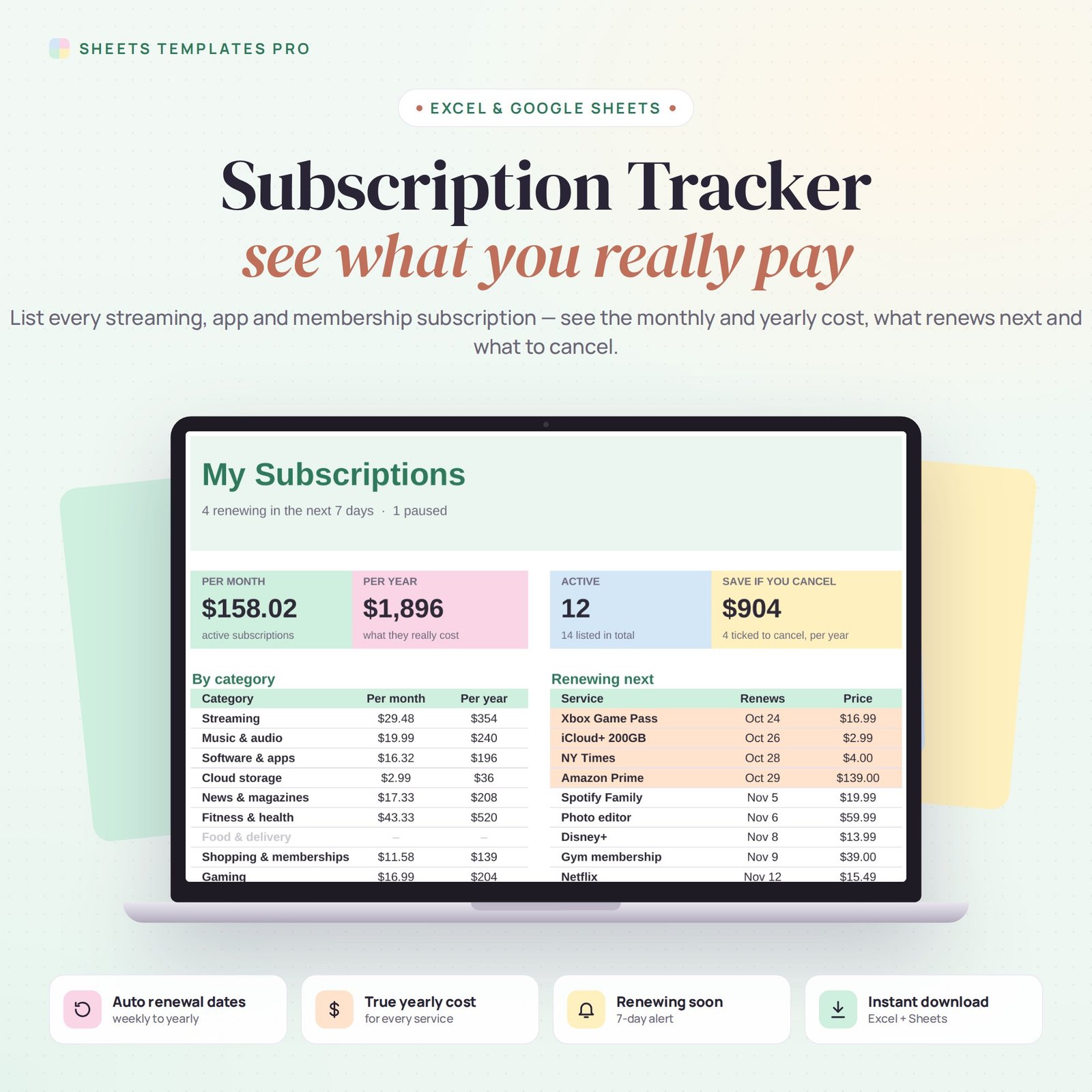
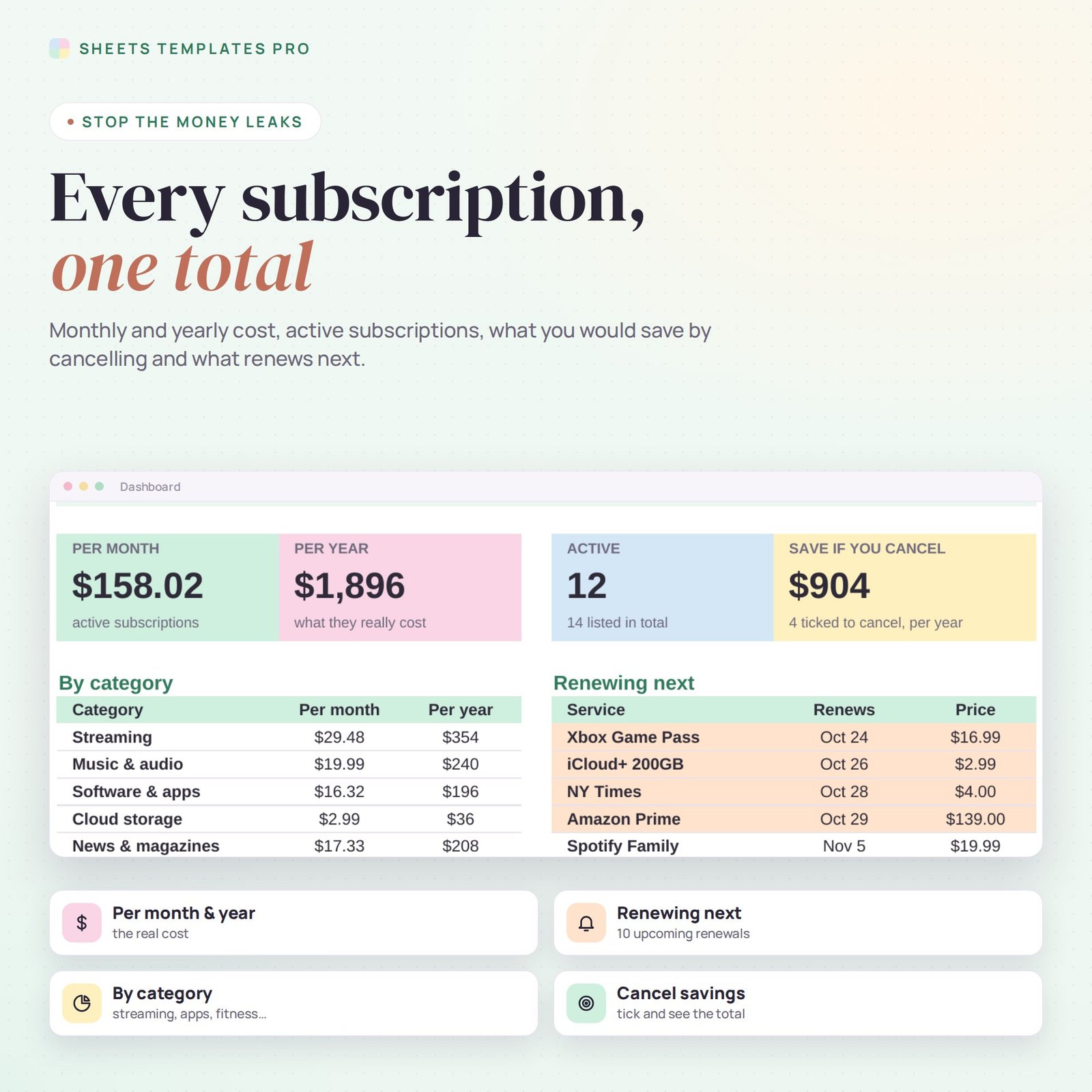
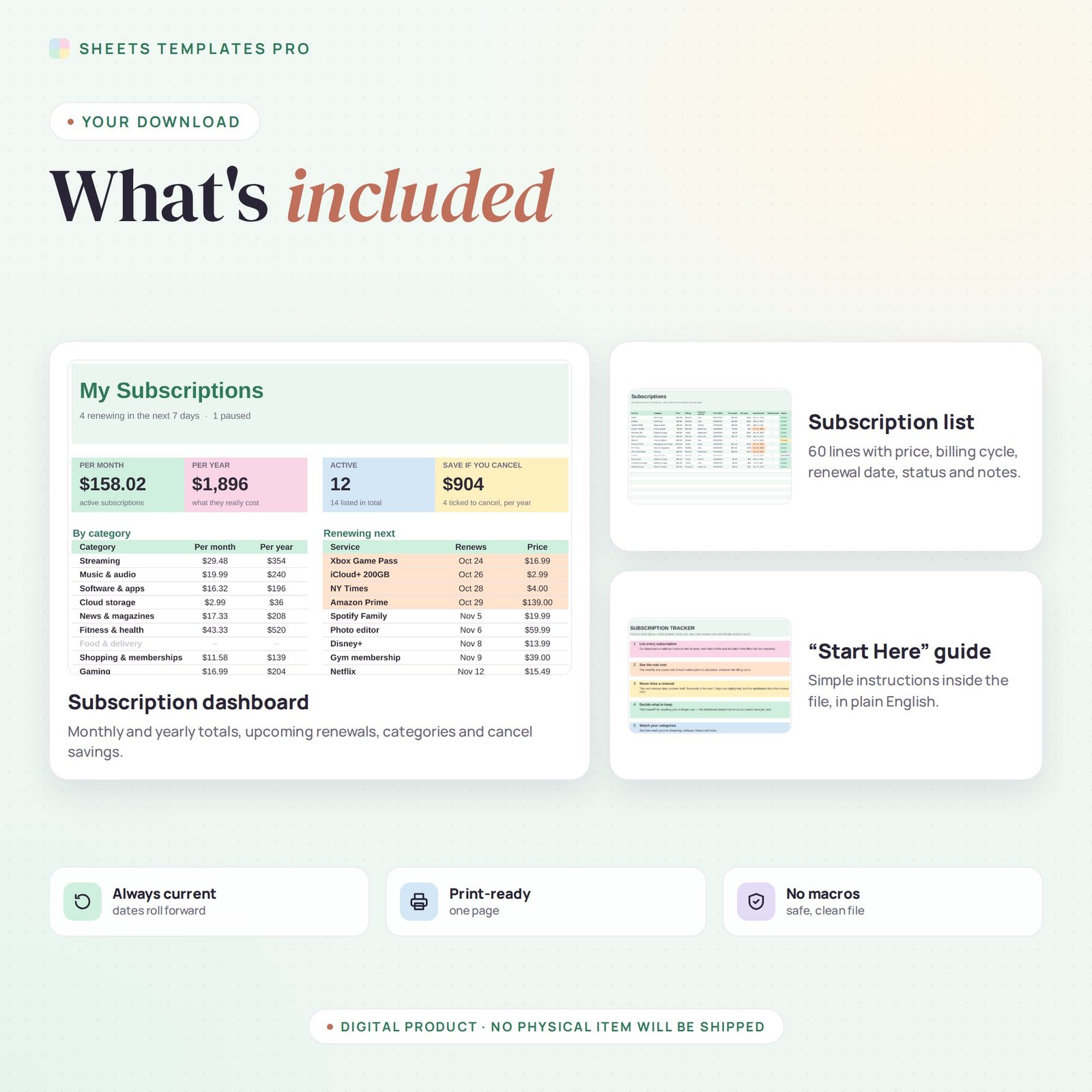
Streaming, music, apps, cloud storage, memberships – small charges add up fast. This subscription tracker template lists every subscription, turns weekly, monthly, quarterly and yearly prices into a true monthly and yearly cost, keeps the next renewal date up to date on its own and shows how much you would save by cancelling what you no longer use. It works in Excel and Google Sheets.
Who this template is for
- Anyone with too many streaming and app subscriptions
- Small businesses tracking SaaS costs
- People cutting monthly expenses
Features
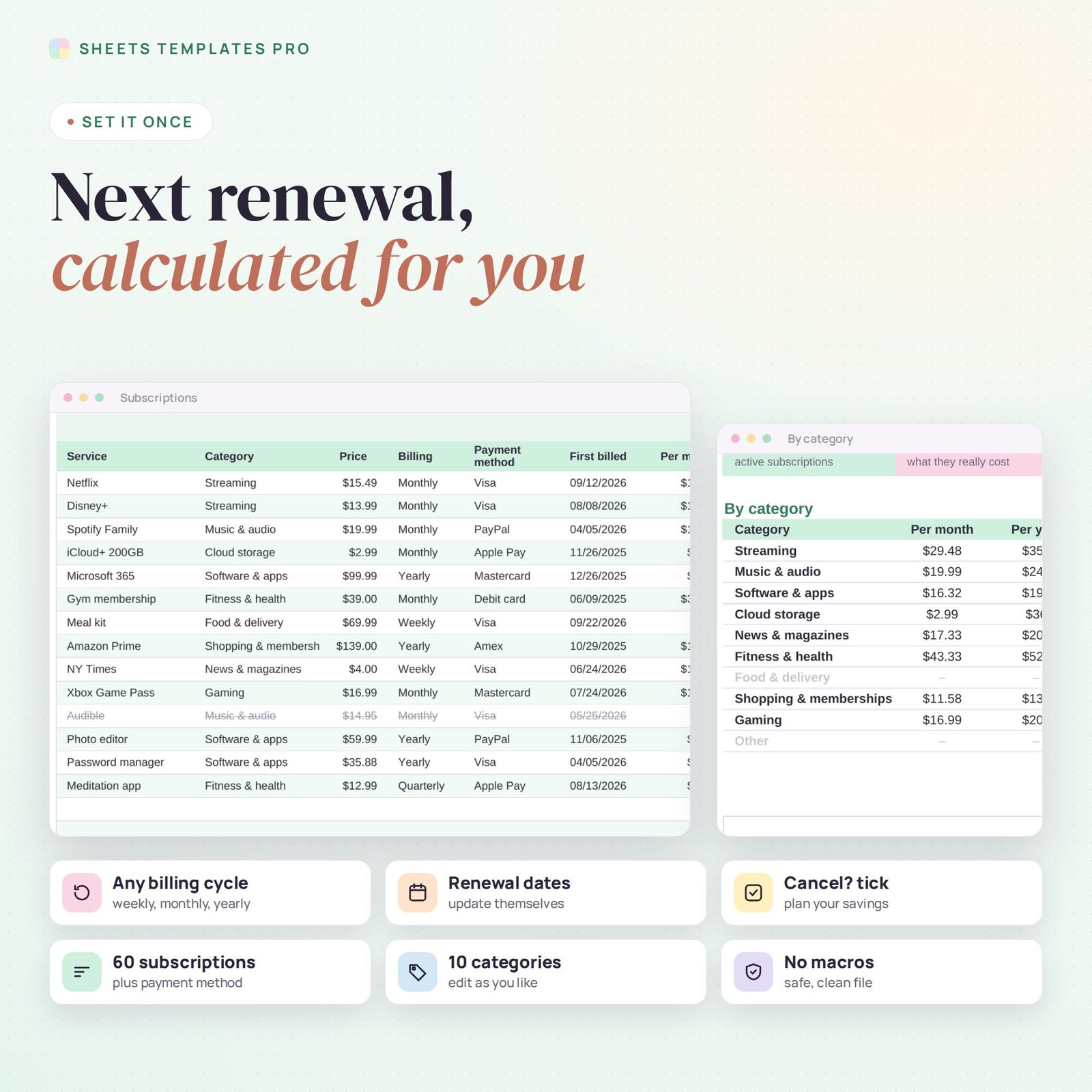
- Up to 60 subscriptions – service, category, price, billing cycle, payment method, status and notes.
- Any billing cycle – weekly, monthly, quarterly or yearly, converted to cost per month and per year.
- Automatic next renewal date – from the date it first billed; renewals within 7 days are highlighted.
- Renewing next – the next 10 renewals on the dashboard.
- Cancel? tick – see how much you would save per year before you cancel.
- Active, Paused or Cancelled – cancelled services stay on the list, crossed out.
- By category – table and pie chart of your monthly cost.
How to use it
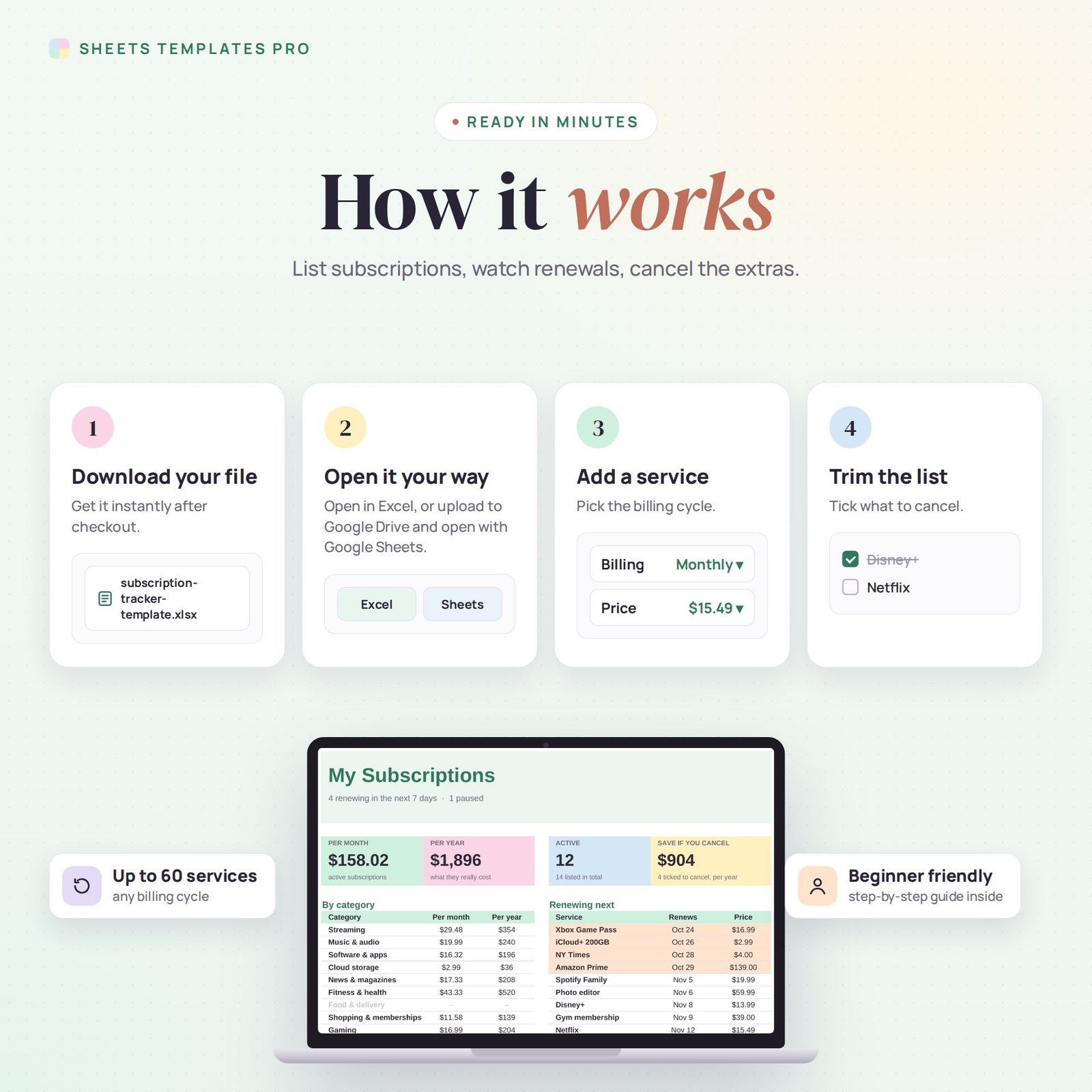
- On the Subscriptions tab, add each service with its price, billing cycle and the date it first billed.
- Set the status and tick Cancel? for anything you want to drop.
- Check the Dashboard for your real monthly and yearly cost and upcoming renewals.
What’s included
- Subscription tracker spreadsheet (.xlsx) with Start Here guide, Dashboard and Subscriptions list
- Sample subscriptions you can replace in seconds
Compatibility
Microsoft Excel 2016 or later (Windows and Mac), Excel for the web and Google Sheets. No macros, no add-ons.
FAQ
Does it cancel subscriptions for me? No. It shows you what you pay and what renews next, so you can cancel in time.
Can I track free trials? Yes. Add the trial with the date it will start billing and it will show up in Renewing next.
Does it work for business software? Yes, it works for any recurring service.
Does it work in the free version of Google Sheets?
Yes. Upload the .xlsx file to Google Drive and open it with Google Sheets. A free Google account is all you need.
Can I use it on a Mac, iPad or phone?
Yes. It works in Excel for Mac and Windows, Excel online and the Google Sheets app. For editing, a computer or tablet is the most comfortable.
How do I get the file?
Right after checkout you get a download link on the confirmation page and by email.
More templates like this: Expense & Bill Trackers.
This is a digital product. You will receive a download link after purchase. No physical item will be shipped.


Reviews
There are no reviews yet.