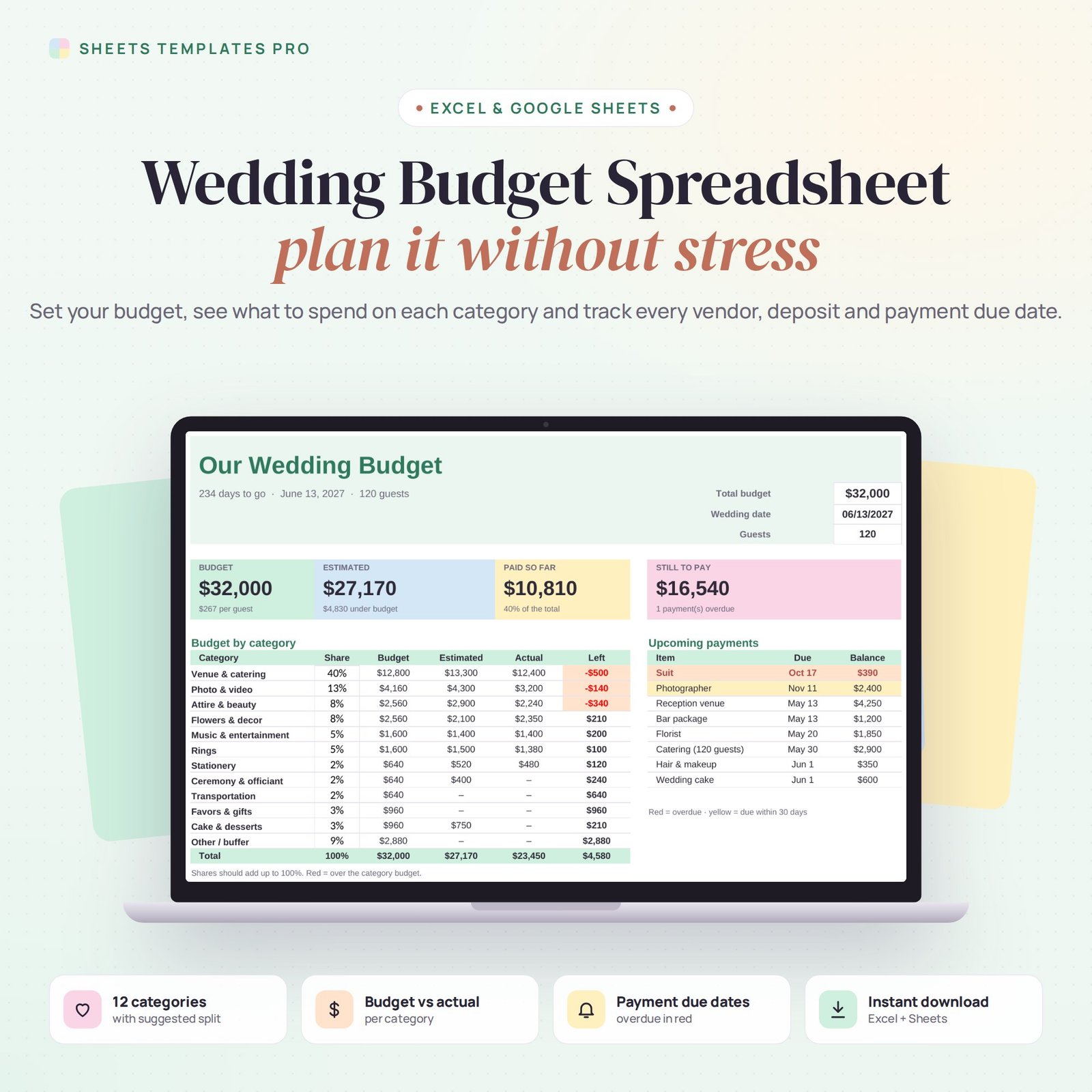
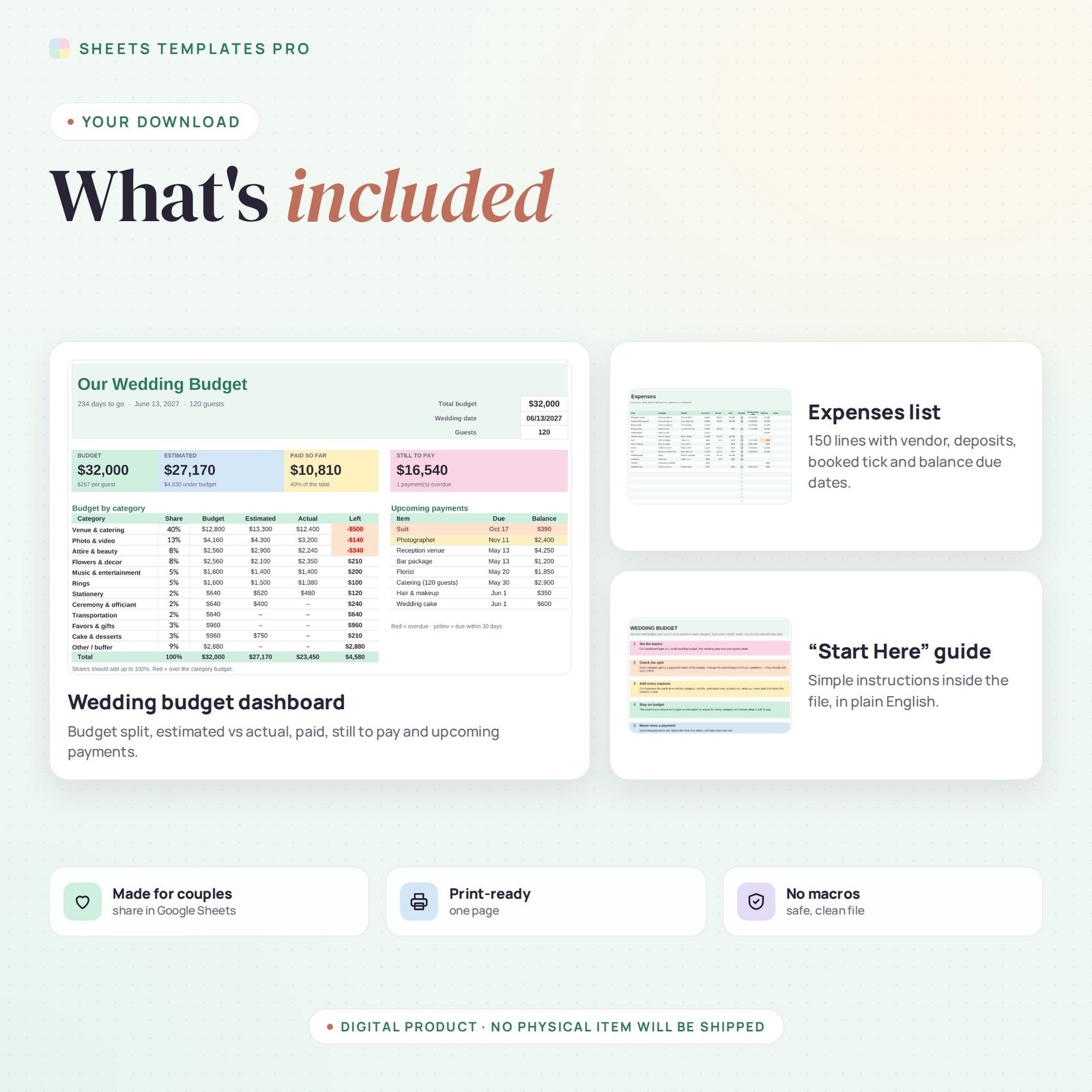
Plan your big day without money stress. This wedding budget spreadsheet splits your total budget across 12 categories, tracks every vendor quote, deposit and payment, and shows what is still to pay and when. It works in Excel and Google Sheets, so you can share it with your partner.
Who this template is for
- Engaged couples setting a wedding budget
- Wedding planners tracking vendor payments
- Families contributing to the wedding
Features
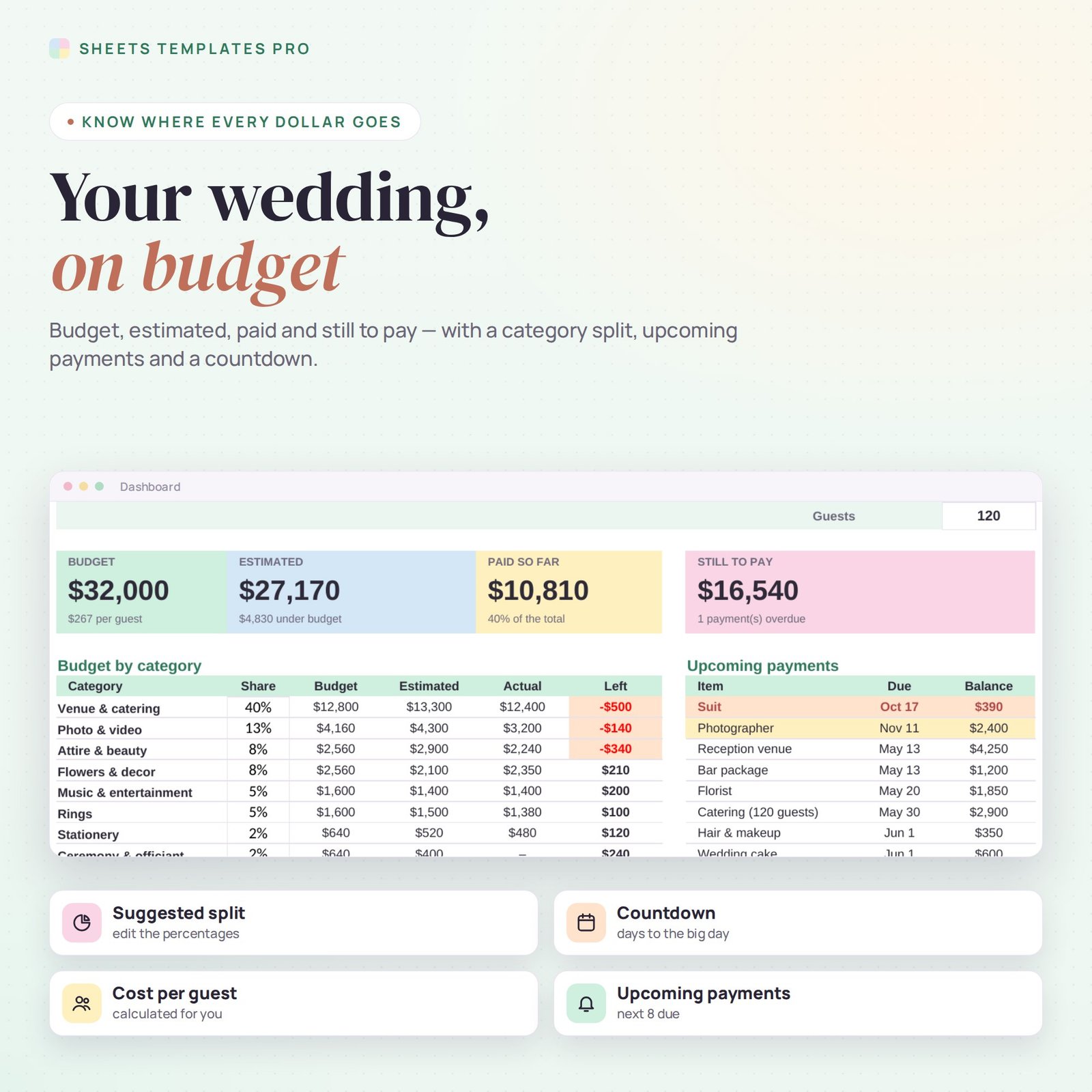
- Suggested budget split – 12 categories (venue & catering, photo & video, attire, flowers, music, rings and more) with editable percentages.
- Budget vs estimated vs actual – for every category, with over-budget amounts highlighted.
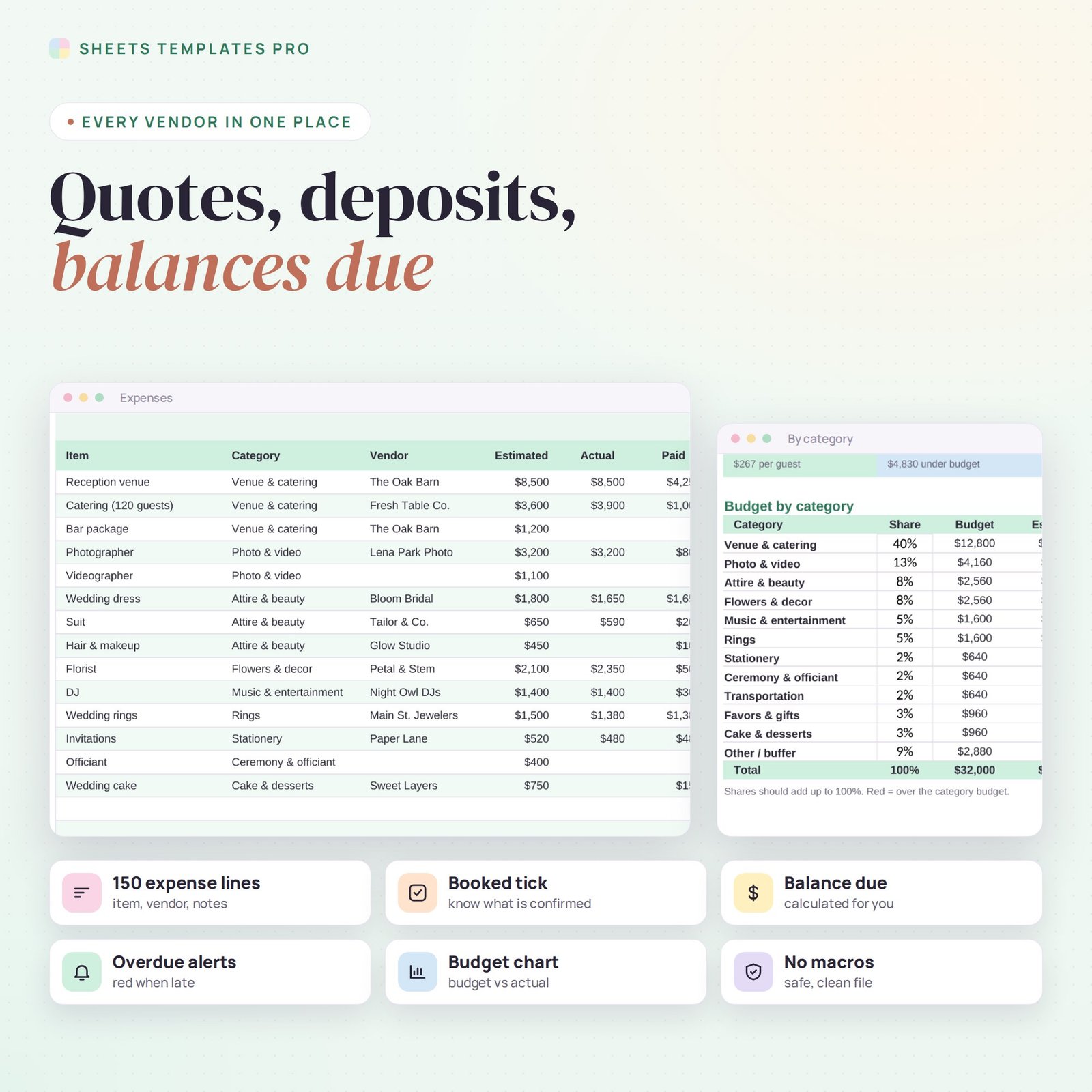
- Expenses list for 150 items – item, category, vendor, estimated cost, actual cost, amount paid, booked tick, due date and notes.
- Balance due – calculated for every vendor.
- Upcoming payments – the next 8 balances due, with overdue ones in red and the next 30 days in yellow.
- Countdown and cost per guest – days to the wedding and your budget per guest.
- Chart – budget vs actual by category.
How to use it
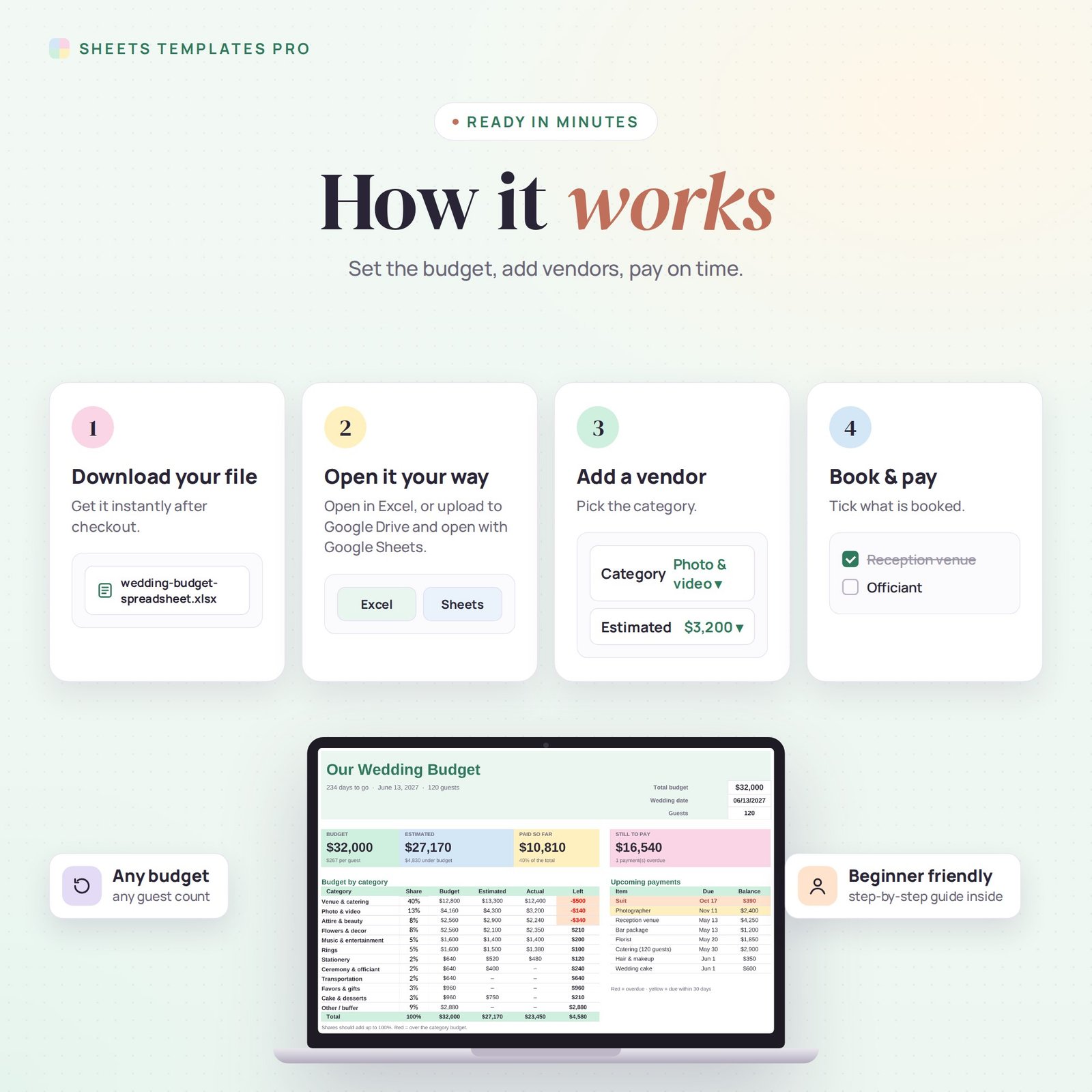
- On the Dashboard, type your total budget, wedding date and guest count.
- Adjust the category percentages to your priorities (they should add up to 100%).
- On Expenses, add each vendor and item with its quote, then the actual price and payments as you go.
- Check the Dashboard for what is left and what is due next.
What’s included
- Wedding budget spreadsheet (.xlsx) with Start Here guide, Dashboard and Expenses list
- Sample vendors you can clear in seconds
Compatibility
Microsoft Excel 2016 or later (Windows and Mac), Excel for the web and Google Sheets. No macros, no add-ons.
FAQ
Can my partner and I edit it together? Yes. Upload it to Google Sheets and share it.
Can I change the categories? Yes. Rename any category on the Dashboard and the drop-down on Expenses updates.
Does it include a guest list? No, this file is for money. See our wedding guest list template for RSVPs.
Does it work in the free version of Google Sheets?
Yes. Upload the .xlsx file to Google Drive and open it with Google Sheets. A free Google account is all you need.
Can I use it on a Mac, iPad or phone?
Yes. It works in Excel for Mac and Windows, Excel online and the Google Sheets app. For editing, a computer or tablet is the most comfortable.
How do I get the file?
Right after checkout you get a download link on the confirmation page and by email.
More templates like this: Expense & Bill Trackers.
This is a digital product. You will receive a download link after purchase. No physical item will be shipped.



Reviews
There are no reviews yet.