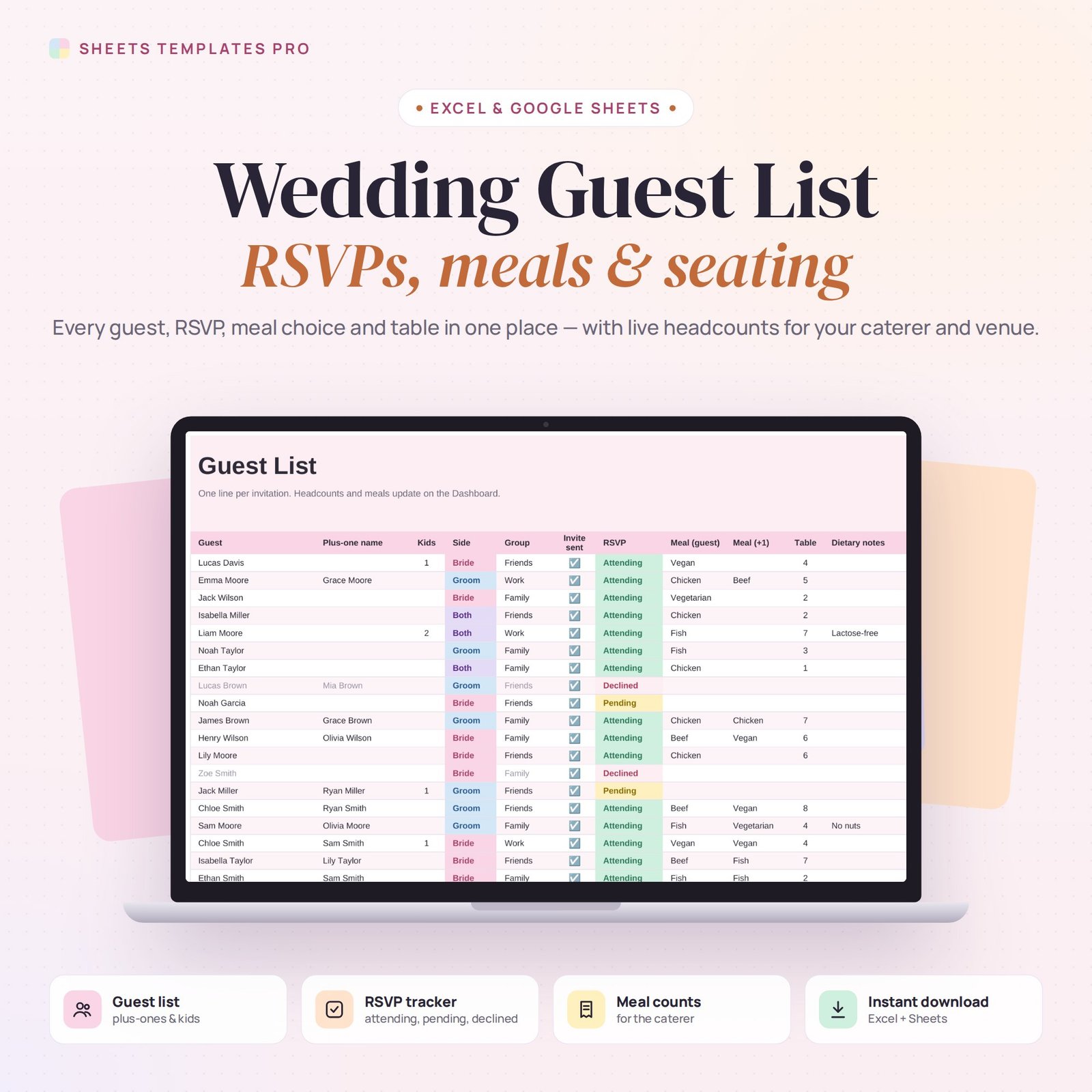
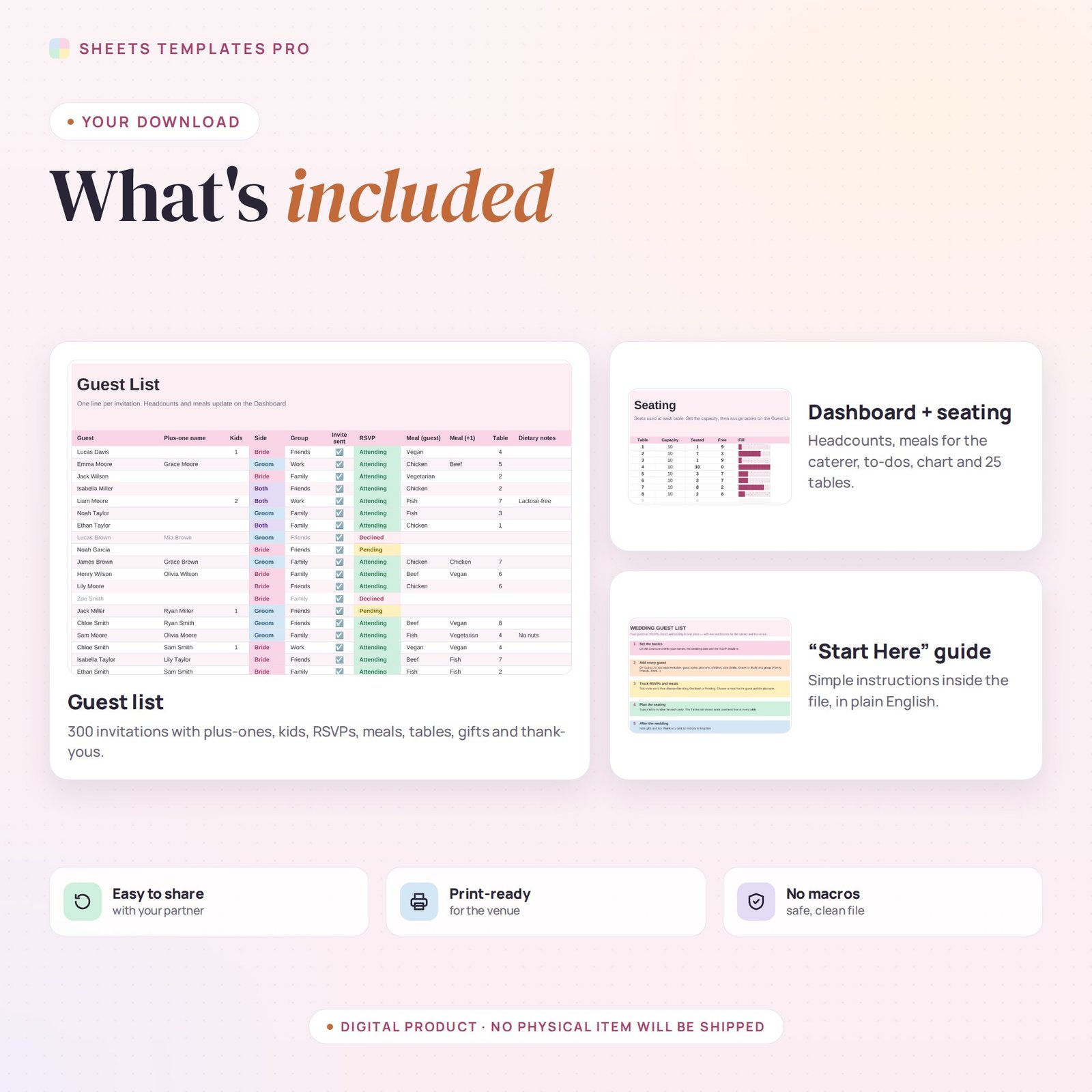
Planning a wedding means a lot of names and numbers. This wedding guest list template keeps every invitation, RSVP, meal choice and table assignment in one spreadsheet, and turns it into live headcounts you can hand straight to your caterer and venue.
Who this template is for
- Engaged couples planning the guest list
- Wedding planners managing RSVPs
- Families coordinating invitations
Features
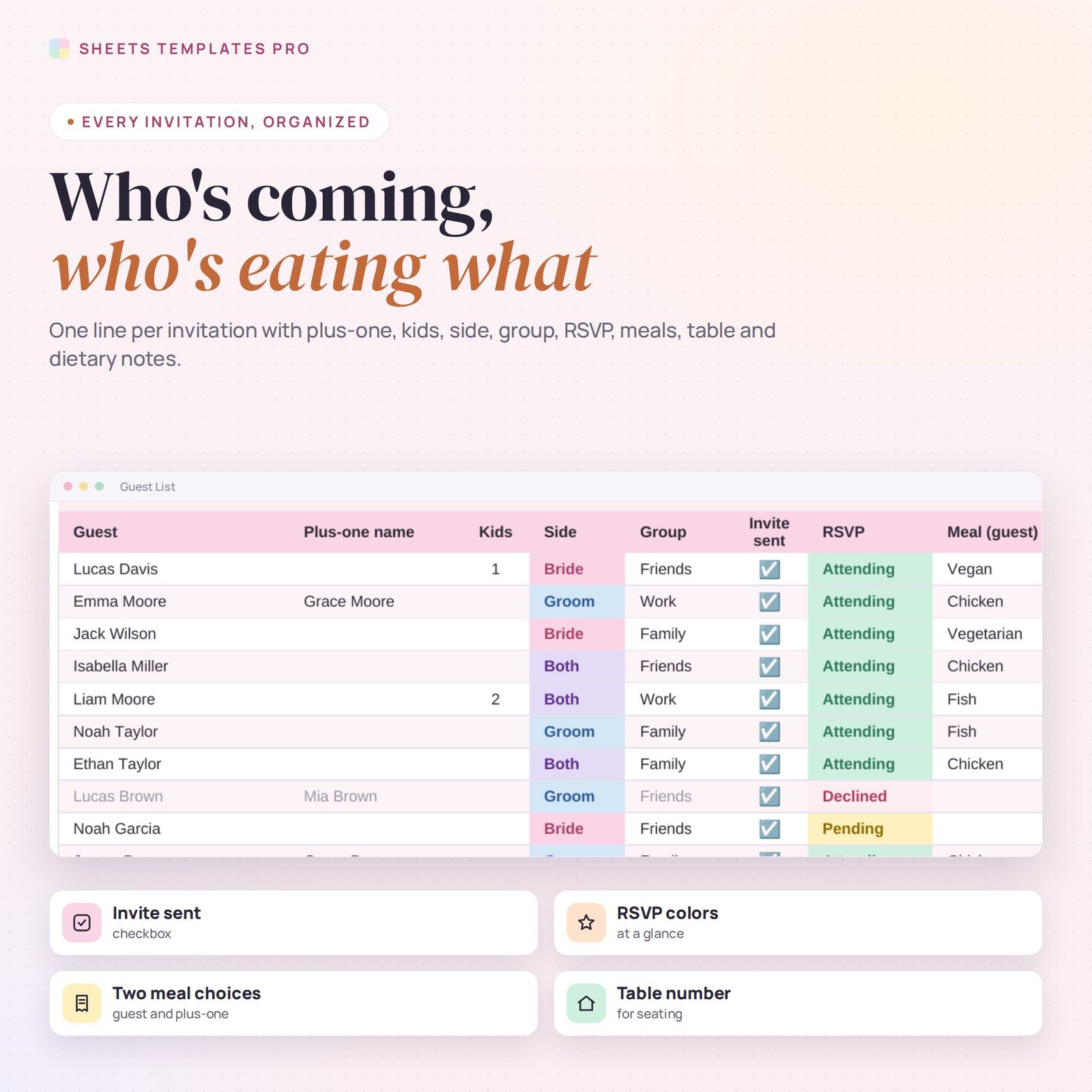
- Guest list (300 invitations): guest, plus-one, children, side (bride, groom or both), group, invite sent, RSVP, meal choices, table, dietary notes, gift and thank-you.
- RSVP tracker with color-coded statuses: Attending, Pending, Declined and Not invited yet.
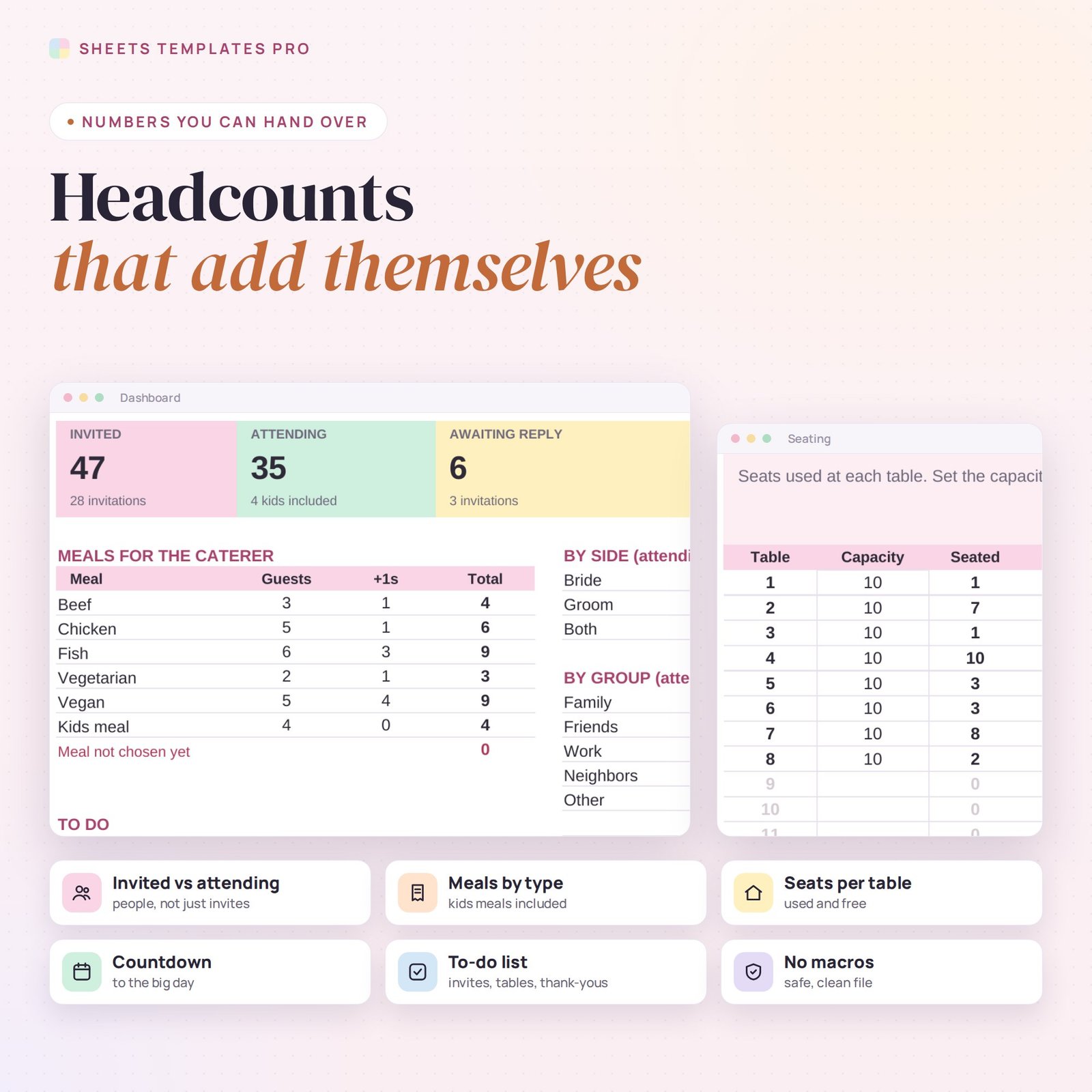
- Dashboard: people invited, attending (kids included), awaiting reply and declined, plus a countdown to the wedding and your RSVP deadline.
- Meals for the caterer: counts by meal for guests and plus-ones, kids meals and meals not chosen yet.
- Seating: seats used and free at up to 25 tables, with over-full tables in red.
- To-do counters for invitations not sent, guests without a table and thank-you notes. No macros.
How to use it
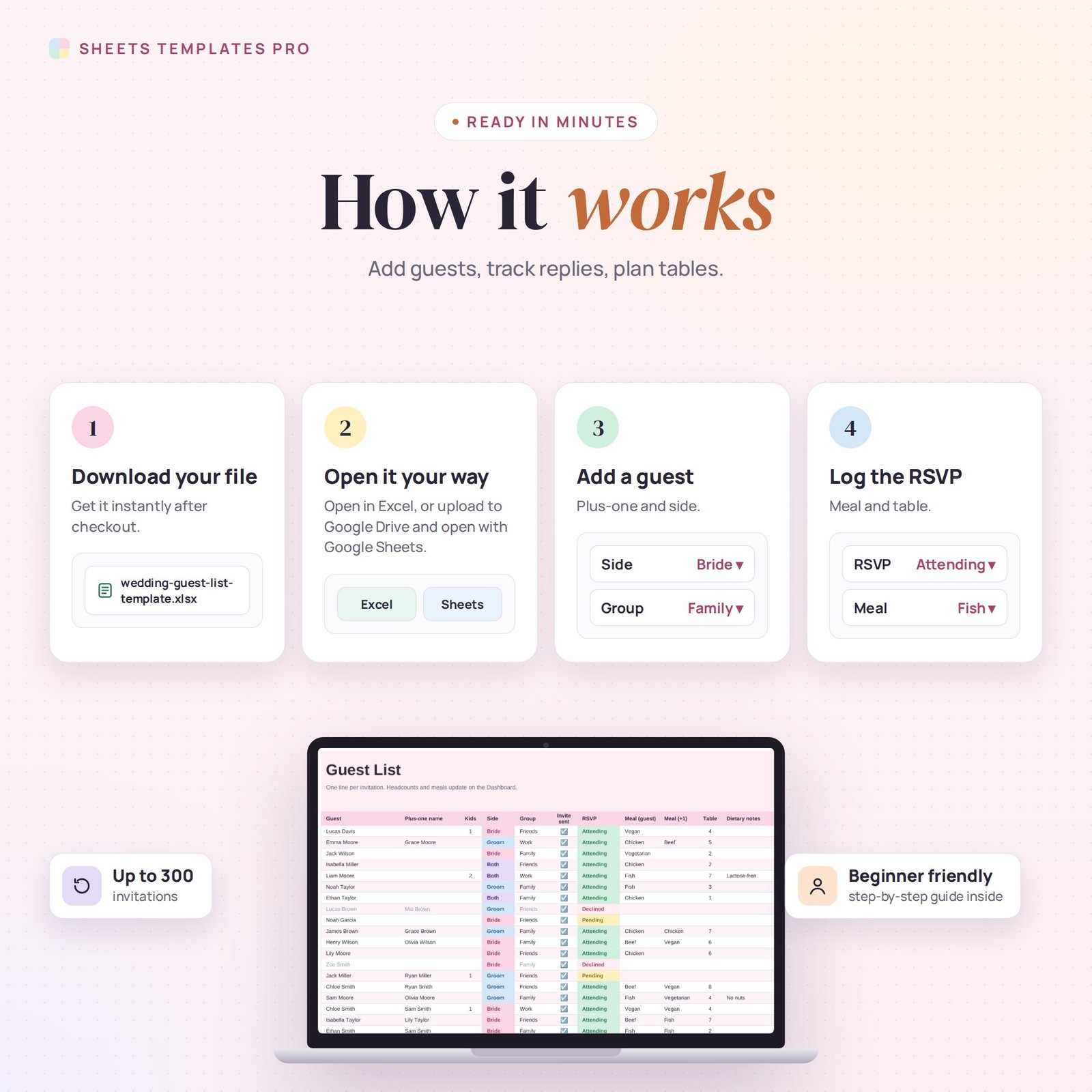
- Download the file and open it in Excel or upload it to Google Sheets.
- Add your names, wedding date and RSVP deadline.
- Enter every invitation and tick Invite sent.
- Update RSVPs, meals and tables as replies come in.
What’s included
- 1 .xlsx file with 4 tabs: Start Here, Dashboard, Guest List and Tables.
- Example guests (replace them with your own).
Compatibility
Works in Microsoft Excel (desktop, Mac and Excel online) and Google Sheets. Share it in Google Sheets so you and your partner can both update it. No macros required.
FAQ
Does it count plus-ones and kids?
Yes. Headcounts include the guest, the plus-one and any children on each invitation.
Can I use it for other events?
Yes — engagement parties, rehearsal dinners, showers or any event with RSVPs.
Can I change the meal options?
Yes. Edit the meal names and the counts follow.
Does it work in the free version of Google Sheets?
Yes. Upload the .xlsx file to Google Drive and open it with Google Sheets. A free Google account is all you need.
Can I use it on a Mac, iPad or phone?
Yes. It works in Excel for Mac and Windows, Excel online and the Google Sheets app. For editing, a computer or tablet is the most comfortable.
How do I get the file?
Right after checkout you get a download link on the confirmation page and by email.
More templates like this: Life & Event Planners.
This is a digital product. No physical item will be shipped.



Reviews
There are no reviews yet.