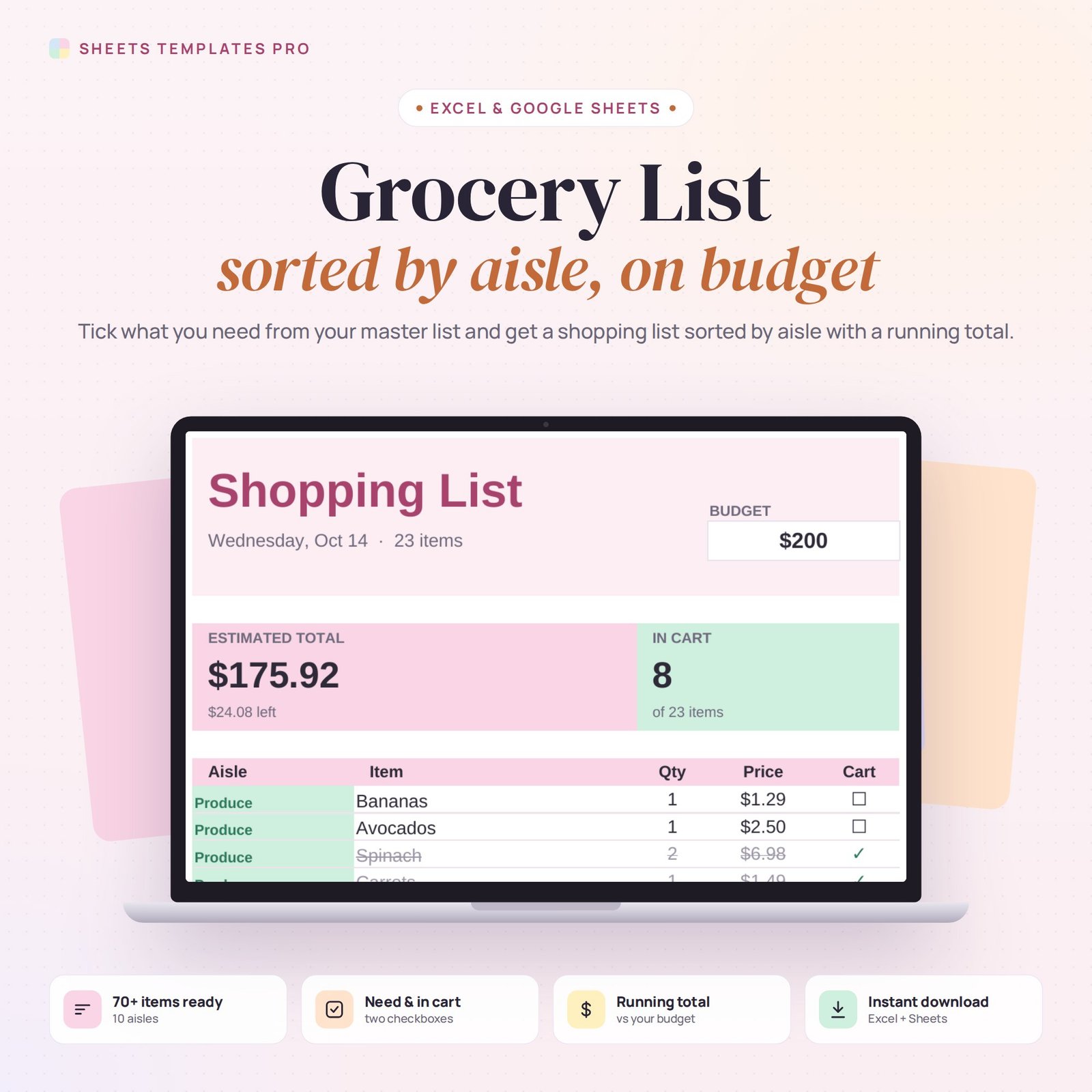
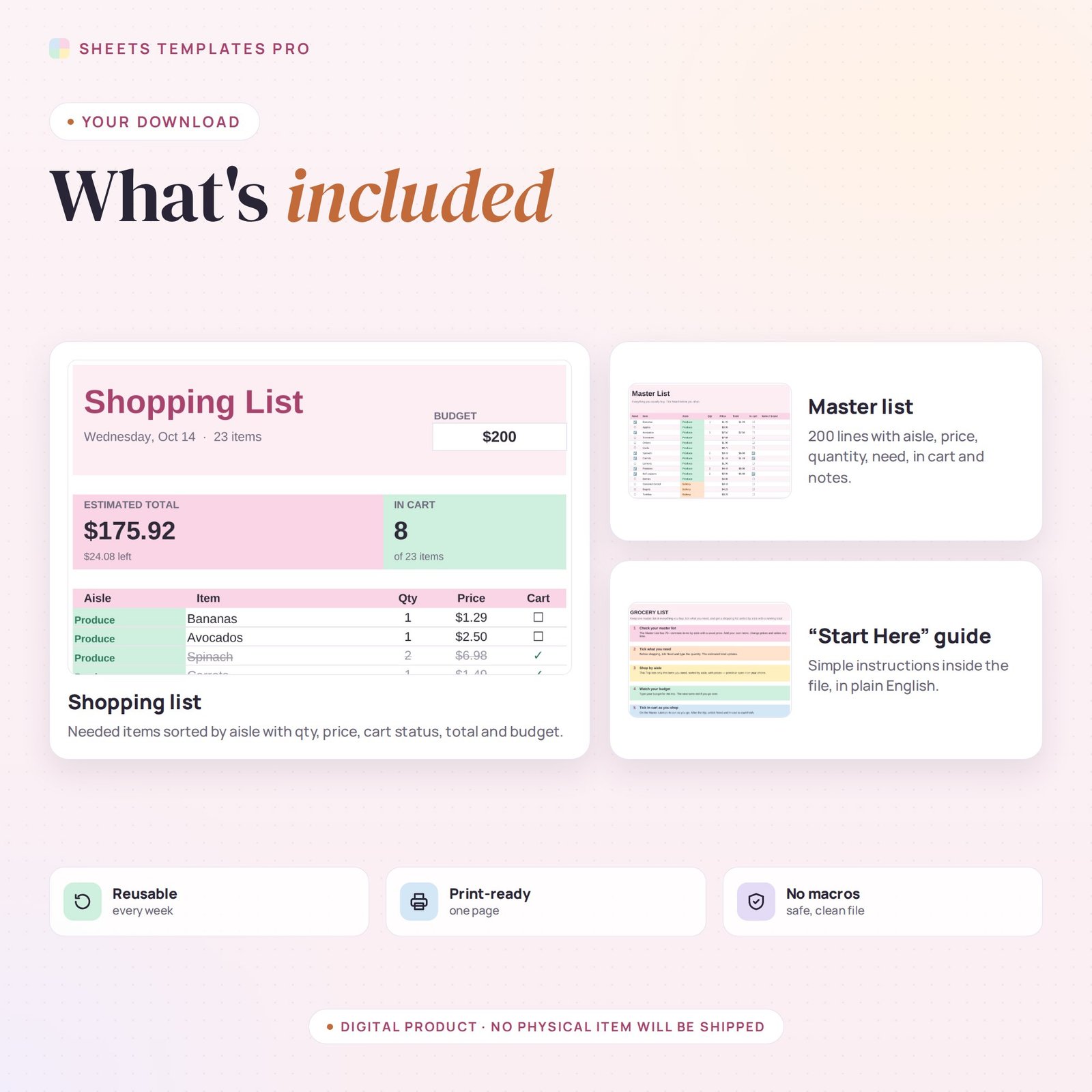
Spend less time in the store and stay on budget. This grocery list template keeps one master list of everything you usually buy. Tick what you need and it builds a shopping list sorted by aisle, with quantities, prices and a running total against your budget.
Who this template is for
- Families planning weekly shopping
- Anyone sticking to a grocery budget
- Meal preppers
Features
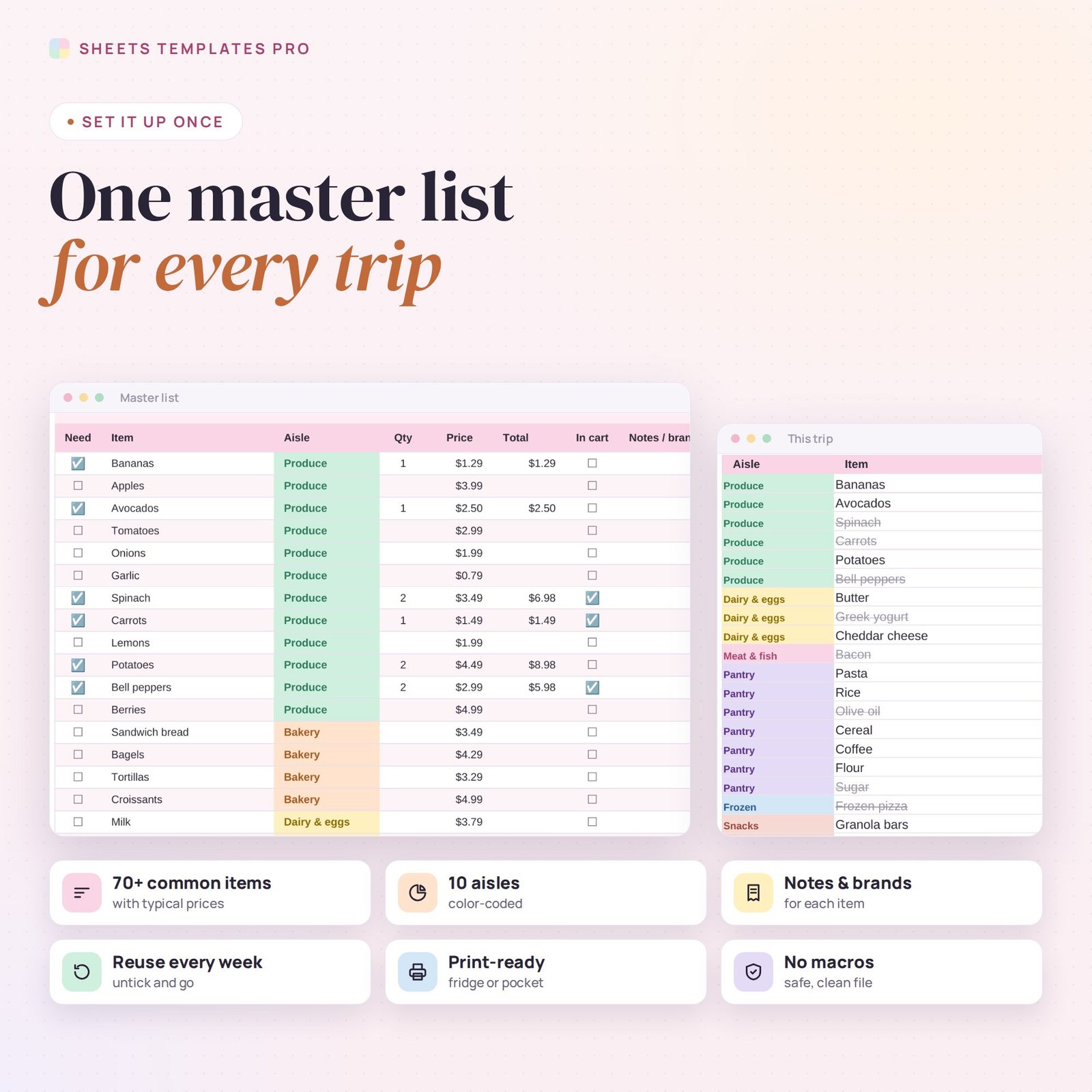
- Master list with 70+ common items already filled in across 10 color-coded aisles (produce, bakery, dairy, meat, pantry, frozen, drinks, snacks, household, personal care) and room for 200 items.
- Need and In cart checkboxes, quantity, usual price and notes or brand for each item.
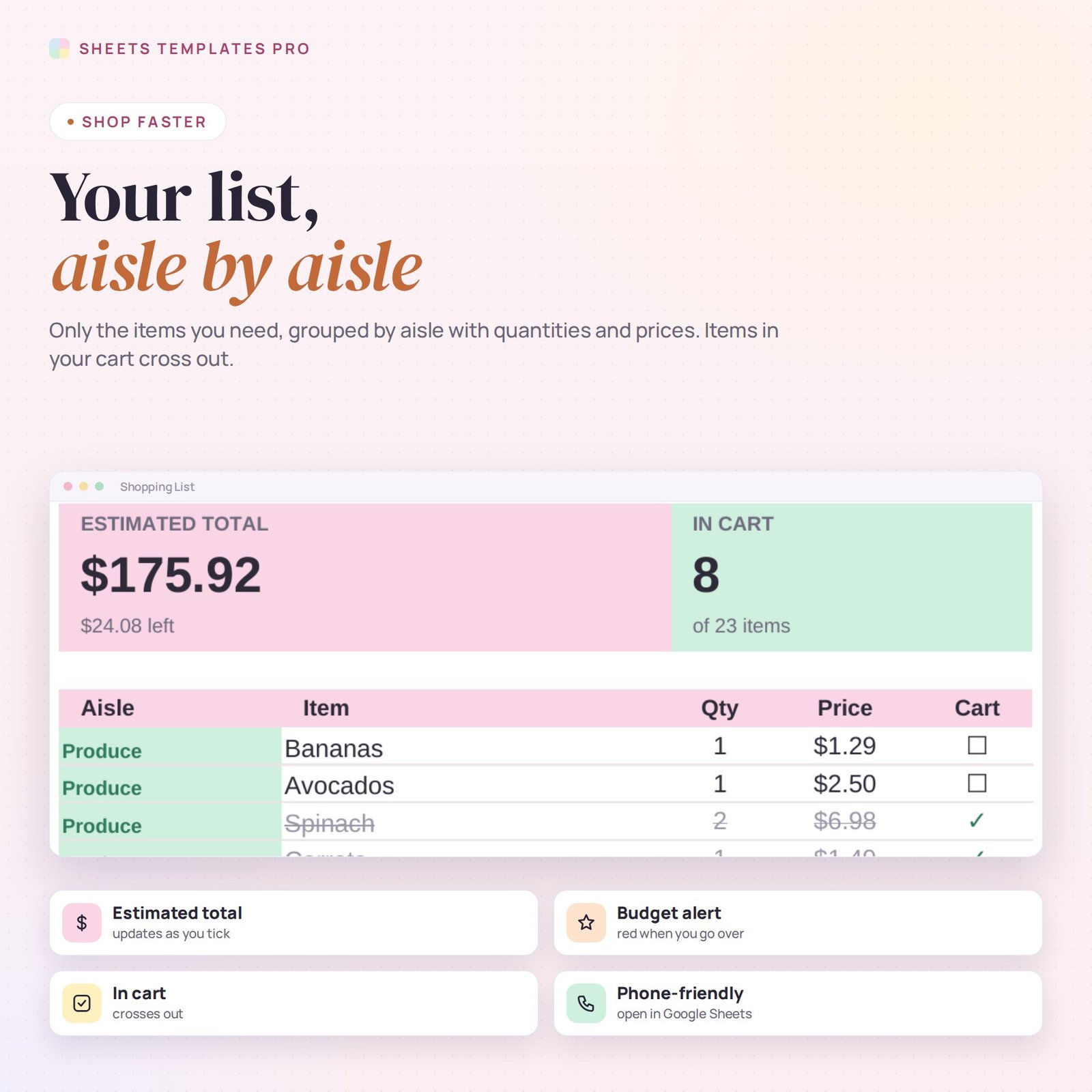
- Shopping list that shows only what you need, sorted by aisle, with price per line. Items in your cart cross out.
- Estimated total and budget check — it turns red if you go over.
- Print it or open it on your phone. No macros.
How to use it
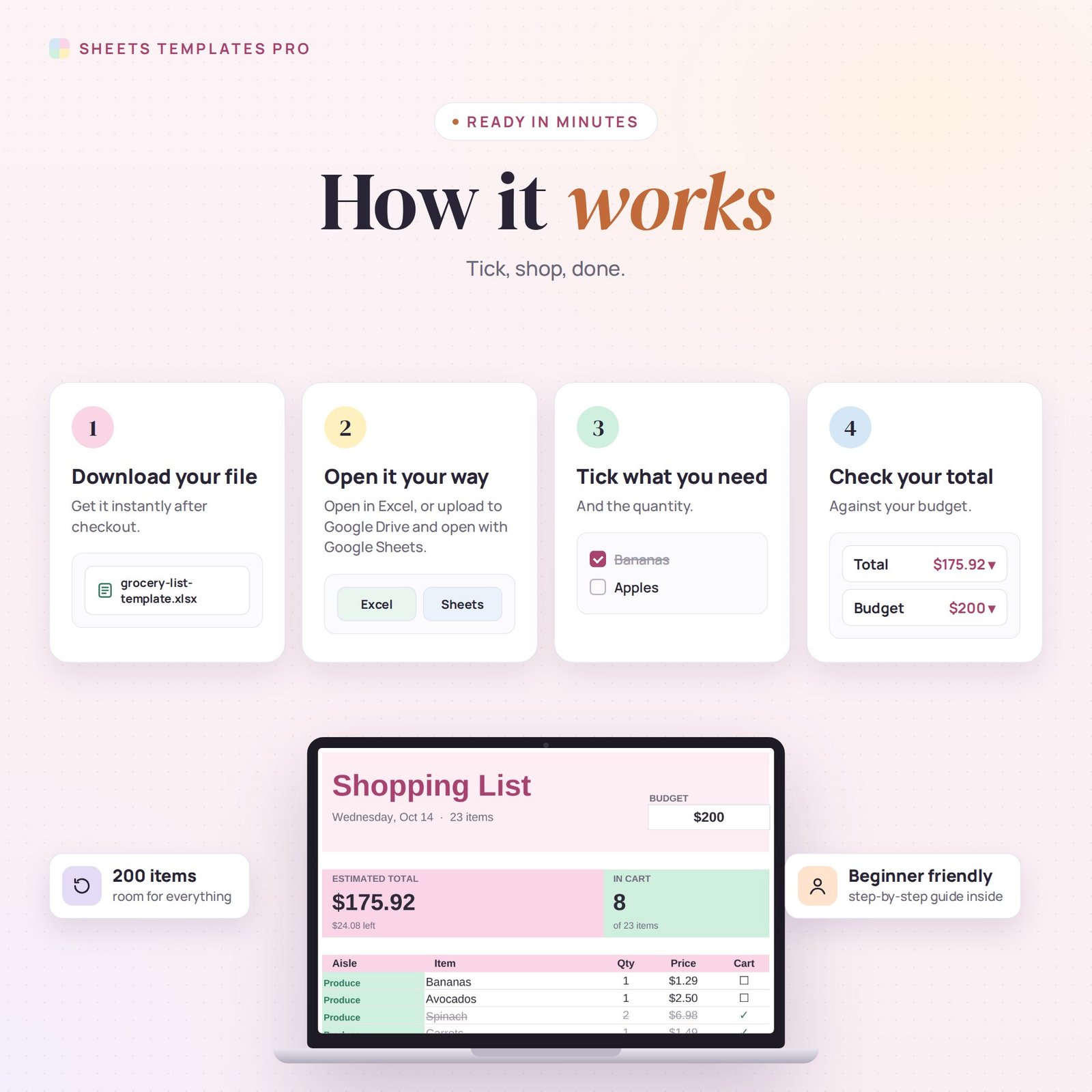
- Download the file and open it in Excel or upload it to Google Sheets.
- Adjust the master list with your own items and prices.
- Tick Need and set quantities before you shop, then type your budget.
- Shop by aisle and tick In cart as you go.
What’s included
- 1 .xlsx file with 3 tabs: Start Here, This Trip (shopping list) and Master List.
- 70+ items preloaded with typical prices.
Compatibility
Works in Microsoft Excel (desktop, Mac and Excel online) and Google Sheets. Use the Google Sheets app in the store. No macros required.
FAQ
Can I add my own items and aisles?
Yes. Add items anywhere on the master list and pick their aisle from the drop-down.
How do I start a new trip?
Untick Need and In cart on the master list and tick what you need for the next trip.
Are the prices accurate?
They are typical examples — change them to the prices at your store.
Does it work in the free version of Google Sheets?
Yes. Upload the .xlsx file to Google Drive and open it with Google Sheets. A free Google account is all you need.
Can I use it on a Mac, iPad or phone?
Yes. It works in Excel for Mac and Windows, Excel online and the Google Sheets app. For editing, a computer or tablet is the most comfortable.
How do I get the file?
Right after checkout you get a download link on the confirmation page and by email.
More templates like this: Life & Event Planners.
This is a digital product. No physical item will be shipped.



Reviews
There are no reviews yet.