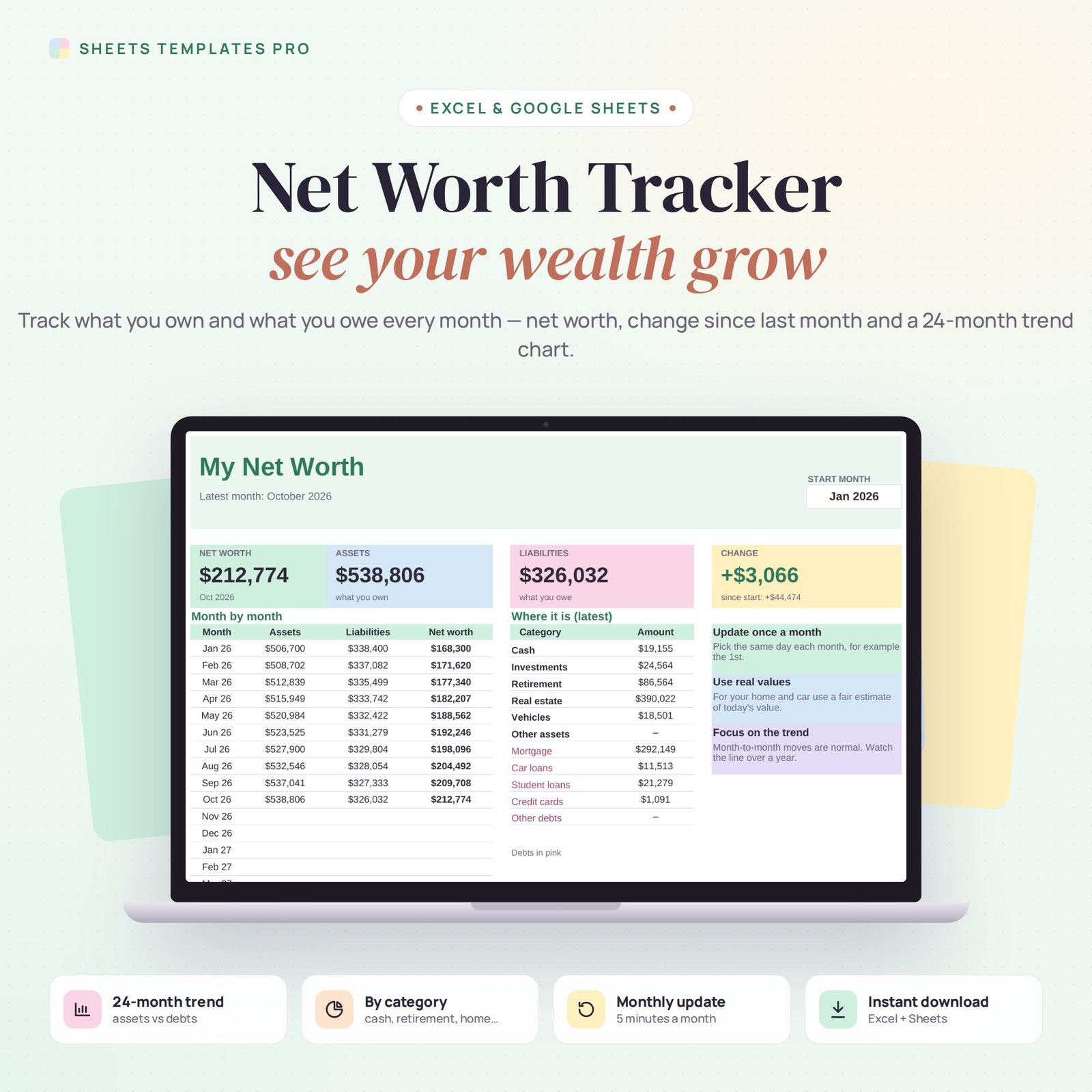


See your whole financial picture in one number. This net worth tracker spreadsheet lists everything you own and everything you owe, takes five minutes a month to update, and shows your net worth, how it changed since last month and since you started, and a 24-month trend chart. It works in Excel and Google Sheets.
Who this template is for
- Anyone tracking progress toward financial independence
- Couples reviewing finances monthly
- Investors watching overall wealth
Features
- Up to 24 accounts – checking, savings, brokerage, 401(k), IRA, home, car, mortgage, loans and credit cards.
- Asset or Liability drop-down – assets in green, debts in pink.
- 11 categories – Cash, Investments, Retirement, Real estate, Vehicles, Mortgage, Credit cards and more.
- 24 months of balances – pick any start month and the columns update on their own.
- Dashboard – net worth, total assets, total liabilities and change since last month and since the start.
- Category breakdown – see where your money is in the latest month.
- Trend chart – assets, liabilities and net worth over time.
How to use it
- On the Balances tab, list each account and pick Asset or Liability and a category.
- On the Dashboard, choose your start month.
- Once a month, type each balance in that month’s column. Enter debts as positive numbers.
- Check the Dashboard for your net worth and trend.
What’s included
- Net worth tracker spreadsheet (.xlsx) with Start Here guide, Dashboard and Monthly Balances
- Sample accounts you can replace in seconds
Compatibility
Microsoft Excel 2016 or later (Windows and Mac), Excel for the web and Google Sheets. No macros, no add-ons.
FAQ
Should I include my home? Yes, use a fair estimate of its current value, and add the mortgage as a liability.
Can I track a couple’s net worth? Yes. List both people’s accounts, or add the owner to the account name.
Does it connect to my bank? No. You type the balances yourself, so your data stays private in your own file.
Does it work in the free version of Google Sheets?
Yes. Upload the .xlsx file to Google Drive and open it with Google Sheets. A free Google account is all you need.
Can I use it on a Mac, iPad or phone?
Yes. It works in Excel for Mac and Windows, Excel online and the Google Sheets app. For editing, a computer or tablet is the most comfortable.
How do I get the file?
Right after checkout you get a download link on the confirmation page and by email.
More templates like this: Budget Planners.
This is a digital product. You will receive a download link after purchase. No physical item will be shipped.



Reviews
There are no reviews yet.