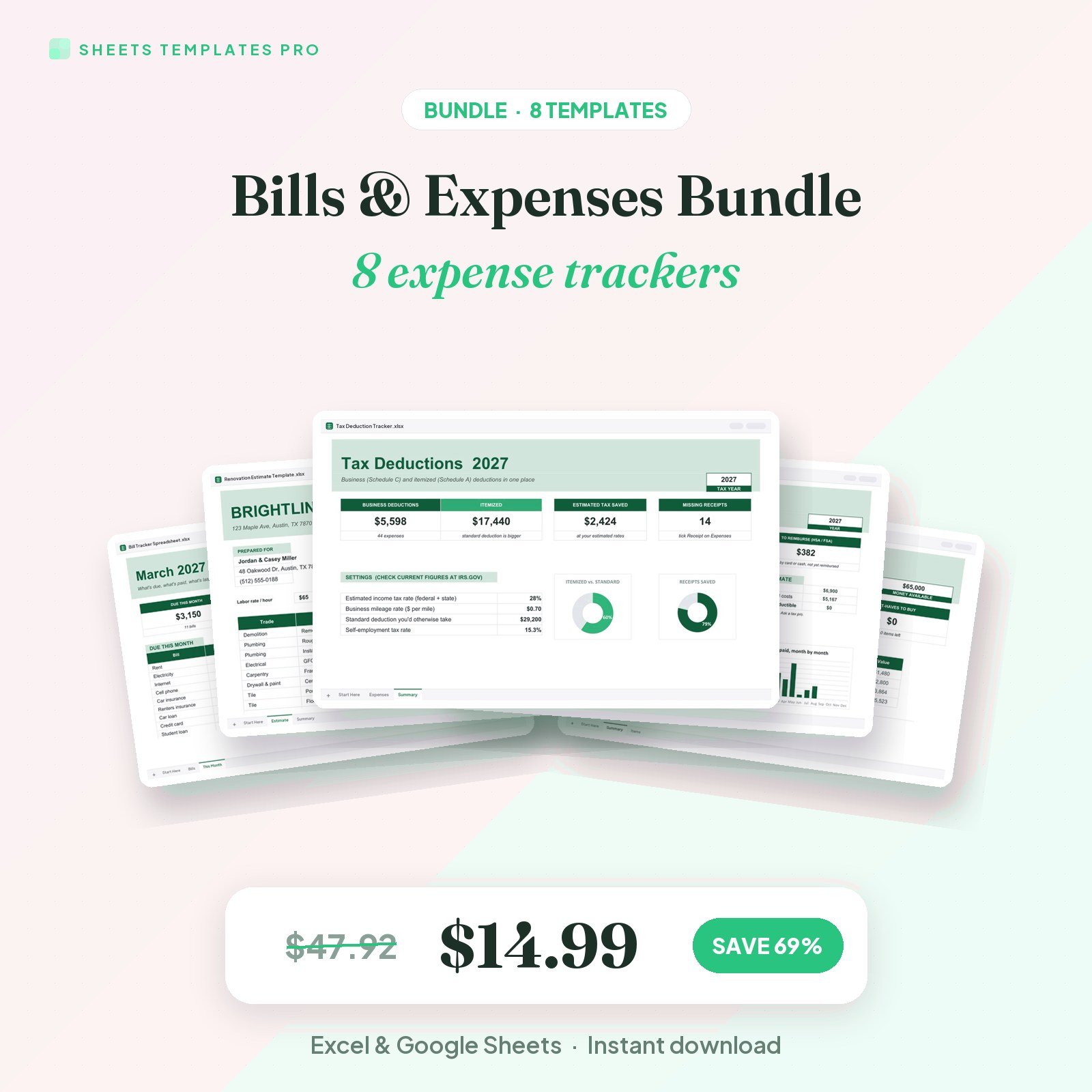


What’s in the Bills & Expenses Bundle
Track bills, moving costs, renovation estimates, medical expenses, tax deductions, a wedding budget and a travel budget. Buying them one by one costs .92; this bundle costs .99 (save 69%).
What’s inside the Expenses Bundle
Take a look inside the expenses bundle before you buy. Every screenshot below comes from the real file, with the example data that is included.

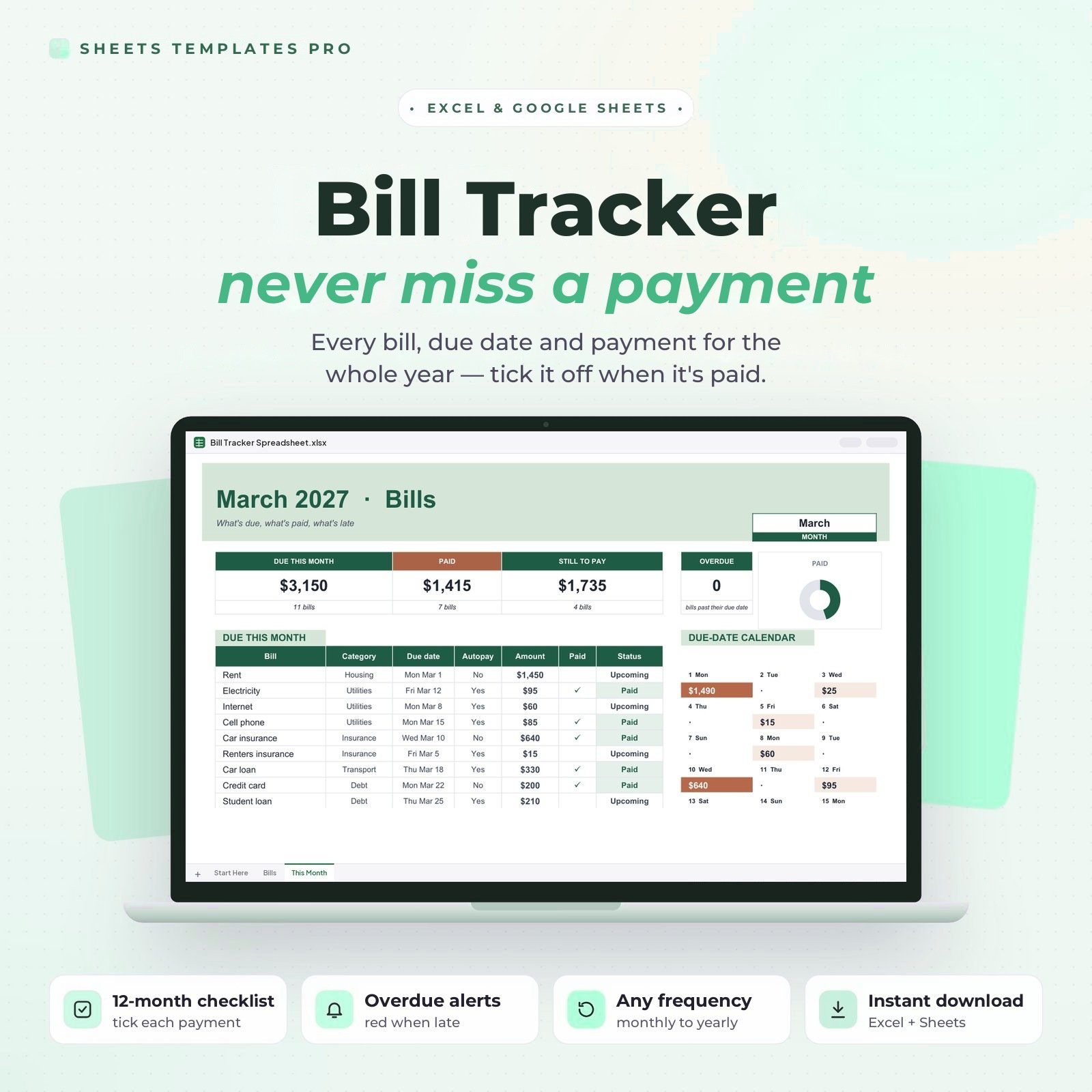

- Bill Tracker Spreadsheet – A bill tracker spreadsheet for Excel and Google Sheets: list your bills once, tick each payment for 12 months and see what's due, paid and overdue.
- Moving Budget Template – New Home Budget Spreadsheet – A new home budget spreadsheet for Excel and Google Sheets: track closing costs, moving, furniture, appliances and repairs room by room, with status and a summary.
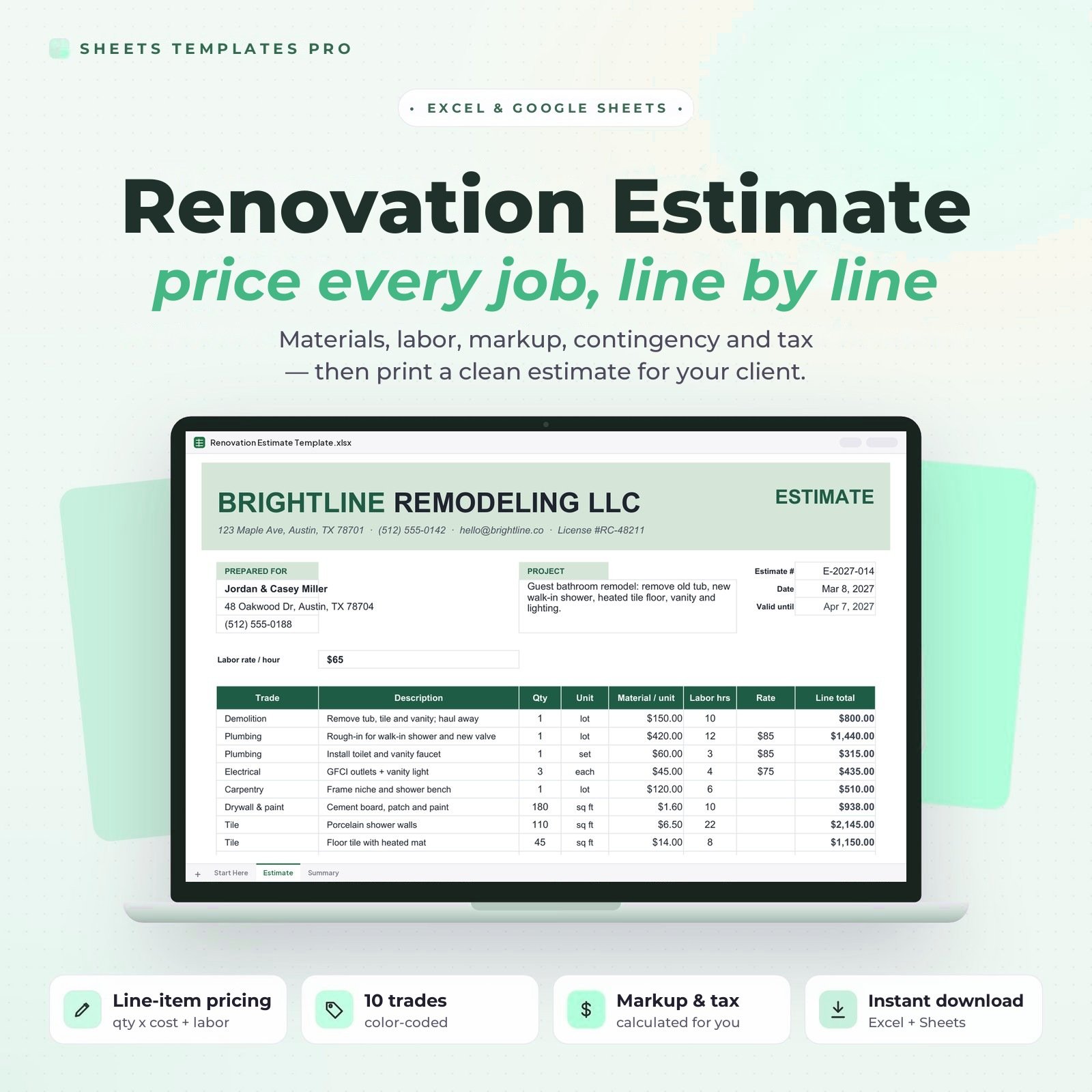
- Renovation Estimate Template – A renovation estimate template for Excel and Google Sheets: price each line by trade with materials and labor, add markup, contingency and tax, and print a client-ready estimate.
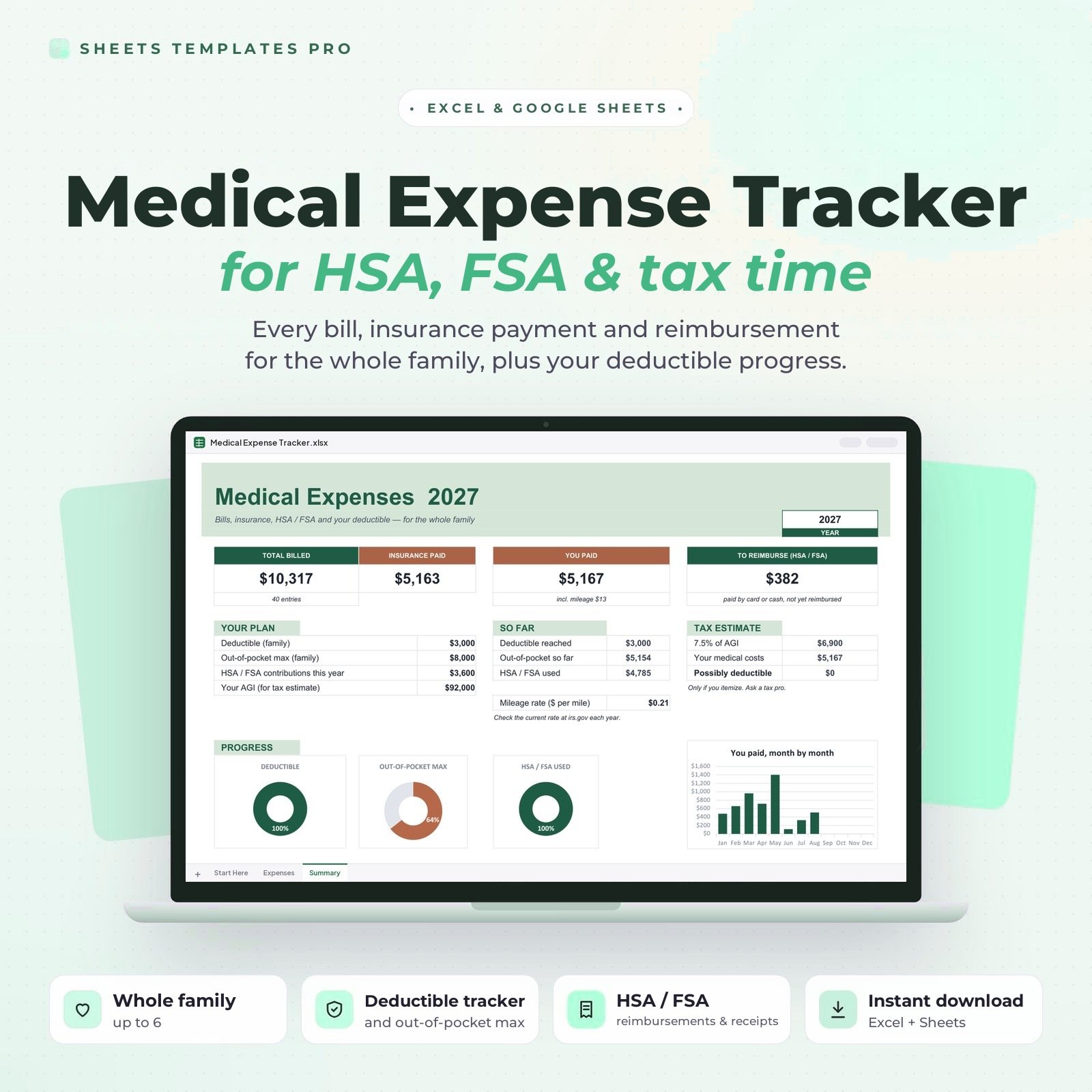
- Medical Expense Tracker – A medical expense tracker for Excel and Google Sheets: bills, insurance, HSA/FSA reimbursements, receipts and deductible progress for the whole family.
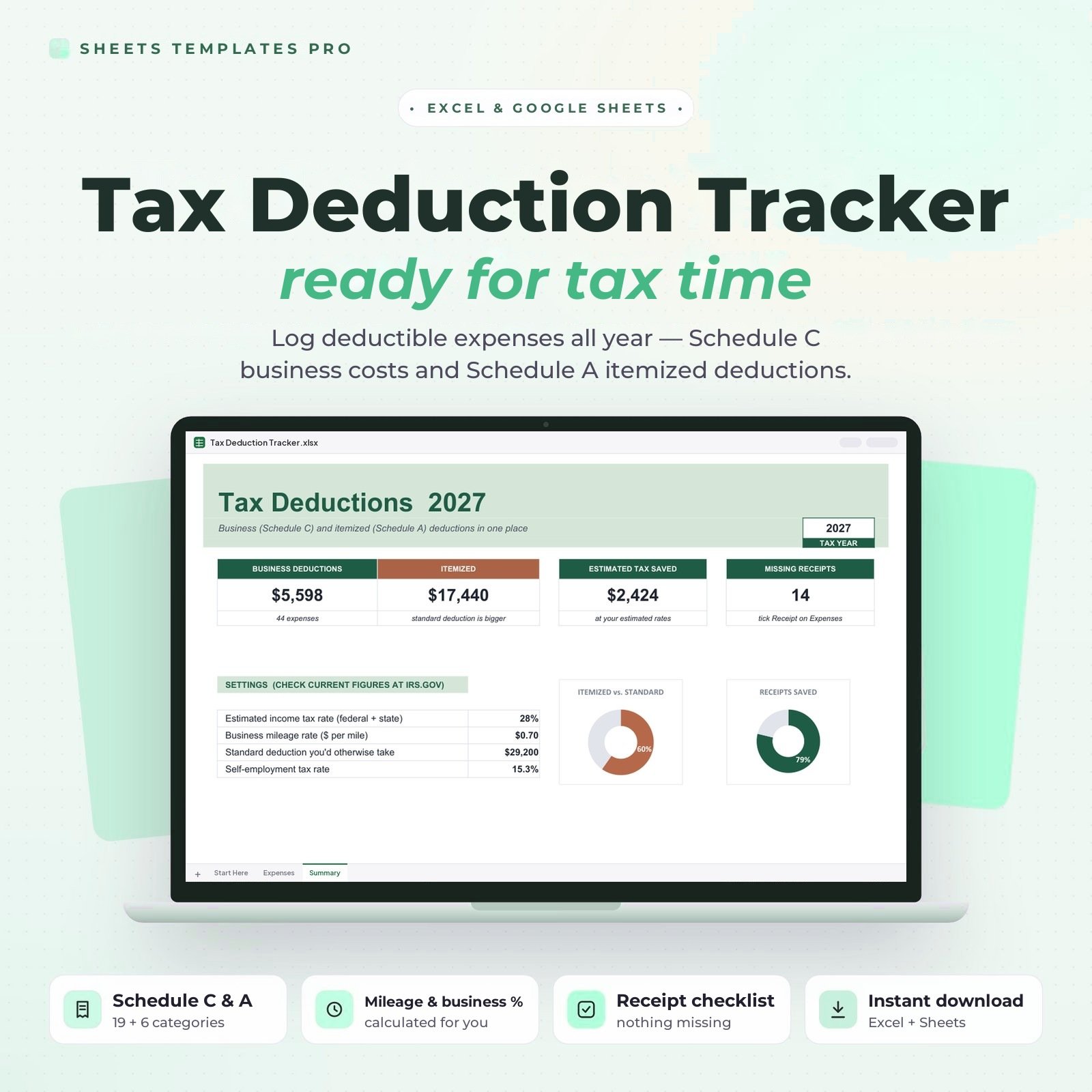
- Tax Deduction Tracker – A tax deduction tracker for Excel and Google Sheets: Schedule C business expenses, Schedule A itemized deductions, mileage, receipts and a year-end summary.
- Wedding Budget Spreadsheet – Split your wedding budget across 12 categories, track every vendor, deposit and balance due, and see upcoming payments and a countdown. Excel and Google Sheets.
- Travel Budget Template – Plan your trip budget by category, log expenses in USD or local currency, and see what is left per day and who paid what. Excel and Google Sheets.
- Vehicle Maintenance Log – Keep every car's service history in one file and see what's due next — by miles or by date — so nothing gets missed. For Excel and Google Sheets — instant download.
Why get the bundle
- Everything connected: every template has a Start Here guide, drop-downs, colored checkboxes and dashboards with charts that update as you type.
- Excel and Google Sheets: open the .xlsx in Microsoft Excel (desktop, Mac or web) or upload it to Google Drive and open it with Google Sheets.
- No macros, no subscriptions: one payment, yours to keep and reuse every year.
- Instant download: all files are available right after checkout and in your account.
Frequently asked questions
Do I get every file in the bundle?
Yes. After checkout you can download all 8 templates from the order page and from My Account → Downloads.
Do the templates work in Google Sheets?
Yes. Upload the .xlsx file to Google Drive and open it with Google Sheets – formulas, drop-downs and charts keep working.
Can I use them every year?
Yes. Calendars and trackers have a year selector, and you can make as many copies as you like for personal or business use.
The expenses bundle works in Microsoft Excel (Windows, Mac and web) and in Google Sheets.
Download the expenses bundle once, make a copy whenever you need a fresh start and keep it forever. No subscription.


Reviews
There are no reviews yet.