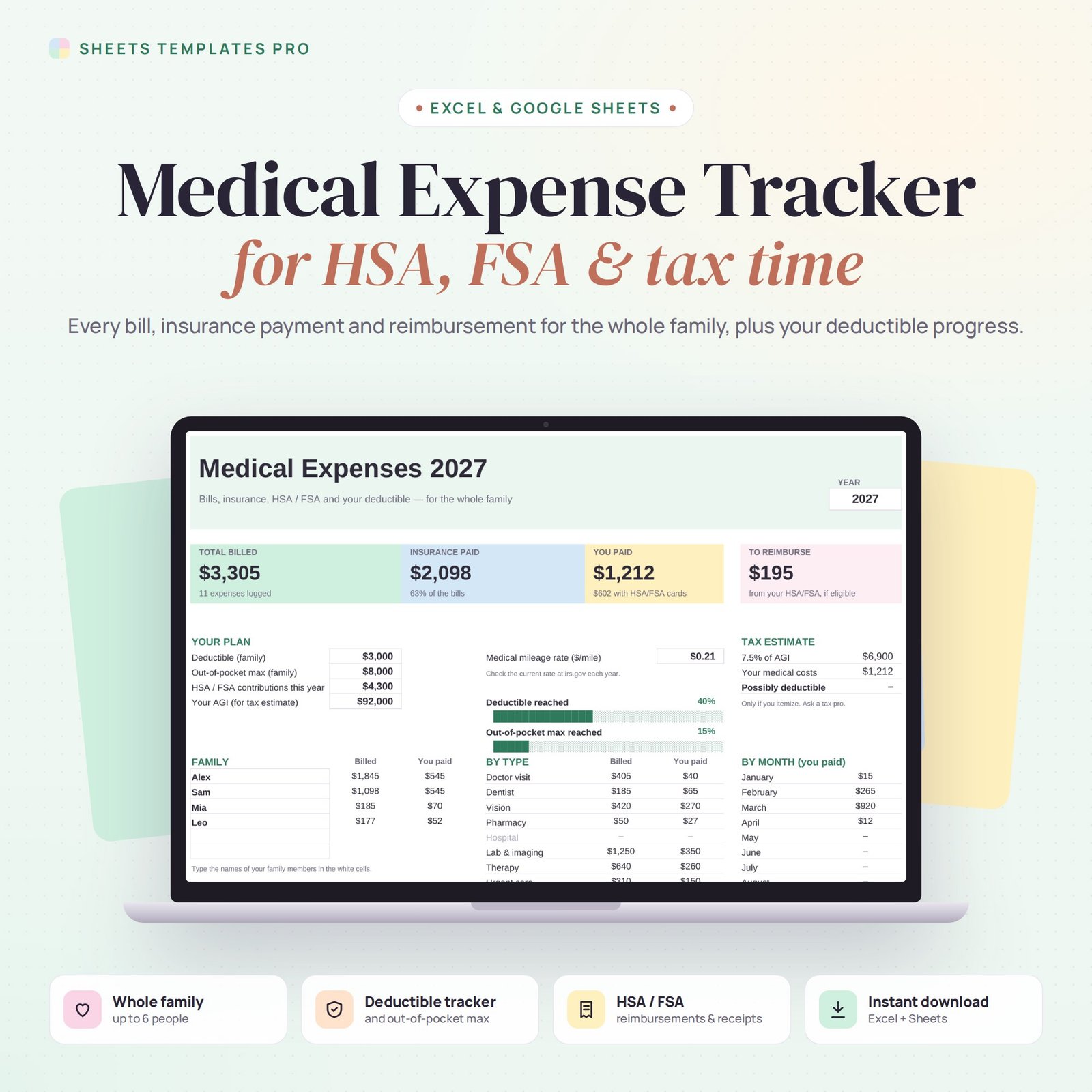
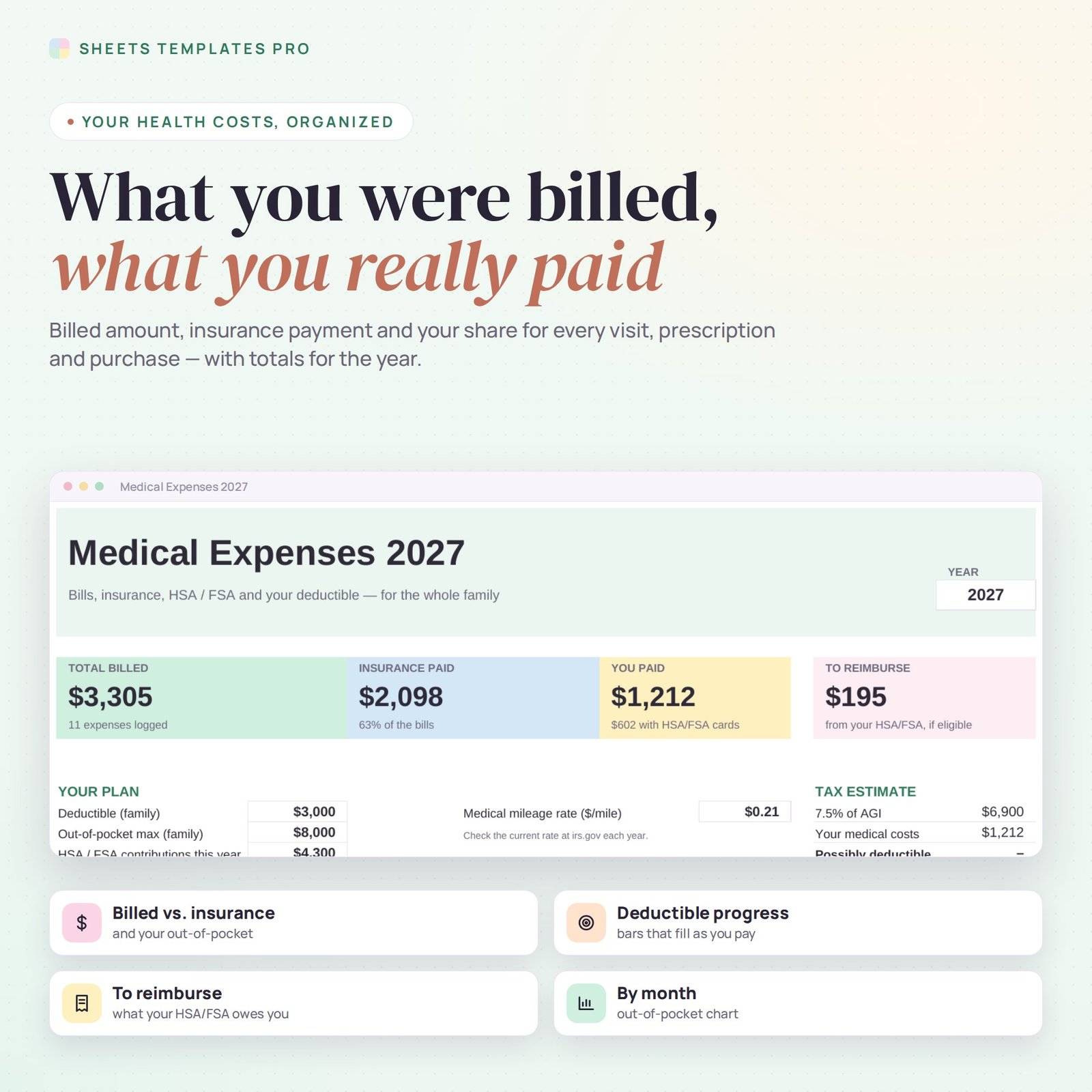
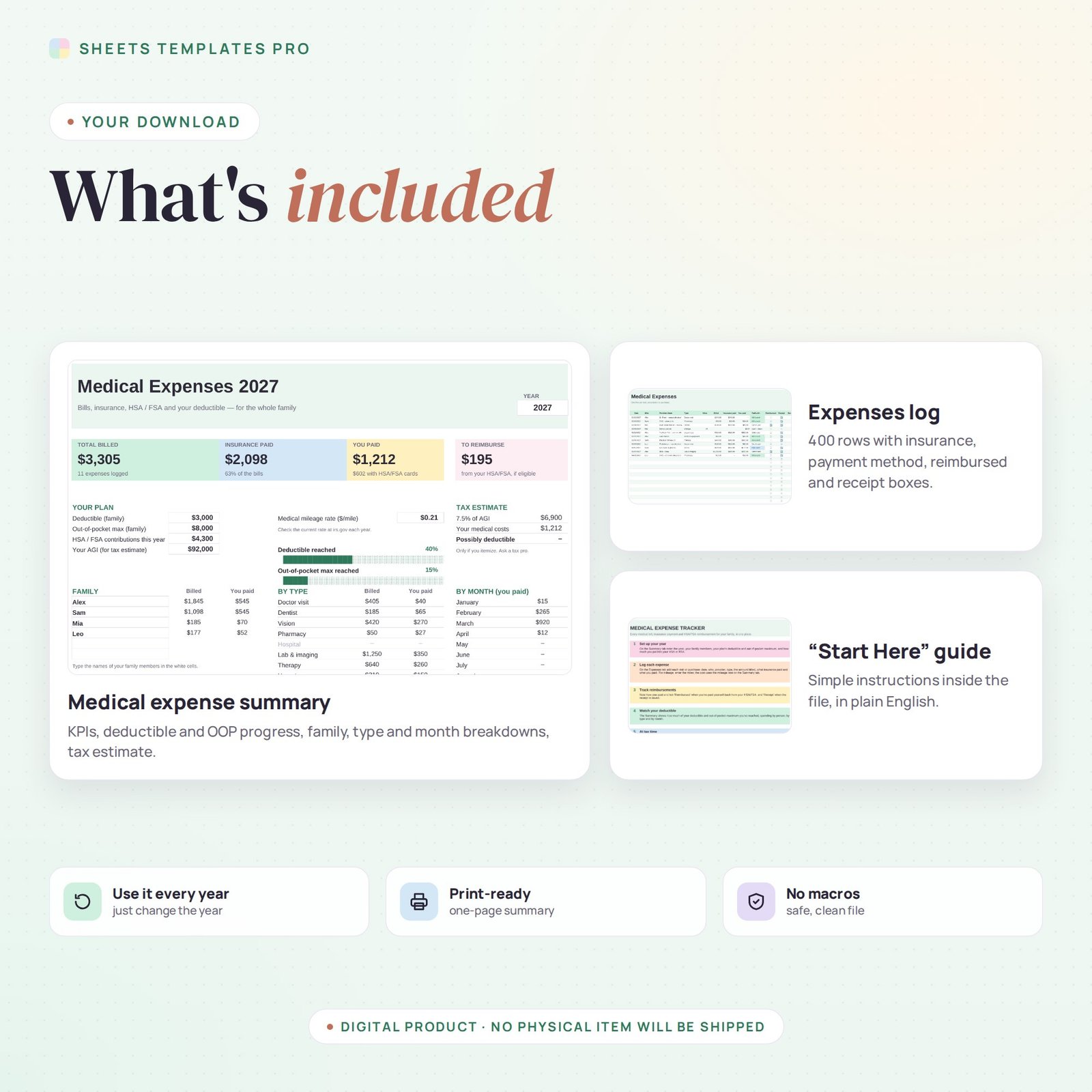
This medical expense tracker keeps your family's health costs organized for the whole year. Log each visit, prescription or purchase with what you were billed, what insurance paid and what you paid, then track HSA and FSA reimbursements, receipts and your progress toward the deductible and out-of-pocket maximum.
Who this template is for
- Families with HSA or FSA accounts
- Anyone itemizing medical expenses for taxes
- People managing ongoing medical bills
Features
- Billed, insurance paid and you paid for every expense, with yearly totals.
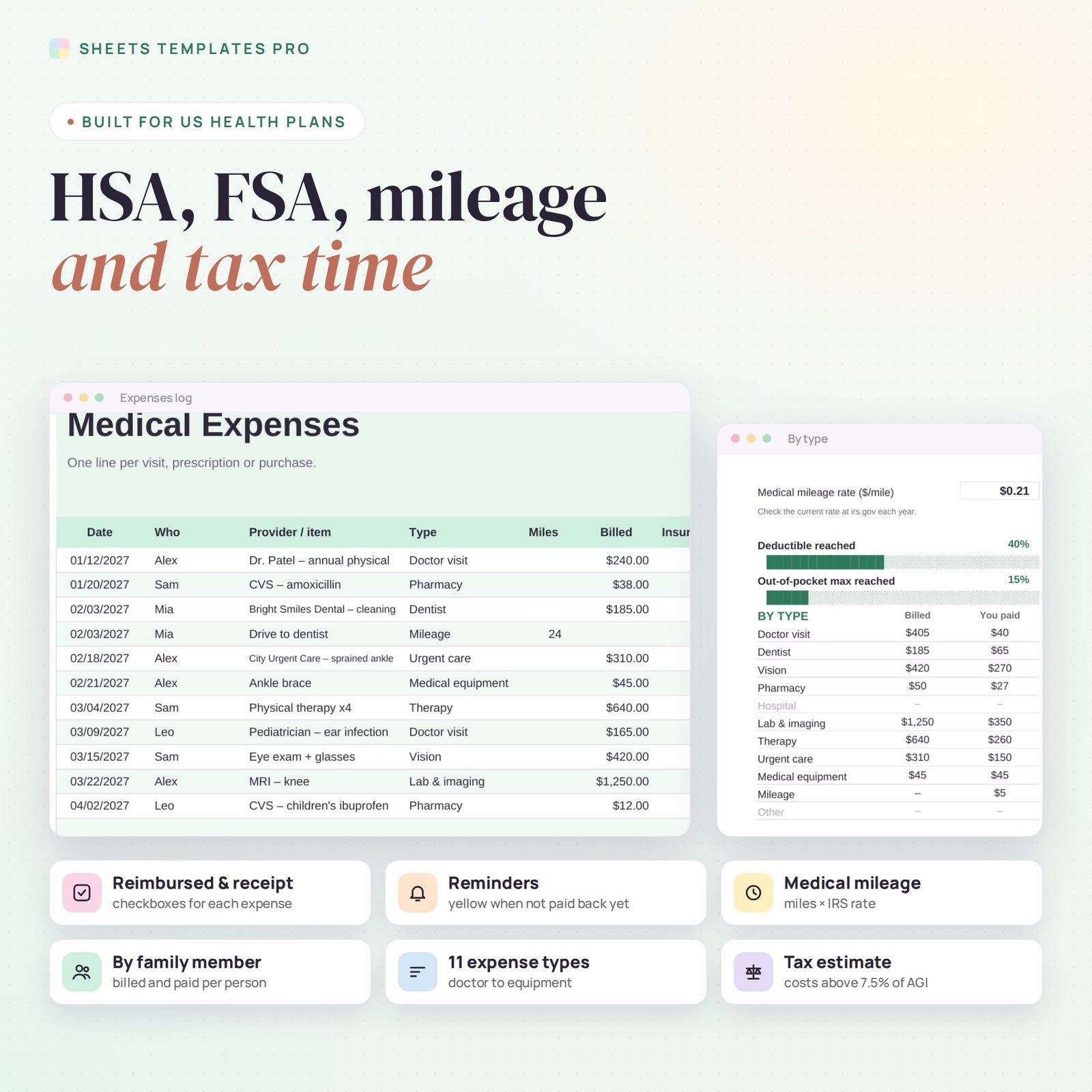
- HSA / FSA tracking: payment method, a Reimbursed checkbox and a Receipt checkbox. Expenses you still need to pay yourself back for are highlighted.
- Deductible and out-of-pocket max progress bars for your plan.
- Medical mileage: enter the miles and the cost is calculated with the mileage rate you set.
- Breakdowns by family member, by expense type and by month, with a chart.
- Tax estimate: how much of your costs may exceed 7.5% of your adjusted gross income if you itemize.
How to use your medical expense tracker
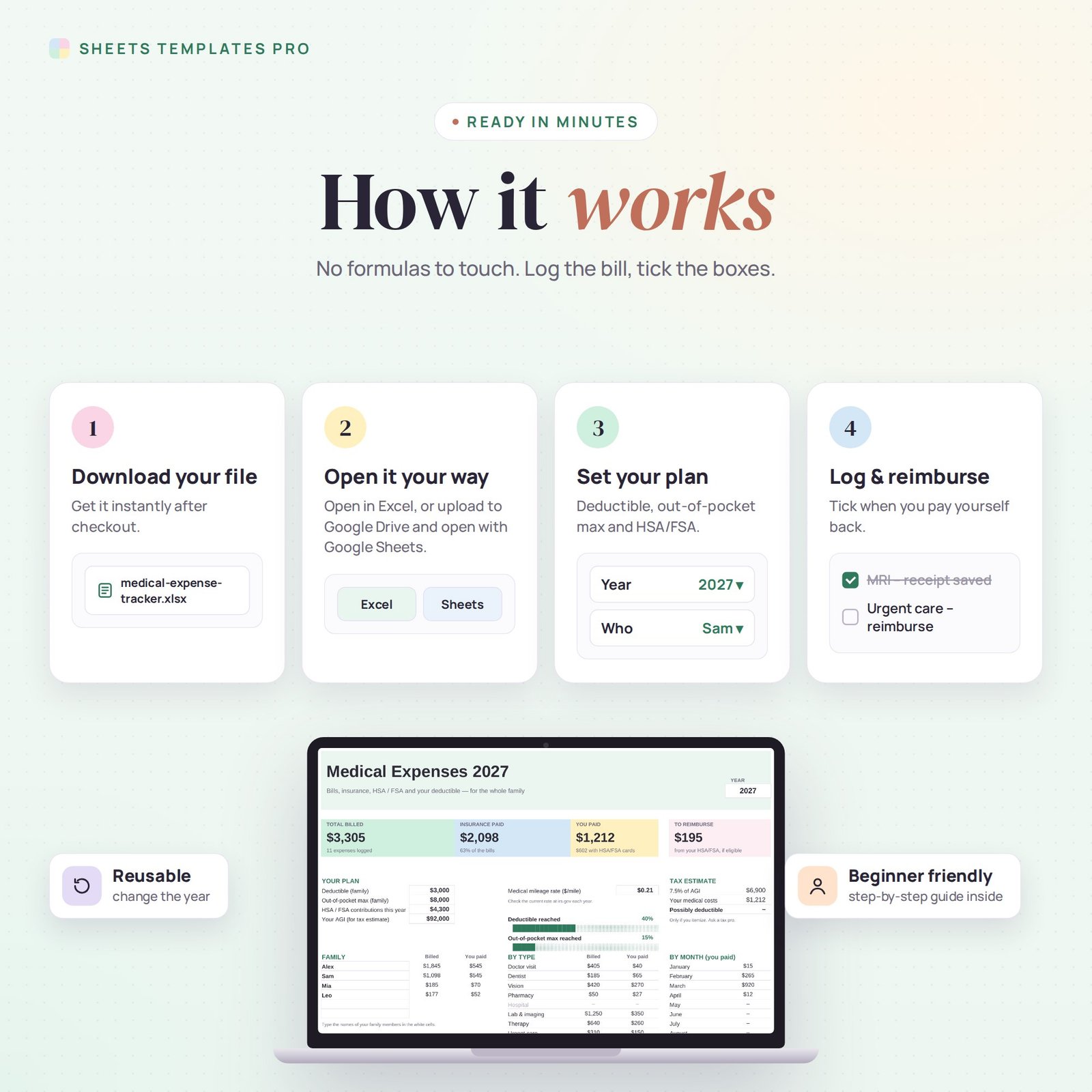
- Download the file right after checkout.
- Open it in Excel, or upload it to Google Drive and open it with Google Sheets.
- Enter your plan details and family members on the Summary tab.
- Log each expense and tick Reimbursed and Receipt as you go.
What's included
- 1 Excel file (.xlsx) with a Start Here guide, Summary and Expenses tabs, with example data.
- Automatic formulas and chart, no macros.
Compatibility
Works in Microsoft Excel for Microsoft 365 (Windows and Mac) and in Google Sheets. The checkboxes use Excel's built-in checkbox feature.
FAQ
Does the medical expense tracker work for an HSA and an FSA?
Yes. Mark how you paid and tick Reimbursed when you pay yourself back from either account.
Is the tax estimate official advice?
No. It is a simple estimate to help you prepare. Always confirm with a tax professional or the IRS.
Is this a subscription?
No. It is a one-time purchase and the file is yours to keep.
Does it work in the free version of Google Sheets?
Yes. Upload the .xlsx file to Google Drive and open it with Google Sheets. A free Google account is all you need.
Can I use it on a Mac, iPad or phone?
Yes. It works in Excel for Mac and Windows, Excel online and the Google Sheets app. For editing, a computer or tablet is the most comfortable.
How do I get the file?
Right after checkout you get a download link on the confirmation page and by email.
More templates like this: Expense & Bill Trackers.
This is a digital product. No physical item will be shipped.


Reviews
There are no reviews yet.