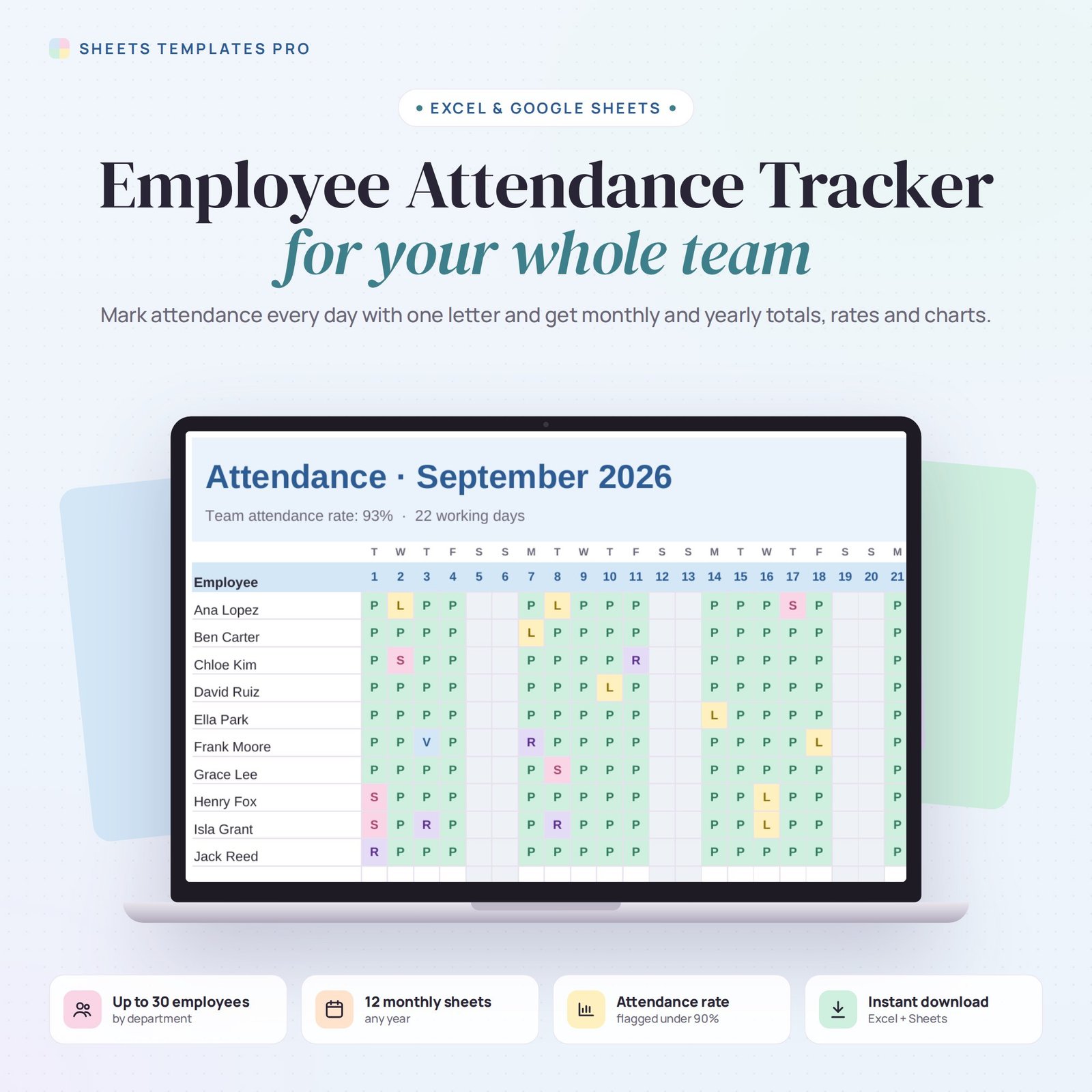
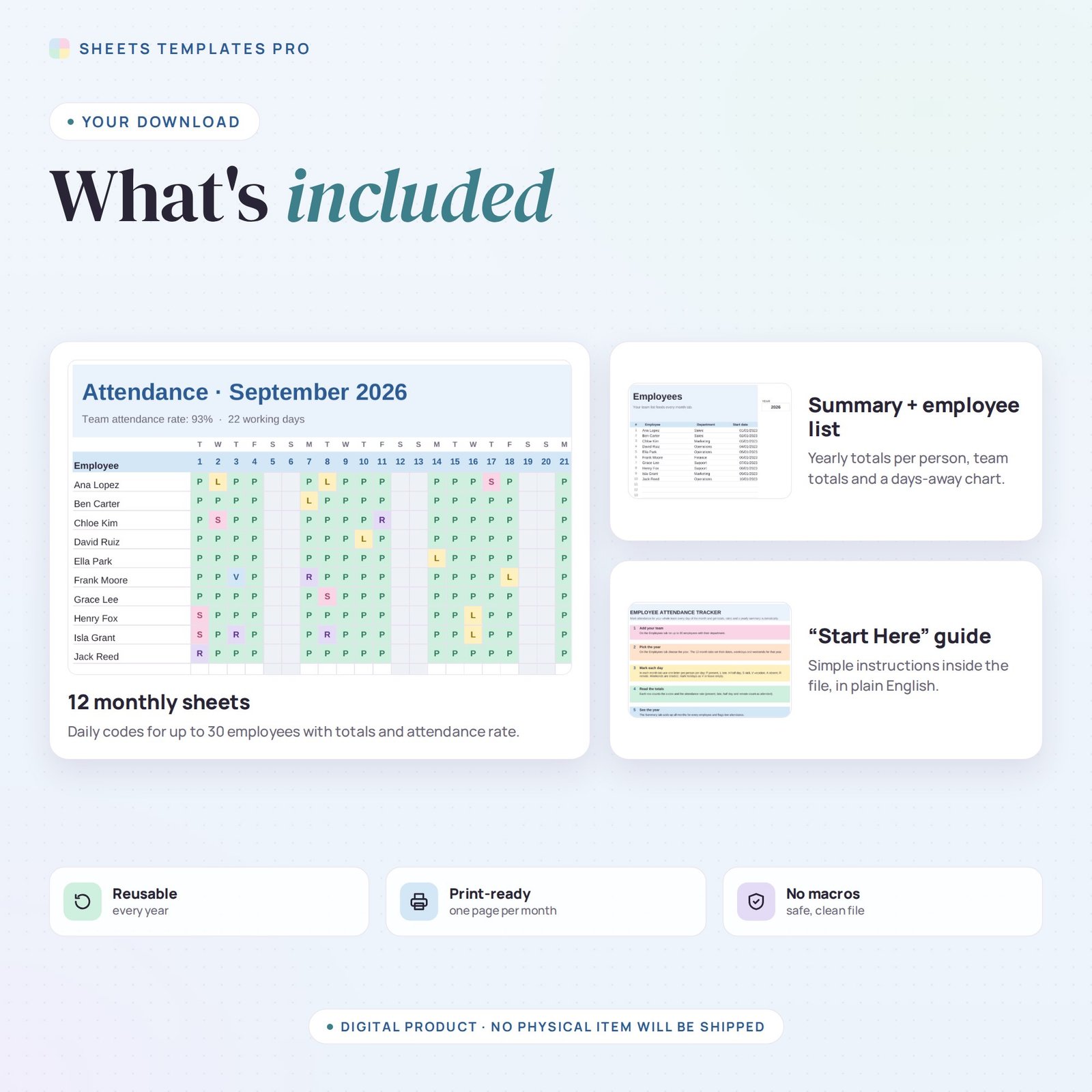
Track who’s in, who’s out and why — without HR software. This employee attendance tracker gives you a sheet for every month where you mark each employee’s day with one letter, and it adds up totals, attendance rates and a yearly summary automatically.
Who this template is for
- Small business owners and managers
- HR teams without HR software
- Supervisors tracking shift attendance
Features
- Up to 30 employees with department and start date, entered once.
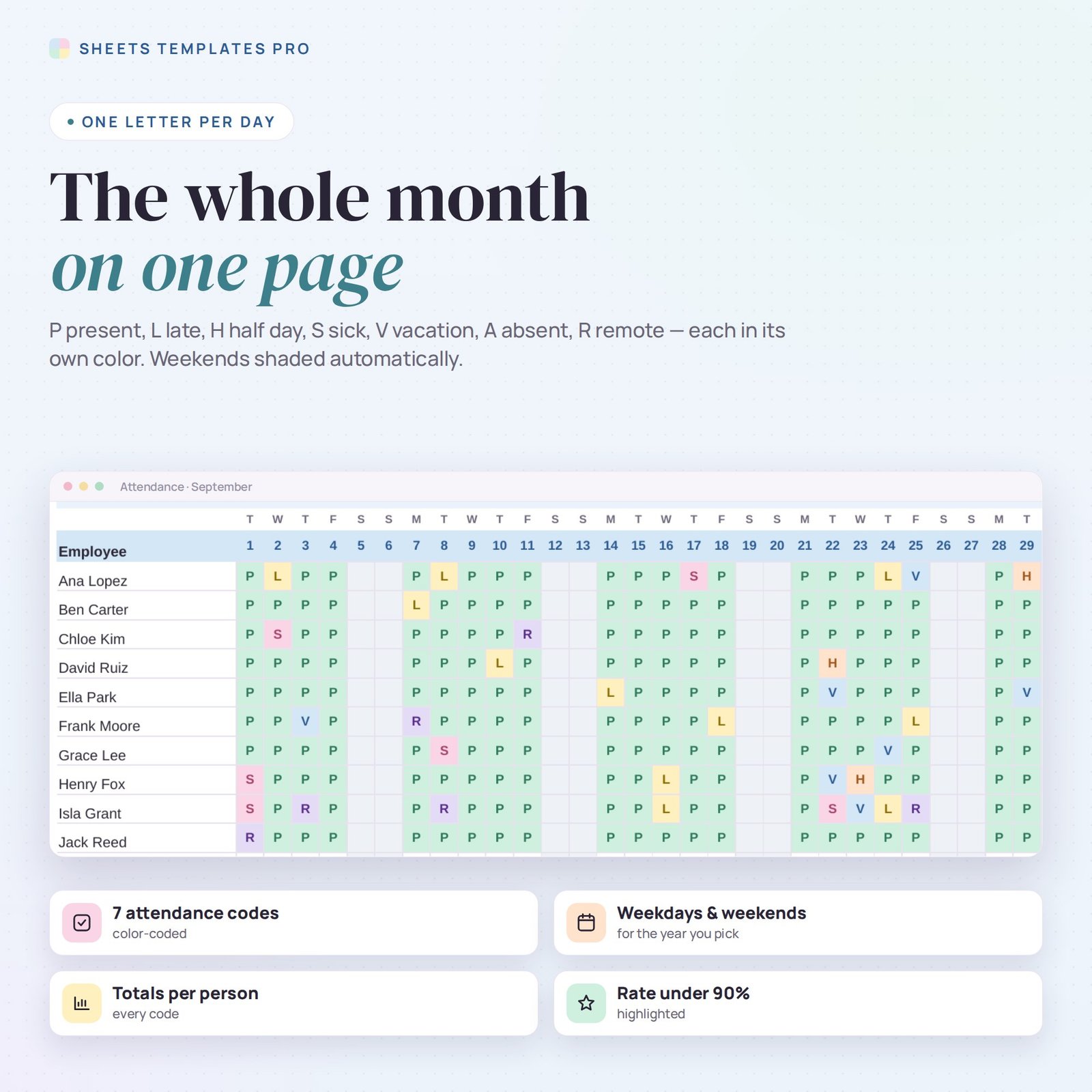
- 12 monthly sheets that set their dates, weekdays and weekends for any year from 2024 to 2040.
- 7 attendance codes, each color-coded: Present, Late, Half day, Sick, Vacation, Absent and Remote.
- Totals per code and an attendance rate for every employee, with rates under 90% highlighted.
- Team attendance rate and working days in each month.
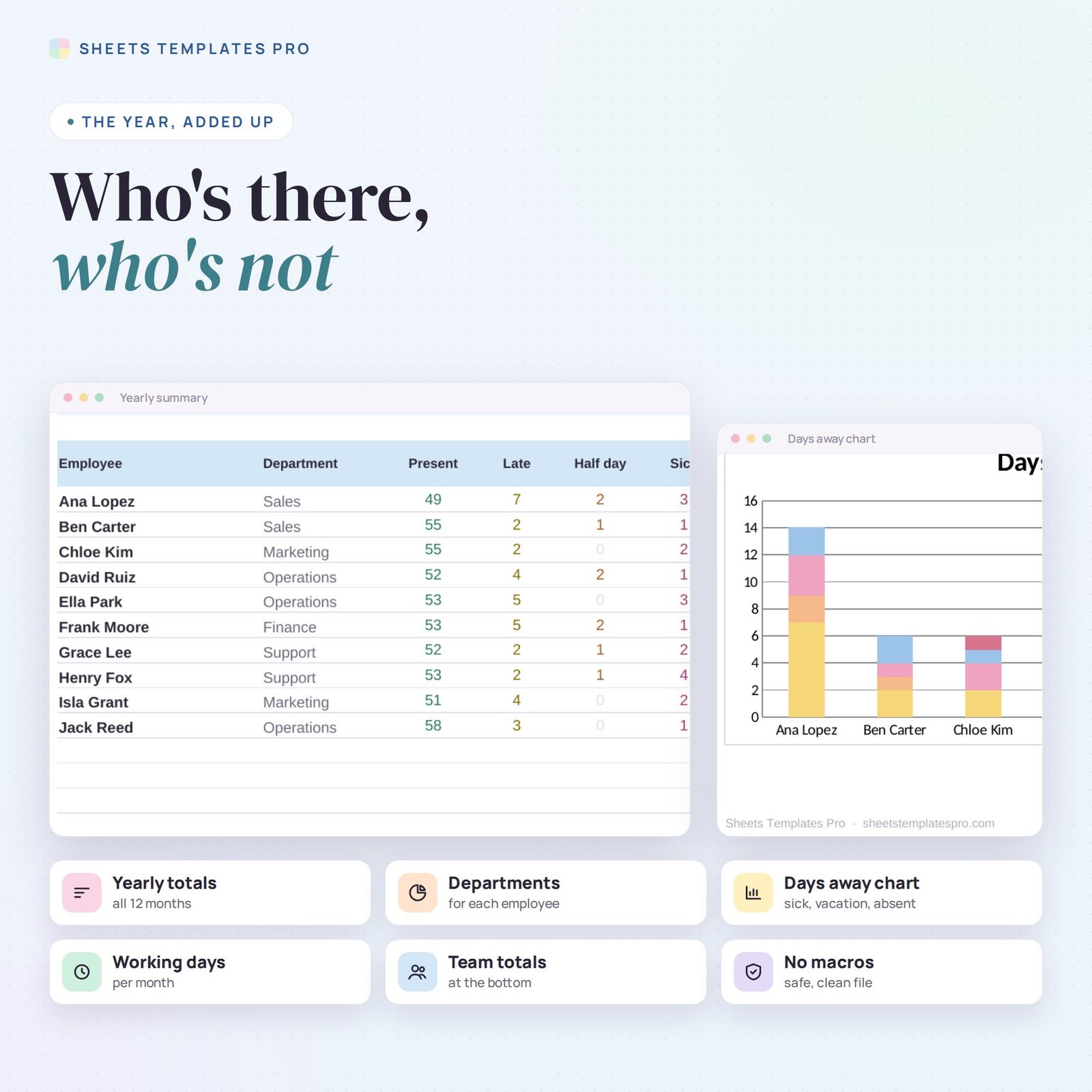
- Yearly summary for every employee, team totals and a days-away chart.
- Drop-down codes, print-ready monthly pages, no macros.
How to use it
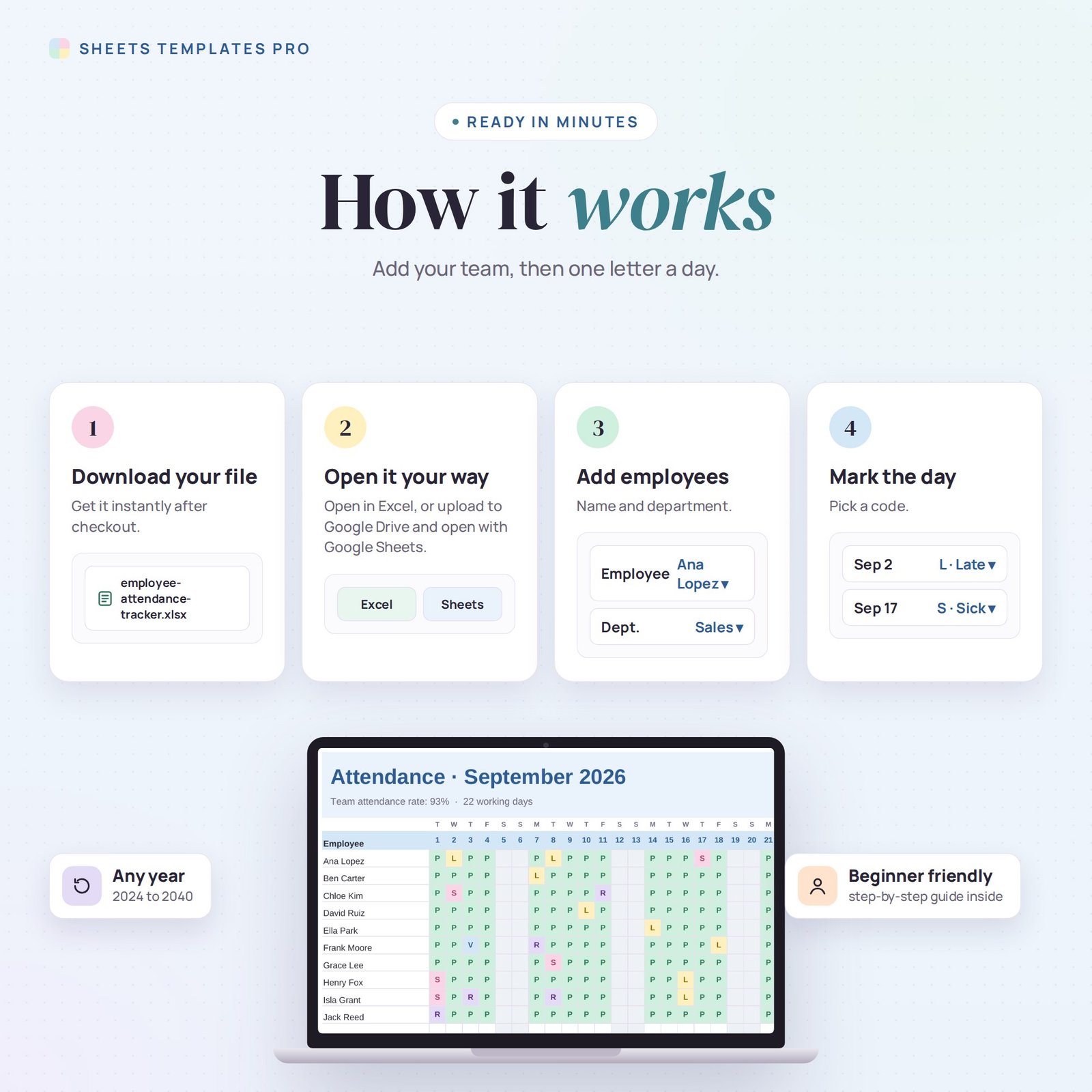
- Download the file and open it in Excel or upload it to Google Sheets.
- List your employees and pick the year.
- Each day, mark everyone’s attendance on the month tab.
- Review the totals and the yearly Summary.
What’s included
- 1 .xlsx file with a Start Here guide, Employees, Summary and 12 monthly tabs.
- Example team and sample months (clear them to start fresh).
Compatibility
Works in Microsoft Excel (desktop, Mac and Excel online) and Google Sheets. No add-ons or macros required.
FAQ
How is the attendance rate calculated?
Present, late and remote days count as attended and half days count as half, divided by all marked days.
Can I track holidays?
Mark company holidays as V or leave them empty so they don’t affect the rate.
How many employees fit?
Up to 30. For bigger teams, use one file per department.
Does it work in the free version of Google Sheets?
Yes. Upload the .xlsx file to Google Drive and open it with Google Sheets. A free Google account is all you need.
Can I use it on a Mac, iPad or phone?
Yes. It works in Excel for Mac and Windows, Excel online and the Google Sheets app. For editing, a computer or tablet is the most comfortable.
How do I get the file?
Right after checkout you get a download link on the confirmation page and by email.
More templates like this: Employee & HR.
This is a digital product. No physical item will be shipped.

Reviews
There are no reviews yet.