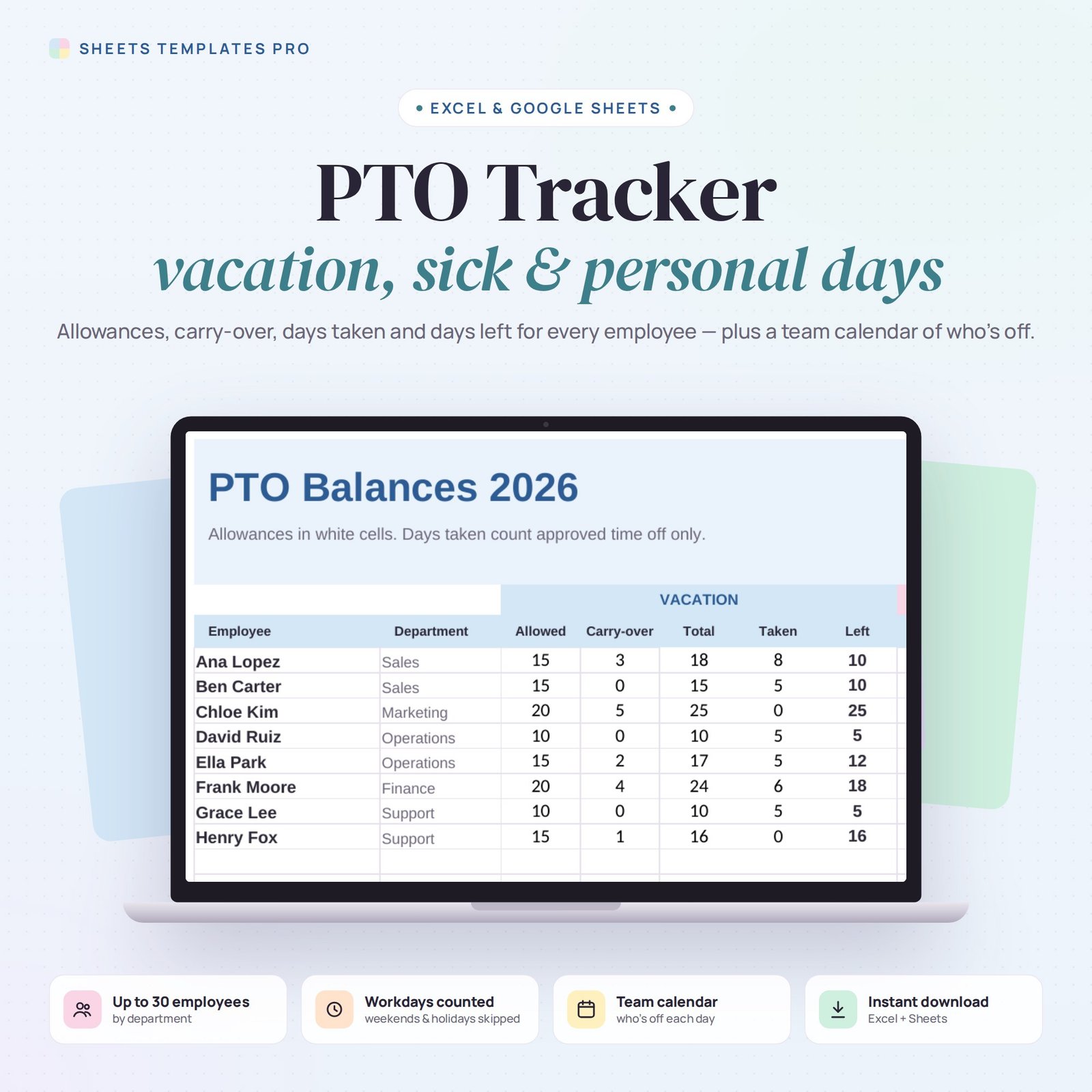
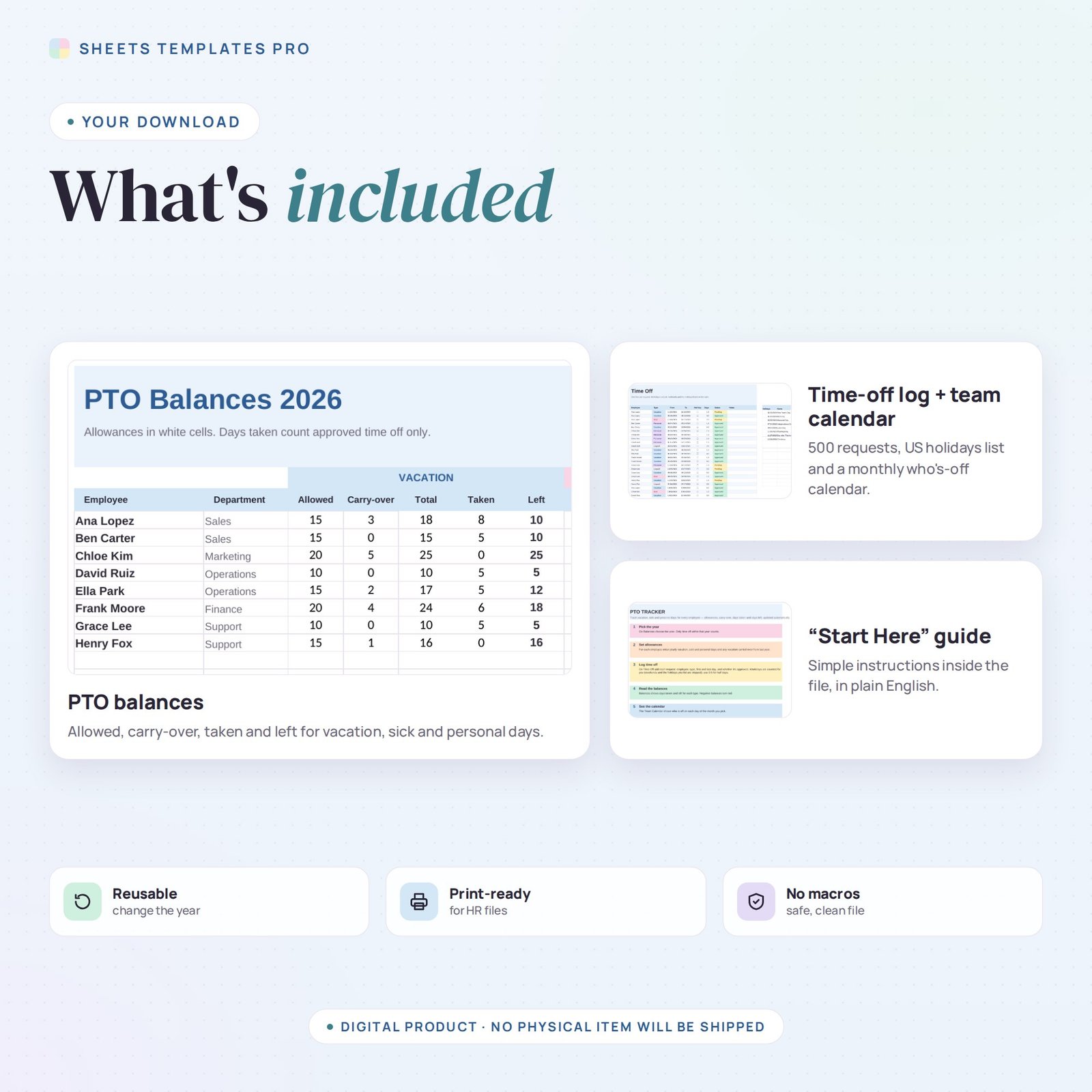
Know exactly how much time off everyone has left. This PTO tracker template keeps allowances, carry-over and every time-off request for your team in one file, counts workdays automatically and shows who’s off on a monthly team calendar.
Who this template is for
- Small business owners managing time off
- HR and office managers
- Employees tracking their own PTO balance
Features
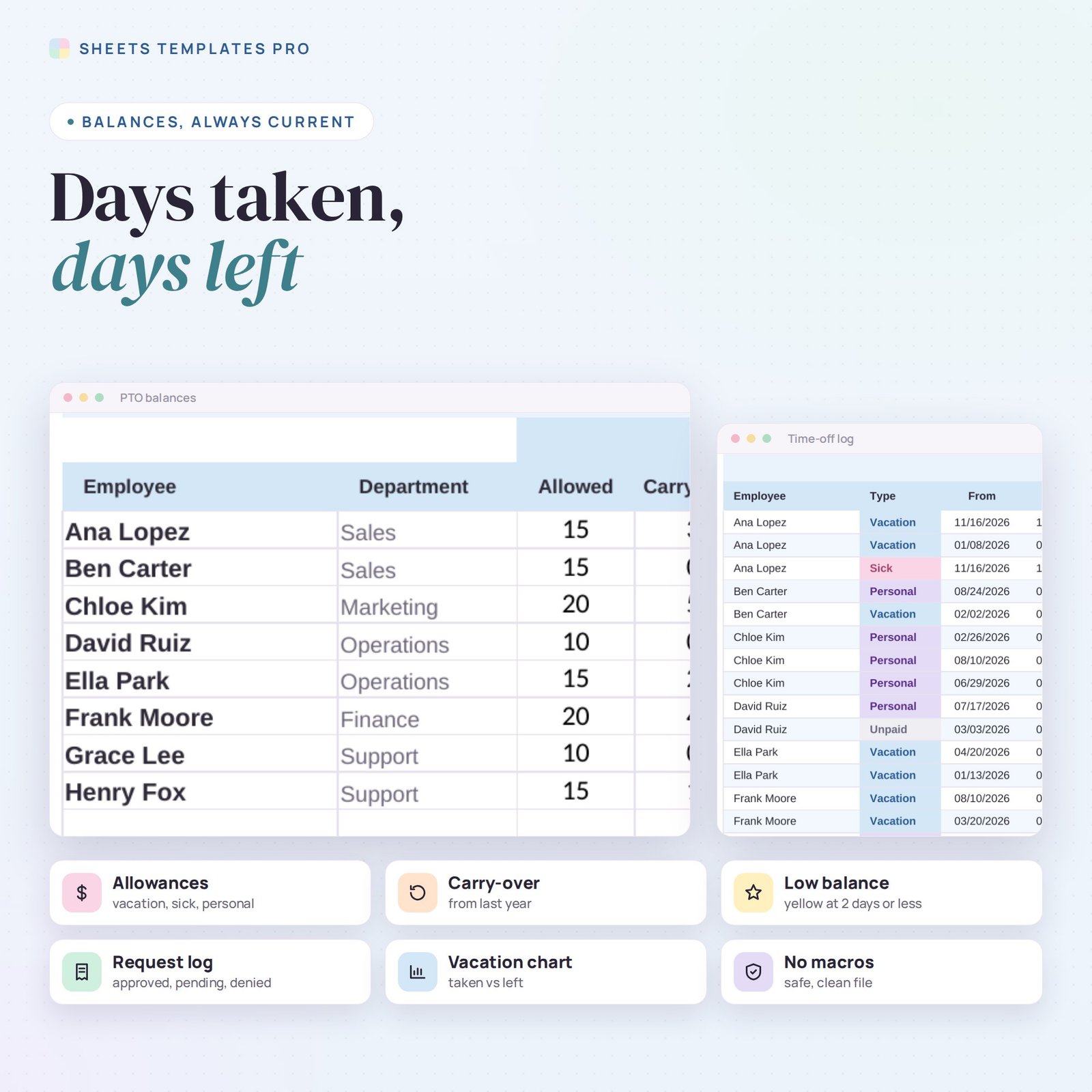
- PTO balances for up to 30 employees: vacation (allowed, carry-over, total, taken, left), sick days and personal days.
- Time-off log (500 requests): employee, type, from and to dates, half-day option, status (approved, pending, denied) and notes.
- Workdays counted automatically, skipping weekends and the holidays you list (US federal holidays prefilled).
- Only approved time off reduces balances; low balances are highlighted and negative ones turn red.
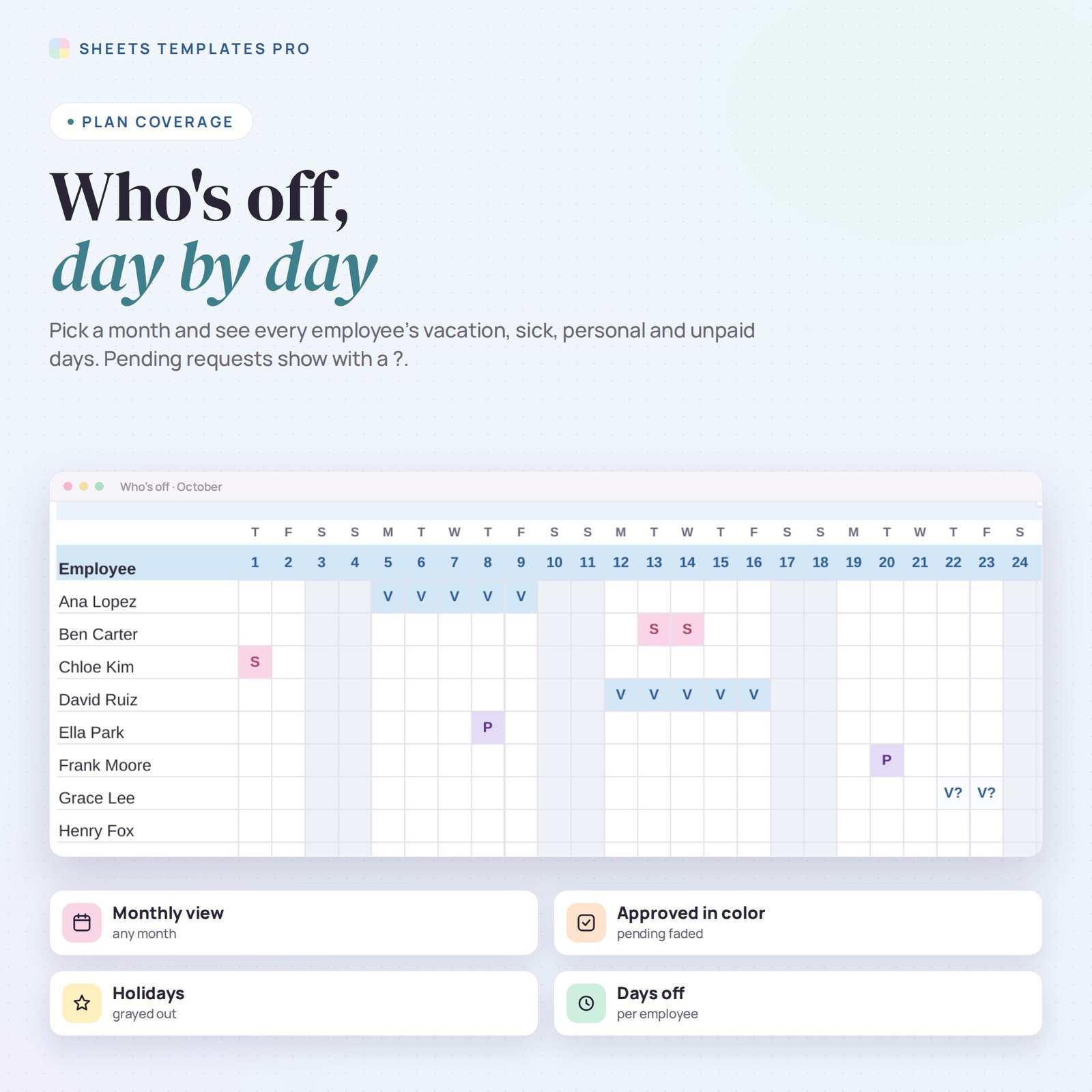
- Team calendar: pick a month and see who’s off each day, with pending requests marked.
- Vacation chart, unpaid days and pending request counts. Any year from 2024 to 2040. No macros.
How to use it
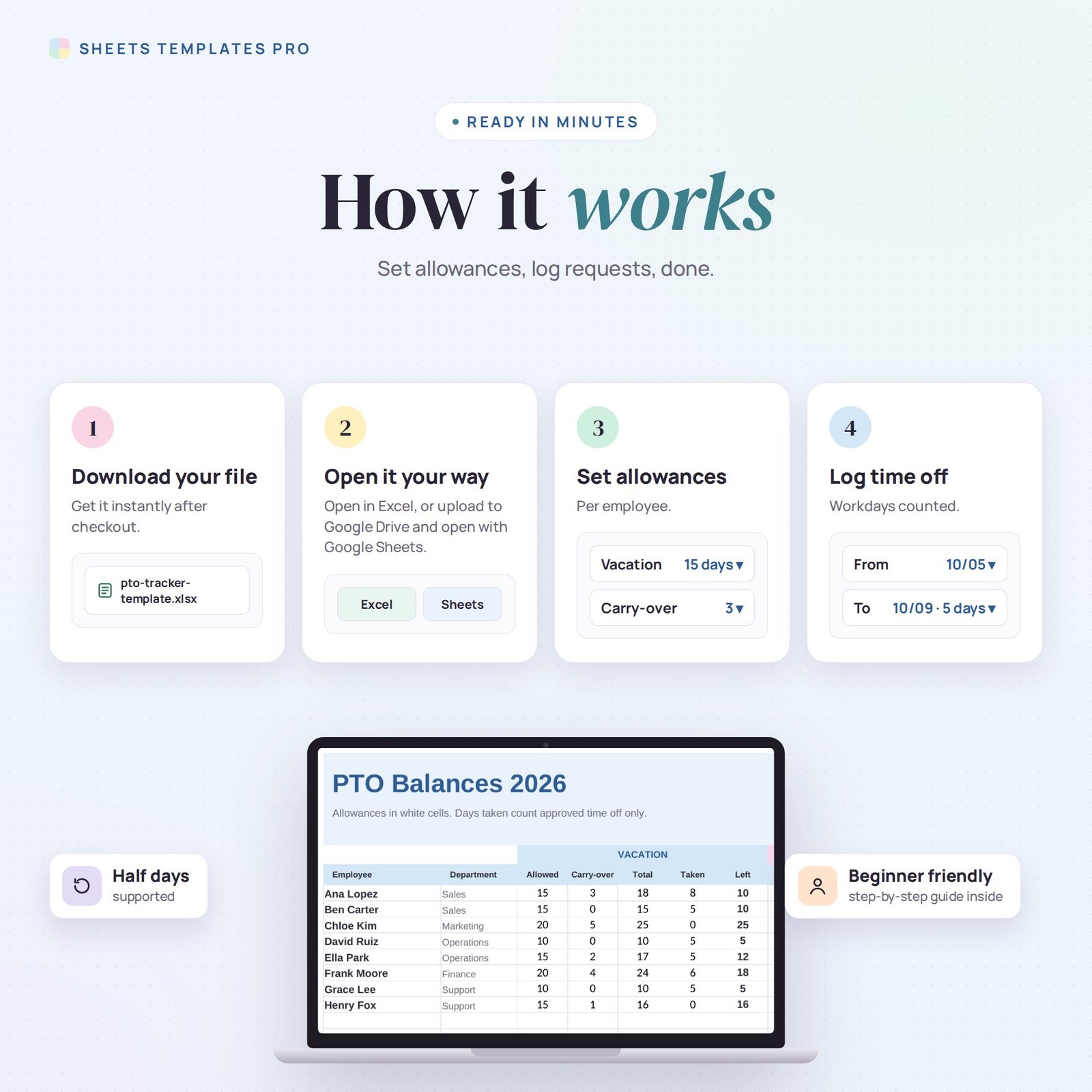
- Download the file and open it in Excel or upload it to Google Sheets.
- Pick the year and enter each employee’s allowances.
- Log every time-off request and update its status.
- Check balances and the team calendar.
What’s included
- 1 .xlsx file with 4 tabs: Start Here, Balances, Time Off and Team Calendar.
- Example team and requests (clear them to start fresh).
Compatibility
Works in Microsoft Excel (desktop, Mac and Excel online) and Google Sheets. No add-ons or macros required.
FAQ
Does it handle half days?
Yes. Tick Half day and the request counts as 0.5.
Can I change the holidays?
Yes. Edit the holiday list on the Time Off tab; workday counts update.
Does it calculate accruals?
It uses yearly allowances plus carry-over. If you accrue monthly, update the allowance as it grows.
Does it work in the free version of Google Sheets?
Yes. Upload the .xlsx file to Google Drive and open it with Google Sheets. A free Google account is all you need.
Can I use it on a Mac, iPad or phone?
Yes. It works in Excel for Mac and Windows, Excel online and the Google Sheets app. For editing, a computer or tablet is the most comfortable.
How do I get the file?
Right after checkout you get a download link on the confirmation page and by email.
More templates like this: Employee & HR.
This is a digital product. No physical item will be shipped.


Reviews
There are no reviews yet.