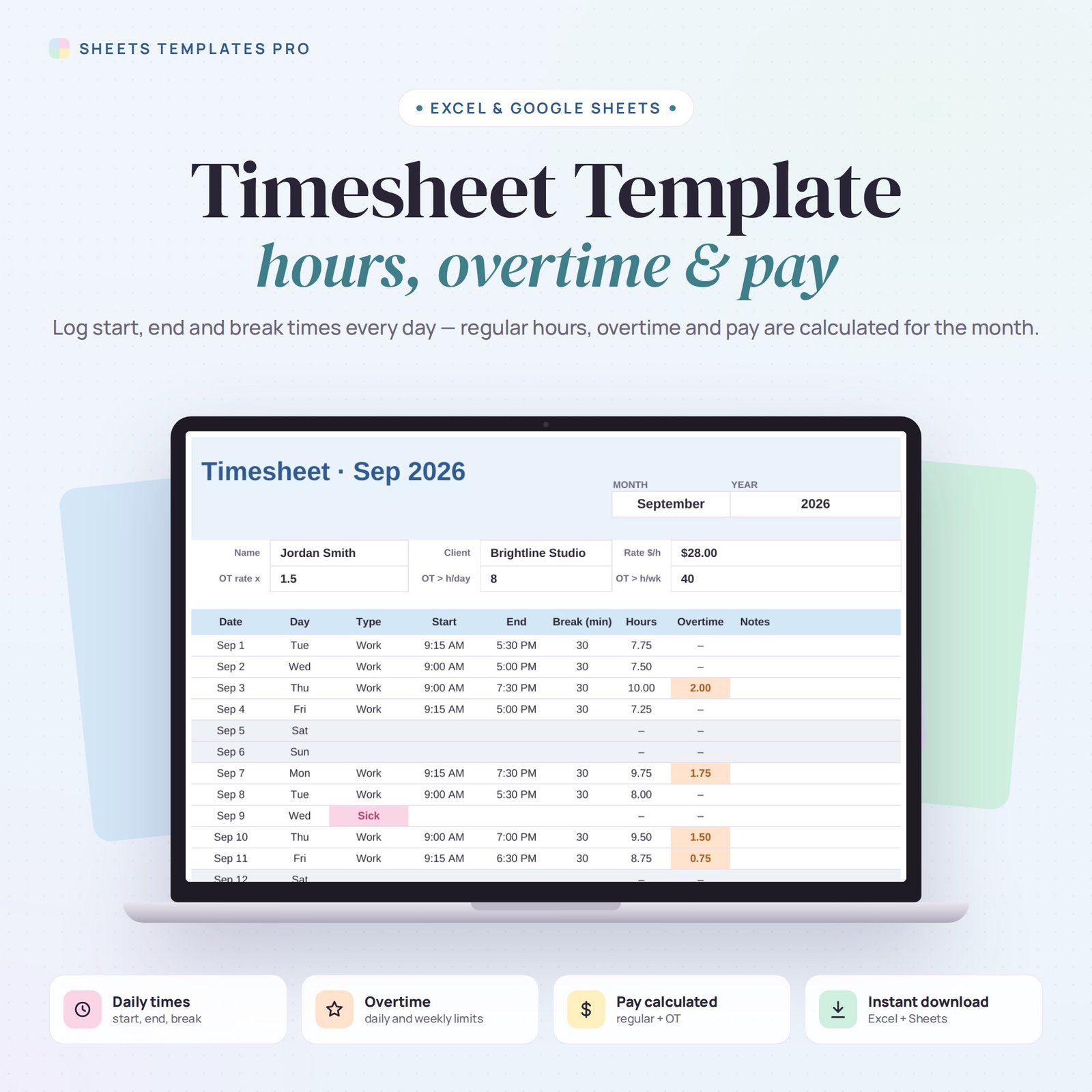
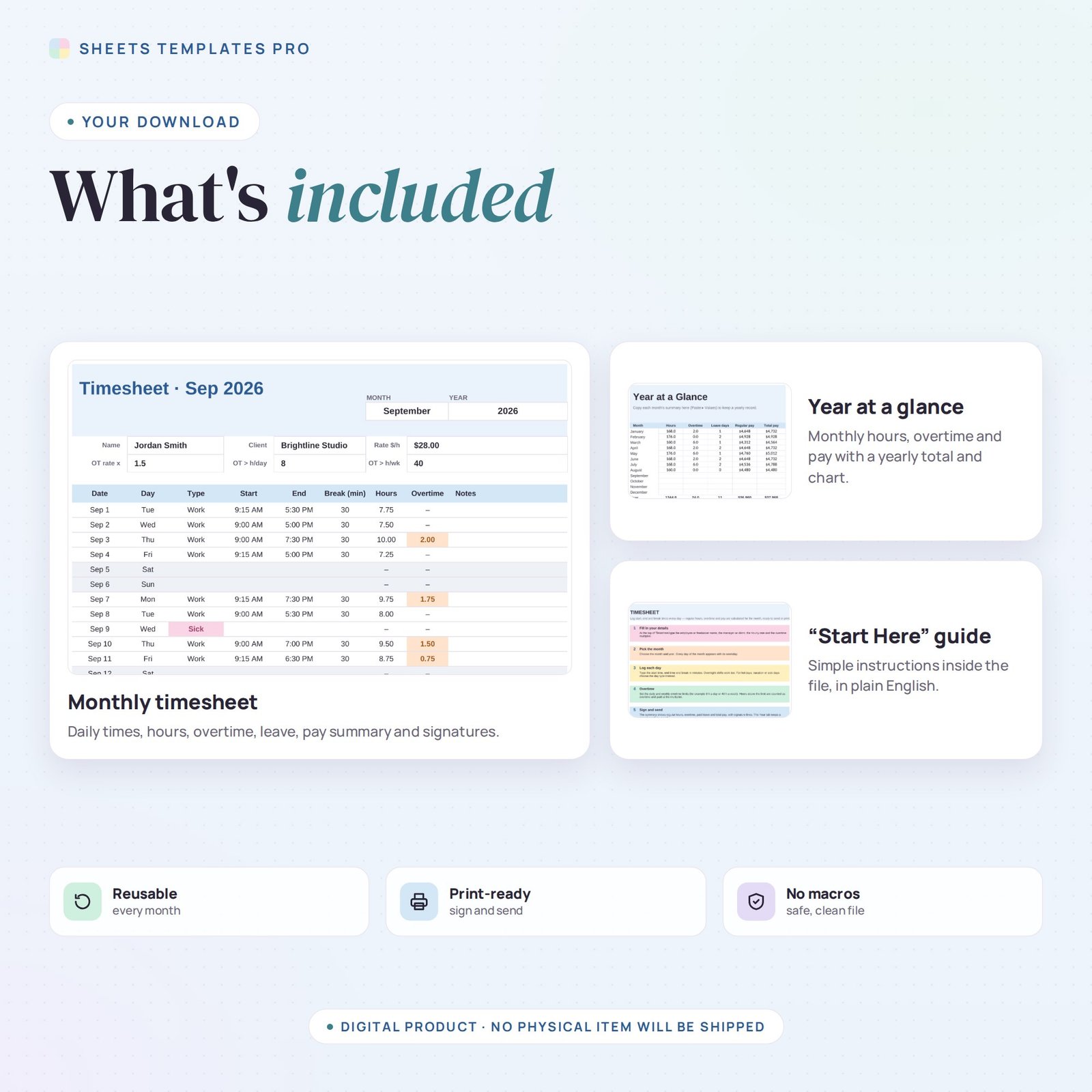
Record your hours once a day and let the spreadsheet do the payroll math. This timesheet template turns start, end and break times into total hours, overtime and pay for the month — with a summary and signature lines ready to send to your manager or client.
Who this template is for
- Hourly employees and contractors
- Small businesses tracking payroll hours
- Freelancers billing by the hour
Features
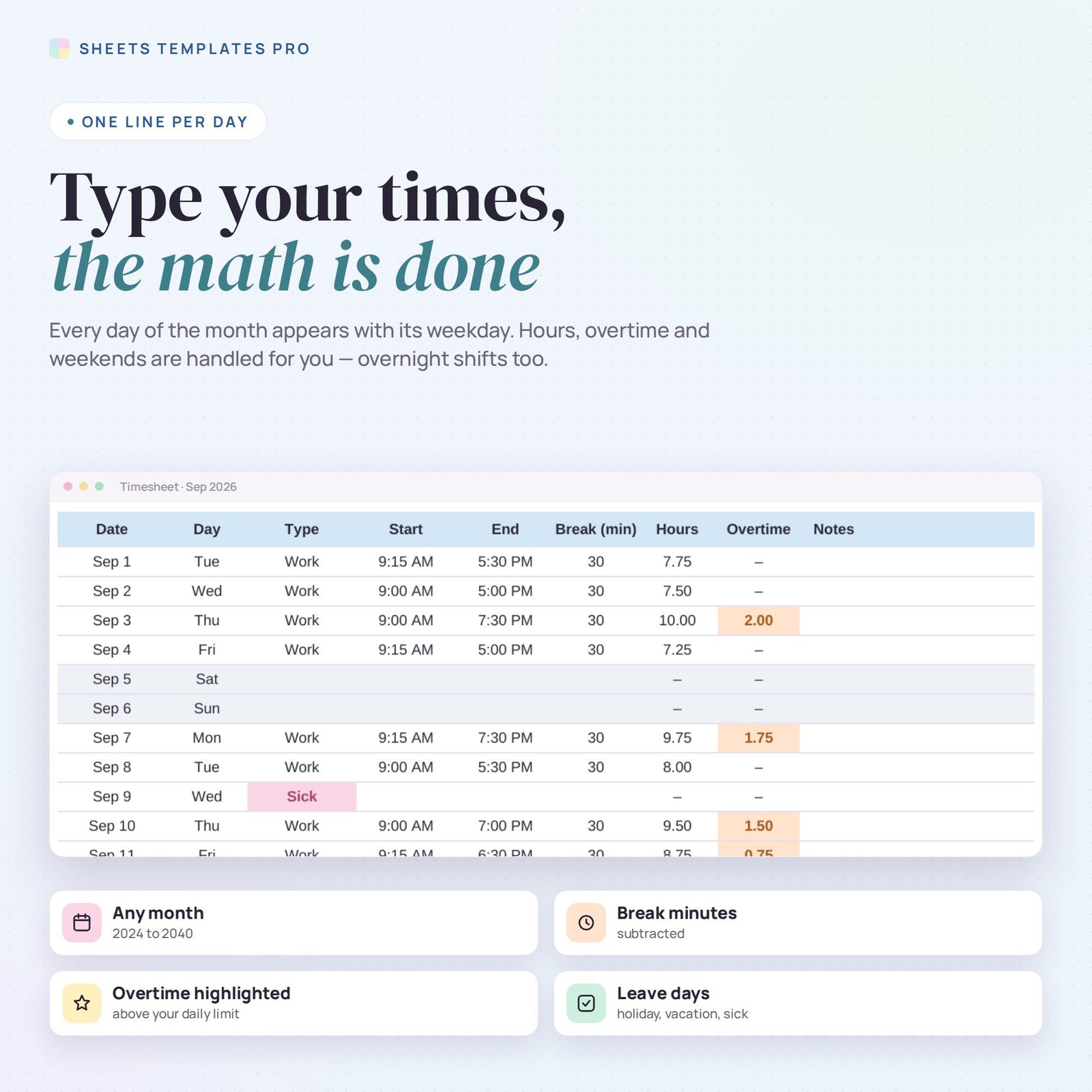
- Monthly timesheet: pick any month and year and every day appears with its weekday; weekends are shaded.
- Start, end and break for each day — hours are calculated, overnight shifts included.
- Day types: Work, Holiday, Vacation, Sick or Day off, color-coded.
- Overtime above your daily limit (and an estimate above your weekly limit), paid at your multiplier.
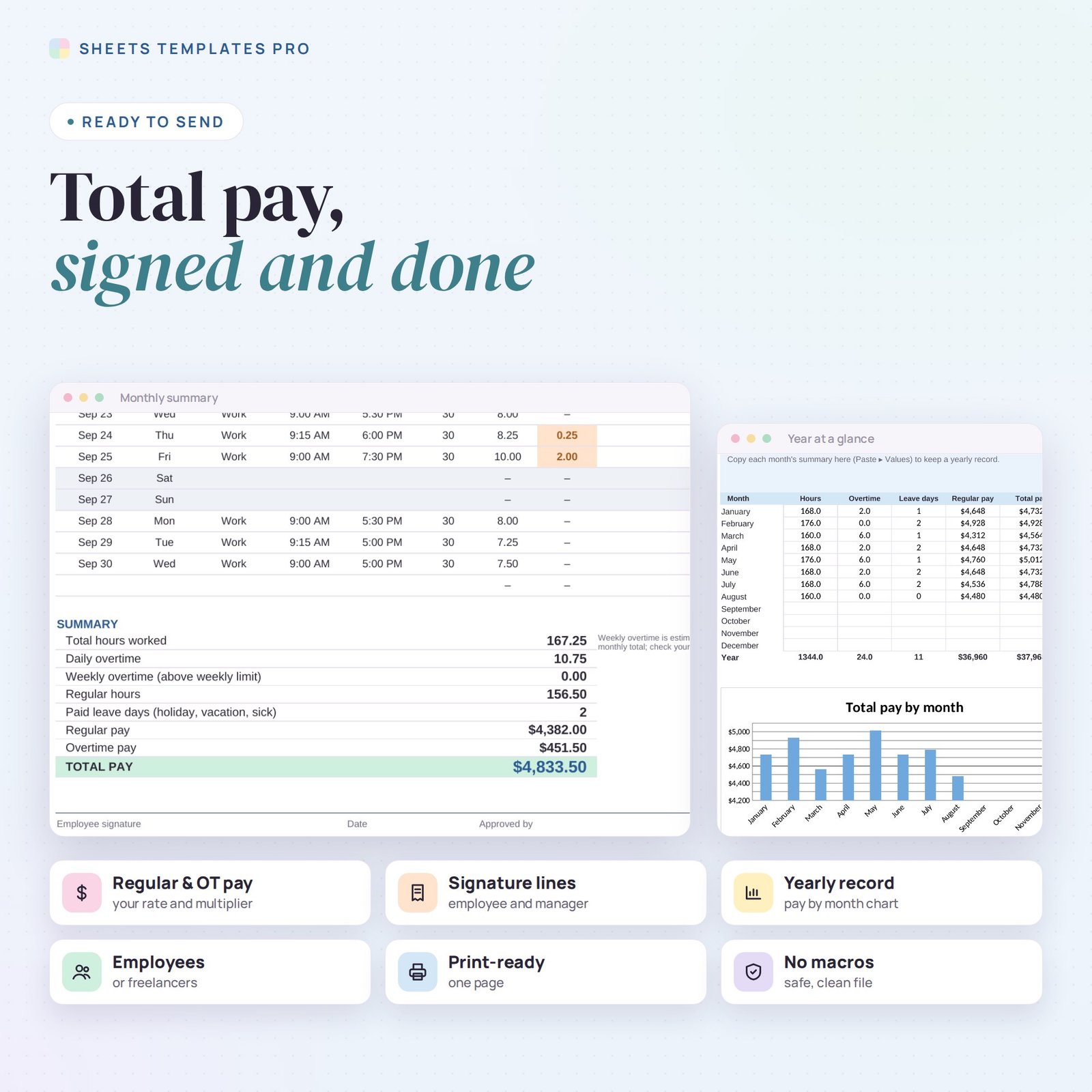
- Summary: total hours, overtime, regular hours, paid leave days, regular pay, overtime pay and total pay.
- Name, client or manager, hourly rate and signature lines. Year at a glance tab with a pay-by-month chart.
- Prints on one page. No macros.
How to use it
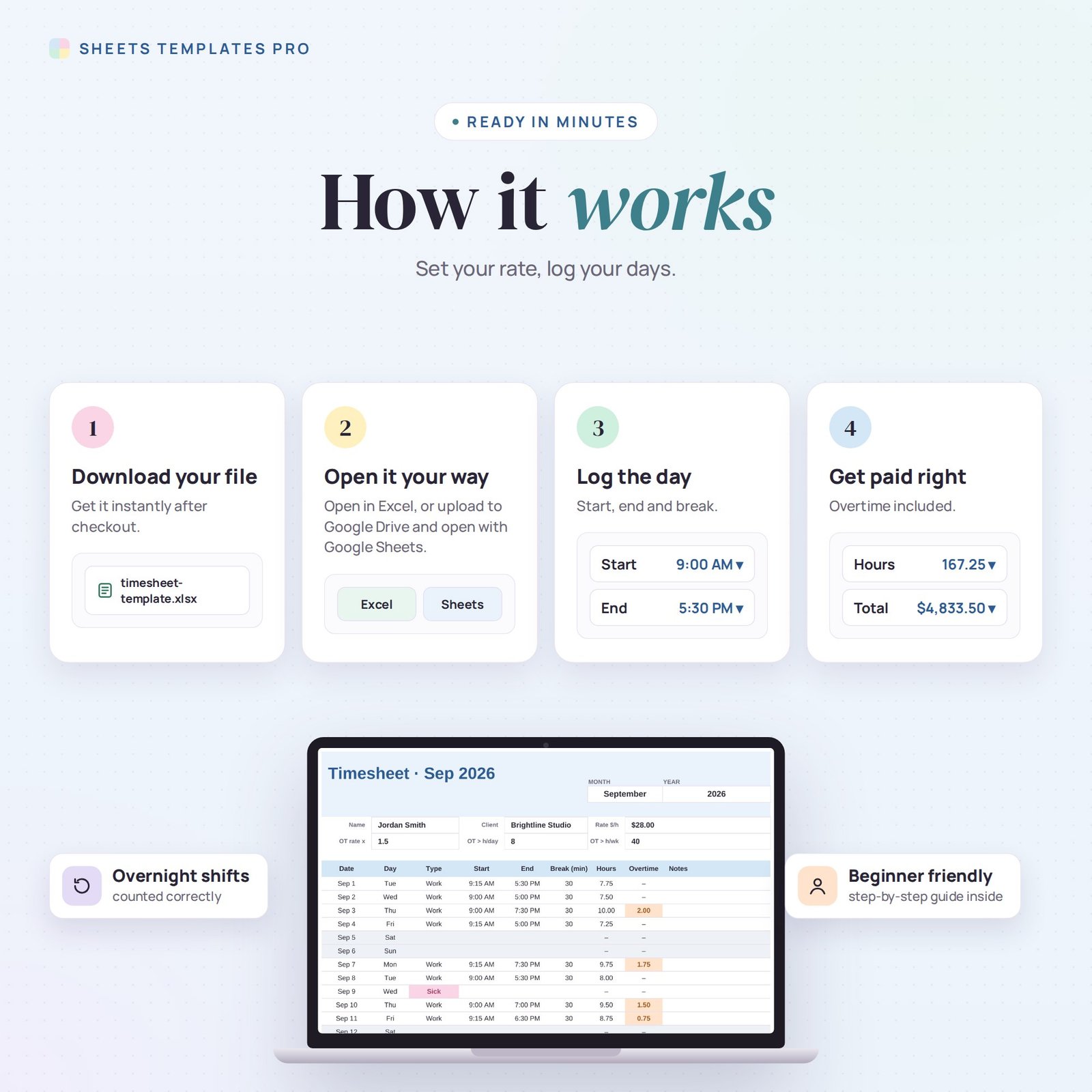
- Download the file and open it in Excel or upload it to Google Sheets.
- Fill in your name, rate and overtime rules, then pick the month.
- Log your times every day.
- Print or export the month, sign it and send it.
What’s included
- 1 .xlsx file with 3 tabs: Start Here, Timesheet and Year.
- An example month (clear it to start fresh).
Compatibility
Works in Microsoft Excel (desktop, Mac and Excel online) and Google Sheets. No add-ons or macros required.
FAQ
Is it for employees or freelancers?
Both. Employees can send it to a manager; freelancers can attach it to an invoice.
Does it handle night shifts?
Yes. If the end time is after midnight, hours are still calculated correctly.
Can I change the overtime rules?
Yes. Set your own daily and weekly limits and the overtime multiplier.
Does it work in the free version of Google Sheets?
Yes. Upload the .xlsx file to Google Drive and open it with Google Sheets. A free Google account is all you need.
Can I use it on a Mac, iPad or phone?
Yes. It works in Excel for Mac and Windows, Excel online and the Google Sheets app. For editing, a computer or tablet is the most comfortable.
How do I get the file?
Right after checkout you get a download link on the confirmation page and by email.
More templates like this: Employee & HR.
This is a digital product. No physical item will be shipped.

Reviews
There are no reviews yet.