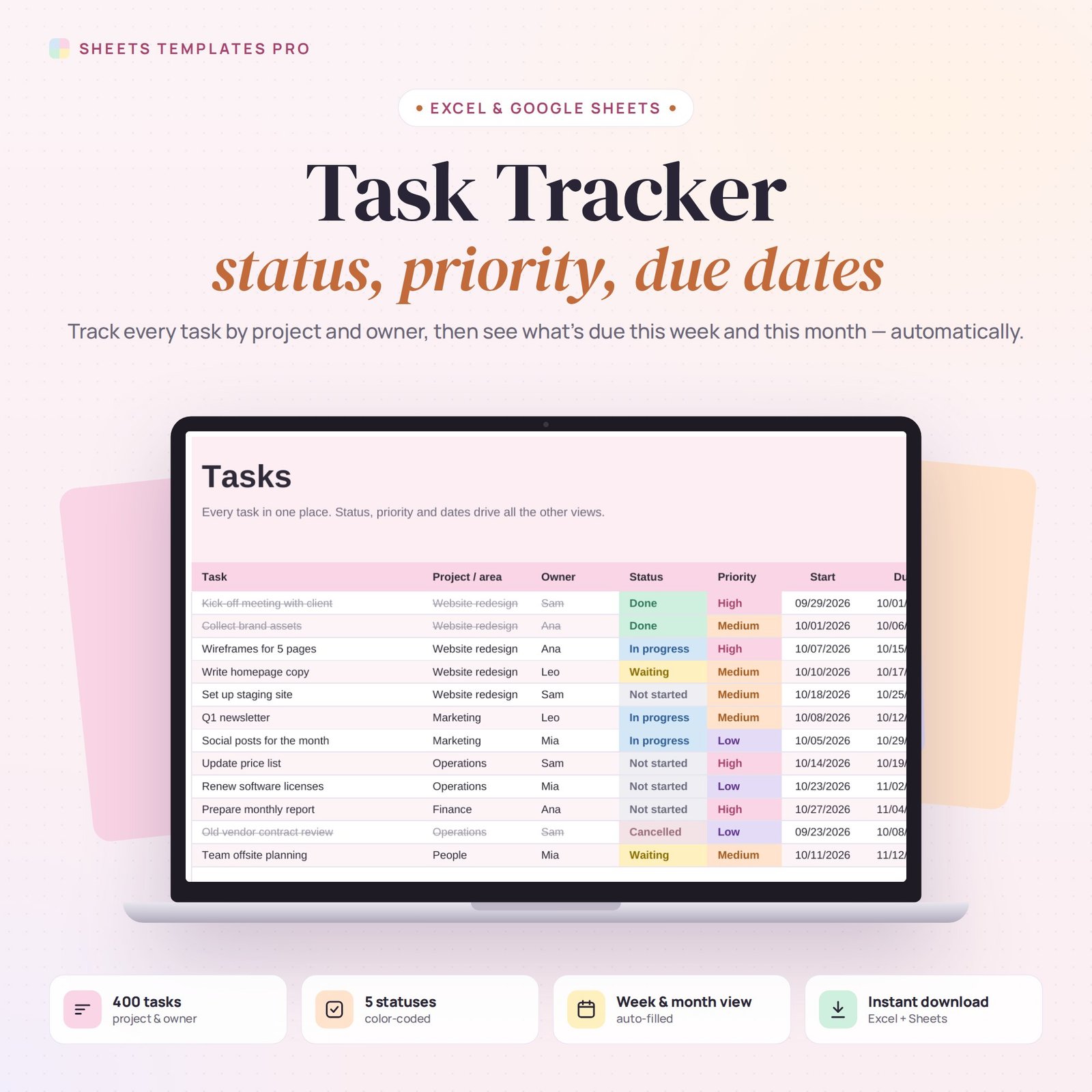
Keep every task, project and deadline under control. This task tracker template records status, priority, owner and dates for each task, then builds a weekly and monthly view of what’s due and a dashboard of where everything stands.
Who this template is for
- Small teams without project management software
- Freelancers managing client work
- Managers tracking assignments
Features
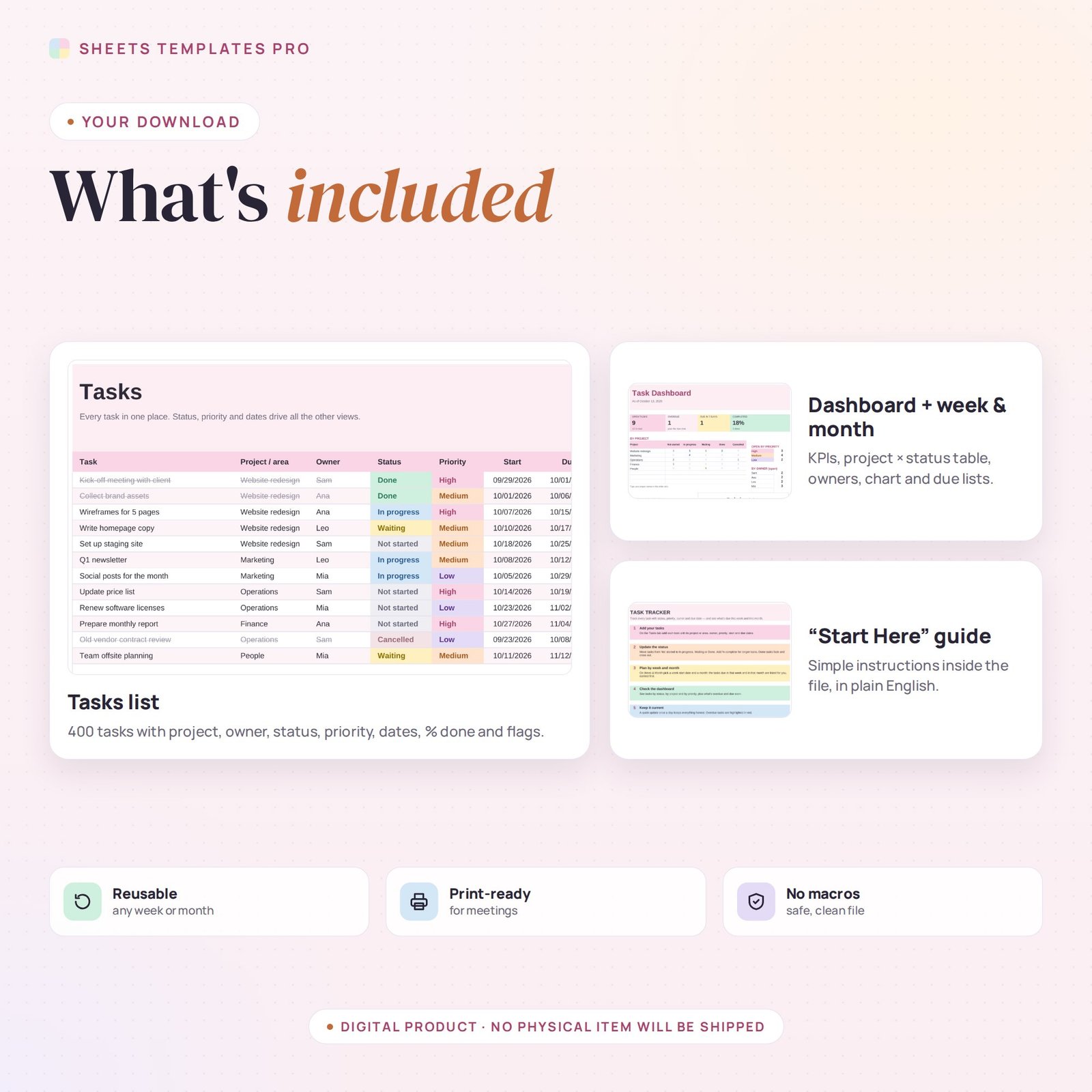
- Tasks list (400 lines): task, project or area, owner, status, priority, start and due dates, % done and notes.
- 5 color-coded statuses: Not started, In progress, Waiting, Done and Cancelled. Finished tasks cross out.
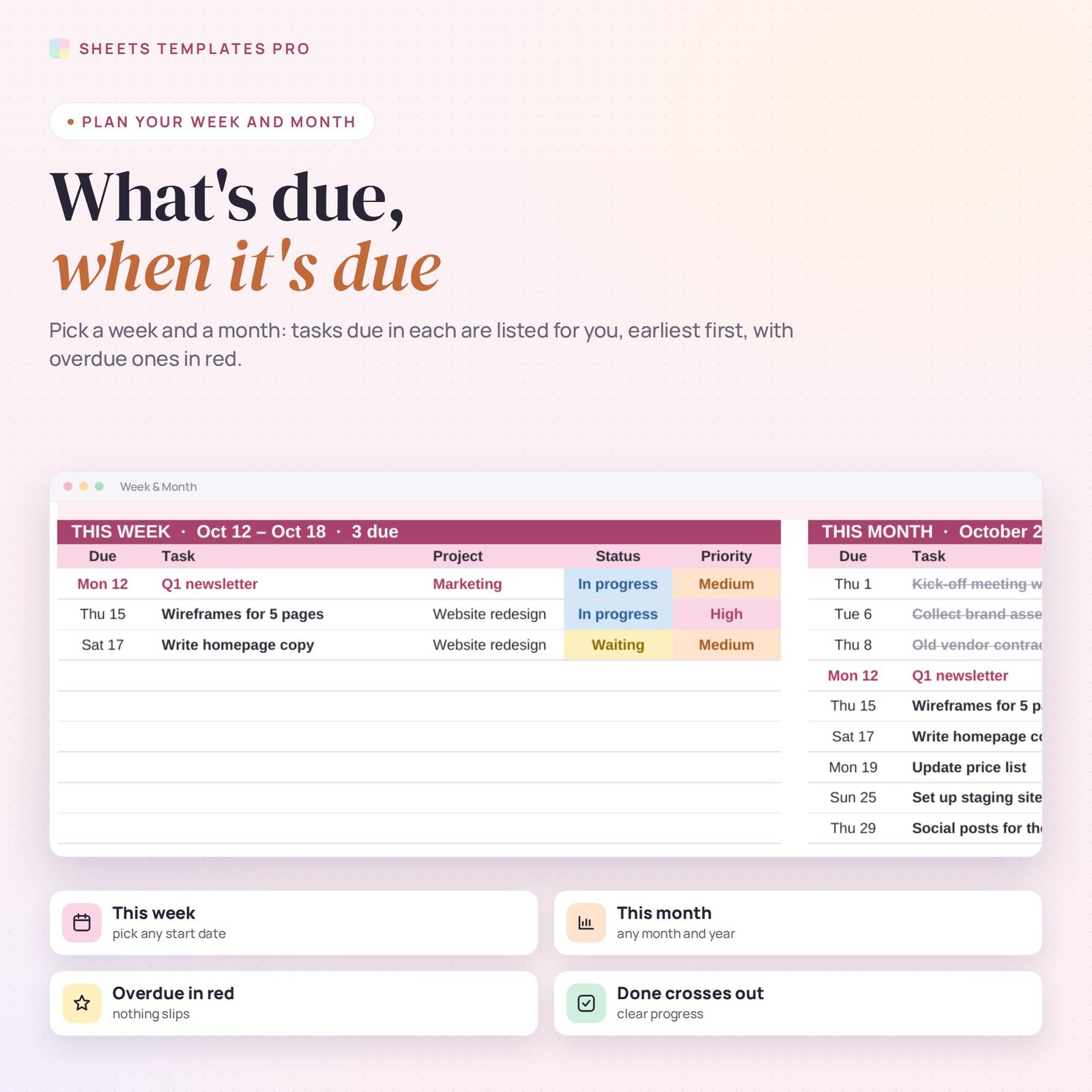
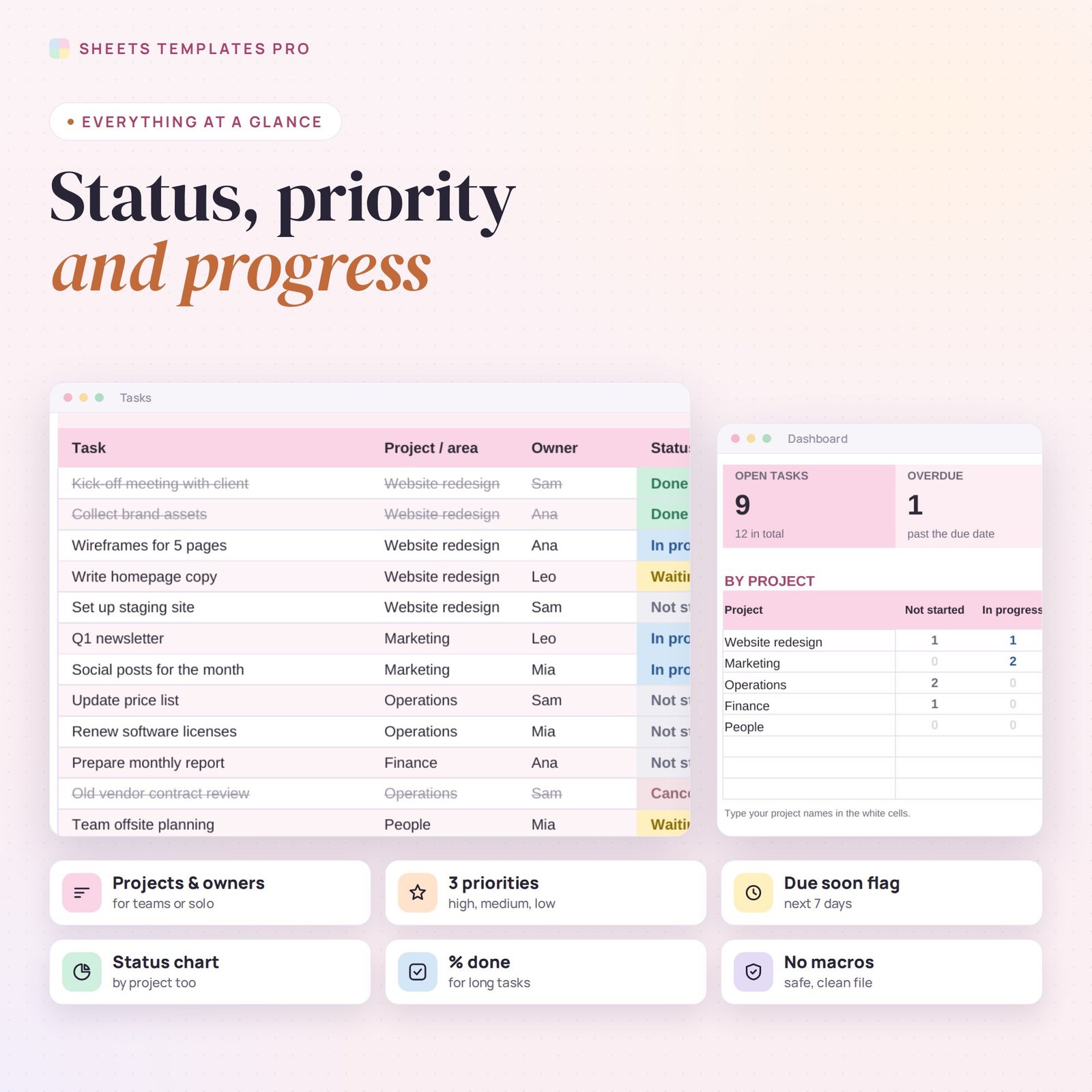
- Automatic flags for overdue tasks and tasks due in the next 7 days.
- Week & Month view: pick any week and any month to list the tasks due, earliest first.
- Dashboard: open, overdue, due soon and completed; a project × status table; open tasks by priority and owner; and a status chart.
- Date pickers, drop-downs, print-ready, no macros.
How to use it
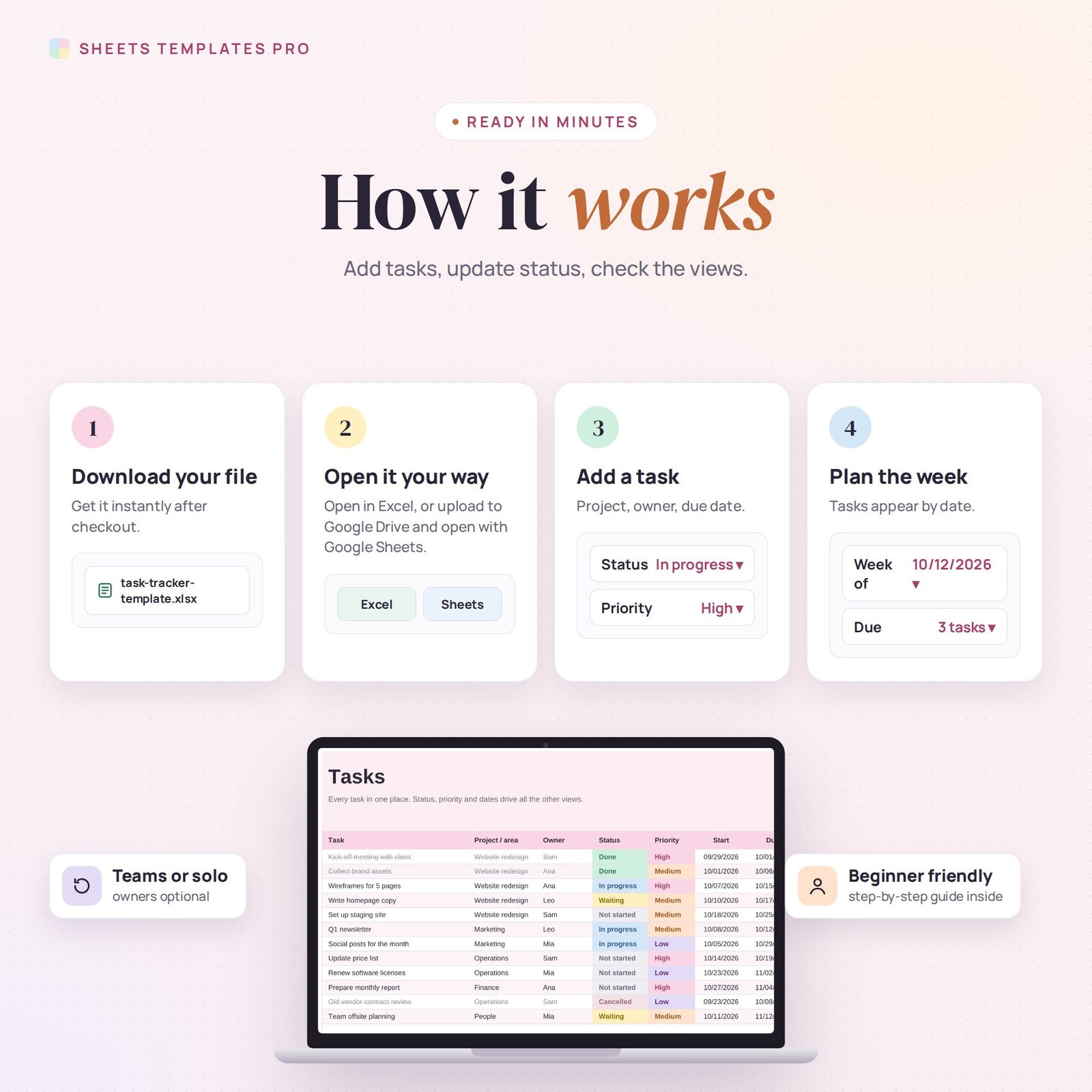
- Download the file and open it in Excel or upload it to Google Sheets.
- Add your tasks with project, owner, priority and due date.
- Update the status as work moves forward.
- Use Week & Month to plan and the Dashboard to review.
What’s included
- 1 .xlsx file with 4 tabs: Start Here, Dashboard, Week & Month and Tasks.
- Example tasks (delete them to start fresh).
Compatibility
Works in Microsoft Excel (desktop, Mac and Excel online) and Google Sheets. Share it in Google Sheets to track tasks as a team. No macros required.
FAQ
Is it for teams or individuals?
Both. Use the Owner column for a team, or leave it empty for personal tasks.
Can I rename projects?
Yes. Type any project name on the Tasks tab and add it to the project table on the Dashboard.
How many tasks fit?
Up to 400 tasks.
Does it work in the free version of Google Sheets?
Yes. Upload the .xlsx file to Google Drive and open it with Google Sheets. A free Google account is all you need.
Can I use it on a Mac, iPad or phone?
Yes. It works in Excel for Mac and Windows, Excel online and the Google Sheets app. For editing, a computer or tablet is the most comfortable.
How do I get the file?
Right after checkout you get a download link on the confirmation page and by email.
More templates like this: To-Do Lists & Task Planners.
This is a digital product. No physical item will be shipped.


Reviews
There are no reviews yet.