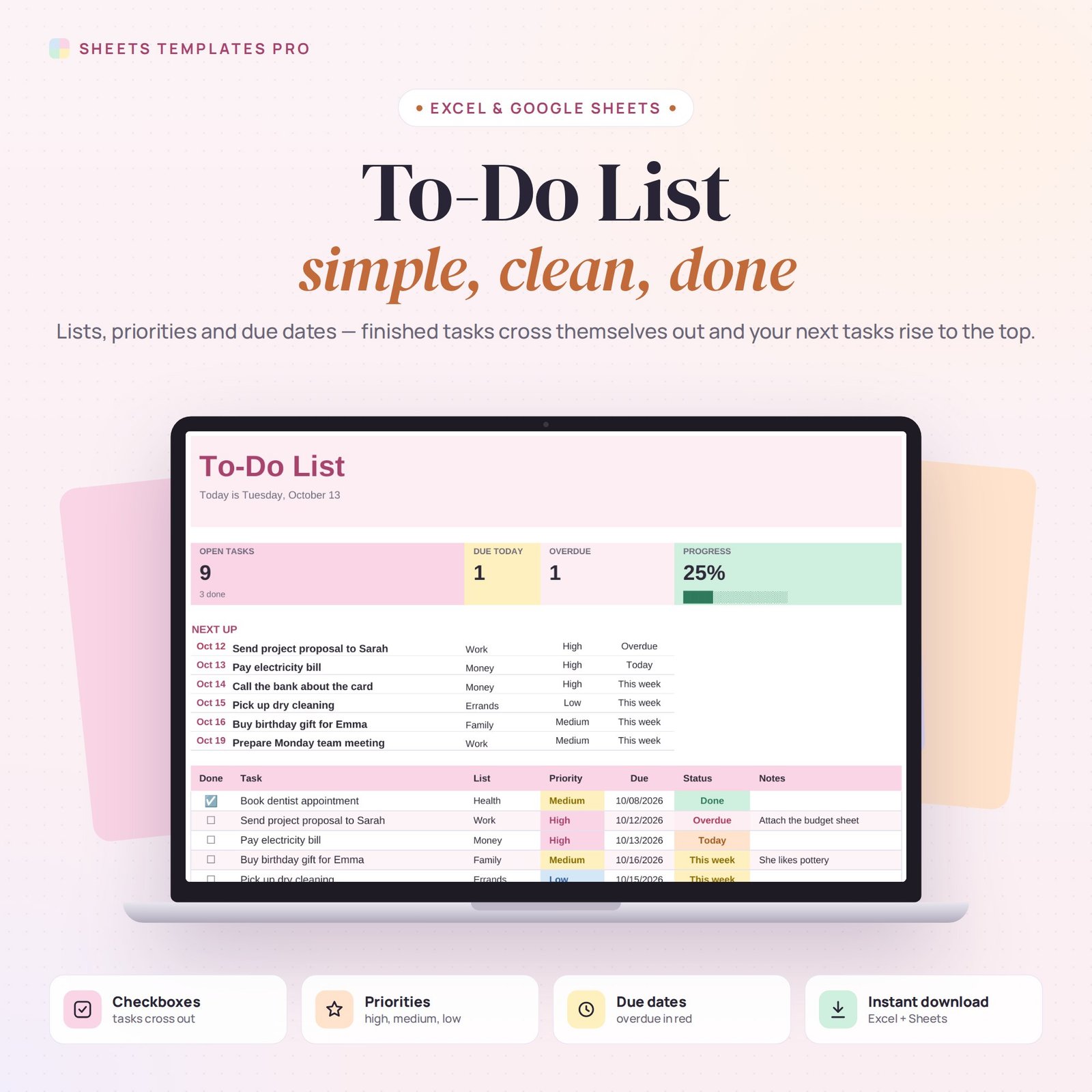
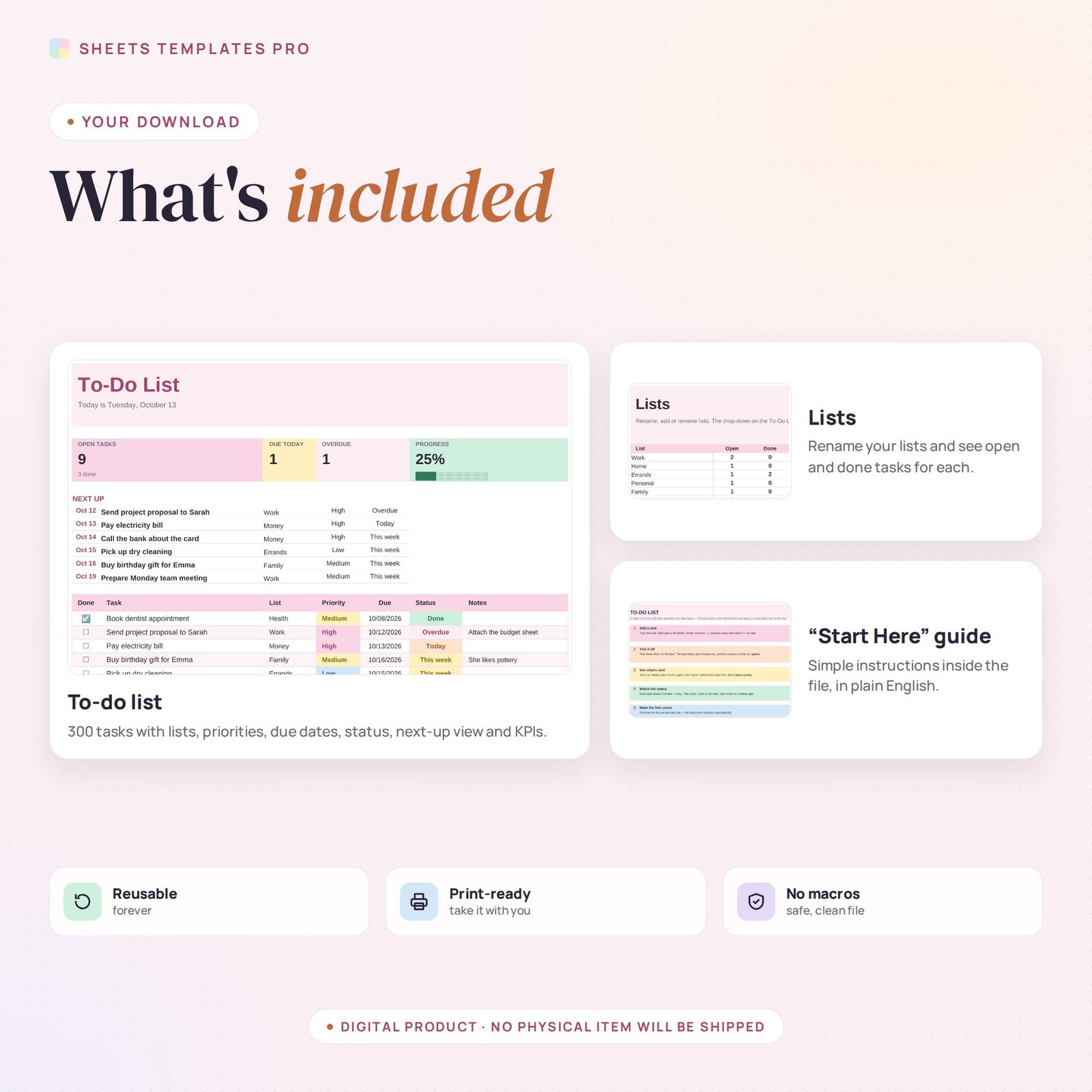
Get everything out of your head and into one tidy list. This to-do list template keeps tasks organized by list, priority and due date. Tick a task and it crosses itself out; your most urgent open tasks rise to the top automatically. Use it as a ready-made to do list template in Excel or Google Sheets.
Who this template is for
- Anyone who wants a simple, sortable task list
- Students and professionals juggling deadlines
- People who like checking things off
Features
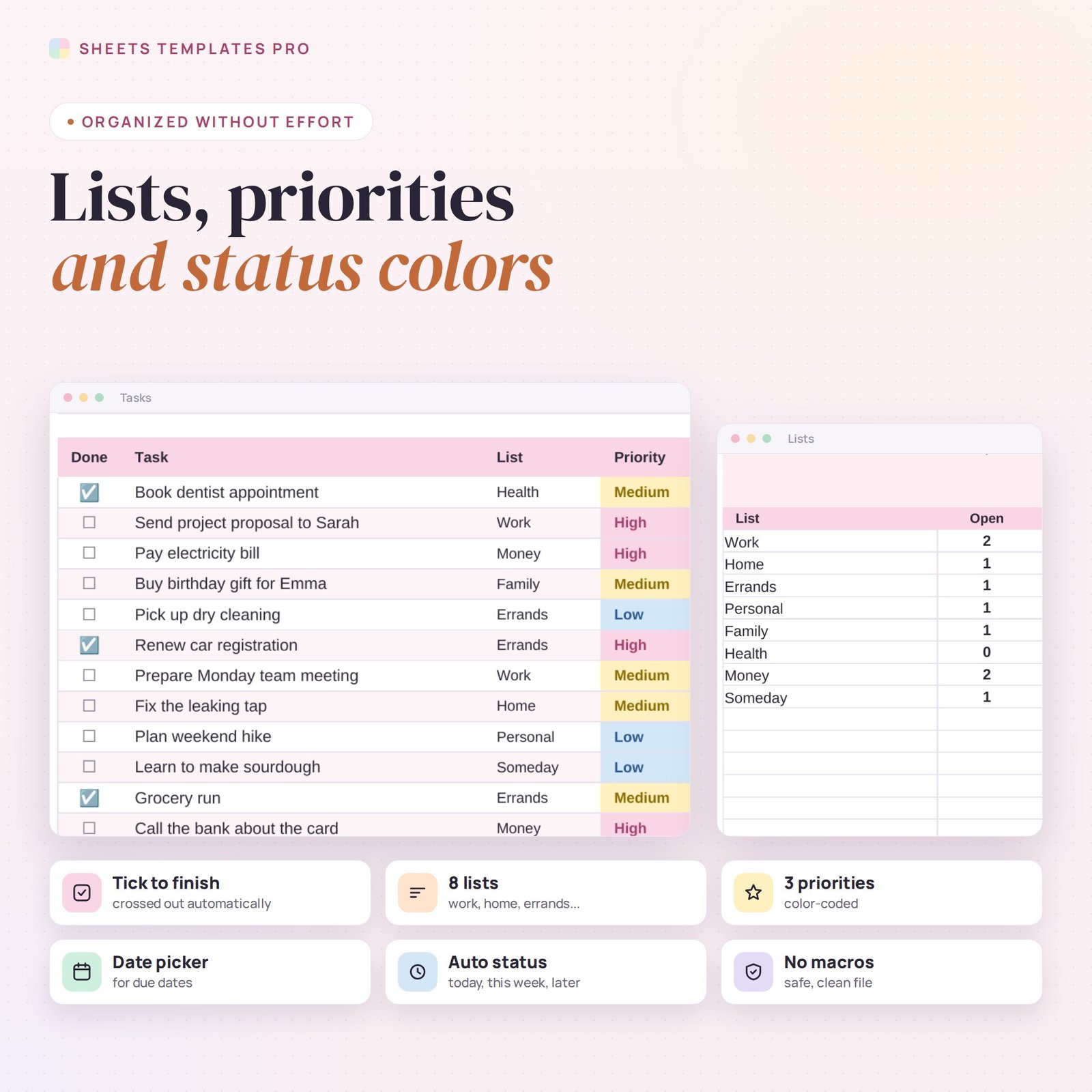
- 300 tasks with a Done checkbox, list, priority, due date and notes.
- Finished tasks cross out automatically.
- Automatic status: Overdue, Today, This week, Later, No date or Done — each in its own color.
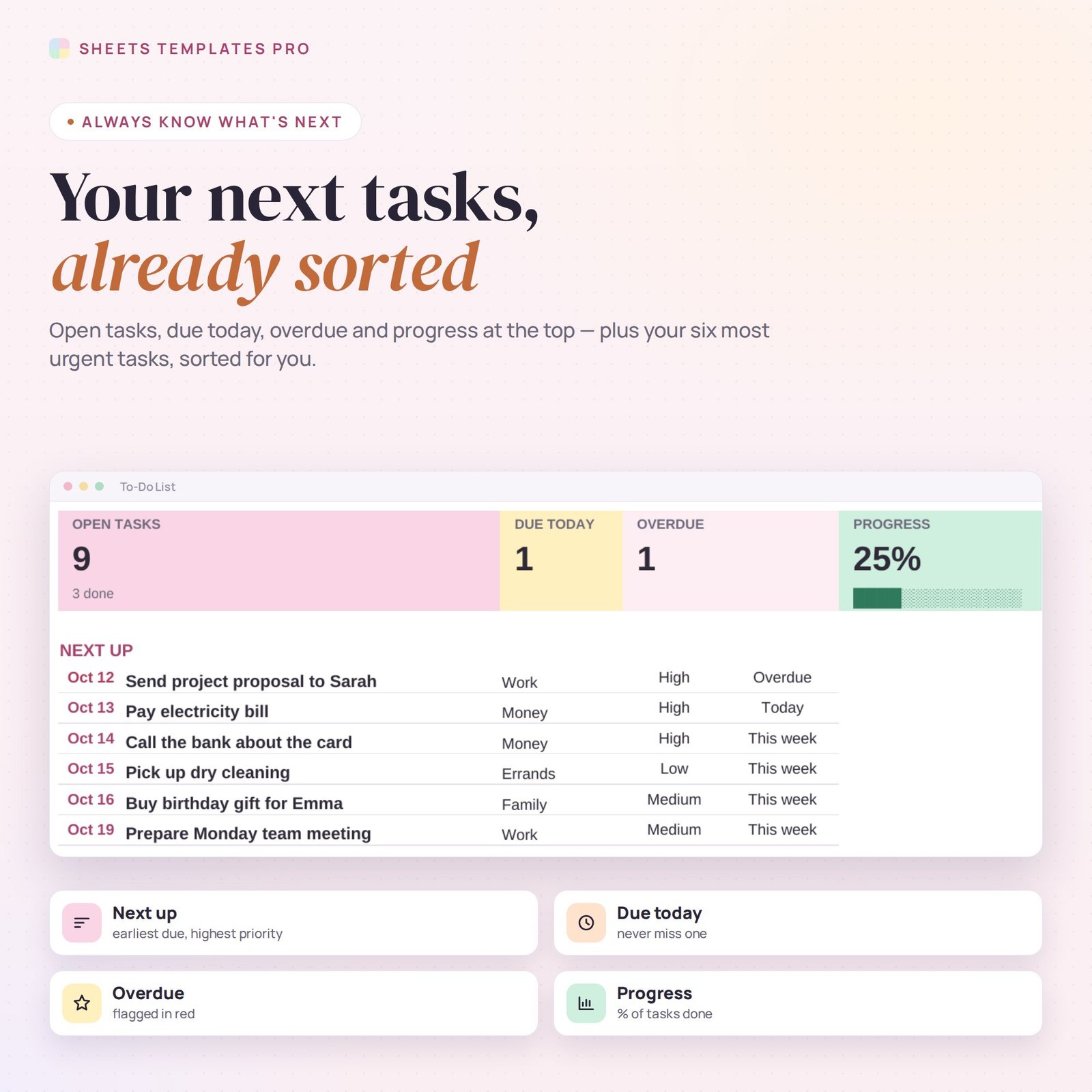
- Next up: your 6 most urgent open tasks, sorted by due date and then priority.
- Counters for open tasks, due today, overdue and a progress bar.
- Editable lists (Work, Home, Errands, Personal…) with open and done counts per list.
- Date pickers and drop-downs, print-ready, no macros.
How to use it
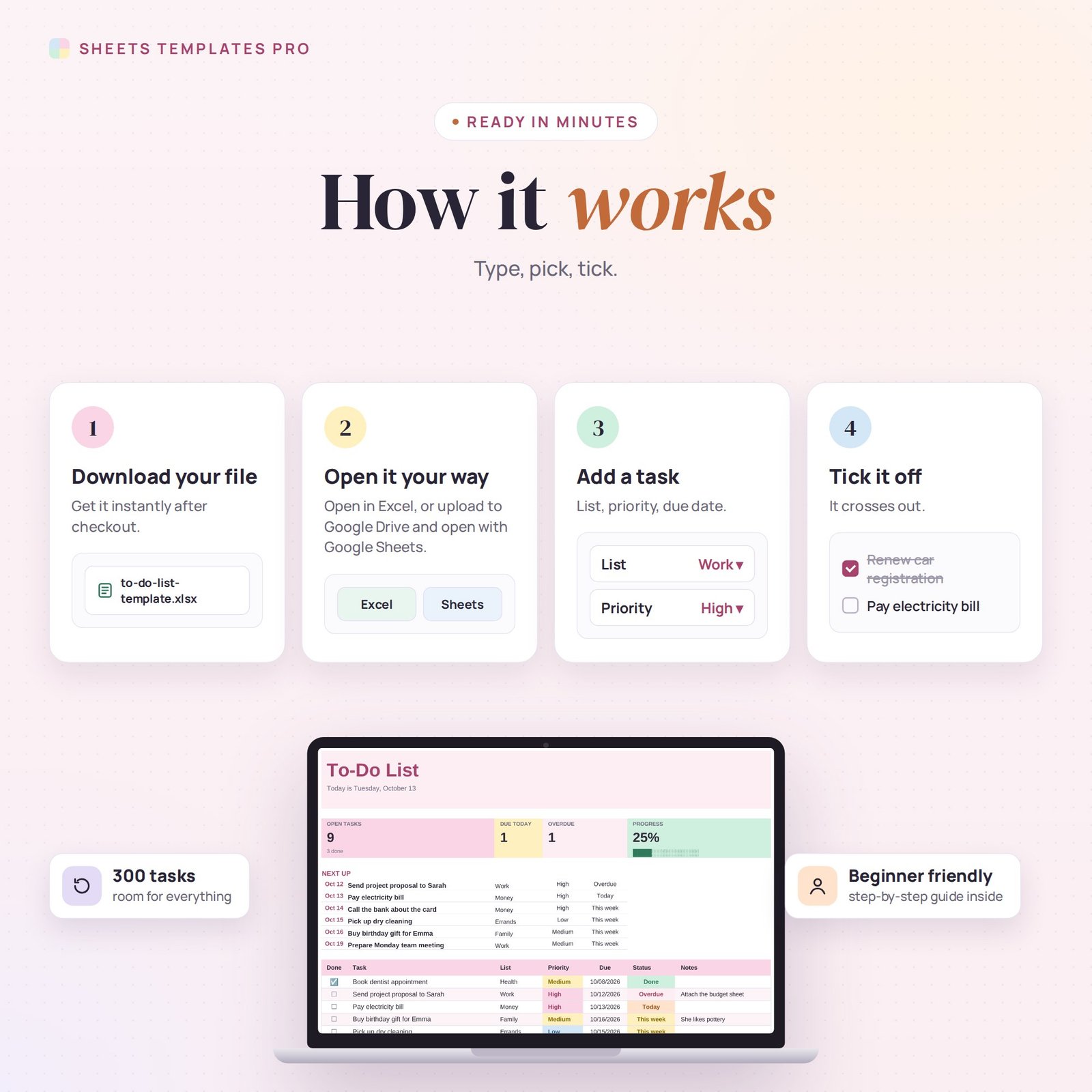
- Download the file and open it in Excel or upload it to Google Sheets.
- Type a task and choose its list, priority and due date.
- Tick Done when it’s finished.
- Start each day with the Next up section.
What’s included
- 1 .xlsx file with 3 tabs: Start Here, To-Do List and Lists.
- Example tasks to show how it works (delete them to start fresh).
Compatibility
Works in Microsoft Excel (desktop, Mac and Excel online) and Google Sheets. No add-ons or macros required.
FAQ
Can I change the lists?
Yes. Rename, add or remove lists on the Lists tab and the drop-down updates.
Can I use it on my phone?
Yes. Upload it to Google Sheets and use the Google Sheets app to tick tasks on the go.
What happens to finished tasks?
They stay in the list, crossed out and faded, so you can see what you’ve done. Delete the rows whenever you like.
Does it work in the free version of Google Sheets?
Yes. Upload the .xlsx file to Google Drive and open it with Google Sheets. A free Google account is all you need.
Can I use it on a Mac, iPad or phone?
Yes. It works in Excel for Mac and Windows, Excel online and the Google Sheets app. For editing, a computer or tablet is the most comfortable.
How do I get the file?
Right after checkout you get a download link on the confirmation page and by email.
More templates like this: To-Do Lists & Task Planners.
This is a digital product. No physical item will be shipped.


Reviews
There are no reviews yet.