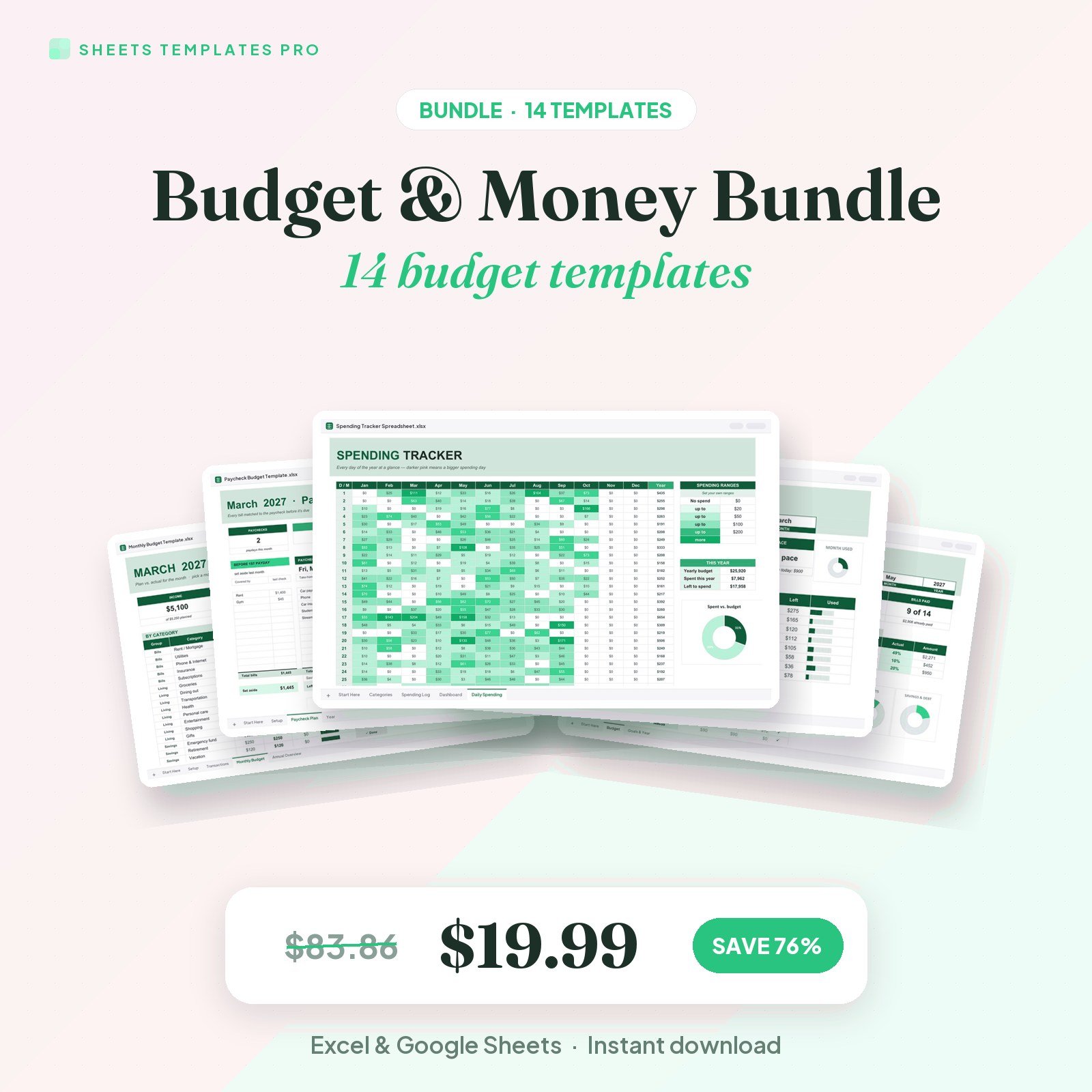

What’s in the Budget & Money Bundle
Every budget template you need: monthly and paycheck budgets, spending and left-to-spend trackers, savings goals, sinking funds, debt snowball, net worth, loan amortization and subscriptions. Buying them one by one costs .86; this bundle costs .99 (save 76%).
What’s inside the Budget Planner Bundle
Take a look inside the budget planner bundle before you buy. Every screenshot below comes from the real file, with the example data that is included.

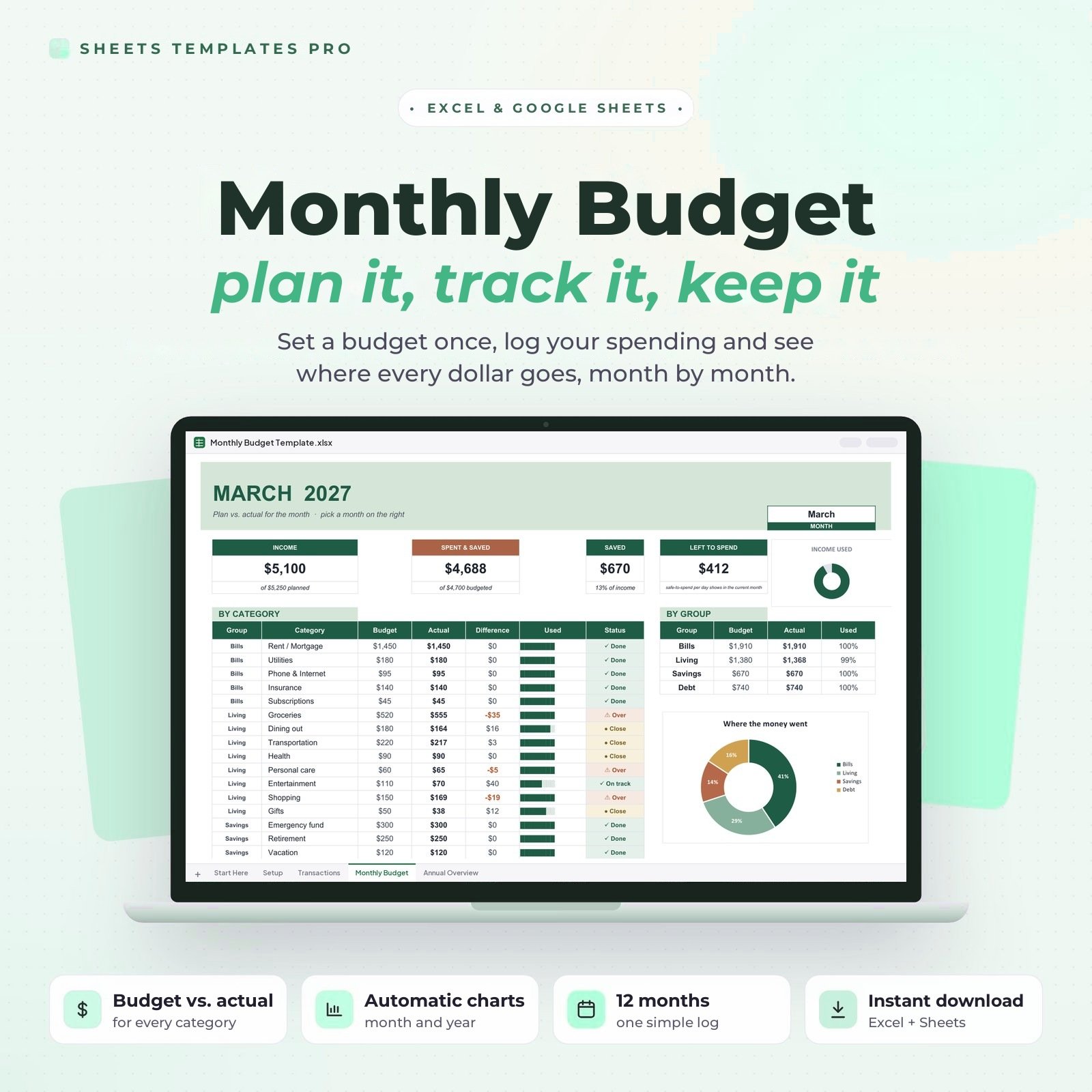
- Monthly Budget Template – A monthly budget template for Excel and Google Sheets: plan each category, log your spending and see budget vs. actual, savings and what's left to spend, with charts and a yearly overview.
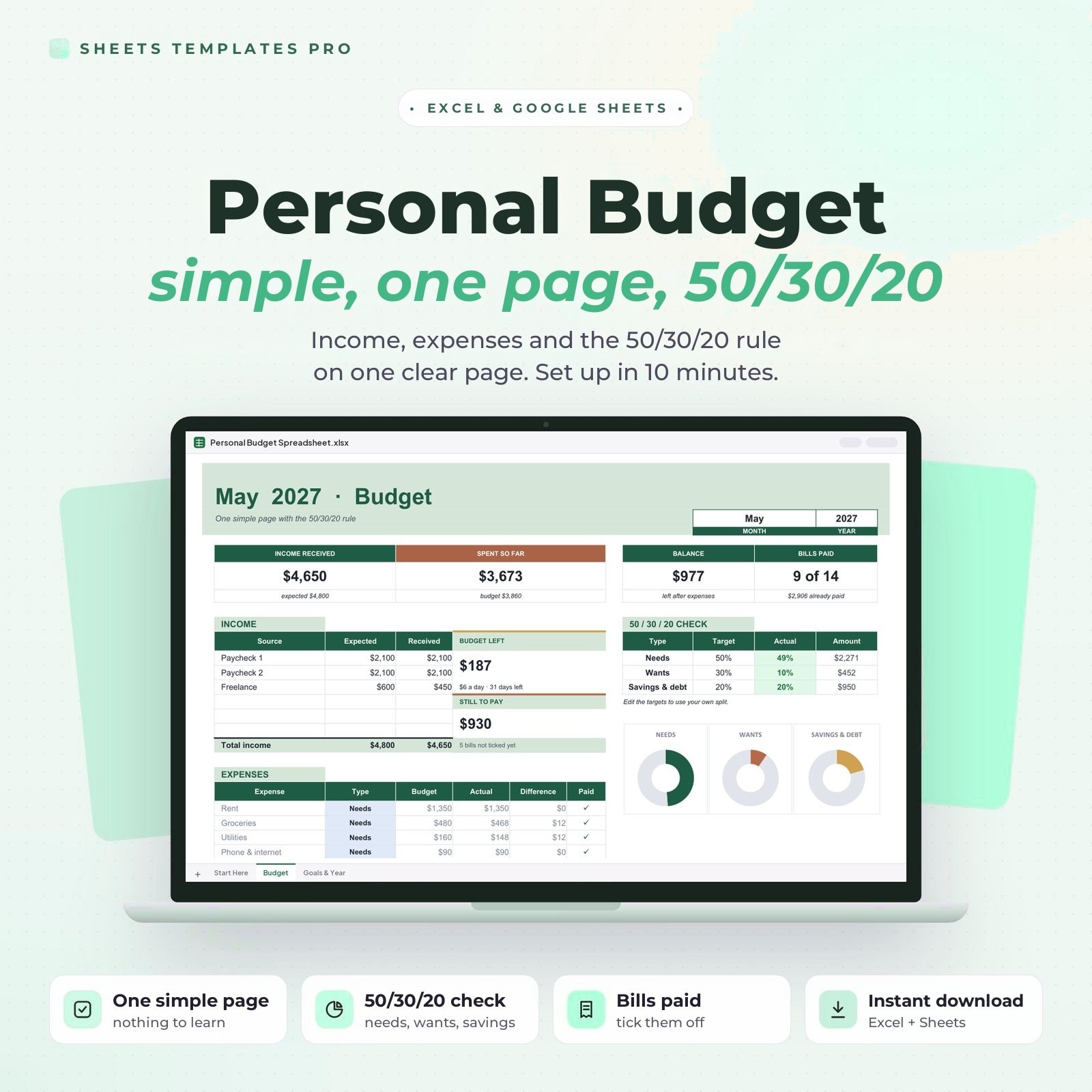
- Personal Budget Spreadsheet – A simple personal budget spreadsheet for Excel and Google Sheets: income, expenses, paid bills and a 50/30/20 check on one page.
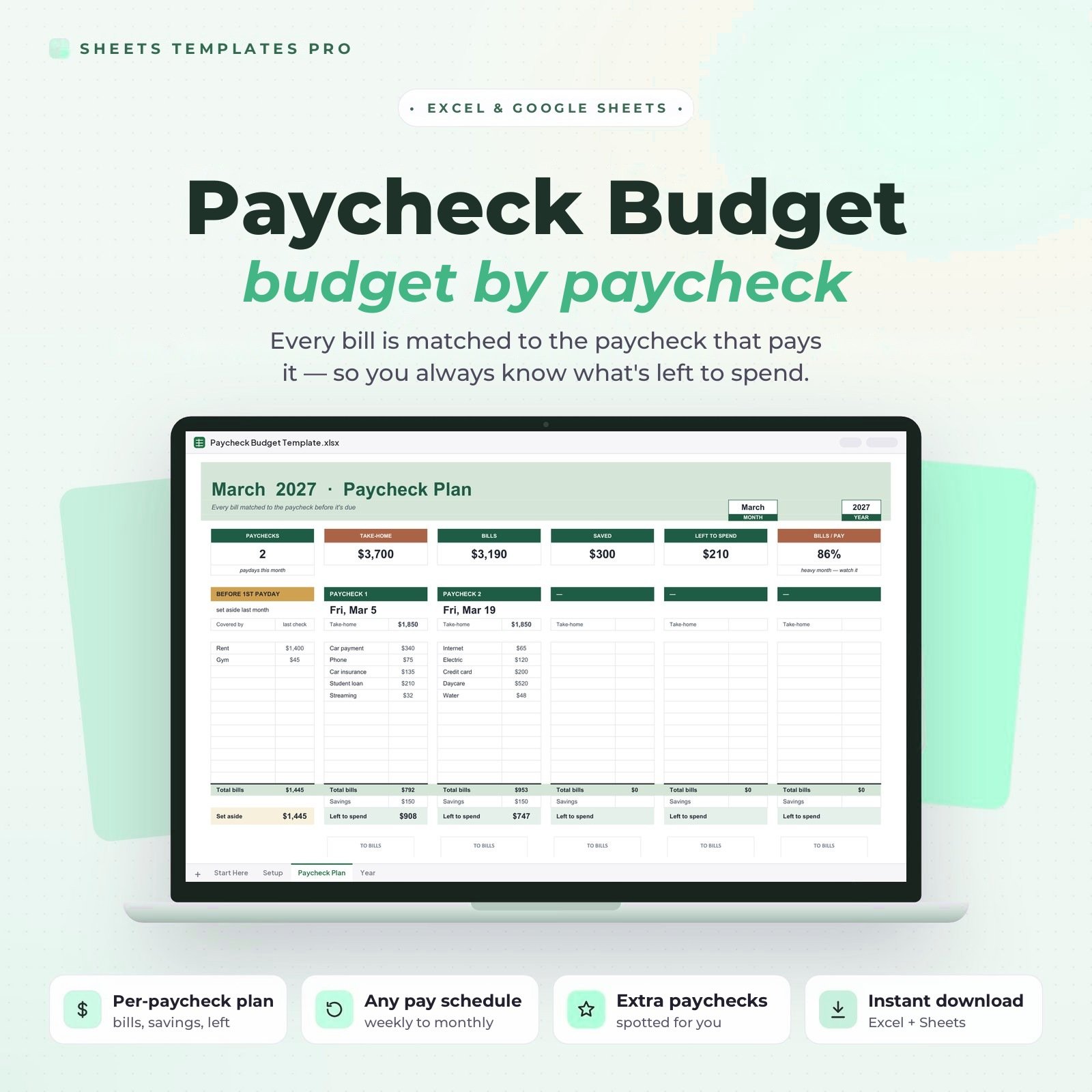
- Paycheck Budget Template – A paycheck budget template for Excel and Google Sheets: bills matched to each payday, savings and left to spend per paycheck, for any pay schedule.
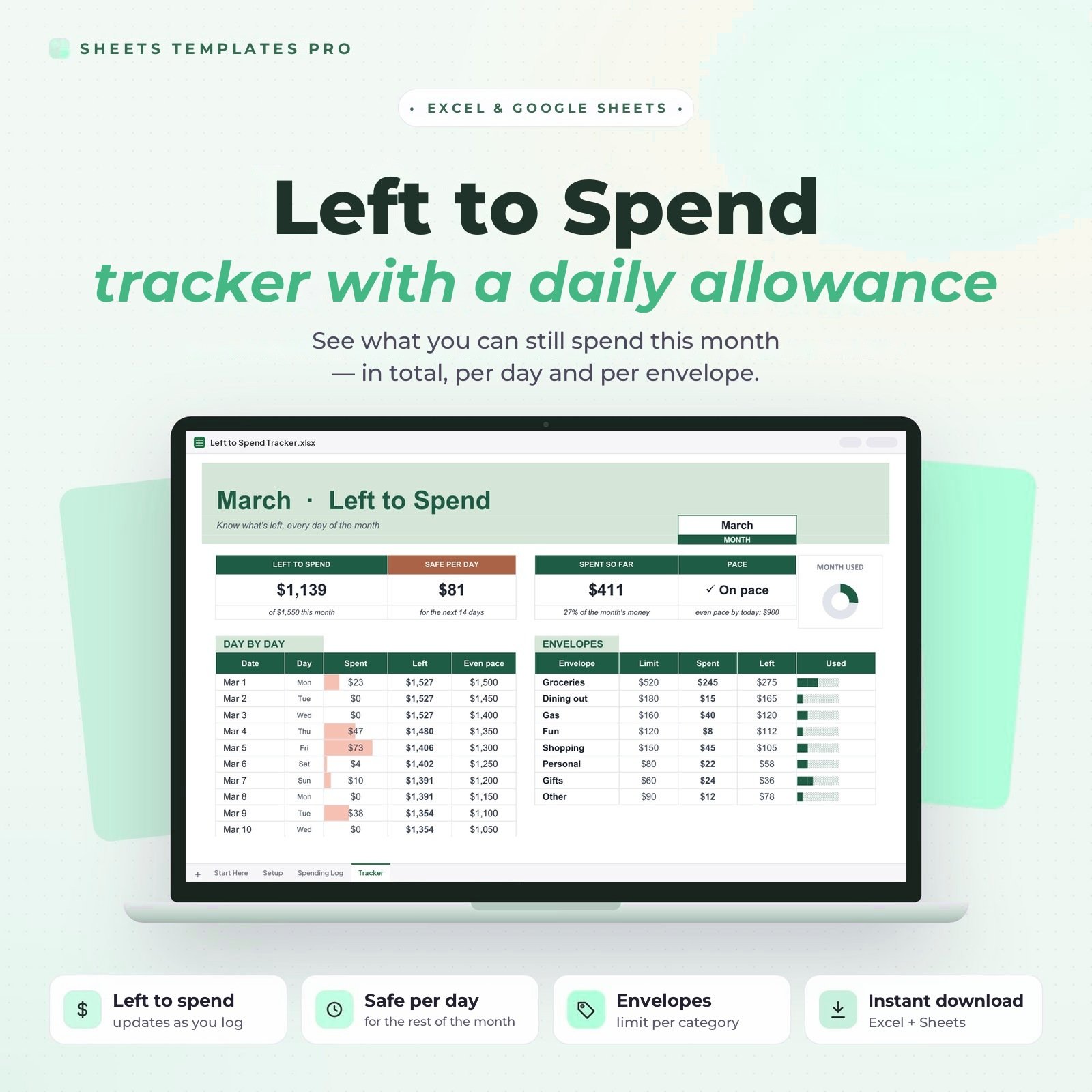
- Left to Spend Tracker – A left to spend tracker for Excel and Google Sheets: see what's left this month, a safe amount per day, envelope balances and your spending pace.
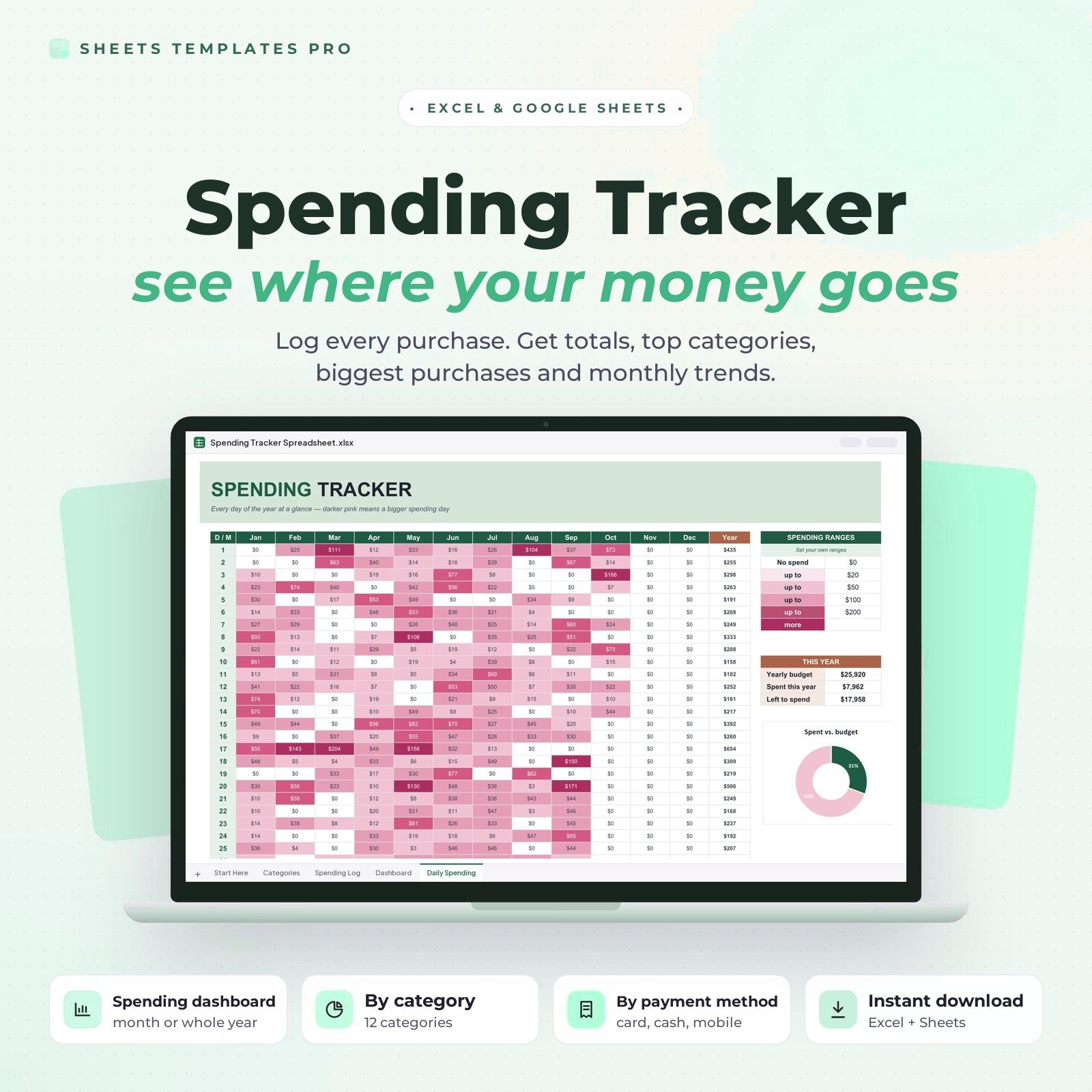
- Spending Tracker Spreadsheet – A spending tracker spreadsheet for Excel and Google Sheets: log purchases and see totals, categories, payment methods, top purchases and monthly trends.
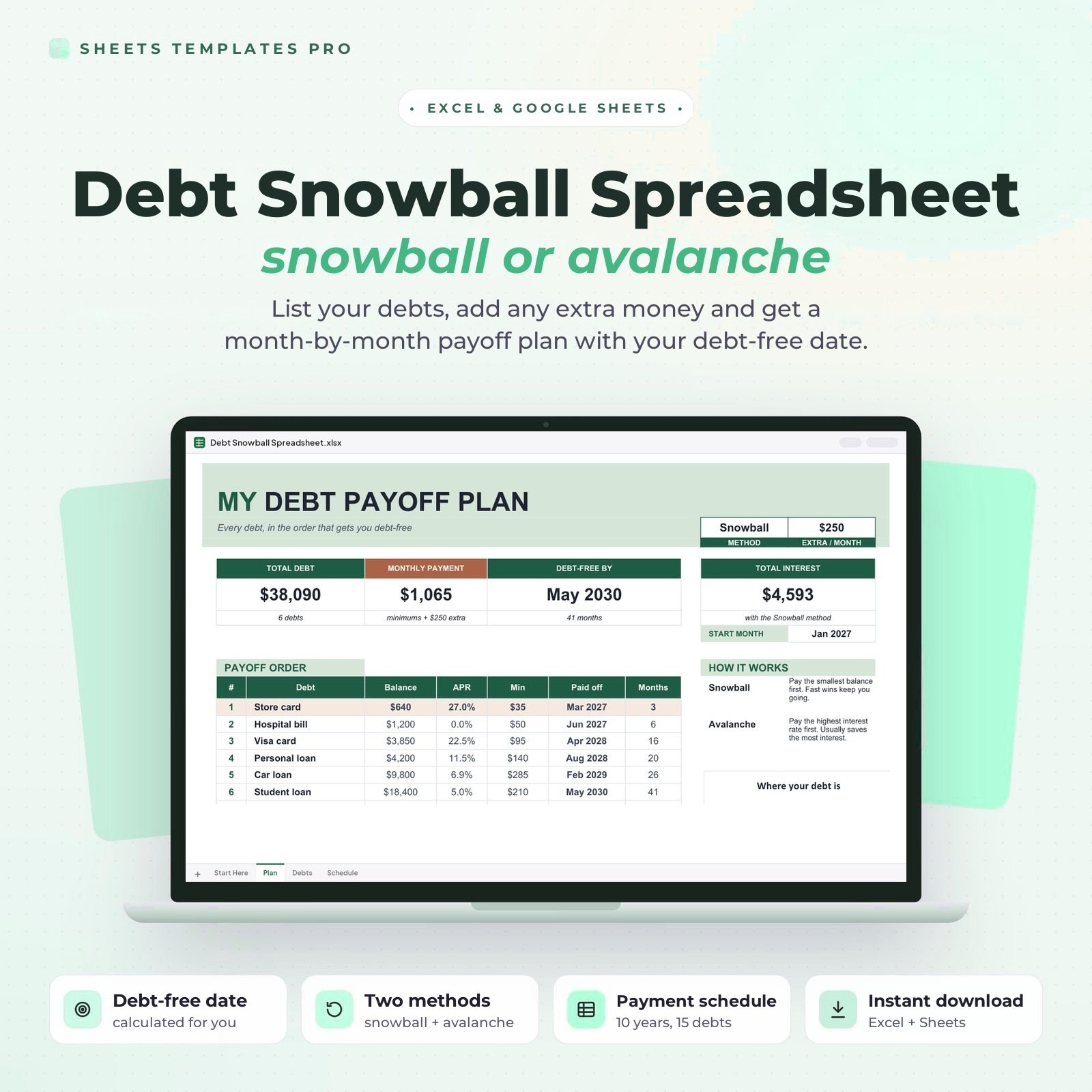
- Debt Snowball Spreadsheet – List your debts, choose Snowball or Avalanche, add extra money and get your payoff order, monthly payment schedule and debt-free date. Excel and Google Sheets.
- Savings Goal Tracker – Set up to 10 savings goals, log deposits and watch progress bars fill up. See what is left, the monthly amount needed and if each goal is on track. Excel and Google Sheets.
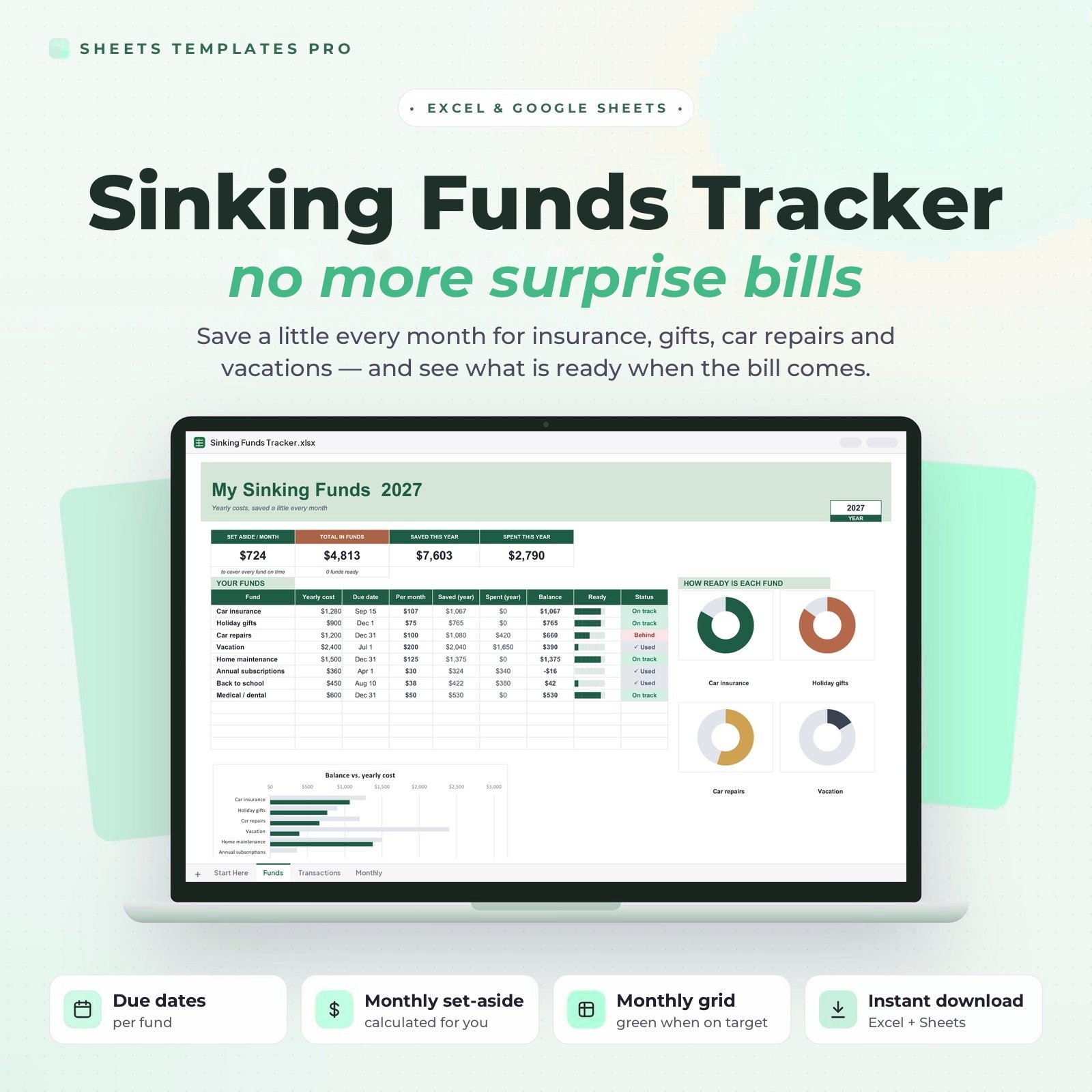
- Sinking Funds Tracker – Split yearly bills into small monthly amounts, log deposits and spending, and see how ready each fund is before the due date. Excel and Google Sheets.
- Net Worth Tracker – List your assets and debts, update balances once a month and see your net worth, monthly change, category breakdown and a 24-month trend chart. Excel and Google Sheets.
- Loan Amortization Schedule Excel Template – Enter any loan and get the payment, full amortization schedule, total interest, payoff date and the savings from extra payments. Excel and Google Sheets.
- Subscription Tracker Template – List every subscription, see the true monthly and yearly cost, track renewal dates automatically and see what you save by cancelling. Excel and Google Sheets.
- Weekly Budget Template – Budget week by week: set a weekly amount for each category, log what you spend and always know what's left — today and for the whole year. For Excel and Google Sheets — instant download.
- 50/30/20 Budget Template – The 50/30/20 rule made simple: half your take-home pay for needs, 30% for wants and 20% for savings. Log what you spend and see how close you are each month. For Excel and Google Sheets — instant download.
- Zero-Based Budget Template – Give every dollar a job: assign your income to categories until "left to assign" reaches $0, then track what you actually spend in each one. For Excel and Google Sheets — instant download.
Why get the bundle
- Everything connected: every template has a Start Here guide, drop-downs, colored checkboxes and dashboards with charts that update as you type.
- Excel and Google Sheets: open the .xlsx in Microsoft Excel (desktop, Mac or web) or upload it to Google Drive and open it with Google Sheets.
- No macros, no subscriptions: one payment, yours to keep and reuse every year.
- Instant download: all files are available right after checkout and in your account.
Frequently asked questions
Do I get every file in the bundle?
Yes. After checkout you can download all 14 templates from the order page and from My Account → Downloads.
Do the templates work in Google Sheets?
Yes. Upload the .xlsx file to Google Drive and open it with Google Sheets – formulas, drop-downs and charts keep working.
Can I use them every year?
Yes. Calendars and trackers have a year selector, and you can make as many copies as you like for personal or business use.
The budget planner bundle works in Microsoft Excel (Windows, Mac and web) and in Google Sheets.
Download the budget planner bundle once, make a copy whenever you need a fresh start and keep it forever. No subscription.
The budget planner bundle comes with example data, so you can see how everything works before you add your own.
Questions about the budget planner bundle? Write to us from the contact page and we will help you set it up.


Reviews
There are no reviews yet.